 1 / 4
About this app
Introduction
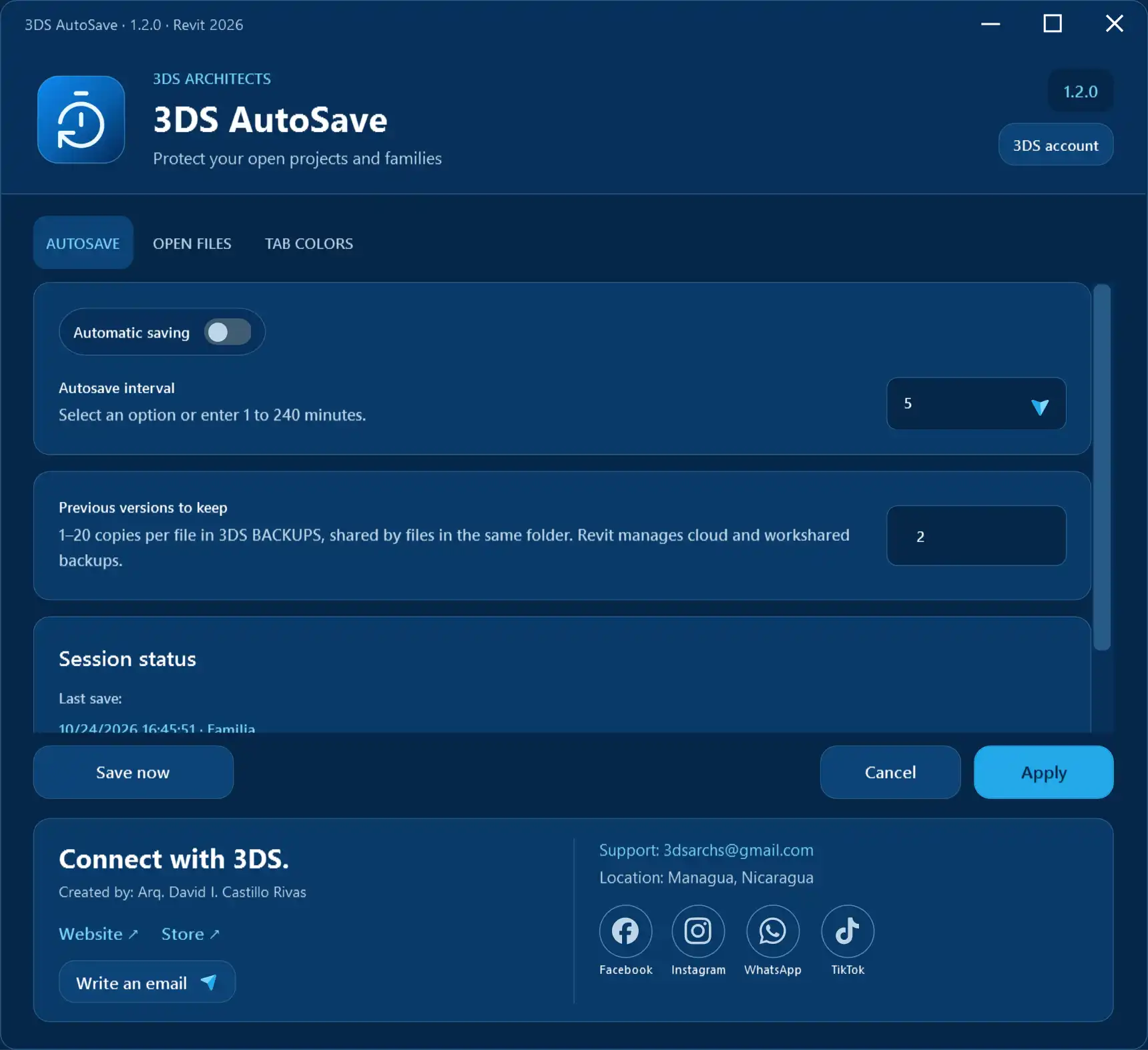
In the fast-paced world of architecture and engineering, ensuring the safety and integrity of your digital projects is paramount. For Revit users, the “3DS AutoSave” plugin offers a powerful solution to protect open projects, templates, and families. With its user-friendly interface and configurable features, this tool not only safeguards your work but also streamlines your workflow. Whether you’re a seasoned professional or a newcomer to Revit, the 3DS AutoSave plugin is designed to enhance your productivity and peace of mind. In this article, we’ll explore the key features and benefits of 3DS AutoSave, demonstrating why it’s a must-have tool for anyone working with Autodesk Revit.
(Image by: 3DS ARCHITECTS)
Key Features of 3DS AutoSave
The 3DS AutoSave plugin boasts an array of remarkable features that cater to the needs of Revit users. One of its standout characteristics is the configurable automatic saving functionality. Users can choose save intervals ranging from 1 to 240 minutes, allowing them to tailor the frequency of auto-saves based on their preferences and project requirements. This feature is especially beneficial in preventing data loss during unexpected software crashes or power outages.
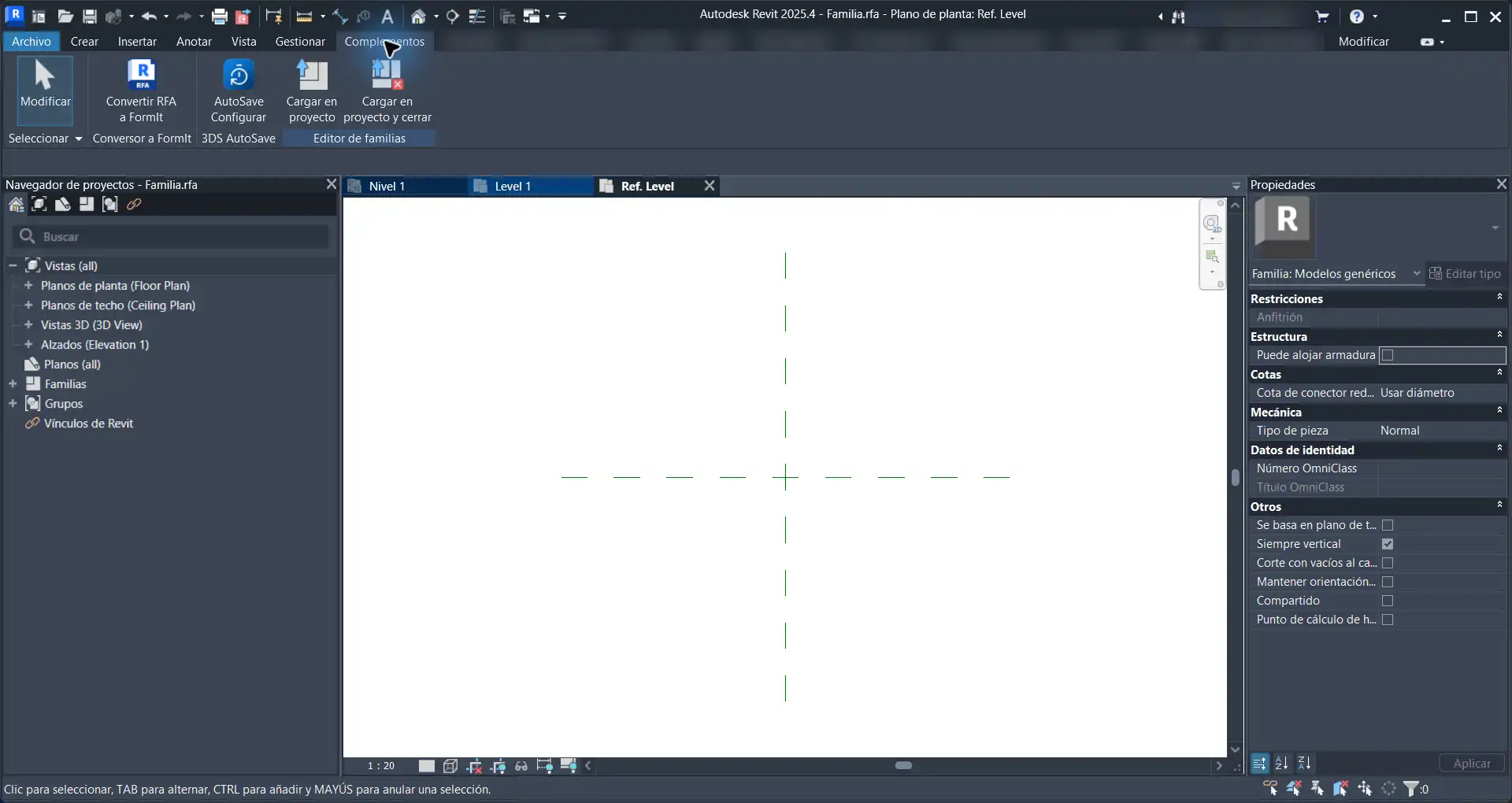
Upon accessing the plugin through the Add-Ins menu, users can easily navigate saving controls and view organization in a bilingual English/Spanish interface. The clarity of the interface makes it accessible for a diverse range of users, ensuring that language barriers do not hinder productivity.
The plugin also enables users to make immediate saves with the “Save now” feature, which provides instant feedback to confirm that the save was successful. The session section of the interface displays the latest successful save and the current saving status, allowing users to stay informed about their project’s safety at all times.
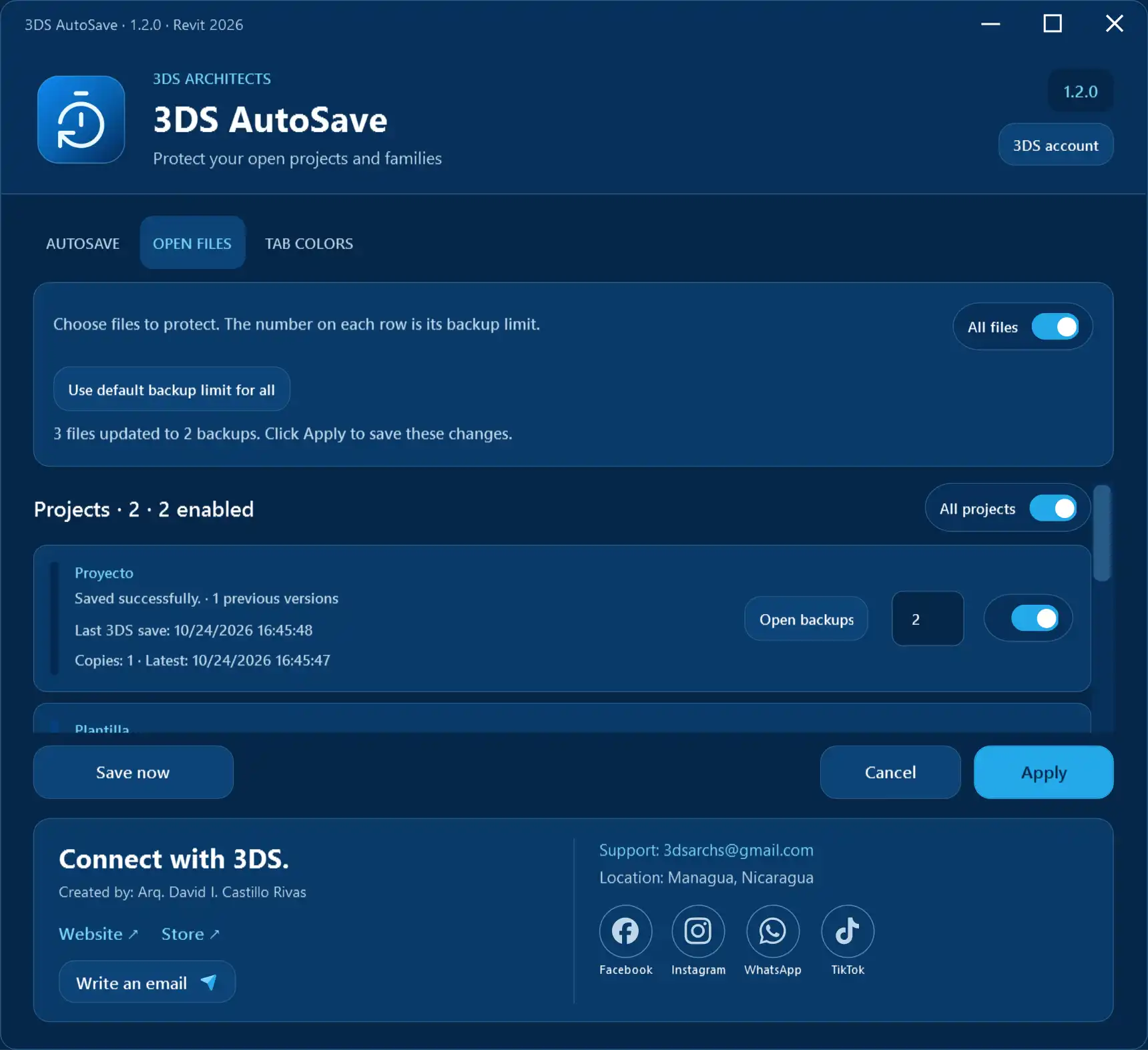
Another noteworthy aspect of the 3DS AutoSave plugin is its handling of open files. The “Open files” tab effectively separates projects from families, offering users the flexibility to enable all files, projects, families, or select individual documents. Each local file can have its own backup limit, allowing for better management of storage space and reducing clutter.
(Image by: 3DS ARCHITECTS)
Flexible Backup Options and File Management
With 3DS AutoSave, users can keep between 1 and 20 previous local versions per file, providing a robust backup system that allows for easy recovery of past versions. The plugin organizes these backups in a dedicated “3DS BACKUPS” folder shared among RVT projects, RTE project templates, and RFA families within the same source directory. This clever organizational system ensures that users can inspect previous copies effortlessly.
When moving documents, 3DS AutoSave intelligently creates new copies beside the current location, while maintaining earlier backup folders for user control. This feature reduces the risk of losing important data during file management tasks and promotes a more organized workspace.
Furthermore, the plugin introduces a visually appealing color-coding system for tabs, helping users quickly identify which document each open view belongs to. This feature allows users to configure projects and families independently, choosing from a sequential nine-color series or one of the 15 preset color series, including the striking 3DS blue series. Customization extends to creating up to three custom nine-color series using the visual color picker, RGB values, or HEX codes, offering a rich palette for personalizing the interface.
(Image by: 3DS ARCHITECTS)
Streamlined User Experience and Support
One of the strongest selling points of the 3DS AutoSave plugin is its commitment to enhancing user experience through organization and accessibility. The “Organize now” feature, along with grouped views, allows users to keep views from the same document together, facilitating a more coherent workflow. This feature is particularly advantageous during collaborative projects where maintaining clarity and organization is essential.
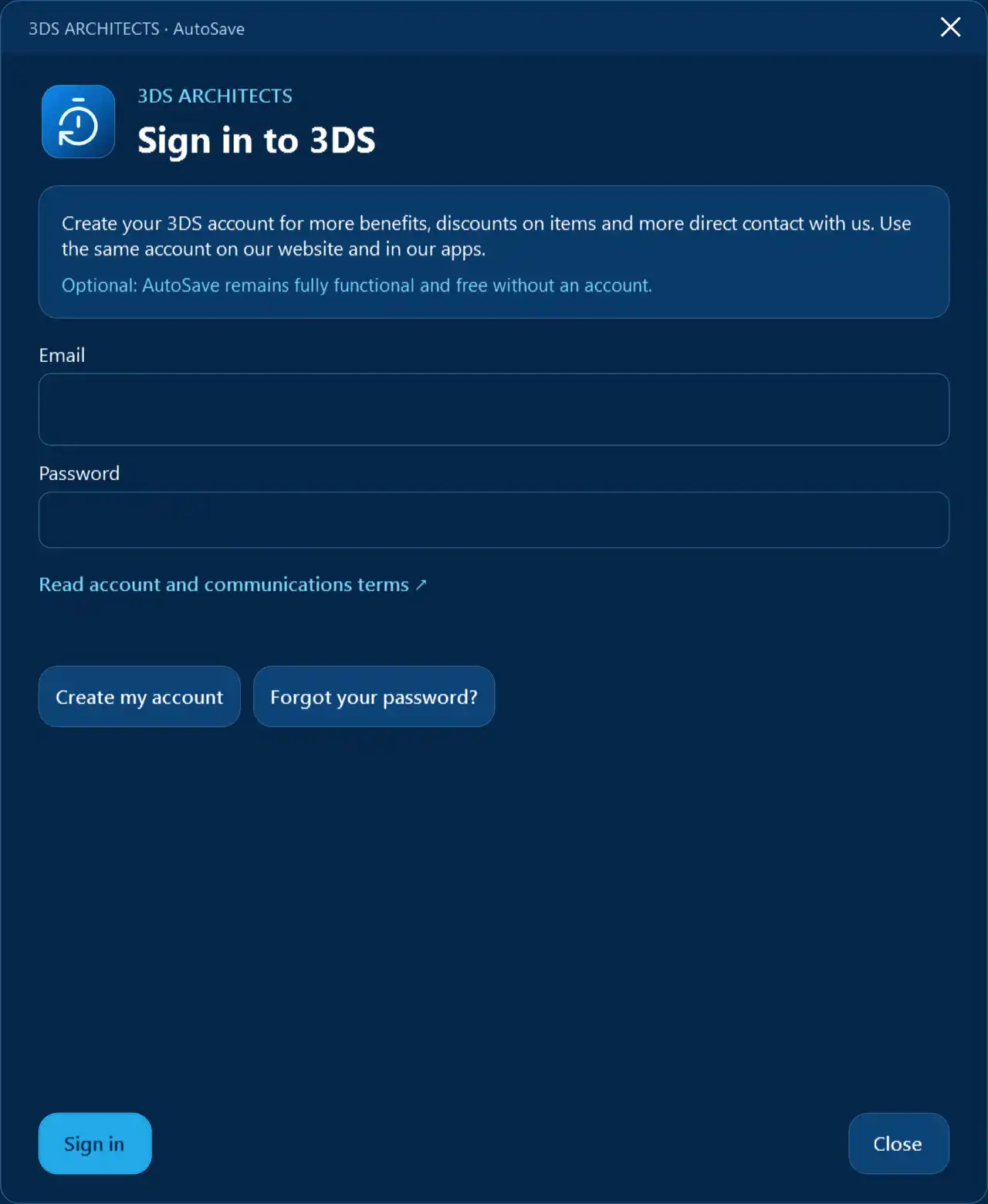
For those who may need assistance, the 3DS AutoSave plugin includes helpful contextual help accessible by pressing F1 while the command tooltip is visible. This feature empowers users to quickly find the guidance they need without interrupting their workflow. Additionally, the header of the plugin includes the official AutoSave logo and an optional 3DS account button. While users can enjoy the full benefits of the plugin without creating an account, having one unlocks additional advantages, discounts, and closer interactions with the 3DS community.
Importantly, all features of the 3DS AutoSave plugin remain completely free, with no licensing or trial requirements, making it an accessible tool for all Revit users. This commitment to providing a valuable resource without financial barriers reflects 3DS’s dedication to supporting the Revit community.
(Image by: 3DS ARCHITECTS)
Summary
The 3DS AutoSave plugin stands out as an essential tool for anyone working with Autodesk Revit. With its automatic saving capabilities, flexible backup options, and user-friendly interface, it significantly enhances the overall project management experience. By protecting your work and organizing your files effectively, 3DS AutoSave not only safeguards your projects but also boosts efficiency and productivity.
Whether you’re working on a small project or a large-scale architectural design, the peace of mind that comes with reliable auto-saving and version control is invaluable. To truly experience the benefits of this plugin, we encourage you to try 3DS AutoSave for yourself. With its robust feature set and commitment to enhancing the Revit user experience, this plugin is sure to become an indispensable part of your workflow.
Similar apps:
- Free
- Free
- Free
- Free
- $100
- Free