 1 / 8
About this app
Introduction
In the ever-evolving world of building information modeling (BIM), efficiency and precision are paramount for professionals in the mechanical, electrical, and plumbing (MEP) industries. The "AB MEP Supports" plugin for Autodesk® Revit® emerges as an indispensable tool designed to simplify the placement and management of supports for pipes, ducts, and cable trays. This review explores the plugin’s features, benefits, and how it can revolutionize your MEP design workflow.
(Image by: AB Adv Tools)
Key Features of AB MEP Supports
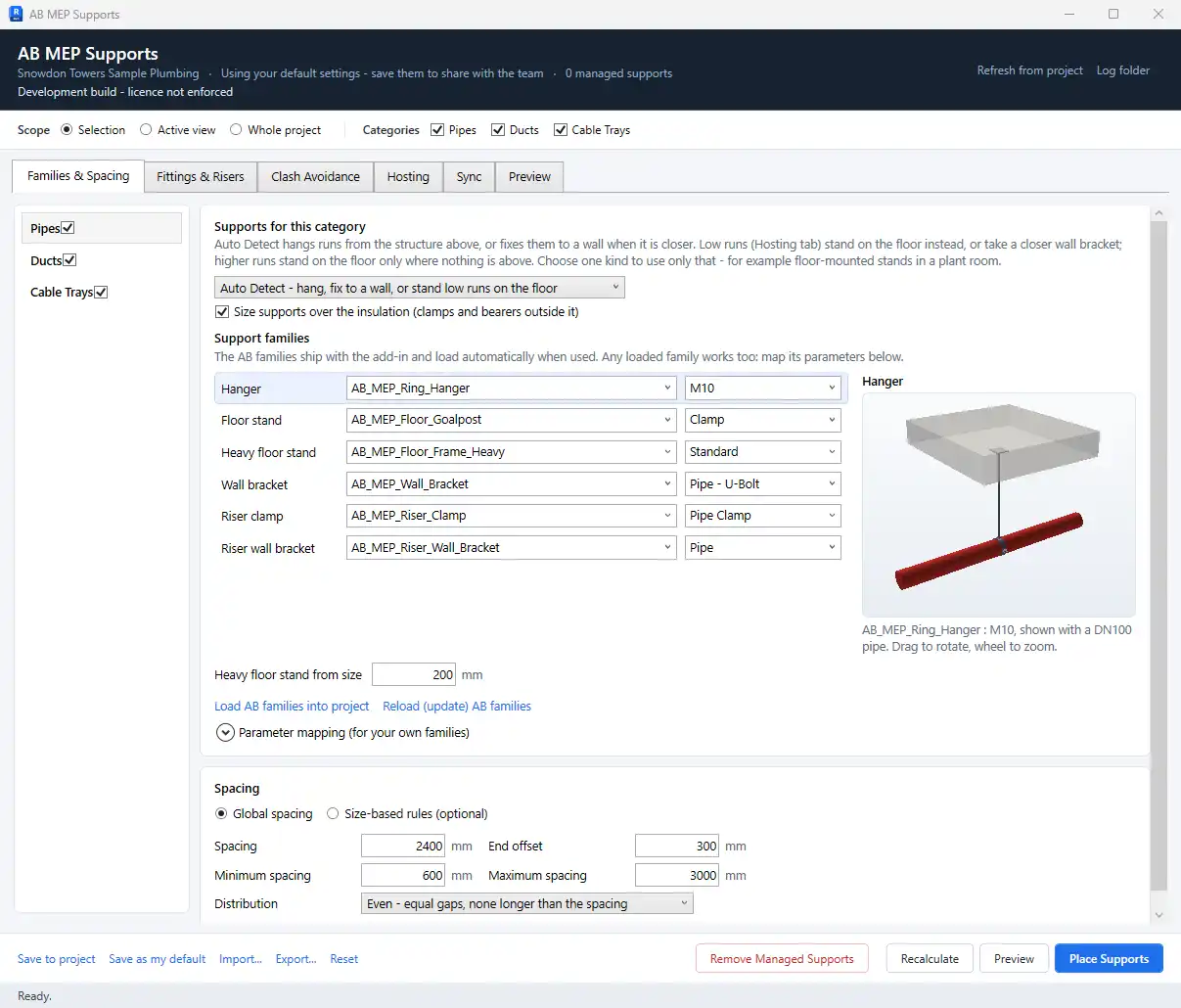
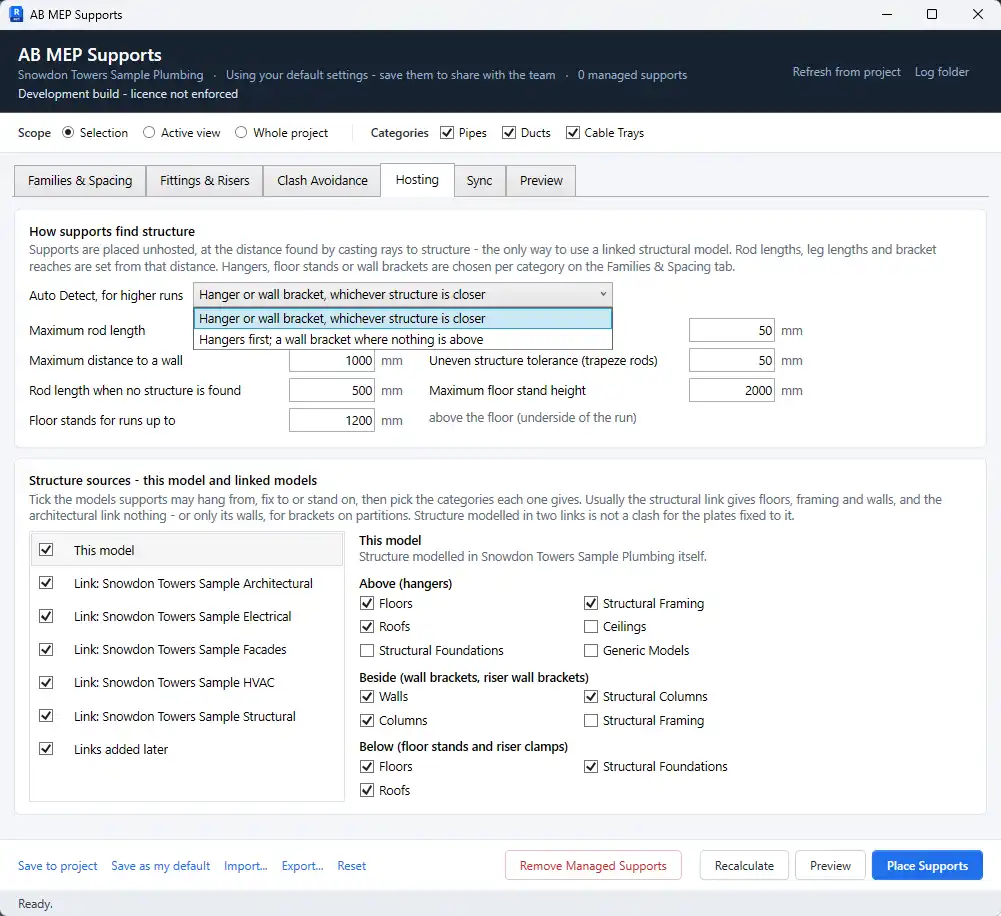
One of the standout features of AB MEP Supports is its versatility in managing various types of supports. The plugin allows users to easily place hangers, floor-mounted stands, and wall brackets tailored to their specific needs. With an intuitive Auto Detect function, the plugin smartly identifies whether to run hangers from the structure above or fix them to a nearby wall, ensuring that low runs are optimally supported on the floor.
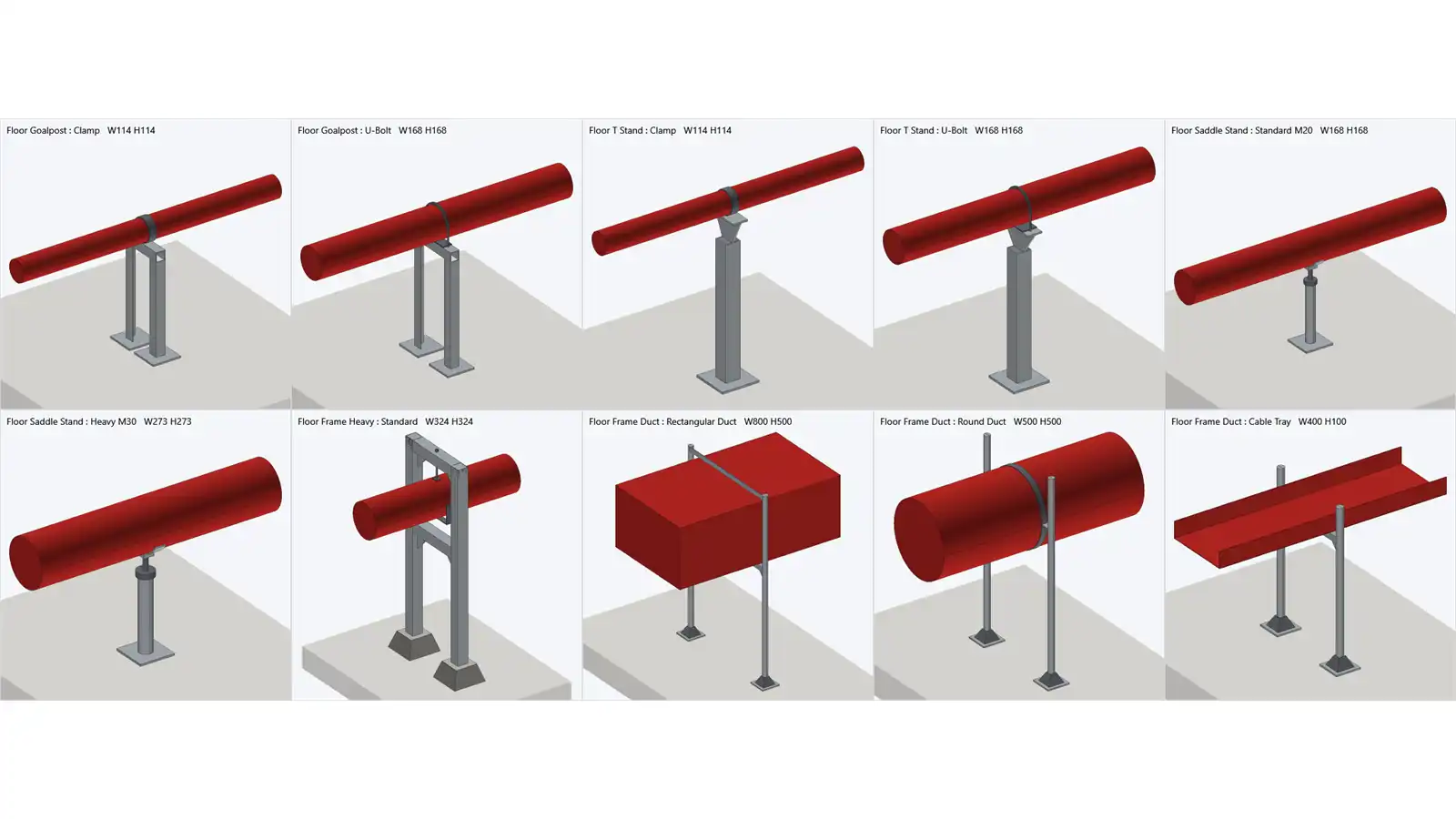
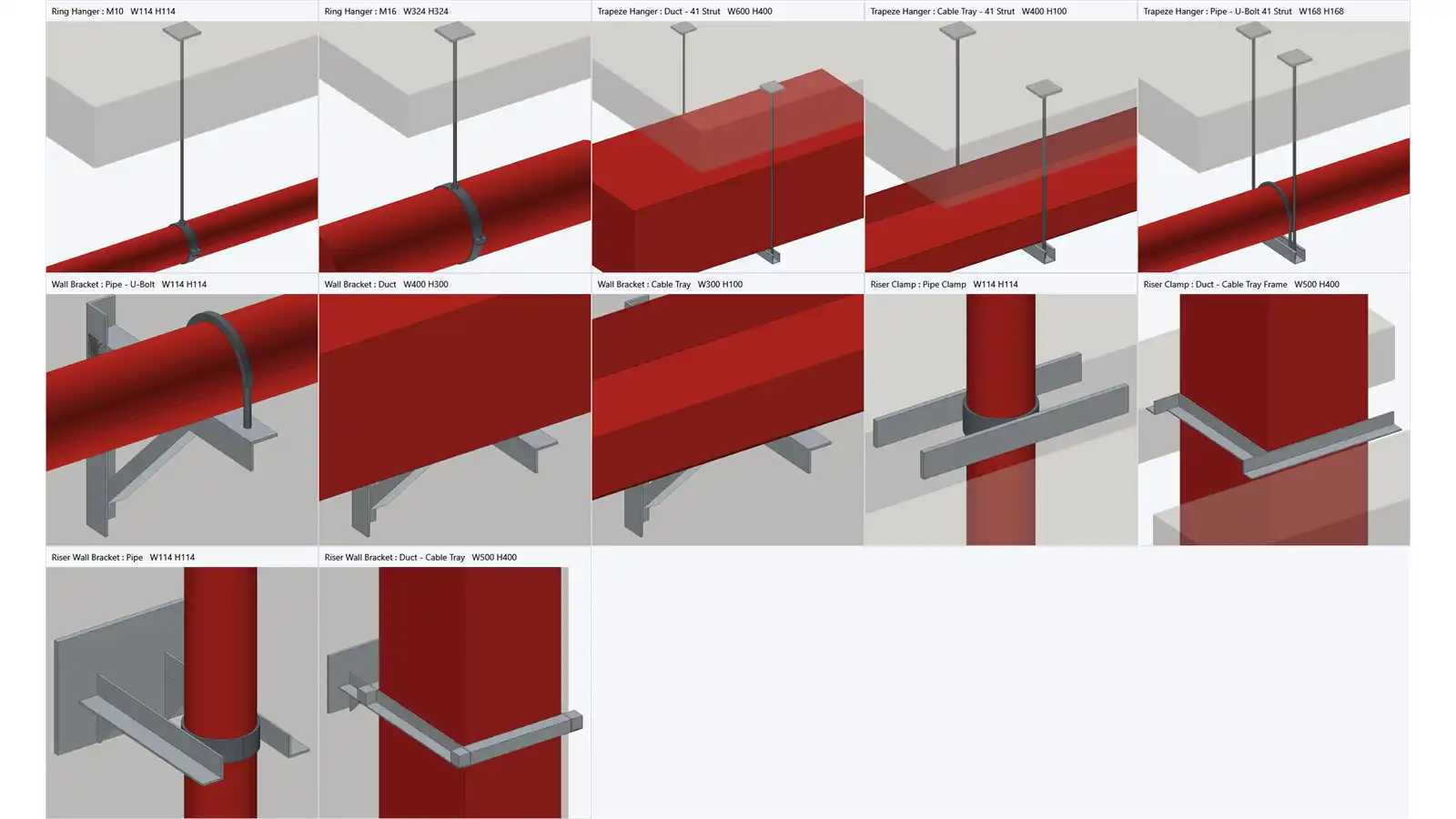
The plugin comes equipped with ten parametric support families that reflect real-world practices, such as ring clamp hangers, strut trapezes with U-bolts, braced wall brackets, and more. This variety empowers users to choose the most suitable support type for their projects, enhancing both functionality and aesthetics.
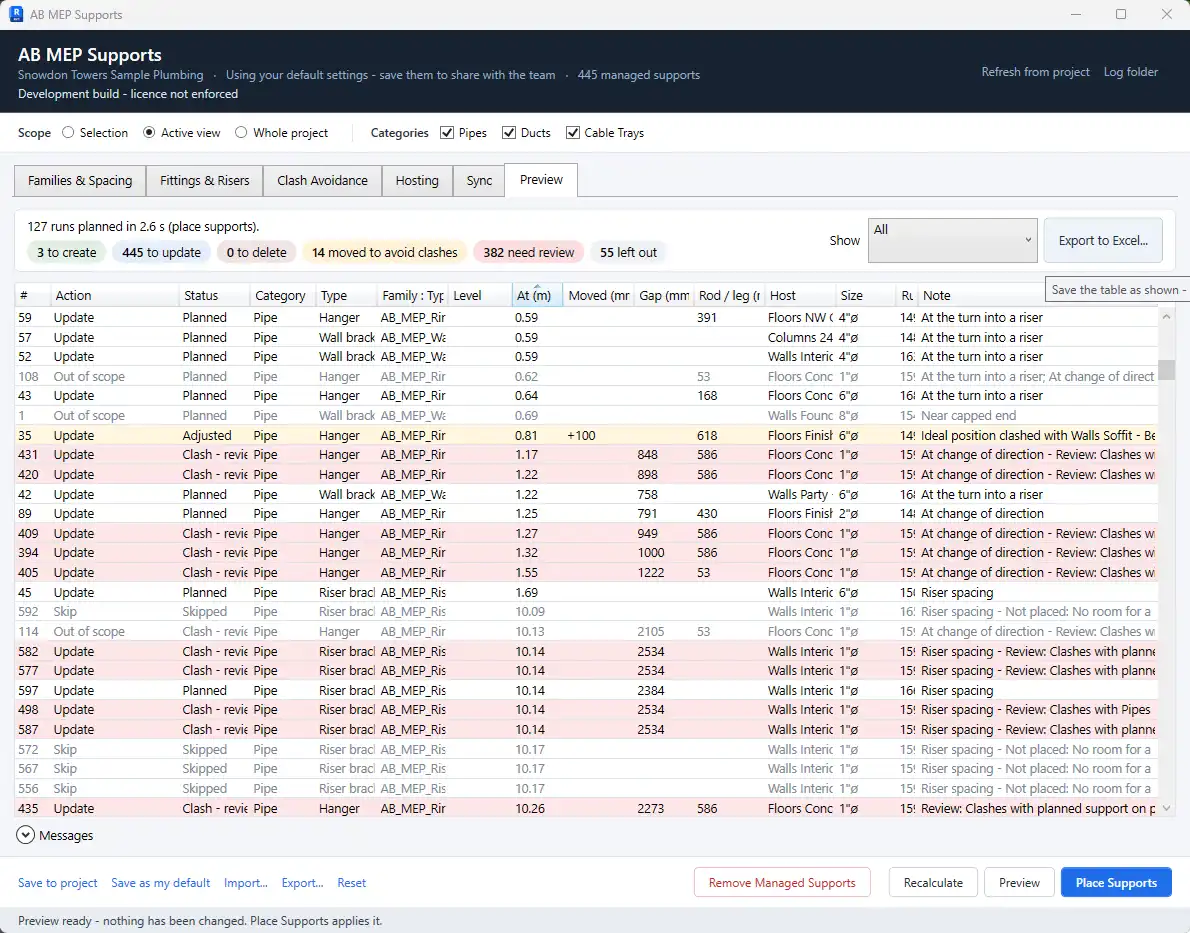
Furthermore, the plugin features a live 3D preview, which allows users to visualize their selections in real time. This functionality is vital for ensuring that the support placements are accurate and meet design intentions before finalizing the model. The added benefit of a preview table, which is exportable to Excel, simplifies the review process, making it easier to share information with team members and stakeholders.
(Image by: AB Adv Tools)
Enhanced Clash Avoidance and Management
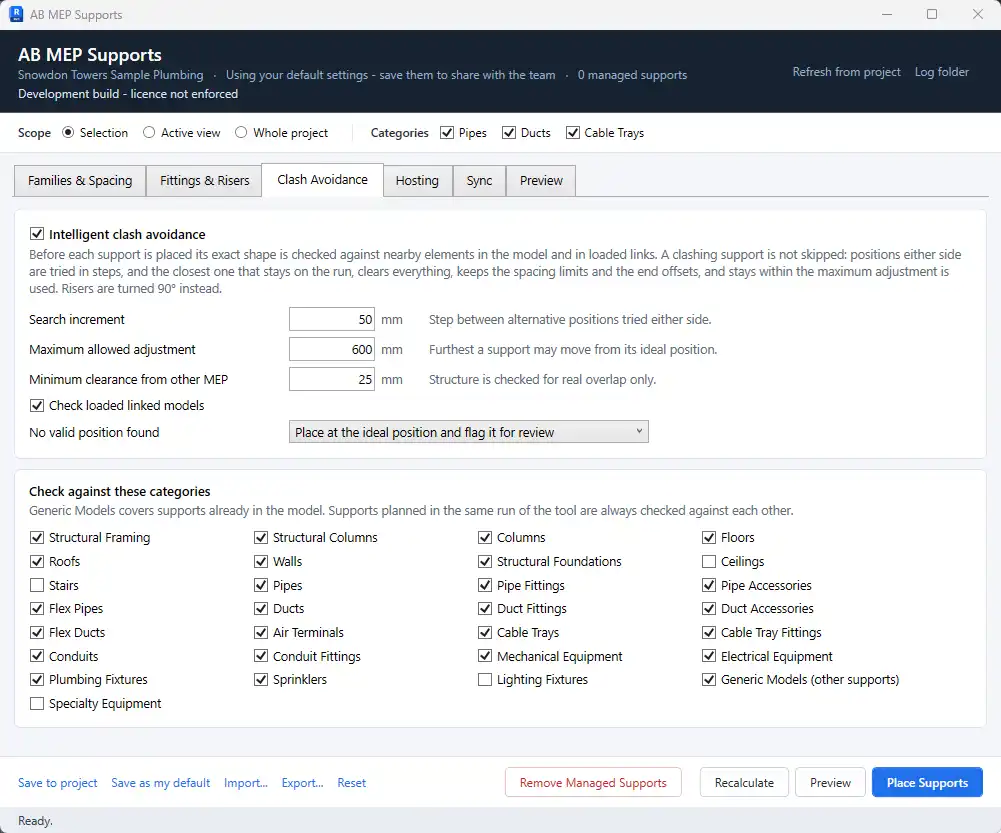
One of the most significant challenges in MEP design is managing clashes between various components. AB MEP Supports addresses this issue head-on with its advanced clash avoidance capabilities. The plugin intelligently identifies potential collisions with other model elements and allows users to reposition clashing supports to the nearest clear position within predefined limits. This proactive approach not only saves time during the design phase but also minimizes costly errors during construction.
Moreover, the plugin provides clear indications of what each flagged support has clashed with, promoting transparency in the design process. This feature is invaluable for teams working on complex projects where multiple disciplines intersect, ensuring that the final model is both accurate and conflict-free.
(Image by: AB Adv Tools)
Flexible Sizing and Syncing Options
AB MEP Supports excels in adaptability with its flexible sizing options. Users can size supports over insulation or on bare pipes and ducts, ensuring that the right dimensions are always applied based on the specific requirements of each project. This level of detail is crucial for maintaining compliance with industry standards and ensuring optimal performance.
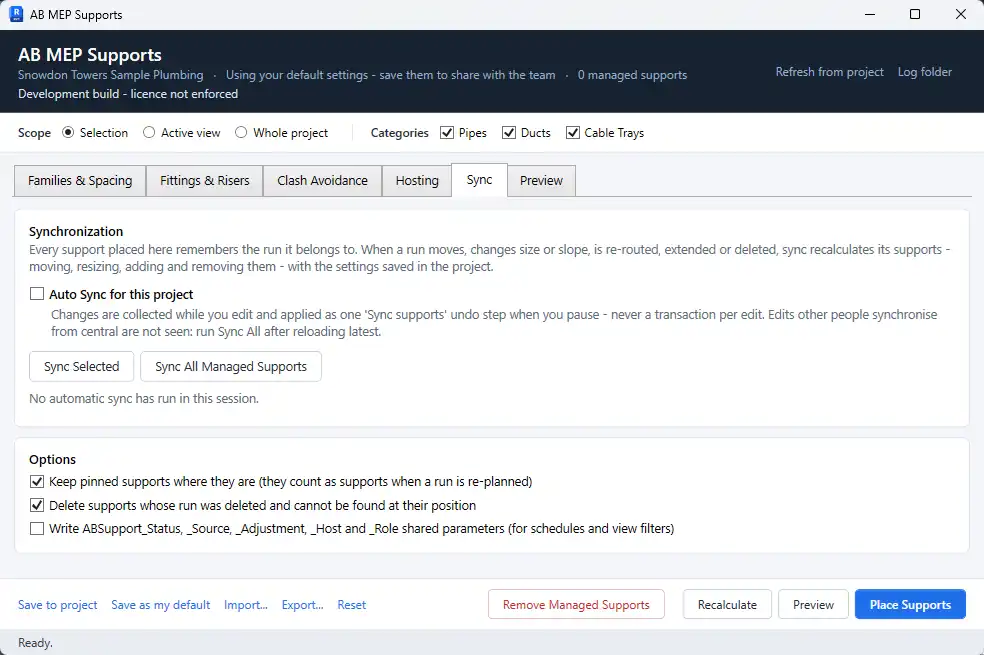
Additionally, the plugin's synchronization feature is a game-changer for maintaining alignment between supports and their respective runs. Users can choose to sync supports on demand or automatically as they edit, allowing for a seamless and efficient workflow. This ensures that as changes occur in the design, supports are updated accordingly, eliminating the risk of inconsistencies that can arise during the design process.
(Image by: AB Adv Tools)
Summary
In conclusion, "AB MEP Supports" is a powerful plugin that brings significant benefits to Autodesk® Revit® users in the MEP sector. Its ability to manage a wide variety of support types with a user-friendly interface, combined with advanced clash avoidance, flexible sizing, and effective synchronization features, makes it an essential tool for any MEP professional. Whether you are an experienced user of Revit or just starting your journey in BIM, AB MEP Supports promises to enhance your design workflow, reduce errors, and ultimately lead to better project outcomes. We encourage you to explore this innovative plugin and experience the difference it can make in your MEP projects!
(Image by: AB Adv Tools)
(Image by: AB Adv Tools)
(Image by: AB Adv Tools)
Similar apps:
- Free
- Free
- Free
- Free
- $50
- Free