 1 / 7
1 / 7About this app
Introduction
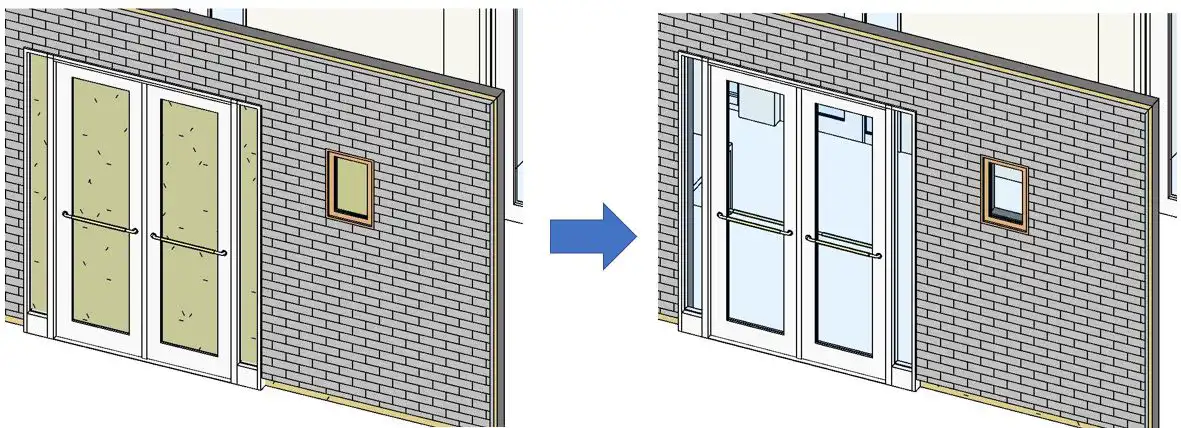
Revit users, rejoice! B's WallAutoOpening 2022(Paid version) is here to revolutionize the way you create AutoOpenings in your designs. This powerful add-in software simplifies the process of adding openings in adjacent walls, saving you time and effort. With its user-friendly interface and advanced features, B's WallAutoOpening is a must-have tool for any architect or designer working with Revit.
(Image by: ブレンスタッフ株式会社)
Features and Functions
B's WallAutoOpening offers a range of functions that make creating AutoOpenings a breeze. Here are some of the key features of this plugin:
(Image by: ブレンスタッフ株式会社)
1. Create AutoOpening(Single) Function
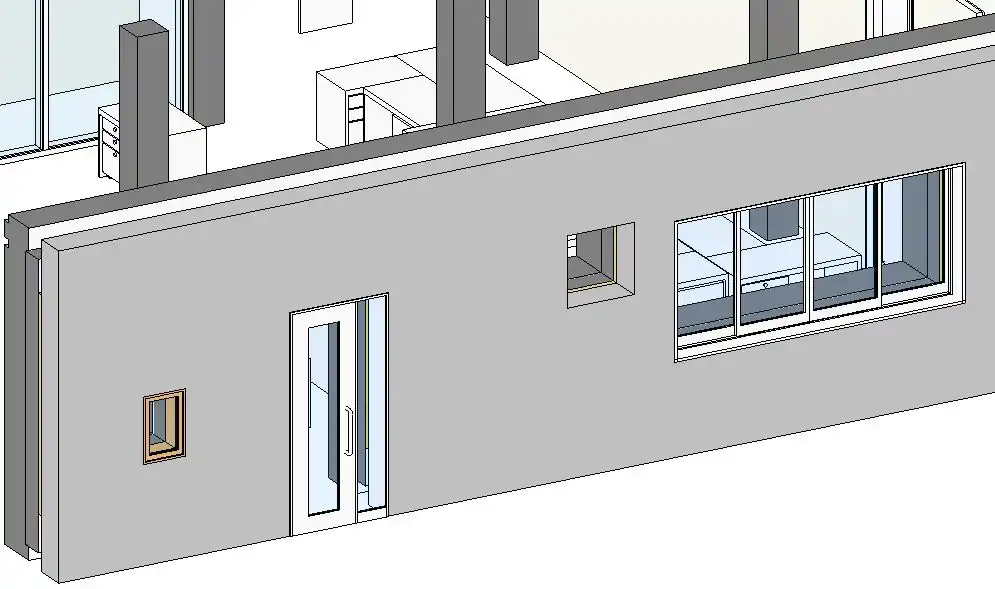
The Create AutoOpening(Single) function allows you to automatically create an opening on the wall adjacent to the selected wall. Simply select the wall you want to add the opening to, and let the software do the rest. This feature is perfect for quickly adding openings to individual walls without the need for manual intervention.
(Image by: ブレンスタッフ株式会社)
2. Create AutoOpening(Lump) Function
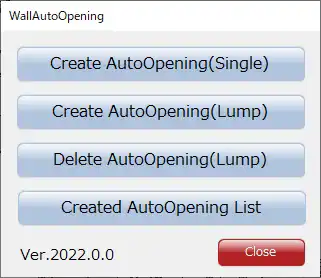
(Available only in the paid version) The Create AutoOpening(Lump) function takes things up a notch by allowing you to create multiple openings at once. Select all the walls you want to add openings to using the "level" specified on the screen, and the software will do the rest. This feature is a game-changer for projects with multiple walls that require openings, saving you valuable time and effort.
(Image by: ブレンスタッフ株式会社)
3. Delete AutoOpening(Lump) Function
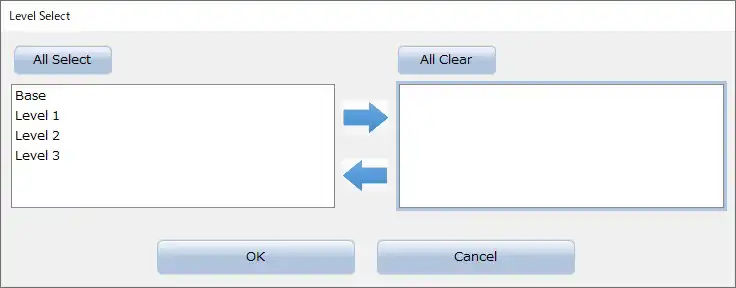
(Available only in the paid version) The Delete AutoOpening(Lump) function lets you easily remove any unwanted AutoOpenings from your design. Simply select the AutoOpenings you want to delete using the "level" specified on the screen, and the software will take care of the rest. This feature is a handy tool for cleaning up your design and maintaining accuracy in your project.
(Image by: ブレンスタッフ株式会社)
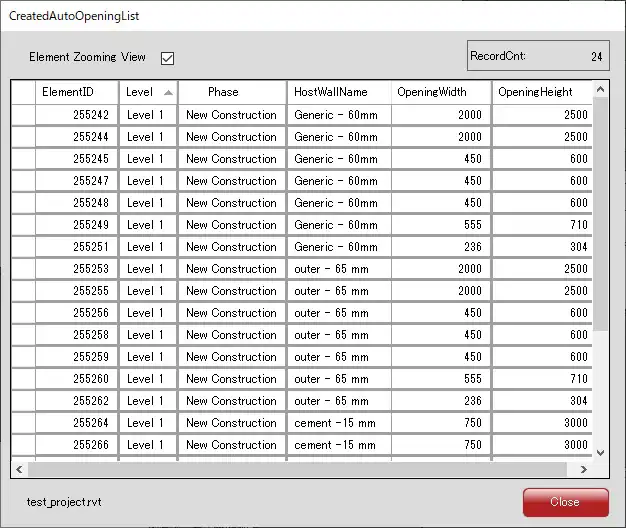
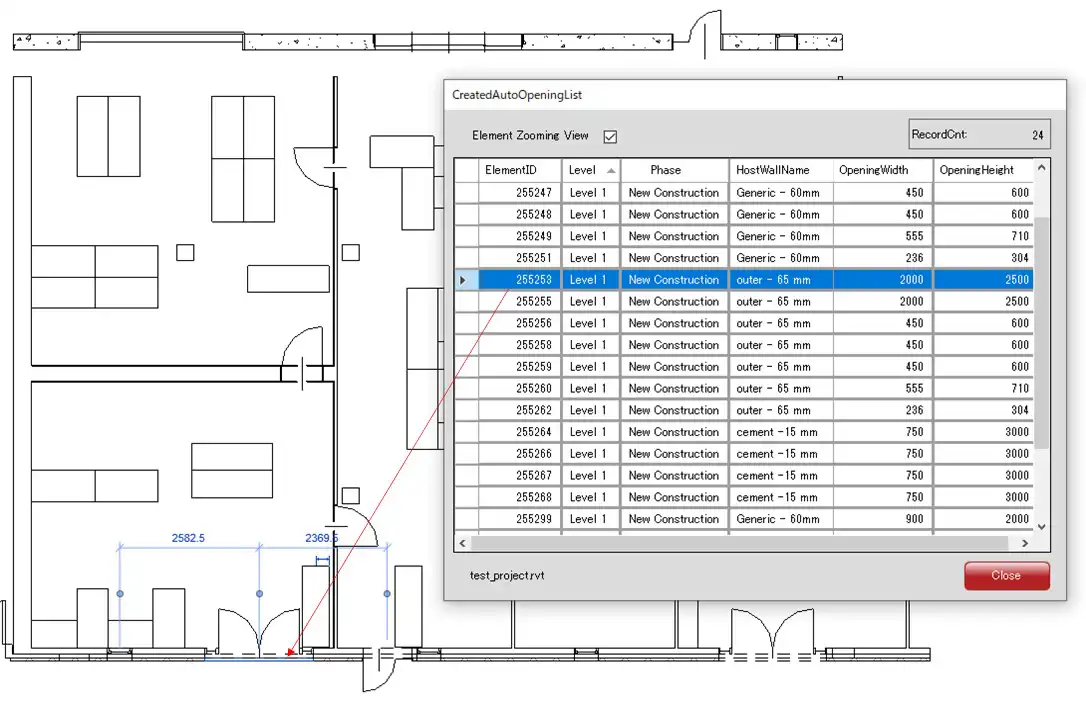
4. Created AutoOpening List Function
The Created AutoOpening List function provides a convenient way to keep track of all the AutoOpenings in your design. With just a few clicks, you can access a list of all the AutoOpenings created using the plugin and easily select any specific opening to highlight it in the view. This feature is invaluable for managing and organizing your design effectively.
(Image by: ブレンスタッフ株式会社)
Conclusion
B's WallAutoOpening 2022(Paid version) is a game-changing Revit plugin that simplifies the process of creating AutoOpenings in your designs. With its user-friendly interface, advanced features, and time-saving functions, this plugin is a must-have tool for any architect or designer working with Revit. Say goodbye to manual opening creation and hello to a more efficient design process with B's WallAutoOpening. Give it a try today and experience the difference for yourself!
Similar apps:
- Free
- $5
- Free
- Free
- Free
- $50