1 / 13
About this app
Introduction
Revit users looking for a seamless solution for designing sewage and rainwater drainage systems can now rejoice with the Sewer plugin. This innovative tool automates the process of converting generic piping systems into efficient gravitational sewer systems, saving time and reducing errors in the design process. With features like automatic manhole insertion, customizable options, and detailed parameter outputs, Sewer is a game-changer in drainage system design.
(Image by: AD Solutions Consult )
Key Features
The Sewer plugin offers a range of features that make it stand out in the realm of drainage system design. One of the key highlights is its ability to convert generic piping systems into sewage or rainwater gravitational sewer systems with user-defined slopes, self-cleansing velocities, and restricted maximum levels in pipes. This customization ensures that the generated system meets the specific requirements of the project.
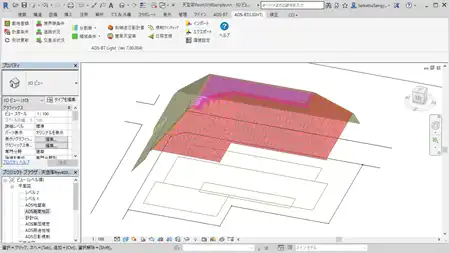
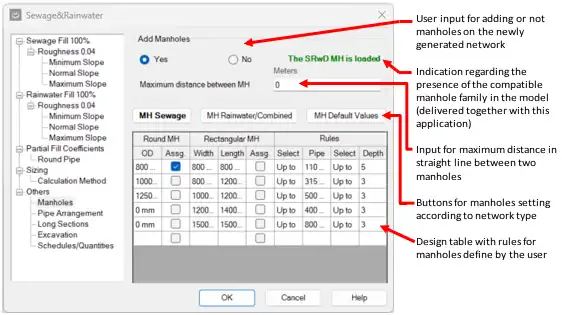
Additionally, Sewer takes into account the topography of the site when determining the depths of the newly generated system, providing a coordinated and efficient design. Users also have the option to automatically insert manholes at junctions and direction changes based on an automatic algorithm, streamlining the design process even further.
One of the standout features of Sewer is its support for both metric and imperial unit systems, catering to a wide range of users. The plugin is fully customizable, allowing users to add a custom database for new types of pipes and formulas. By using fixture units (WFU) to calculate sewage or rainwater flow on system sections, Sewer provides accurate and detailed parameters for each section in the network.

(Image by: AD Solutions Consult )
Ease of Use
One of the biggest advantages of Sewer is its user-friendly interface and intuitive design. The plugin simplifies the process of designing sewage and rainwater drainage systems, making it accessible to both novice and experienced Revit users. With automated features like manhole insertion and customizable options, Sewer streamlines the design process and eliminates the need for manual calculations.
Furthermore, Sewer facilitates the ease of updating and managing the system to meet project demands and identify deficiencies in the network for improvement. By utilizing existing information in the Revit model, the plugin ensures efficiency and accuracy in drainage system design.

(Image by: AD Solutions Consult )
Long Section and BOQ Generation
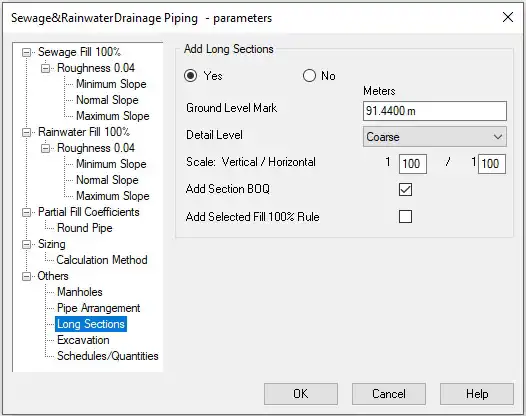
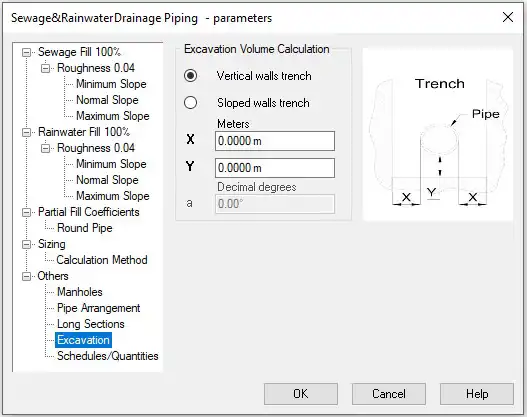
In the full version of Sewer, users have access to additional features such as Long Section and Bill of Quantities (BOQ) generation, including excavation volume calculation. These tools provide detailed insights into the design and help users visualize the drainage system in a comprehensive manner. While the full version is available for a 15-day trial period, certain options will require a subscription for continued access.

(Image by: AD Solutions Consult )
Conclusion
The Sewer plugin for Revit is a powerful tool that simplifies the design process for sewage and rainwater drainage systems. With its customizable options, automatic features, and detailed parameter outputs, Sewer offers a comprehensive solution for users looking to optimize their drainage system designs. By reducing design time, eliminating errors, and providing accurate calculations, Sewer is a valuable addition to any Revit user's toolkit. While it is important to note that professional judgment is still required in the field of drainage system design, Sewer serves as a valuable assistant in streamlining the process and enhancing productivity.

(Image by: AD Solutions Consult )

(Image by: AD Solutions Consult )

(Image by: AD Solutions Consult )

(Image by: AD Solutions Consult )

(Image by: AD Solutions Consult )
(Image by: AD Solutions Consult )
(Image by: AD Solutions Consult )
(Image by: AD Solutions Consult )
Similar apps:
- Free
- $20
- Free
- Free
- $50
- Free