 1 / 22
About this app
Introduction
Revit is a powerful tool for building information modeling (BIM), but sometimes the default features can be limited when it comes to designing piping systems, especially for plumbing networks. That's where BIM9_Pipes comes in. This Revit Add-In is designed to enhance and simplify the process of creating, modifying, and managing piping elements within your Revit projects. With a comprehensive set of features, BIM9_Pipes aims to streamline your plumbing design workflow and help MEP professionals work more efficiently.
(Image by: Bim9Solution)
Features and Functionality
BIM9_Pipes offers a wide range of features that can help you design piping systems with ease. Some of the key features include:
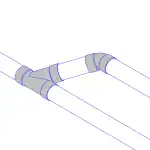
- Create group 45Up: This feature allows you to create a pipe segment angled upward at 45 degrees from the selected pipe. It can be useful for designing complex piping systems that require different angles.
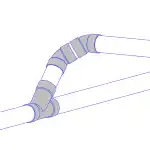
- PipeSiphon: With this feature, you can create a siphon from the selected pipe, which is commonly used in drainage systems. It can help you design more efficient plumbing networks.
- PerpenConnect: Automatically connects two pipes at a 90-degree angle and a big difference in elevation. This feature can save you time and make your design process more seamless.
In addition to these features, BIM9_Pipes also offers tools like TwoElbows45Up, TwoElbows45, ElbowConnect, SpringOut, SuperConnect, and more, all aimed at making your plumbing design workflow smoother and more efficient. Whether you need to align pipes, set slopes, split pipe segments, or check for clashes between elements, BIM9_Pipes has got you covered.
(Image by: Bim9Solution)
User Interface and Ease of Use
One of the standout features of BIM9_Pipes is its user-friendly interface. The tools are well-organized and easy to access, making it simple to navigate through the various features and functionalities. The commands are intuitive and easy to understand, even for users who may be new to Revit Add-Ins.
Furthermore, BIM9_Pipes offers a custom installer, which may seem like a minor detail but can make a significant difference in the overall user experience. The custom installer ensures that the plugin is installed correctly and seamlessly integrates with Revit, without any hiccups or compatibility issues.
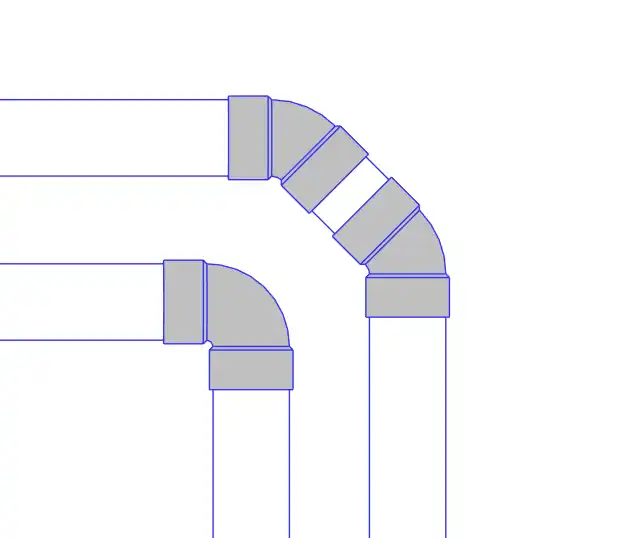
(Image by: Bim9Solution)
Conclusion
BIM9_Pipes is a must-have Revit plugin for MEP professionals looking to streamline their plumbing design workflow. With its comprehensive set of features and user-friendly interface, BIM9_Pipes can help you create, modify, and manage piping elements more efficiently within your Revit projects. Whether you need to create complex pipe segments, connect pipes at different angles, or check for clashes between elements, BIM9_Pipes has the tools you need to get the job done. Give it a try and see how it can enhance your plumbing design process in Revit.
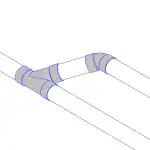
(Image by: Bim9Solution)
Similar apps:
- Free
- $4.99/month
- $5
- Free
- Free
- Free