 1 / 5
1 / 5About this app
Introduction
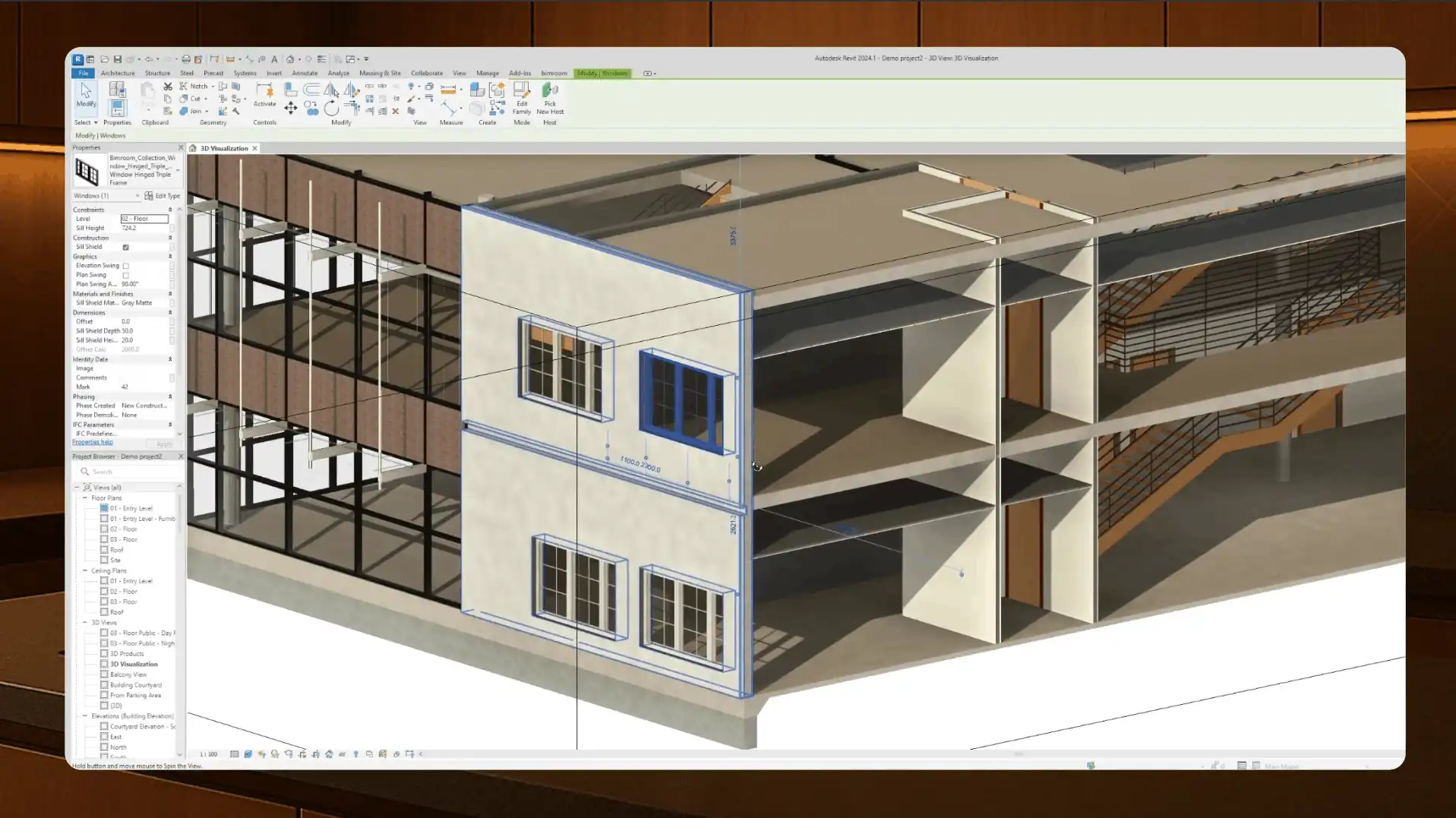
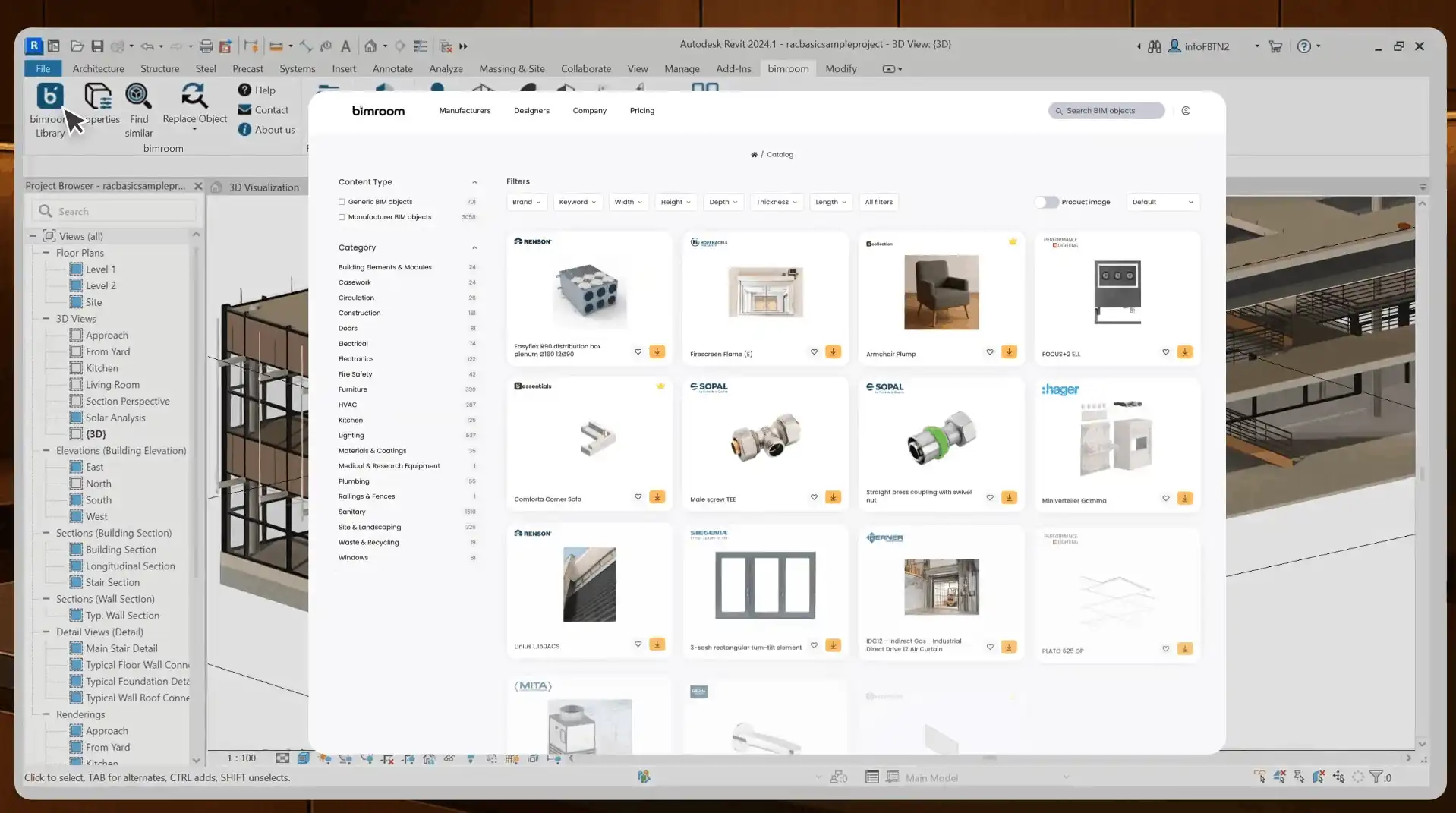
As architects and designers, we are constantly looking for ways to streamline our workflow and access high-quality resources to enhance our projects. One tool that has been making waves in the industry is bimroom for Autodesk® Revit®. This powerful plugin provides seamless access to a vast BIM library directly within Revit, offering architects and designers instant access to a wide range of generic and manufacturer BIM objects. In this review, we will delve into the features and benefits of bimroom and explore how it can revolutionize the way you work in Revit.
(Image by: Bimform AG)
Features of bimroom
bimroom for Autodesk® Revit® boasts a range of features that make it a valuable addition to any architect or designer's toolkit. One of the key highlights of bimroom is its extensive BIM library, which includes thousands of quality-controlled manufacturer BIM objects alongside generic BIM objects. This library is continuously updated, ensuring that you always have access to the latest and highest quality BIM content.
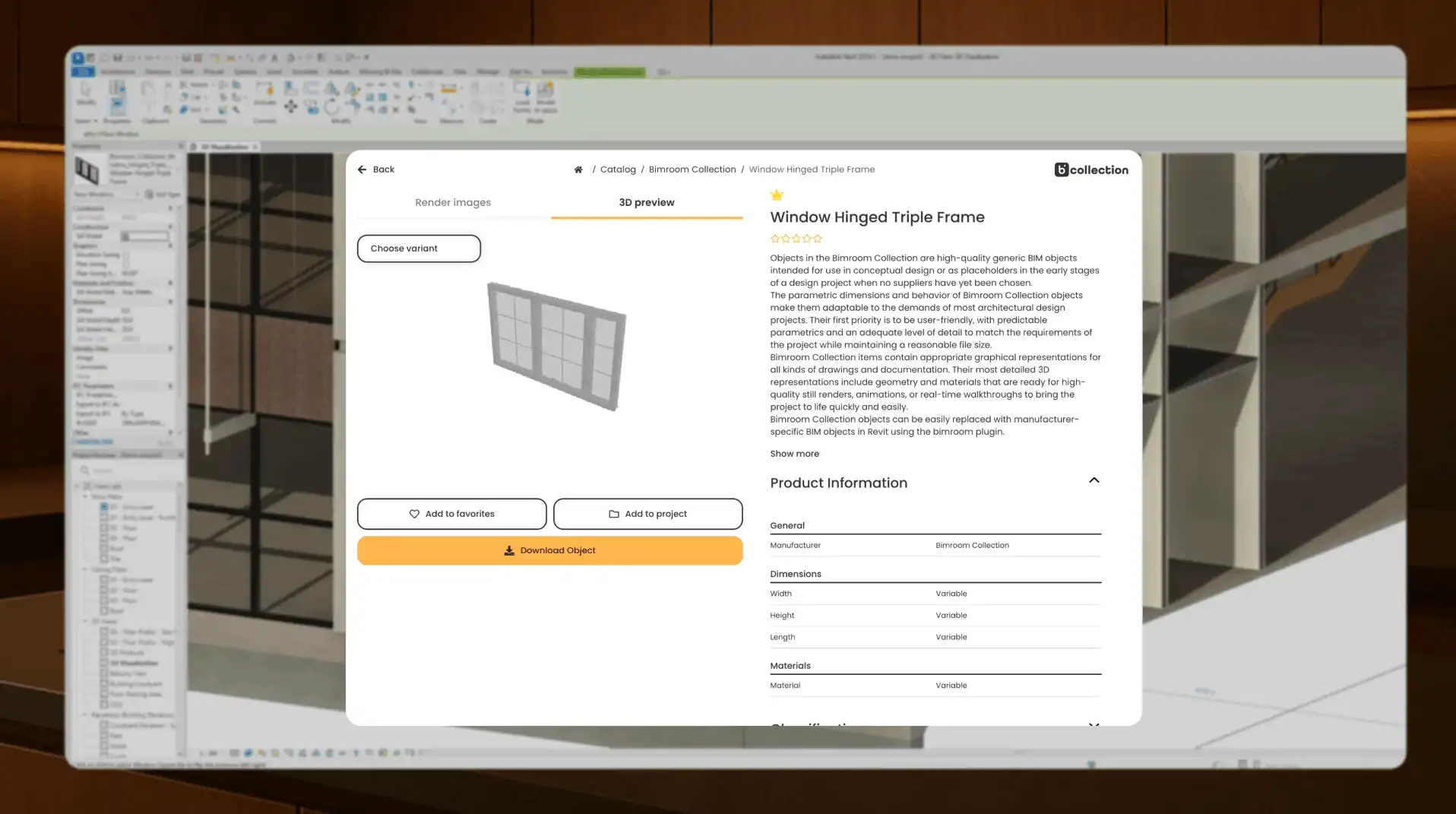
With bimroom, searching for BIM objects has never been easier. The plugin allows you to search, filter, and preview BIM objects directly within Revit, eliminating the need to download files or manage local folders. You can easily find the objects you need and place them directly into your project with intuitive drag-and-drop functionality, saving you time and streamlining your workflow.
bimroom also offers powerful object management tools, such as Find Similar, Replace One, and Replace Many, which enable you to quickly update existing objects throughout your project while maintaining consistency. These tools are invaluable for ensuring that your project stays on track and meets your design specifications.
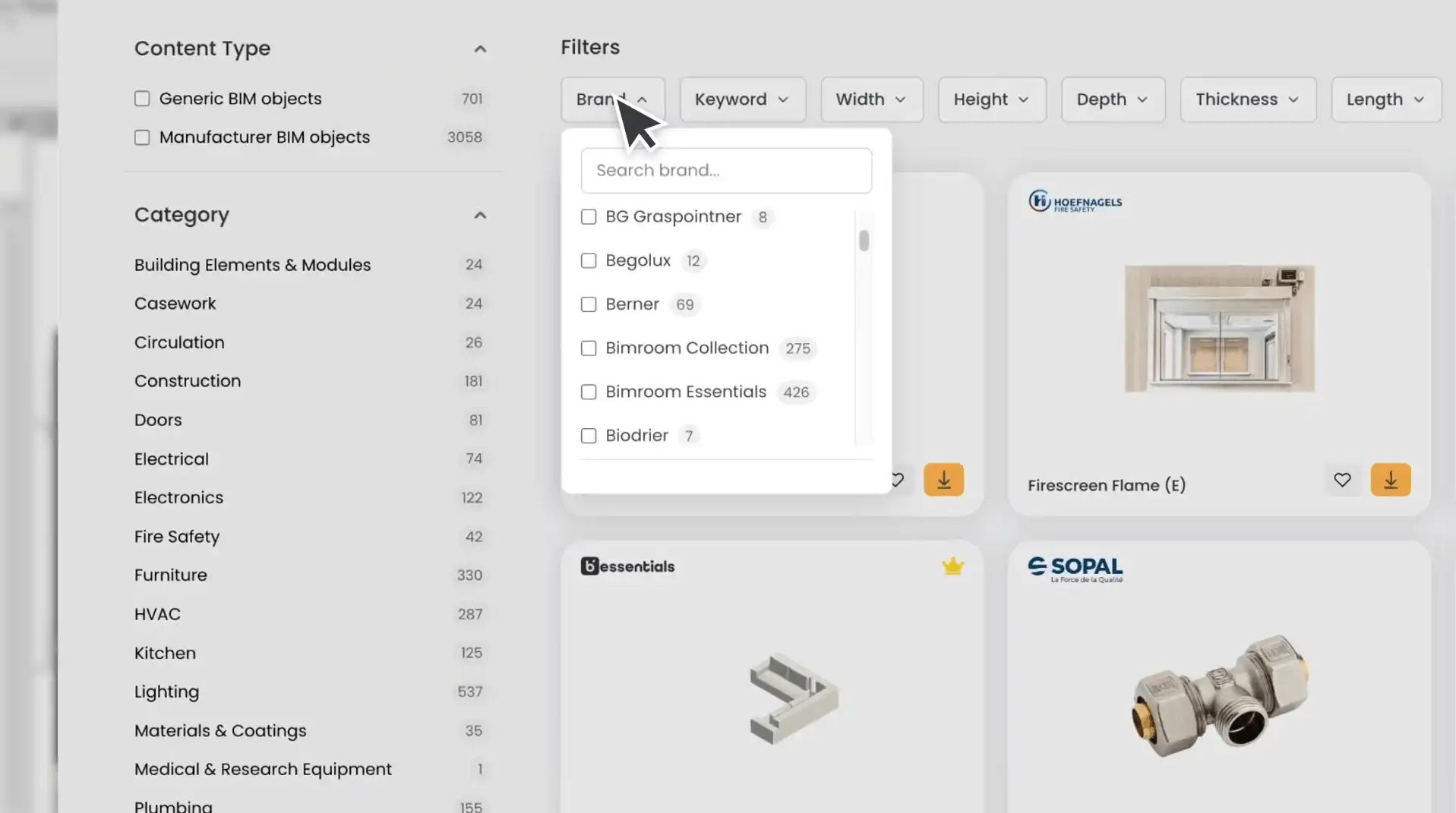
(Image by: Bimform AG)
Benefits of bimroom
The benefits of using bimroom for Autodesk® Revit® are numerous. One of the key advantages of bimroom is its seamless integration with Revit, ensuring a trusted and reliable user experience. As a proud member of the Autodesk Developer Network (ADN), bimroom is designed to work seamlessly with Revit, providing architects and designers with a seamless BIM experience.
Another benefit of using bimroom is the convenience it offers. With bimroom, you can access a vast library of high-quality BIM objects directly within Revit, eliminating the need to search for BIM content on external websites or platforms. This convenience saves you time and allows you to focus on what you do best—designing innovative and creative projects.
Furthermore, bimroom's continuous updates ensure that you always have access to the latest BIM content, giving you the confidence to create cutting-edge designs that meet the highest standards of quality and excellence.
(Image by: Bimform AG)
Summary
In conclusion, bimroom for Autodesk® Revit® is a powerful plugin that provides architects and designers with seamless access to a vast BIM library directly within Revit. With its extensive library of generic and manufacturer BIM objects, intuitive search and filter features, and powerful object management tools, bimroom revolutionizes the way you work in Revit, saving you time and ensuring consistency throughout your projects. If you're looking for a trusted and reliable BIM solution that enhances your design workflow, look no further than bimroom for Autodesk® Revit®.
(Image by: Bimform AG)
Similar apps:
- Free
- $10/month
- Free
- Free
- Free
- Free