
 1 / 8
1 / 8About this app
Are you tired of spending hours on manual tasks in Autodesk Revit? Do you want to streamline your BIM workflows and boost productivity? Look no further than BIMKraft Tools, a comprehensive productivity suite designed to revolutionize the way you work in Revit. Built for architects, engineers, and BIM managers, BIMKraft provides 6 powerful tools that will save you time and effort on every project.
Key Features
Let's take a closer look at the key features that make BIMKraft Tools a must-have for any Revit user:
(Image by: BIMKraft)
1. Parameter Manager Pro
With Parameter Manager Pro, you can easily add project parameters with advanced configuration options. Whether you need to select from shared parameters or create custom ones, this tool has you covered. You can configure binding types (Instance/Type), apply parameters to multiple categories simultaneously, and save and load parameter presets. This feature is perfect for standardizing BIM parameters across projects.
(Image by: BIMKraft)
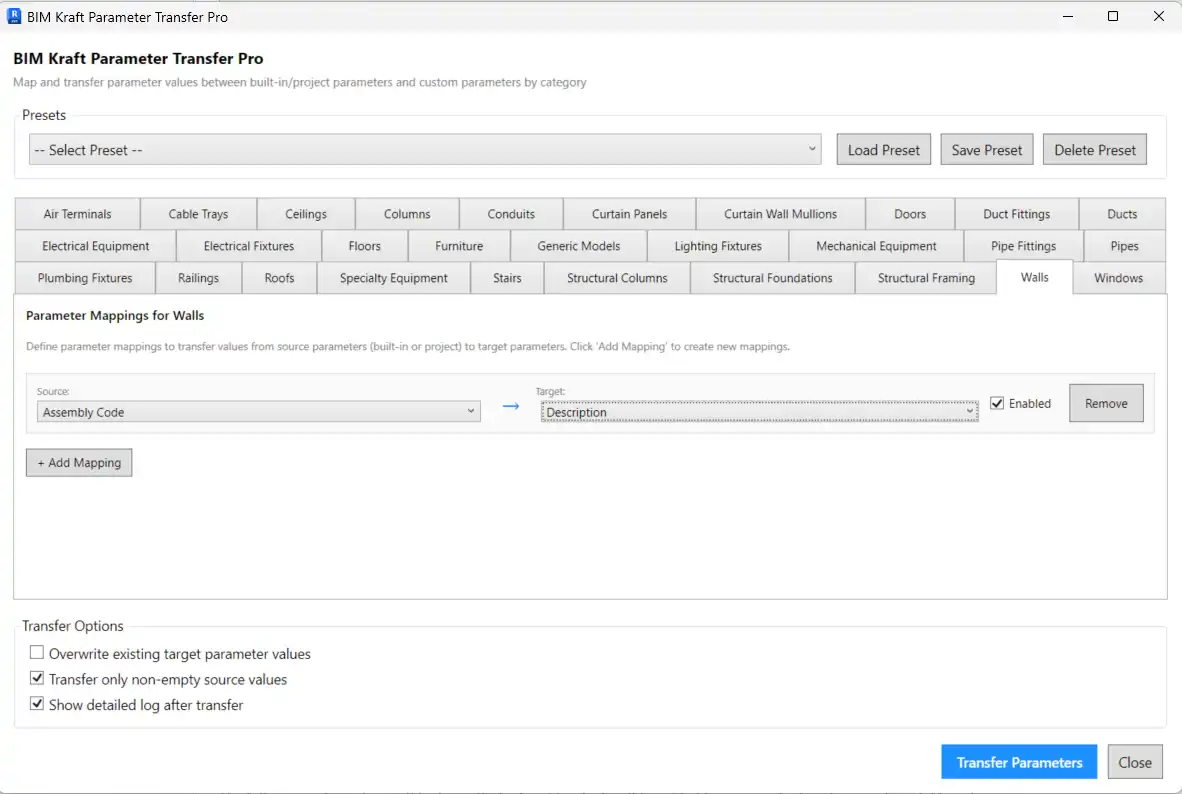
2. Parameter Transfer Pro
Transfer parameter values with intelligent mapping using Parameter Transfer Pro. You can map built-in or project parameters to custom parameters, with a category-based mapping interface for easy configuration. Save and load mapping presets for reuse, and bulk transfer with validation. This tool is ideal for IFC parameter mapping, making it a valuable asset for your BIM projects.
(Image by: BIMKraft)
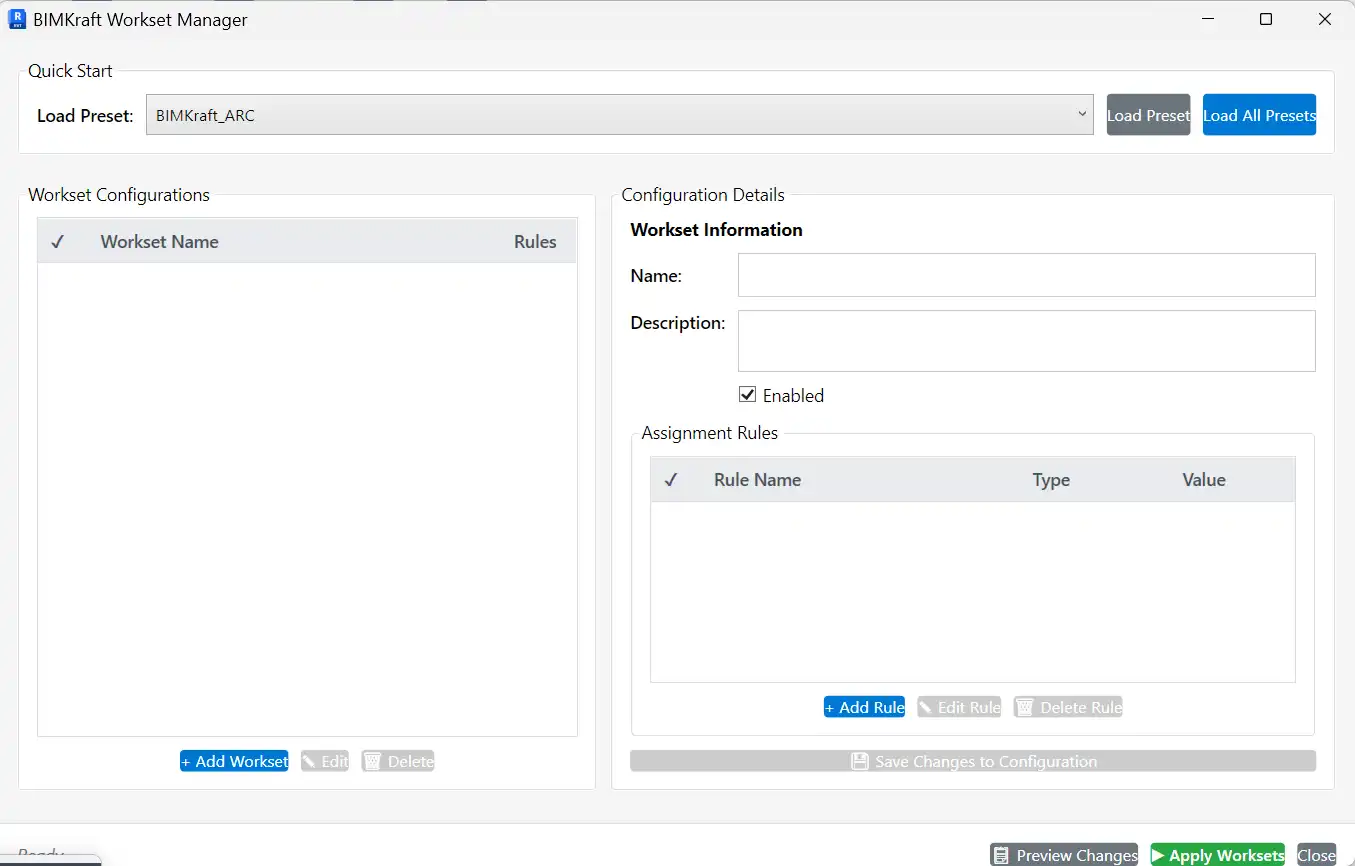
3. Workset Manager
The Workset Manager provides rule-based workset assignment automation, saving you time and effort in managing worksets. Load default presets or create custom workset configurations with flexible rules based on categories, element classes, parameter values, and more. Preview assignments before applying them, and batch apply multiple workset assignments at once. This tool is a game-changer for workset management in Revit.

(Image by: BIMKraft)
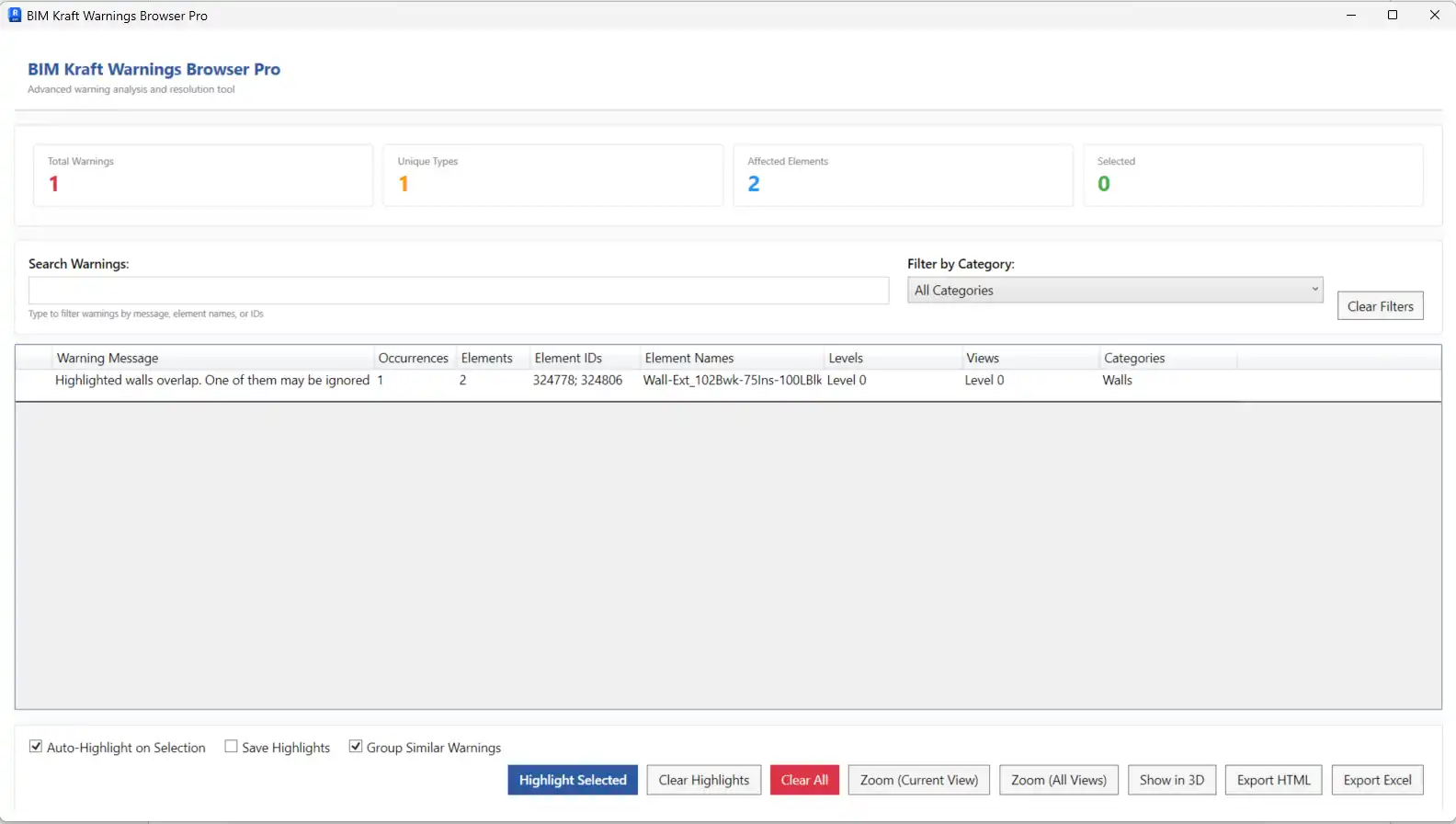
4. Warnings Browser Pro
Advanced warning analysis and management with Warnings Browser Pro allow you to view warnings with detailed element information, group similar warnings, and highlight elements for easy identification. Save highlights for persistent visibility, create isolated 3D views, and filter warnings by category and search. With export options to HTML or CSV/Excel, this tool helps you catch and fix warnings faster, ensuring high-quality Revit models.
(Image by: BIMKraft)
5. Line Length Calculator
The Line Length Calculator helps you calculate the total length of connected Detail Lines and Model Lines in Revit. Whether you need to select specific lines or calculate all in view, this tool makes it easy to auto-detect connected lines, group them, assign colors, and export results to Excel or CSV. With a statistics dashboard and zoom functionality, you can analyze line lengths efficiently and accurately.
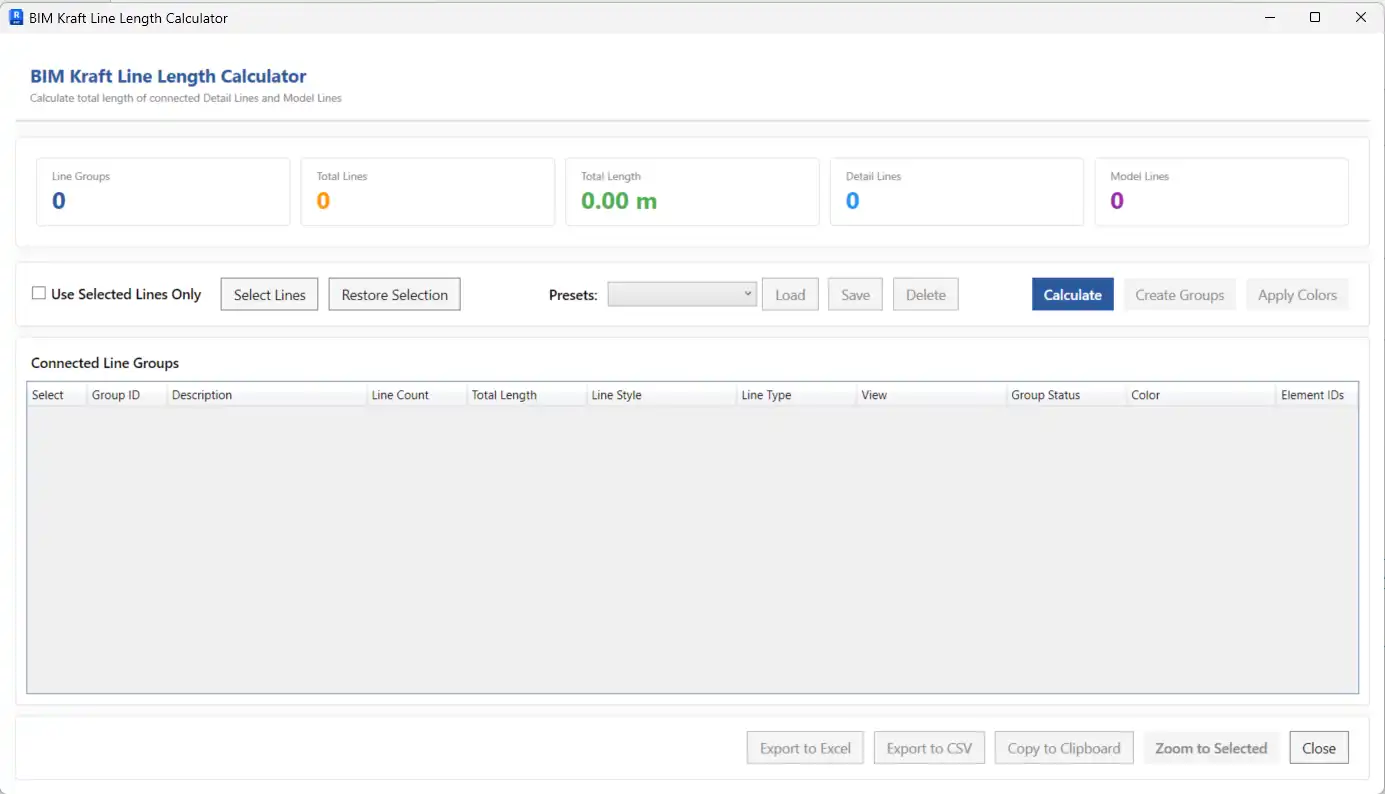
(Image by: BIMKraft)
6. Family Renamer
Batch rename families with naming conventions using Family Renamer. Whether you need to rename system families or loadable families, this tool simplifies the renaming process with prefix, suffix, find/replace operations, and category-based filtering. Preview changes before applying them, and delete original system types if needed. With the ability to rename hundreds of families in seconds, this tool is a time-saving solution for family management in Revit.
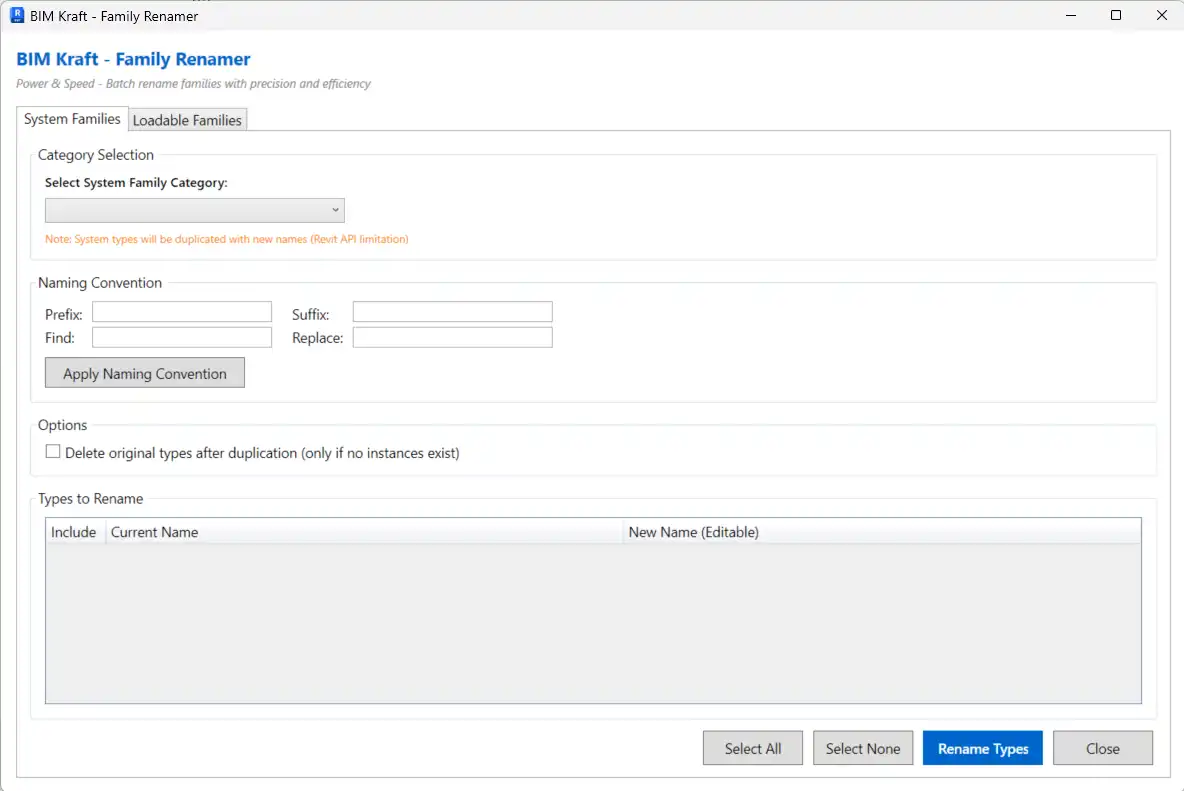
(Image by: BIMKraft)
Why Choose BIMKraft Tools
With BIMKraft Tools, you can save hours of manual work, standardize naming, parameters, and worksets across projects, catch and fix warnings faster, and enjoy intuitive interfaces designed for Revit users. The plugin works out of the box with default presets, ensuring a seamless user experience. Built with .NET 8.0 for Revit 2025/2026 stability, BIMKraft Tools is a reliable solution for architecture firms, engineering offices, and BIM consultants looking to boost productivity and maintain high-quality Revit models.
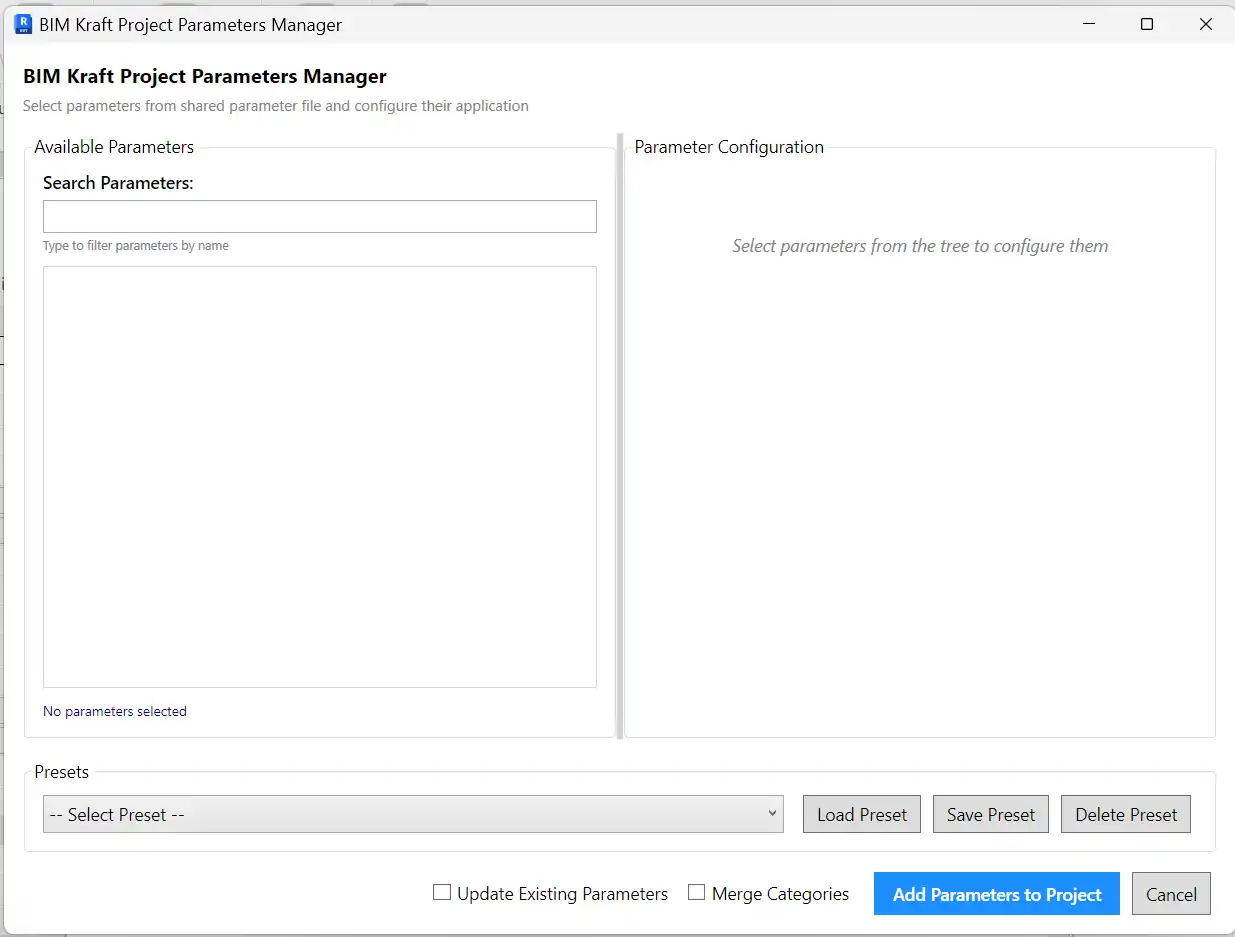
(Image by: BIMKraft)
Conclusion
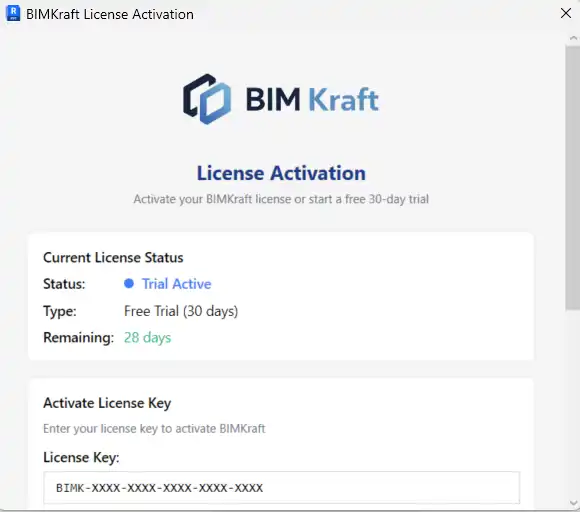
In conclusion, BIMKraft Tools is a game-changer for Revit users seeking to streamline their workflows and enhance productivity. With its powerful features, intuitive interfaces, and reliable performance, this plugin is a valuable asset for any architecture firm, engineering office, or BIM consultant. Take advantage of the 30-day free trial and experience the benefits of BIMKraft Tools firsthand. Start saving time and improving the quality of your Revit projects today!
Similar apps:
- Free
- $5
- $15/month
- Free
- Free
- Free




