1 / 19
About this app
Introduction
Family Type Exporter for Autodesk® Revit® is a powerful plugin that revolutionizes the exporting capabilities of Revit family types. With its range of features, this program offers users greater control and efficiency when exporting Type Catalog data. Whether you're a content developer or a Revit user, Family Type Exporter is a must-have tool for streamlining your exporting process.
(Image by: BIModular)
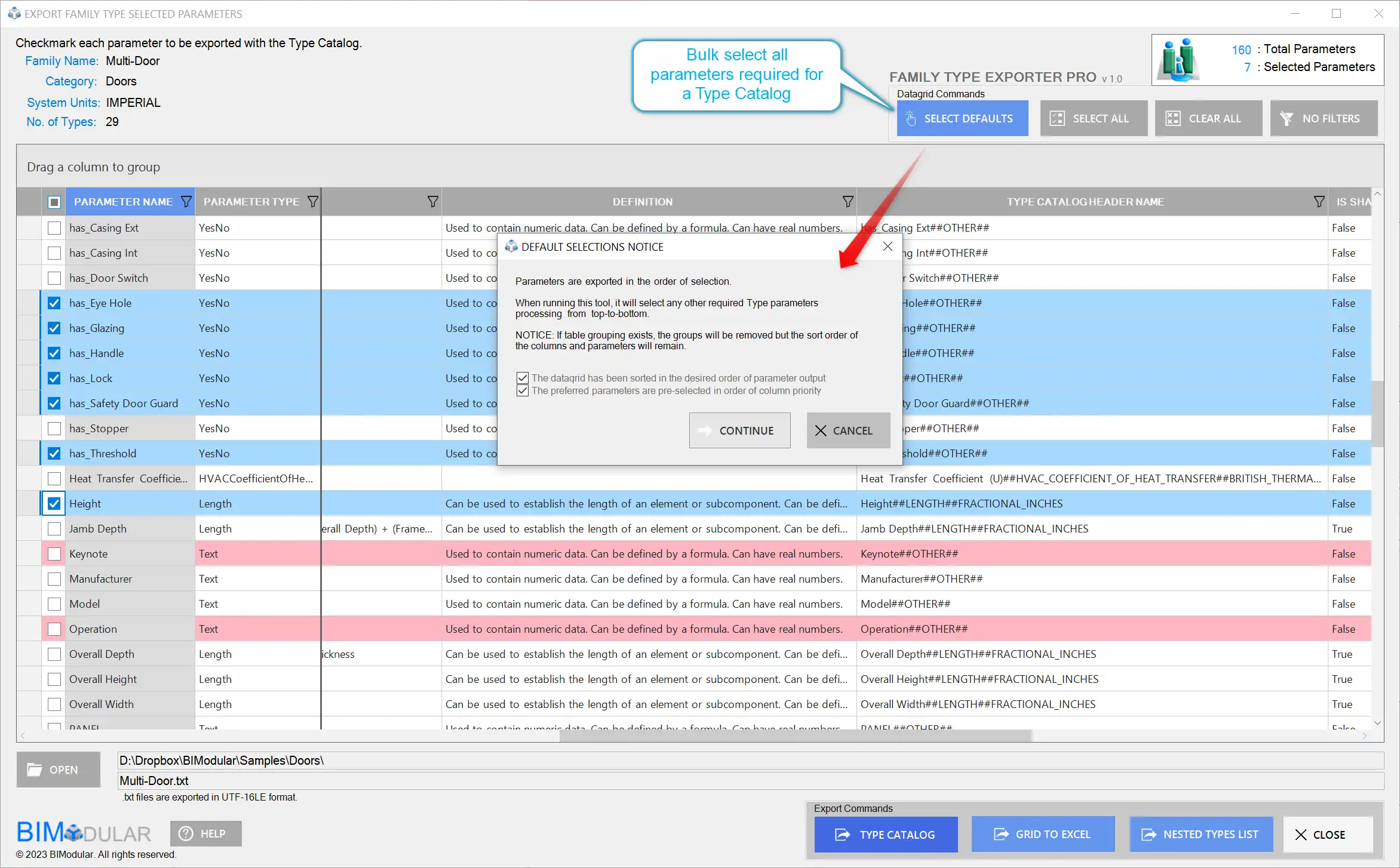
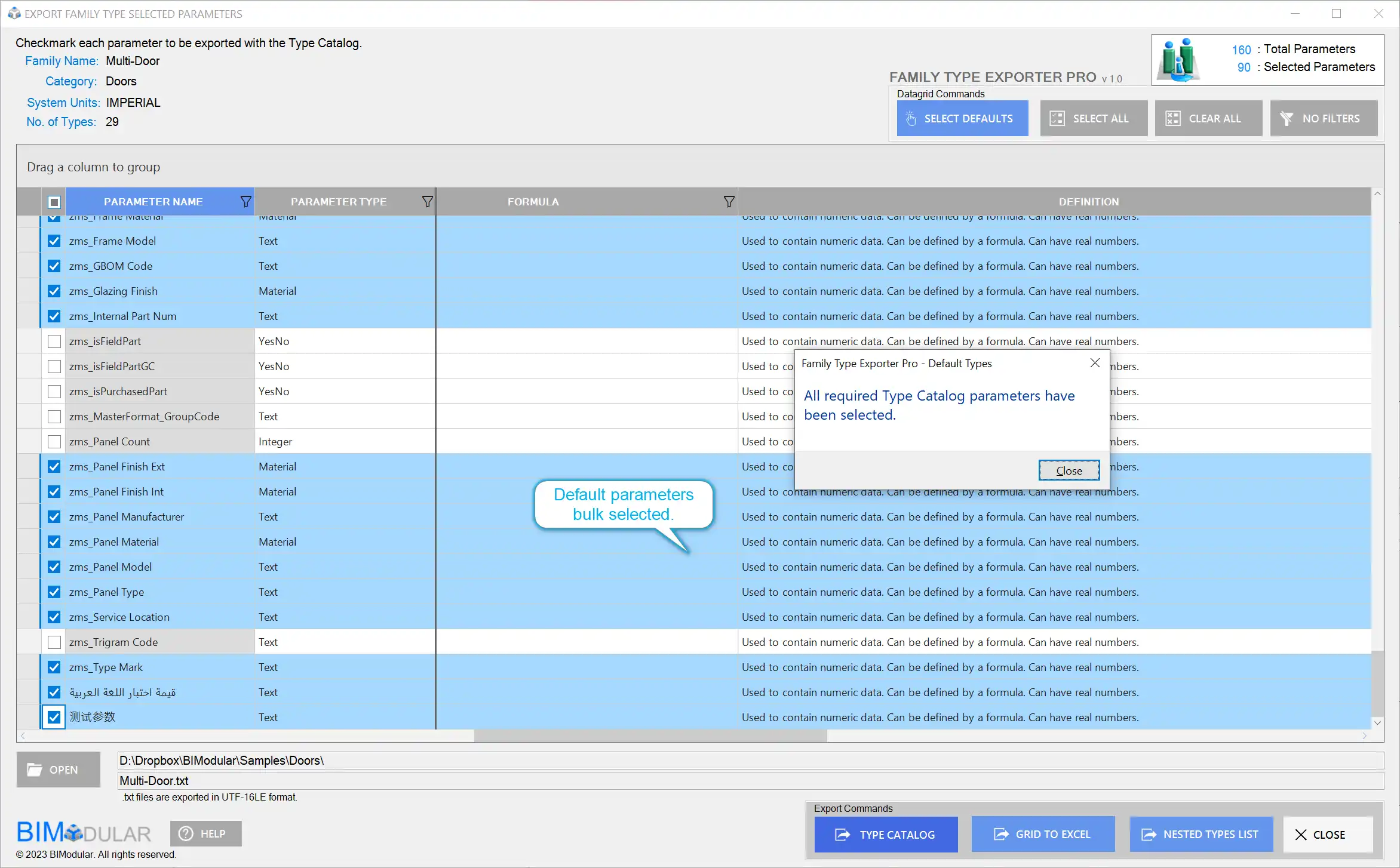
Custom Parameter Selection
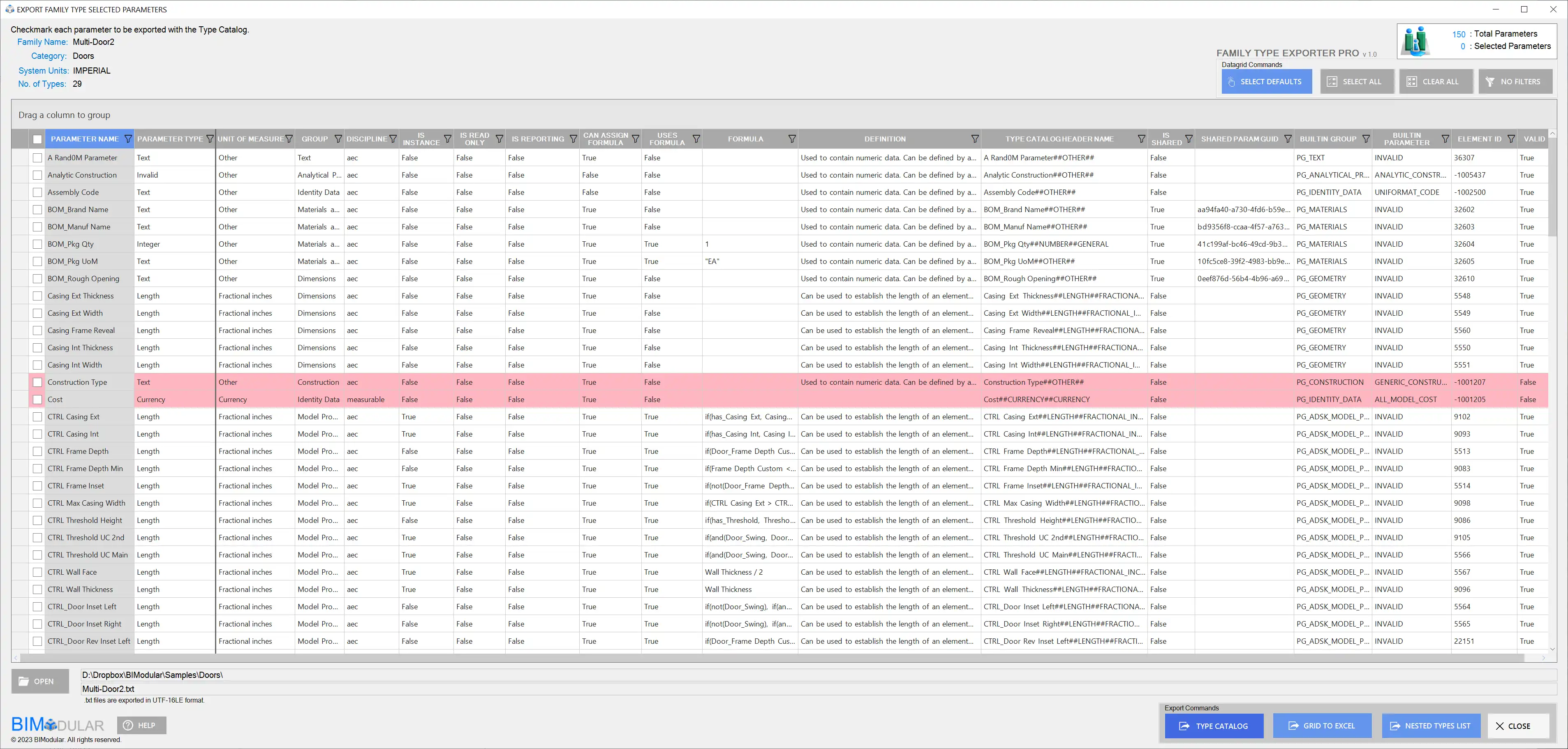
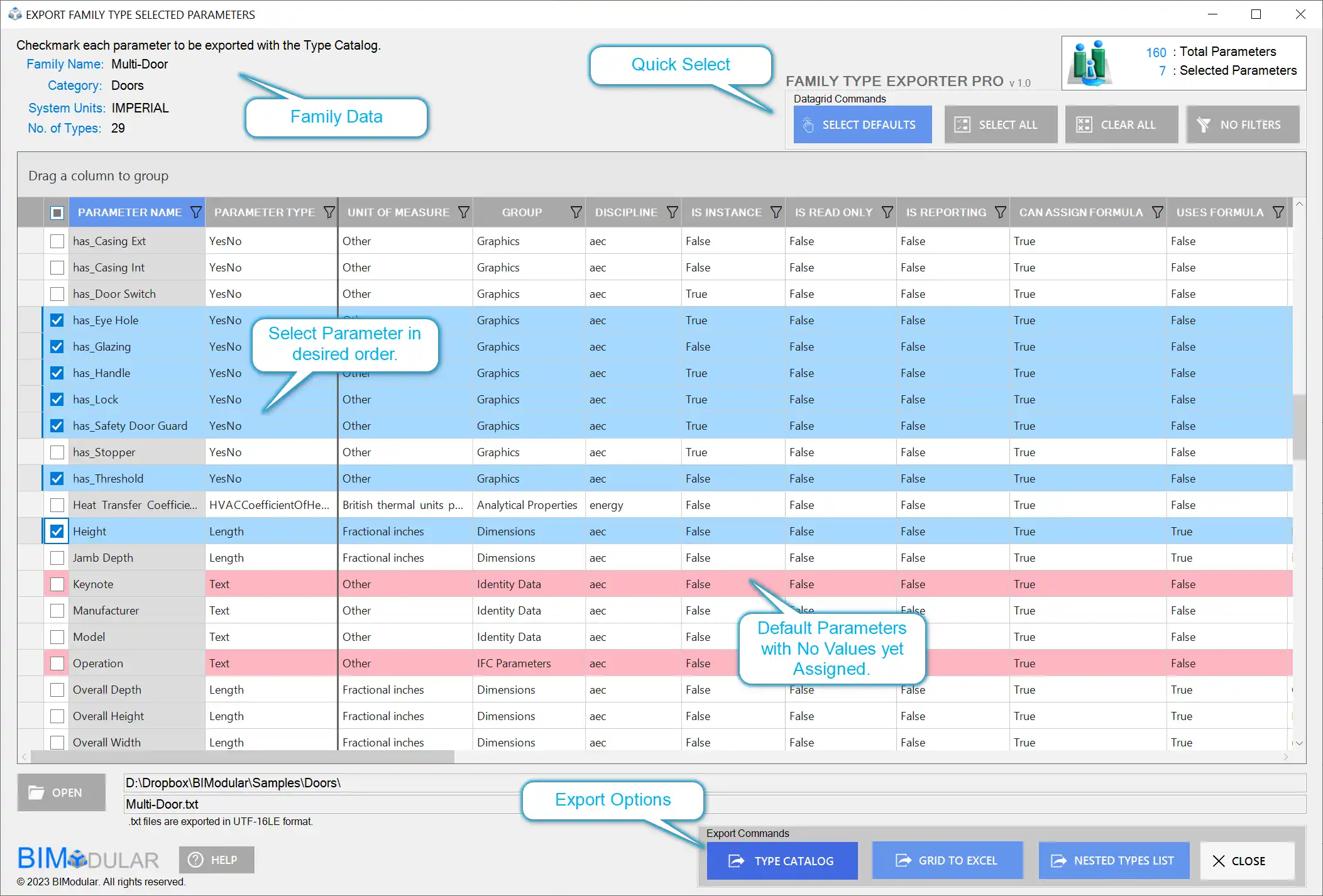
One of the standout features of Family Type Exporter is the ability to custom select parameters for exporting using an interactive data grid. This allows users to choose specific parameters they want to include in the export, giving them a tailored and focused data set. Gone are the days of exporting unnecessary information – with this plugin, you have full control over what gets exported.
(Image by: BIModular)
Deeper Understanding of Internal Data
Family Type Exporter takes exporting to a new level by allowing users to delve into the internal data values for each parameter. This feature provides a deeper understanding of the underlying data, enabling users to make informed decisions during the exporting process. You can view each parameter property, including IsReporting, IsInstance, IsReadOnly, formula value, header name, unit of measure, and discipline. This level of visibility empowers users to export data with confidence and precision.
(Image by: BIModular)
Formatted Type Catalog Header Names
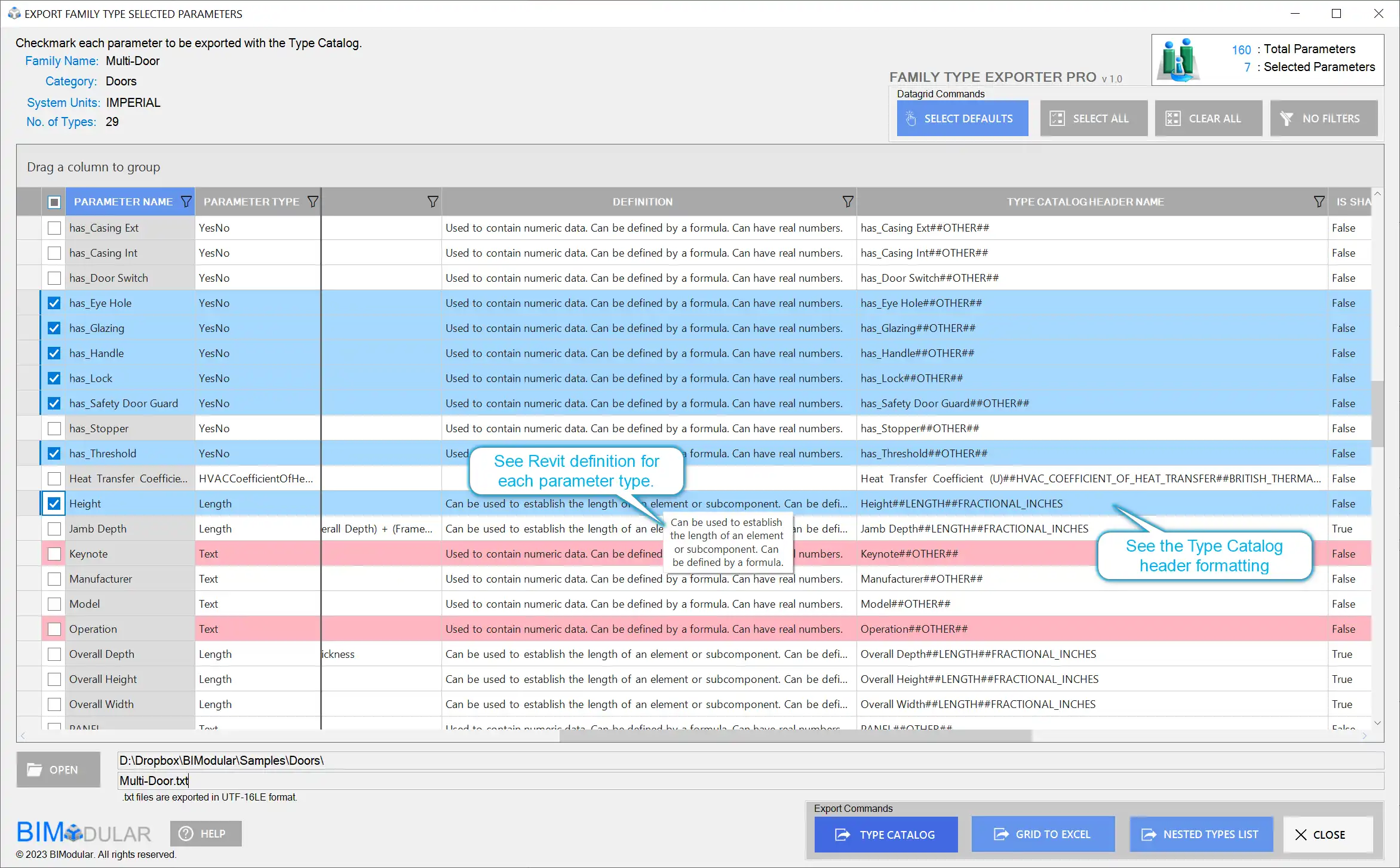
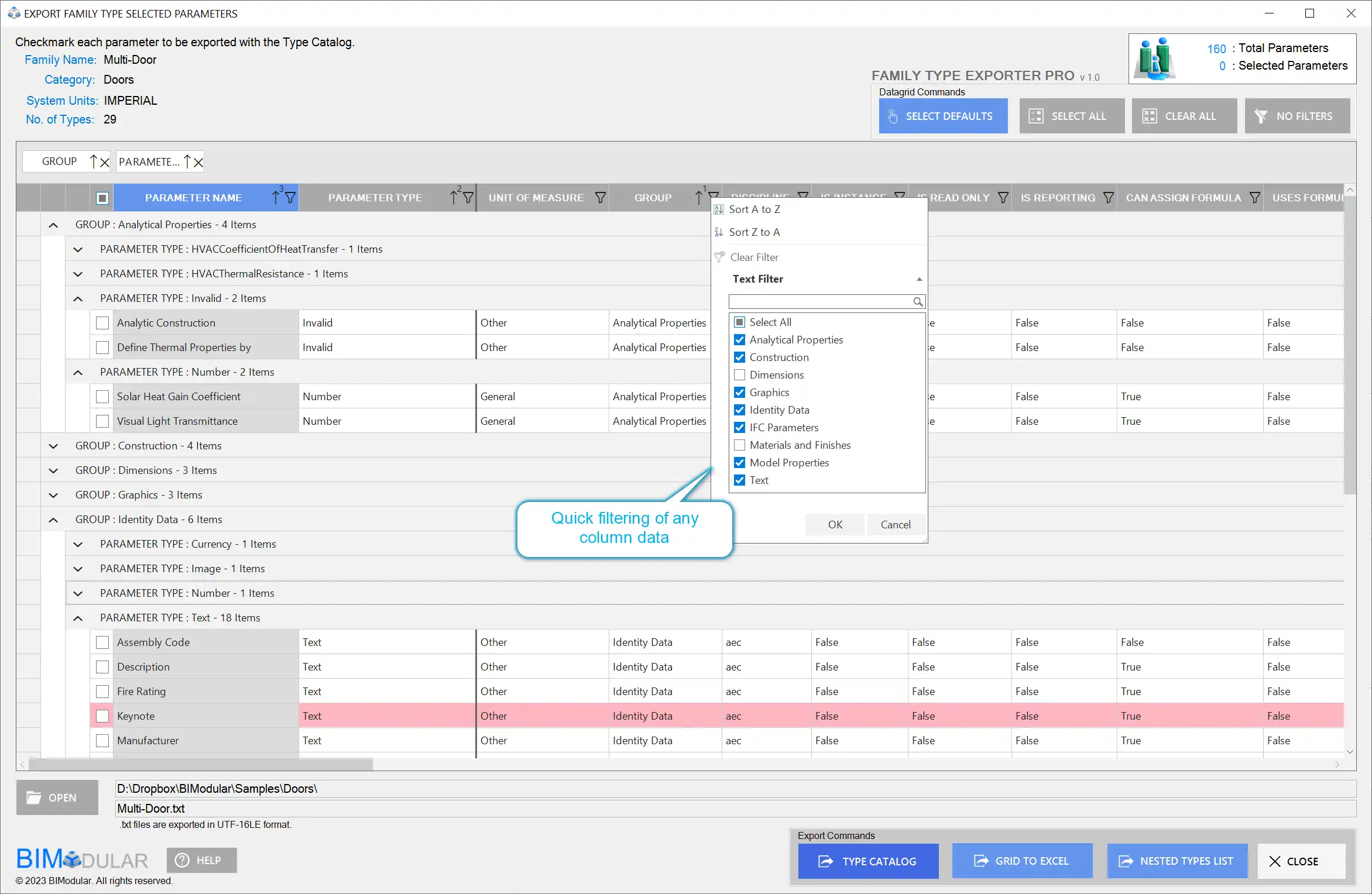
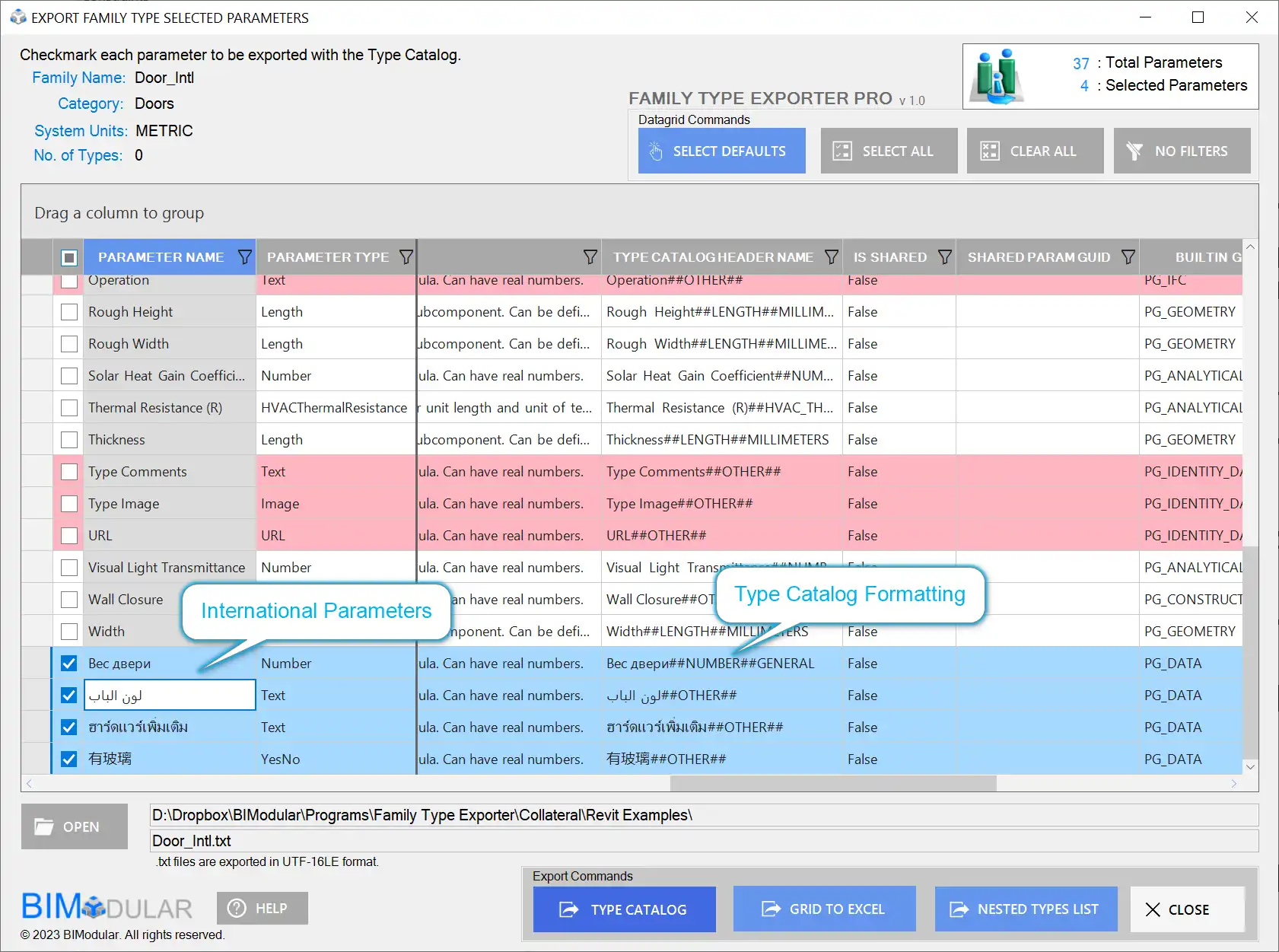
The program also offers the convenience of showing the formatted Type Catalog header names, making exported data easier to read and interpret. This small but significant feature enhances the overall usability of the exported data, saving you time and effort when analyzing the exported information.
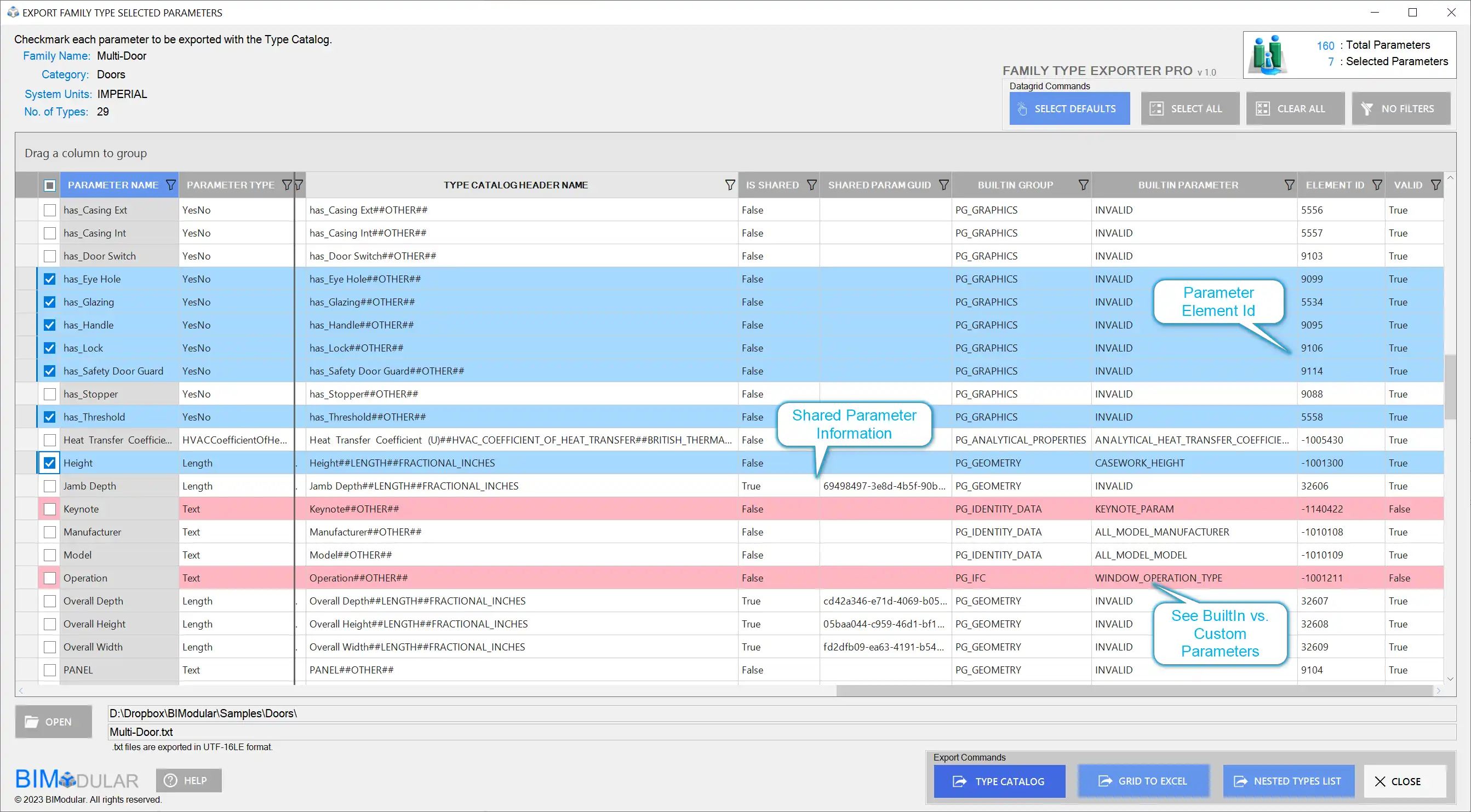
(Image by: BIModular)
Organized and Sorted Parameters
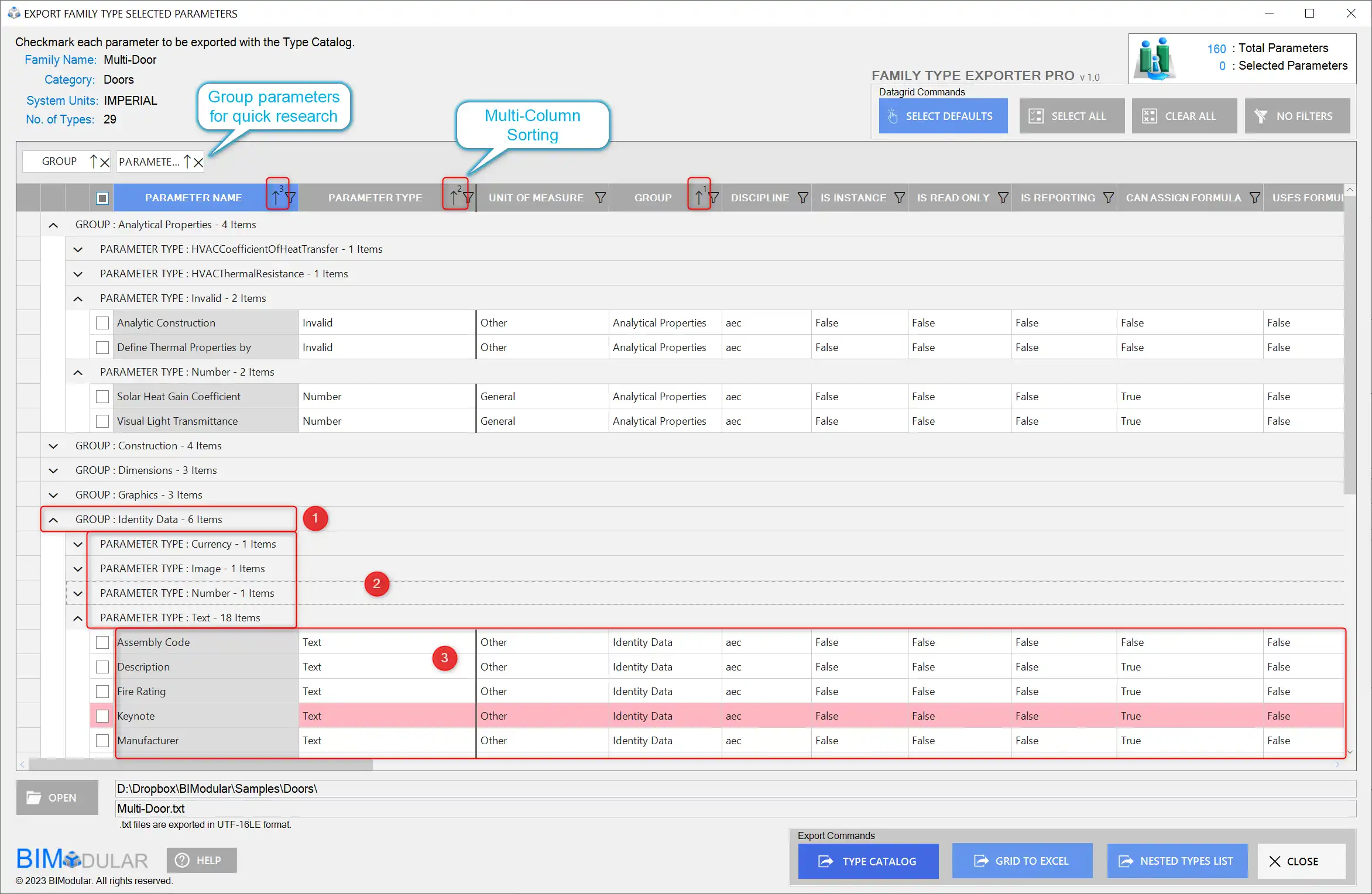
With Family Type Exporter, you have the flexibility to organize and sort parameters in any desired order. This feature facilitates a structured and logical layout of the exported data, making it easier to navigate and understand. Additionally, the plugin allows users to filter and group parameters, making it effortless to locate specific parameters and providing a clear visual organization for improved data viewing.
(Image by: BIModular)
Effortless Formula Inspection
Inspecting formulas is made effortless with Family Type Exporter. Users can easily review and analyze formulas associated with parameters, ensuring accuracy and enabling troubleshooting if needed. This feature saves time and prevents potential errors when exporting data.
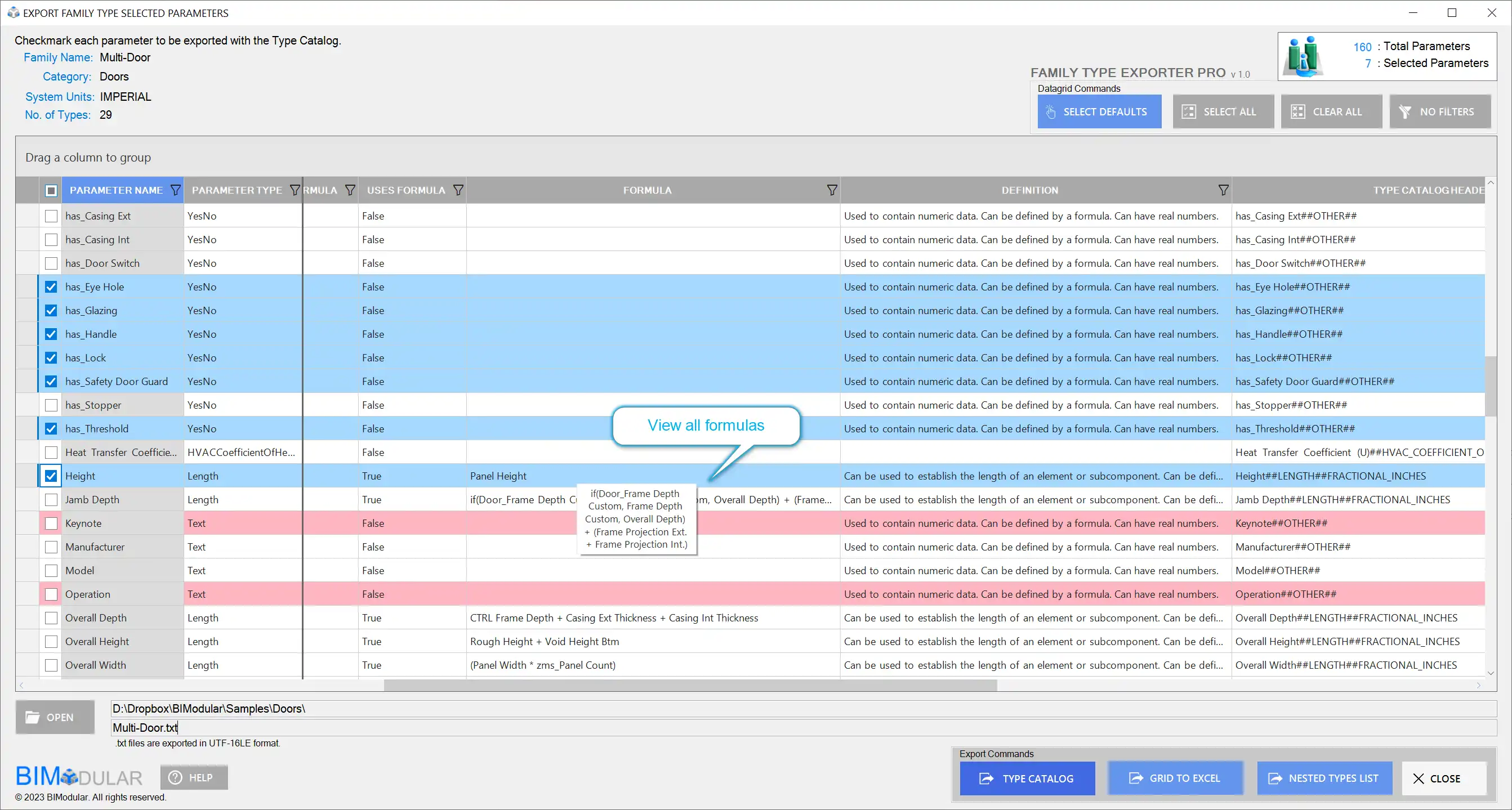
(Image by: BIModular)
Seamless Export to External Applications
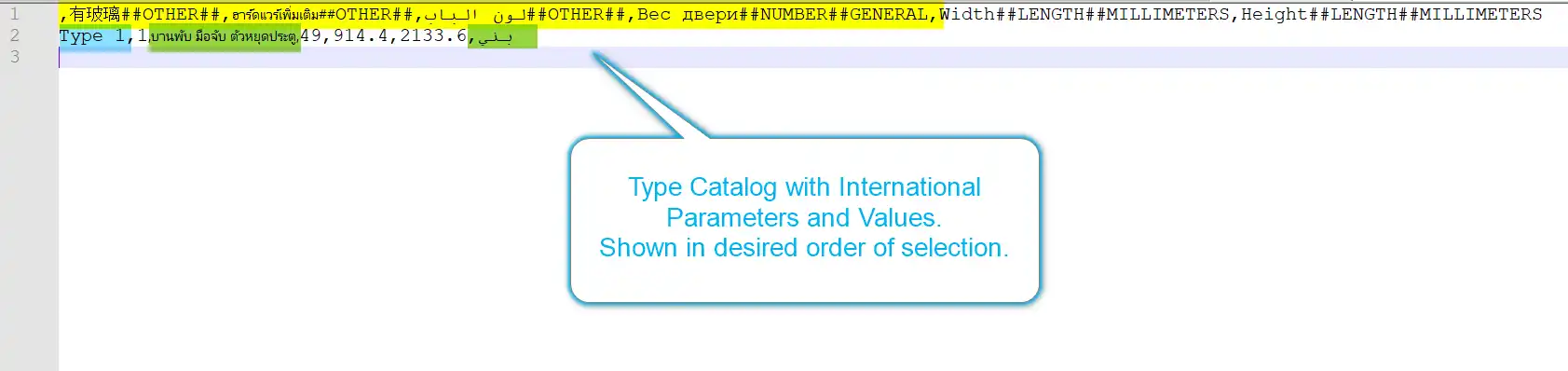
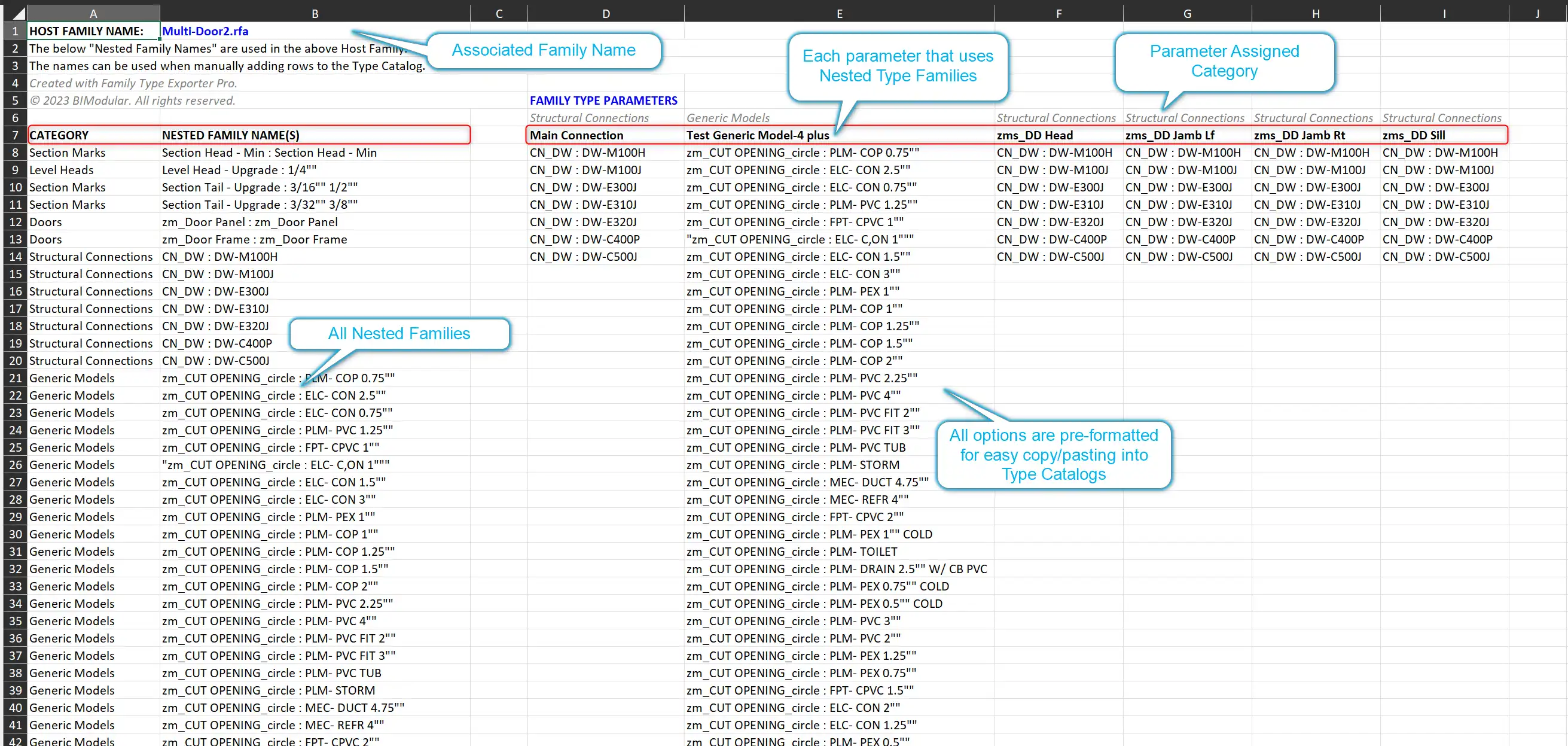
Exporting data to external applications is seamless with Family Type Exporter. The plugin allows you to export the data grid as an Excel file, enabling you to utilize the exported data in a versatile and widely used format. This feature opens up a world of possibilities for sharing and analyzing your exported data.
(Image by: BIModular)
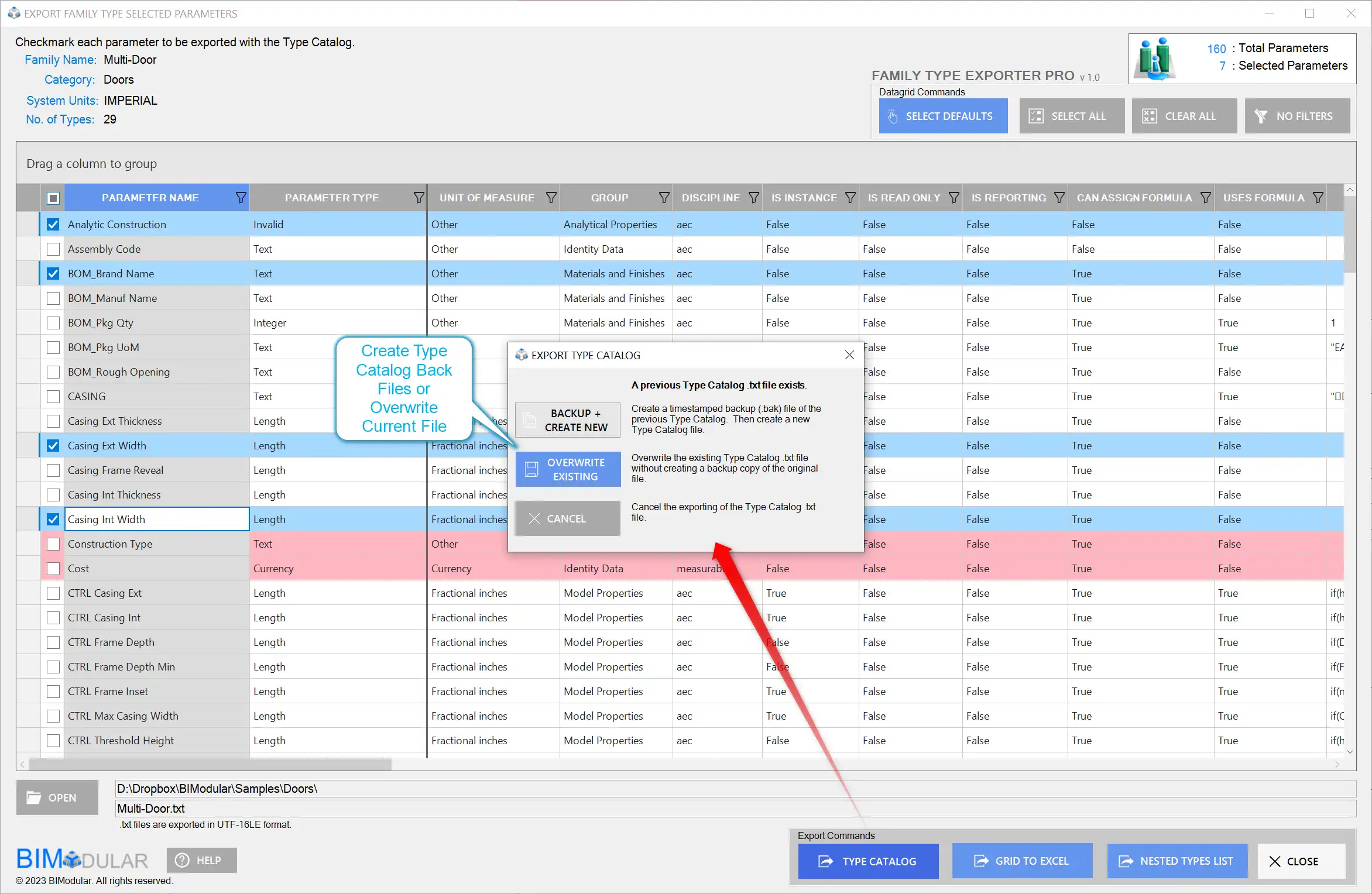
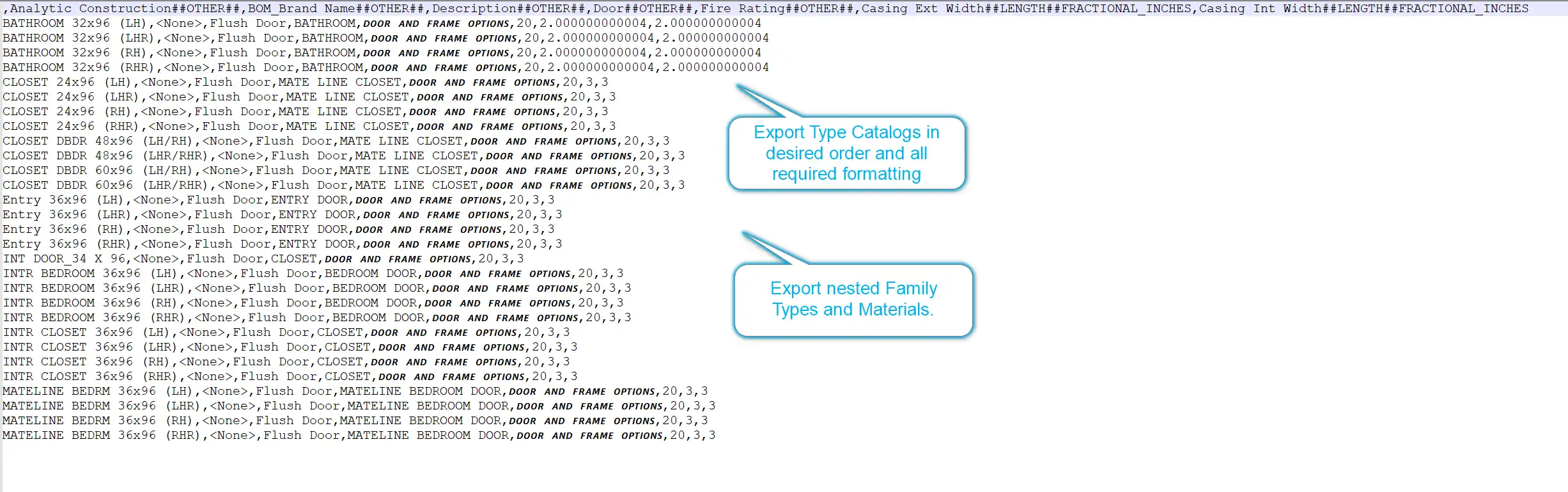
Simplified Creation of Revit Type Catalogs
Family Type Exporter offers the capability to export all selected parameters as a Revit Type Catalog. This feature simplifies the process of creating catalogs and enhances the efficiency of sharing and managing data. Whether you're a content developer looking to distribute your creations or a Revit user needing to organize your family types, this feature is a game-changer.
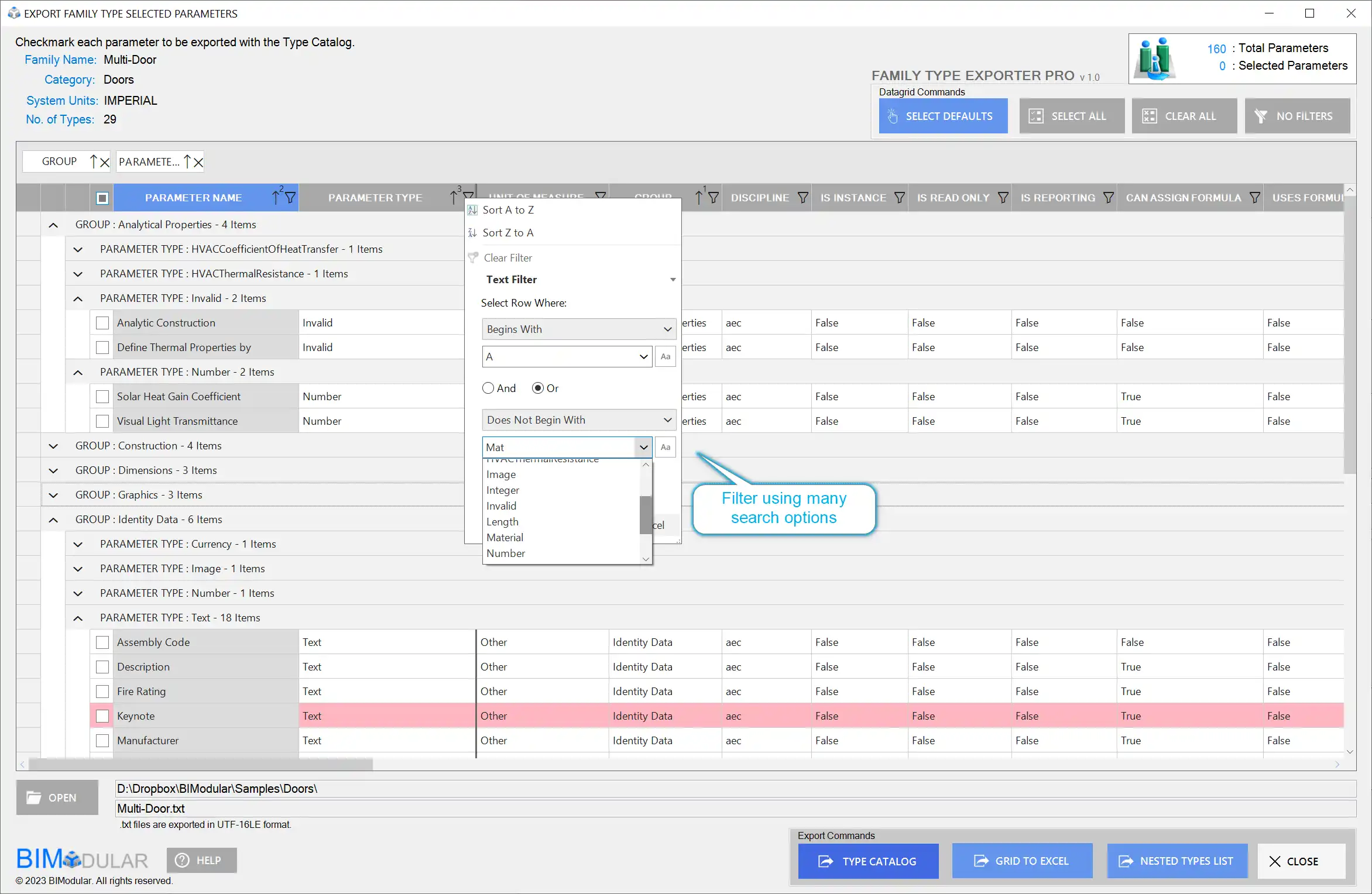
(Image by: BIModular)
Conclusion
In summary, Family Type Exporter for Revit is a comprehensive program that empowers users with advanced exporting functionalities. With its custom parameter selection, internal data value visibility, organized and filtered viewing options, formula inspection, and versatile exporting formats, this plugin significantly enhances the efficiency and flexibility of exporting family type data in Revit. Whether you're a seasoned Revit user or just starting out, Family Type Exporter is a must-have tool that will revolutionize your exporting process. Try it today and experience the power of enhanced exporting capabilities in Revit.
(Image by: BIModular)
(Image by: BIModular)
(Image by: BIModular)
(Image by: BIModular)
(Image by: BIModular)
(Image by: BIModular)
(Image by: BIModular)
(Image by: BIModular)

(Image by: BIModular)
(Image by: BIModular)
Similar apps:
- Free
- Free
- Free
- $50
- Free
- $1.99/month