 1 / 5
1 / 5About this app
CRXAI is an AI-Powered add-in for Autodesk® Revit® that revolutionizes the way architects, designers, and educators generate visualizations and design outputs directly from their Revit models. This innovative tool seamlessly integrates into the Revit interface, allowing users to enhance their presentation, concept development, and design communication workflows without ever having to leave the Revit environment.
Key Features
CRXAI offers a range of features designed to streamline the design process and elevate the quality of architectural visualizations. Some of the key features include:
- AI-assisted generation of architectural visualizations from Revit views
- Seamless integration into the Revit ribbon interface
- Support for selected views, sheets, and model-based perspectives
- Cloud-based AI processing with user-initiated actions only
- Non-destructive workflow — original Revit models remain unchanged
(Image by: CyberrealityX)
Workflow Overview
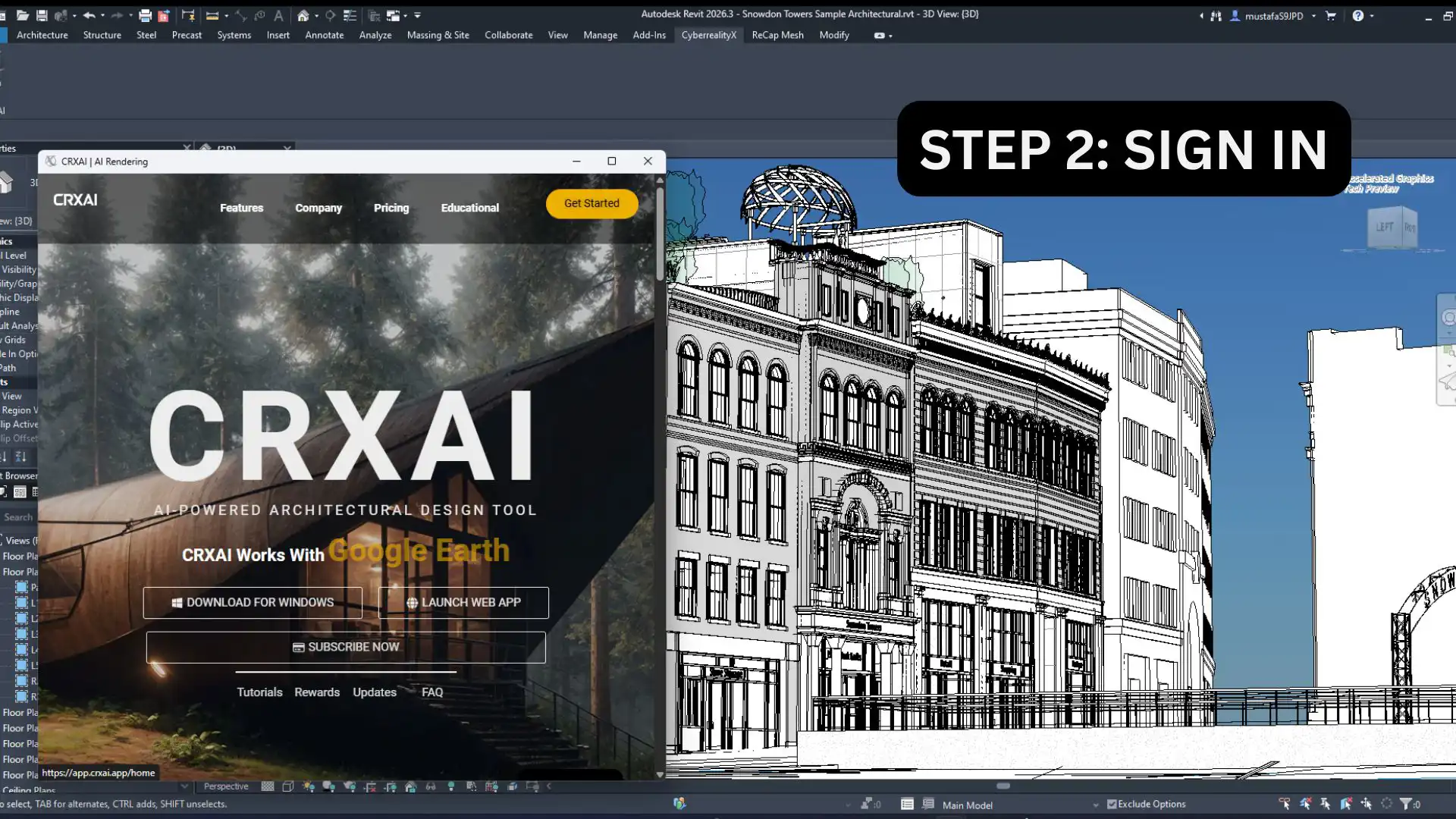
The workflow with CRXAI is intuitive and user-friendly. Here’s a quick overview of how it works:
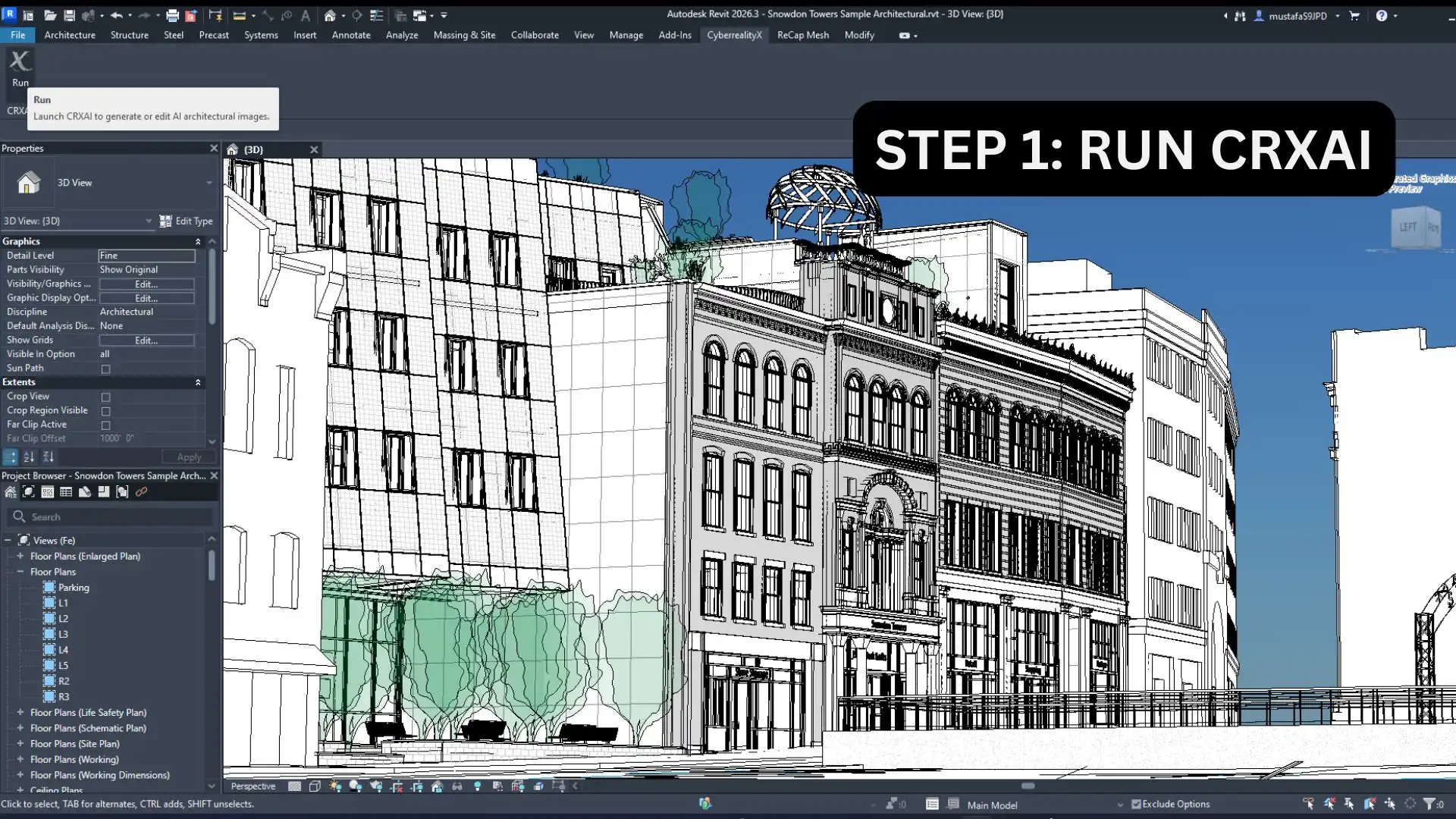
- Launch CRXAI from the Revit ribbon
- Select a view, sheet, or camera perspective
- Configure generation options
- Generate AI-assisted visual outputs
- Use results for presentations, concept studies, or design review
(Image by: CyberrealityX)
Security and Compliance
CRXAI prioritizes user privacy and security by respecting Autodesk platform guidelines. All processing is initiated by the user, and data transfer is limited to what is required to deliver the requested functionality. The add-in does not bypass Autodesk licensing mechanisms or interfere with Revit’s core systems.
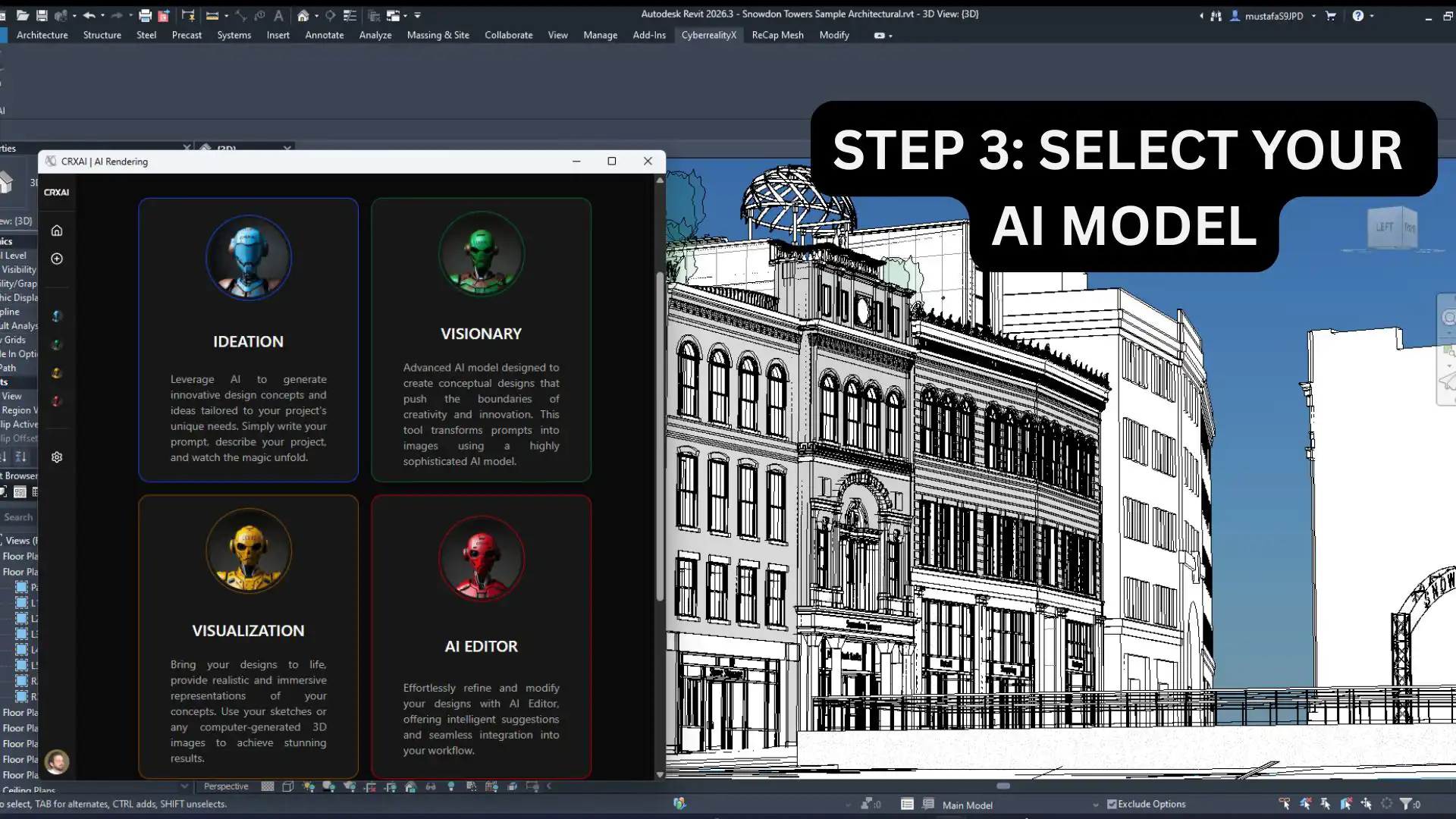
(Image by: CyberrealityX)
Target Users
CRXAI is designed to cater to a diverse range of users, including:
- Architects and architectural designers
- BIM professionals and visualization specialists
- Educators and students using Revit in academic settings
Whether you are a seasoned architect looking to streamline your design process or a student exploring the possibilities of Revit, CRXAI has something to offer for everyone.
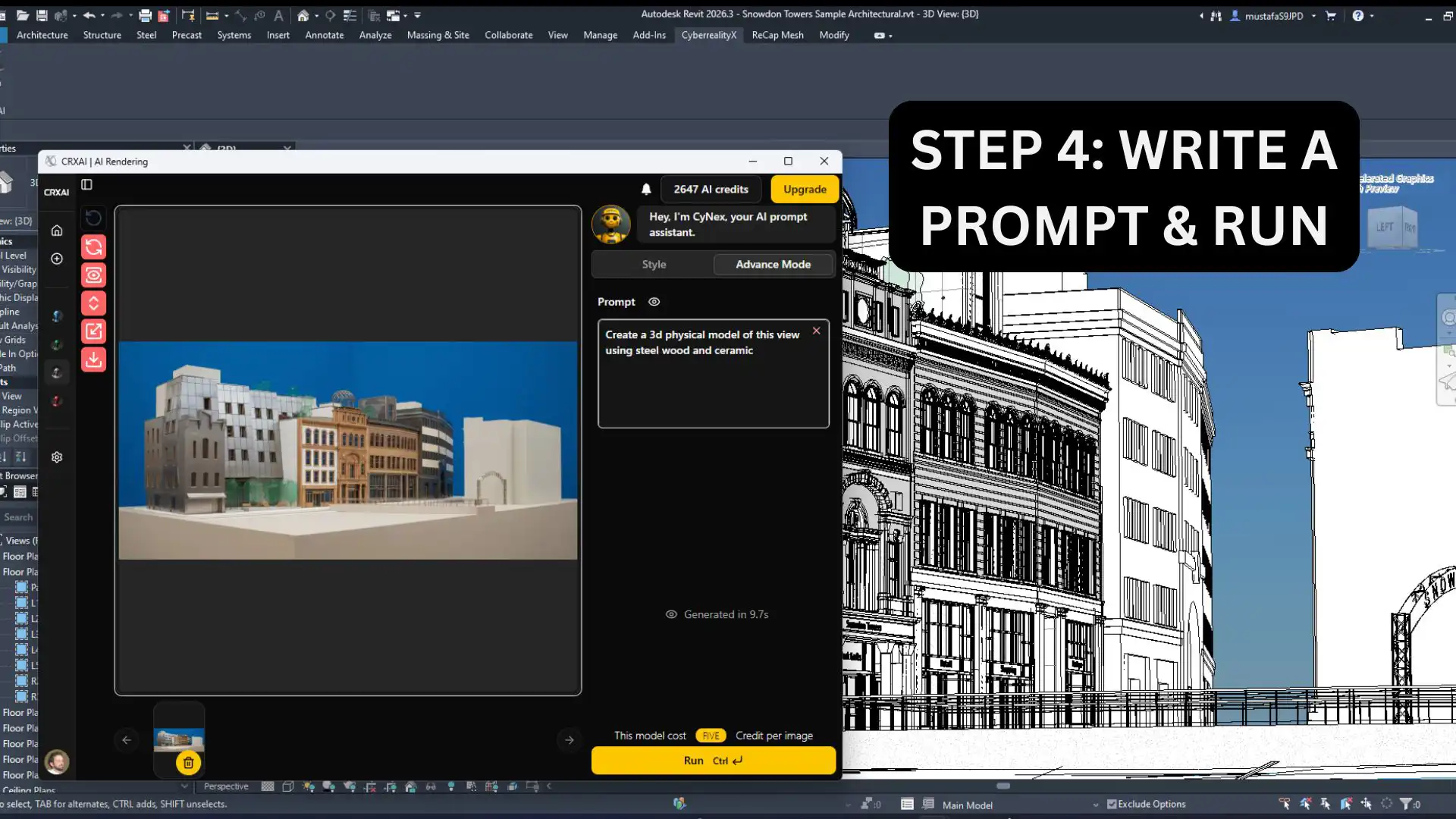
(Image by: CyberrealityX)
Supported Platforms
CRXAI is compatible with Revit (supported versions listed on the app page) and Microsoft Windows. The add-in is designed to enhance Revit-based design workflows by providing AI-assisted visualization tools while maintaining stability, transparency, and compatibility with Autodesk products.
Conclusion
CRXAI is a game-changer for architects, designers, and educators who are looking to elevate their design workflows with AI-powered visualization tools. With its seamless integration into the Revit interface, user-friendly workflow, and commitment to security and compliance, CRXAI is a must-have add-in for anyone working with Revit. Try CRXAI today and experience the power of AI in architectural design!
Similar apps:
- Free
- Free
- $100
- Free
- $50
- Free