 1 / 12
About this app
Introduction
When it comes to working efficiently in Revit, having the right tools can make all the difference. One such tool that stands out is the Rename Param2027 plugin. This simple yet effective tool is designed to enhance productivity, particularly when working on office templates and creating families in Revit. Let’s dive into the features and benefits of this plugin.
(Image by: Harrison-Dean)
Key Features
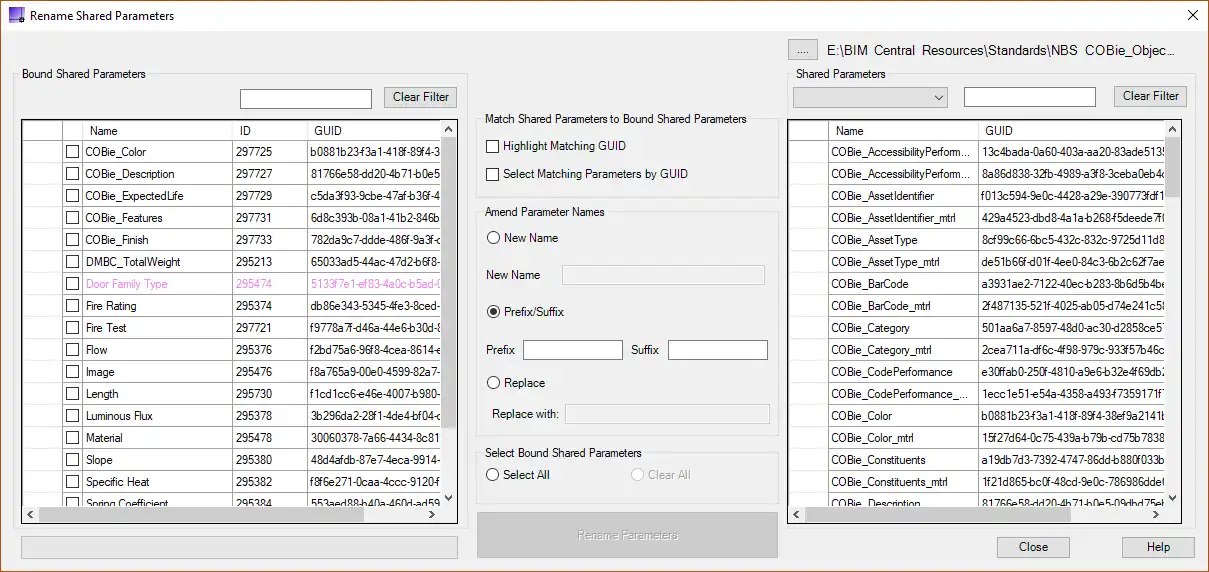
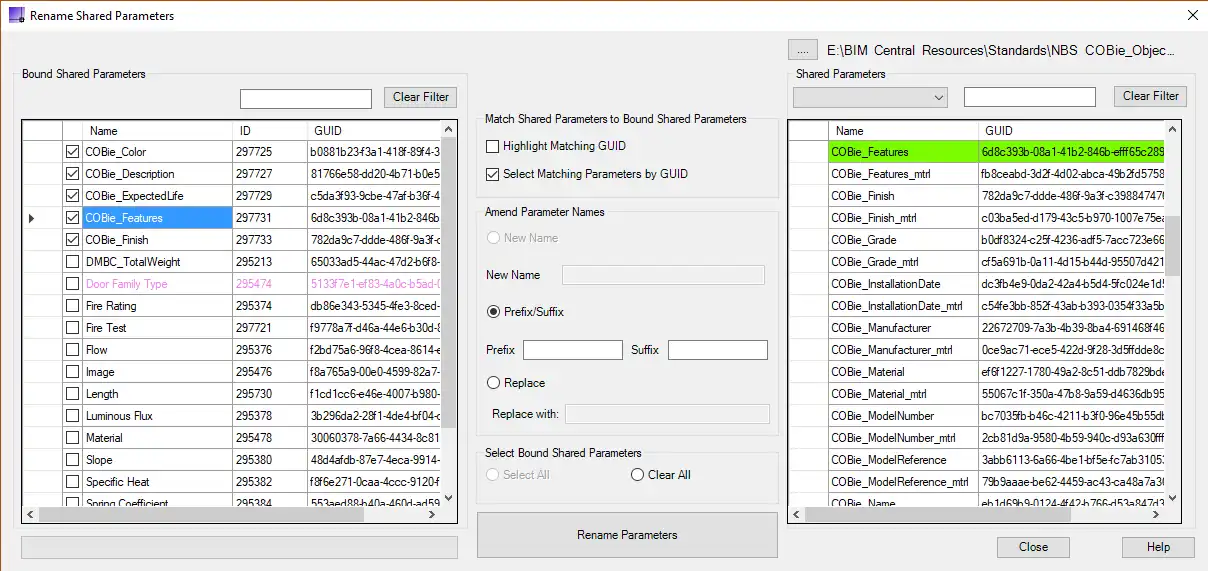
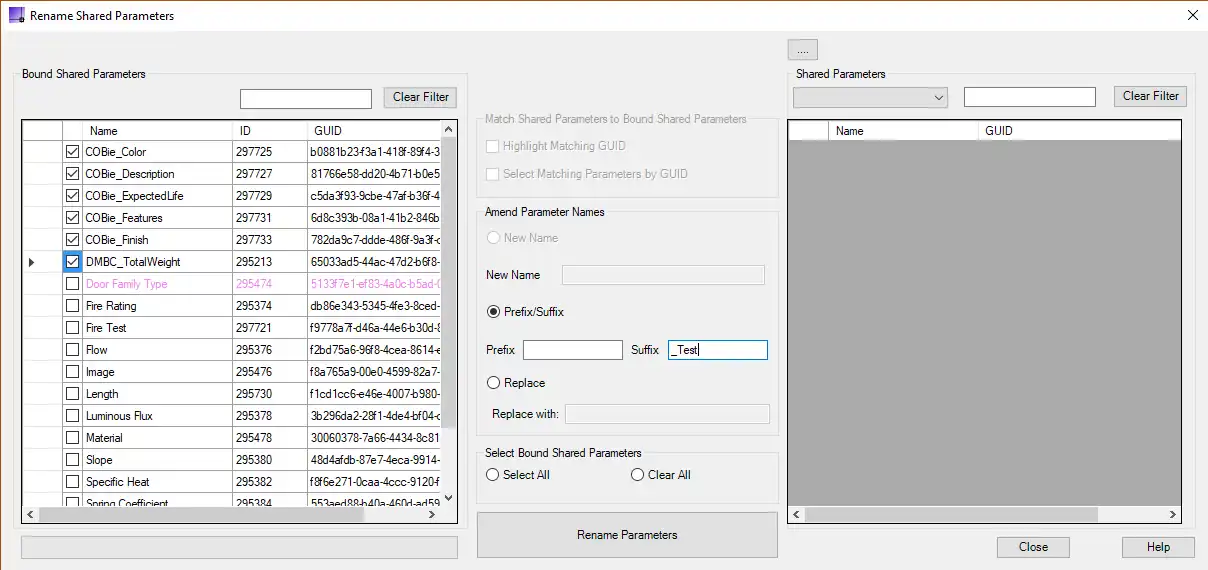
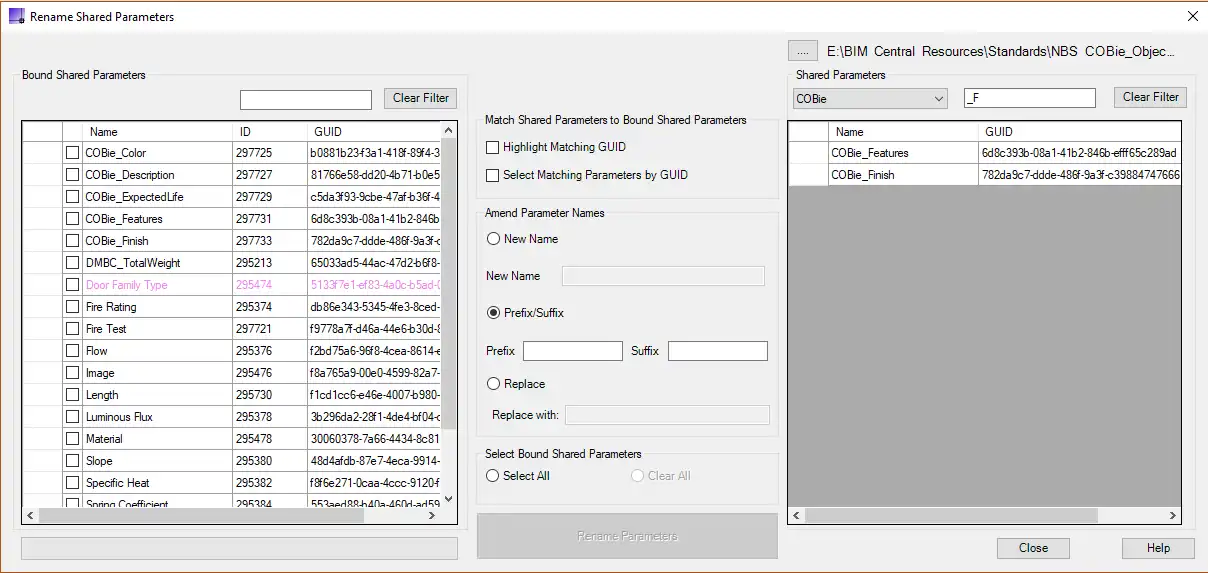
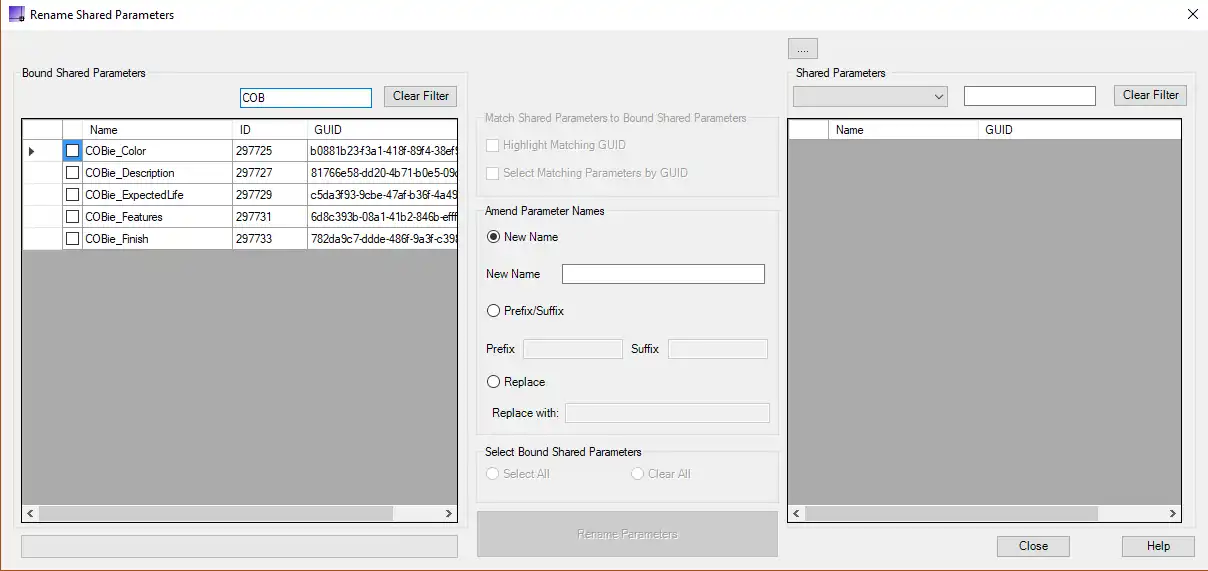
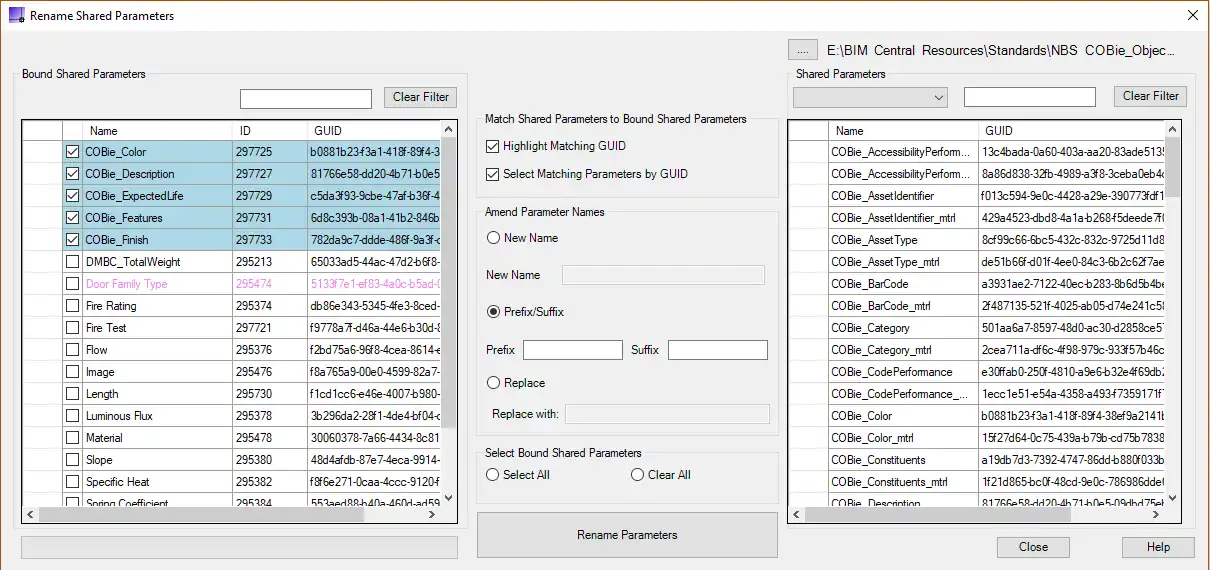
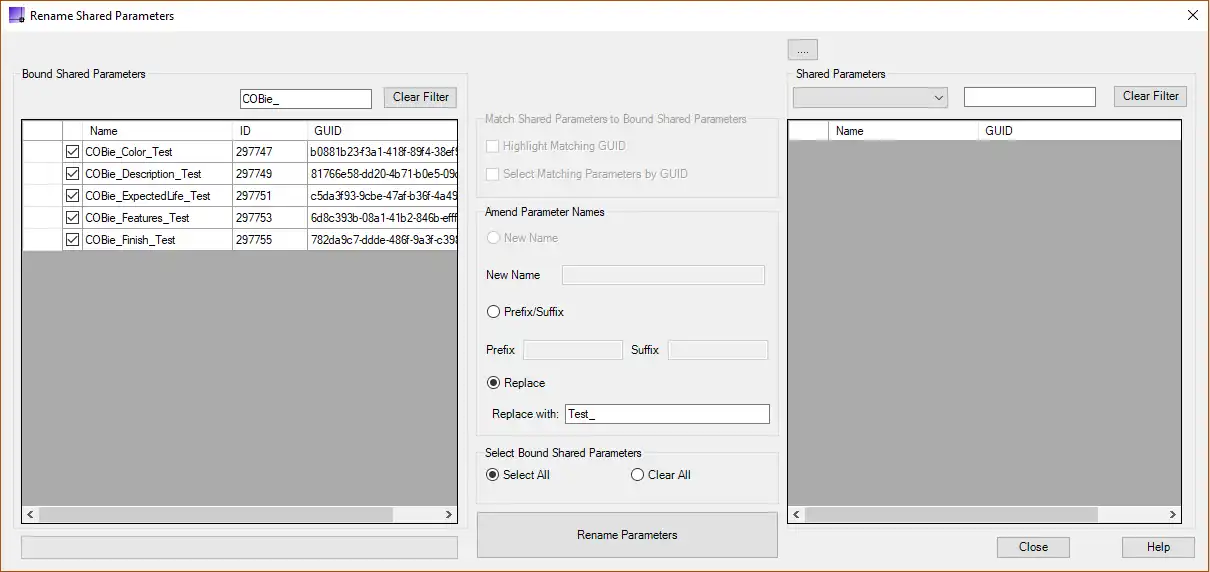
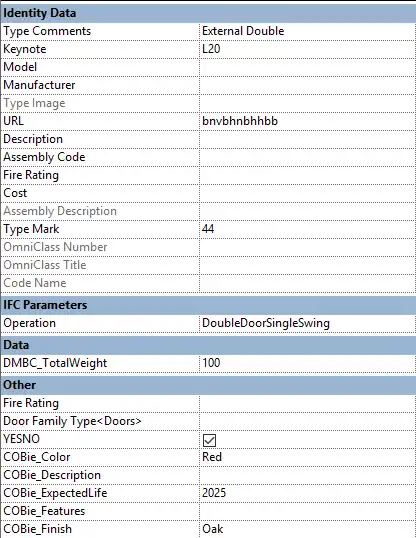
The Rename Param2027 plugin allows users to rename bound shared parameters while retaining the parameter formula and GUID. This is incredibly useful when making changes to parameter names without losing important data. Whether you need to completely change individual parameter names or add a suffix/prefix to multiple parameters, this plugin has got you covered. Additionally, it ensures that the parameter formula and GUID are retained, maintaining data integrity.
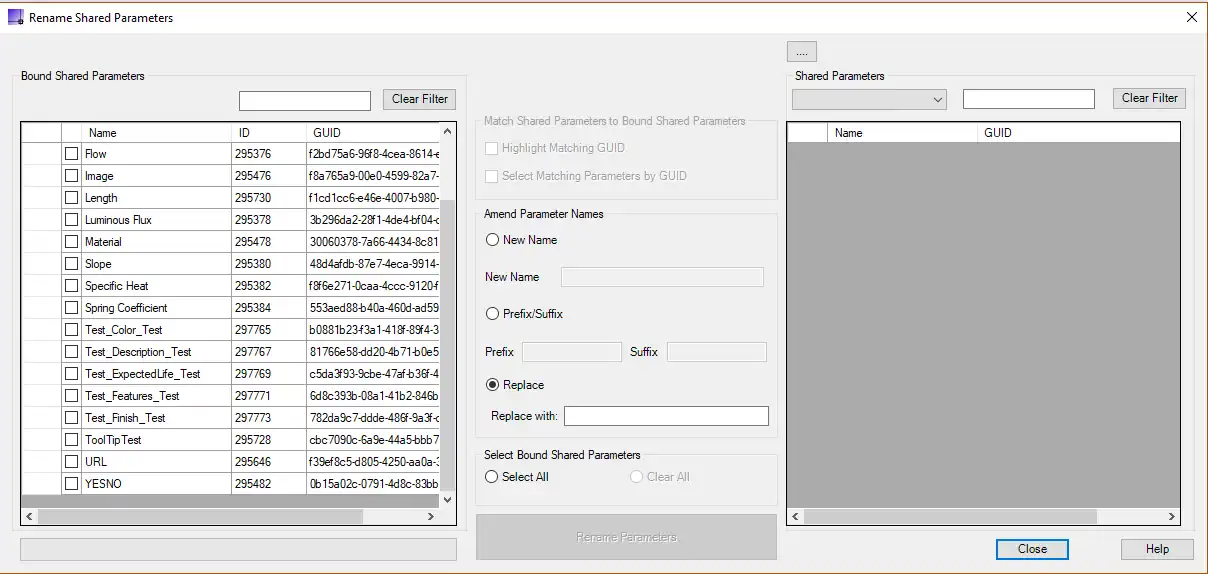
(Image by: Harrison-Dean)
Compatibility
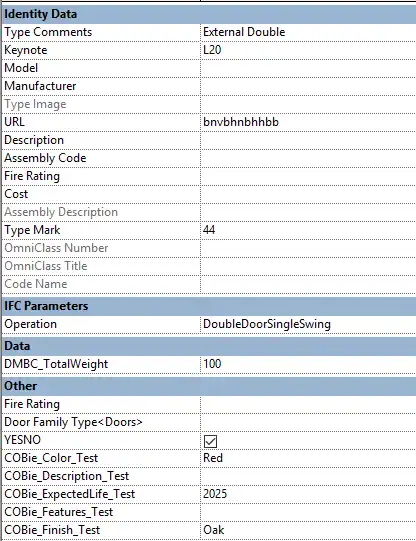
One of the standout features of Rename Param2027 is its versatility. It works seamlessly with Families, Templates, and even Projects. This means that whether you are working on a specific family, creating a new template, or managing a project, this plugin can help streamline your workflow and save you valuable time.
(Image by: Harrison-Dean)
Conclusion
The Rename Param2027 plugin is a valuable addition to any Revit user’s toolkit. Its ability to rename shared parameters while retaining important data like parameter formula and GUID sets it apart from other similar tools. Whether you are a seasoned Revit user or just starting out, this plugin can help enhance your productivity and streamline your workflow. Give it a try and experience the benefits for yourself.
(Image by: Harrison-Dean)
(Image by: Harrison-Dean)
(Image by: Harrison-Dean)
(Image by: Harrison-Dean)
(Image by: Harrison-Dean)
(Image by: Harrison-Dean)
(Image by: Harrison-Dean)
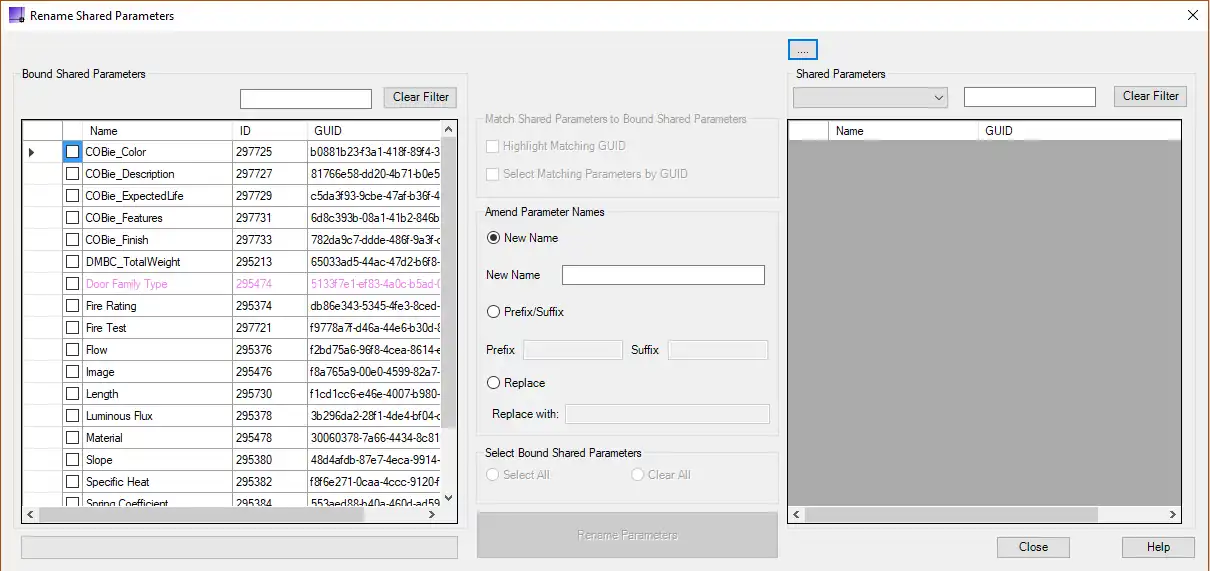
(Image by: Harrison-Dean)
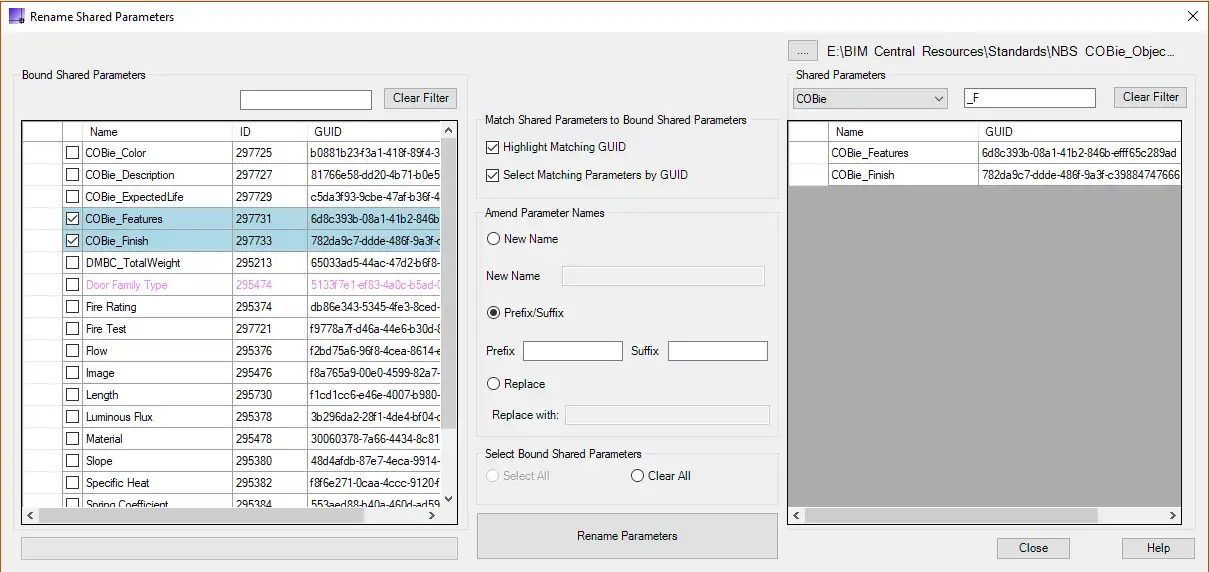
(Image by: Harrison-Dean)
Similar apps:
- Free
- Free
- Free
- Free
- $10/month
- Free