About this app
Are you looking to streamline your lift planning process in Autodesk® Revit®? Look no further than K-D2 PLANNER, a powerful plugin that can help you plan safer lifts faster and more efficiently. With features like lift simulations, capacity verification, and collision checks, this plugin can cut hours from your lift planning, reduce rework, and generate clear submittals that your GC and safety team will approve. Let's take a closer look at what K-D2 PLANNER has to offer.
Features and Benefits
K-D2 PLANNER for Revit includes a range of features designed to make lift planning easier and more accurate. These features include:
- 3D Graphics: High-fidelity 3D visualization allows you to view the lift from any angle in Revit.
- Drawing Export: Export plan and section views, including multiple crane angles, with one click.
- Visible Working and Tail Swing Radius: Displays maximum and minimum working radius and counterweight tail-swing radius.
- Crane Capacity: Displays the crane‘s Gross Rated Load, Lifting Capacity, and load factor when lifting materials.
- Ground Bearing Pressure: Reports maximum ground-bearing pressure, including conditions due to crane self-weight and during lifts.
- Real-Time Alerts: Alerts are displayed if the crane is overloaded or exceeds its operating range.
These features enable you to perform lift simulations, evaluate feasibility, construction sequencing and durations, and select the right crane model for cost-effective execution. With K-D2 PLANNER, you can optimize your crane work plans and reduce documentation errors, ultimately saving time and improving efficiency.
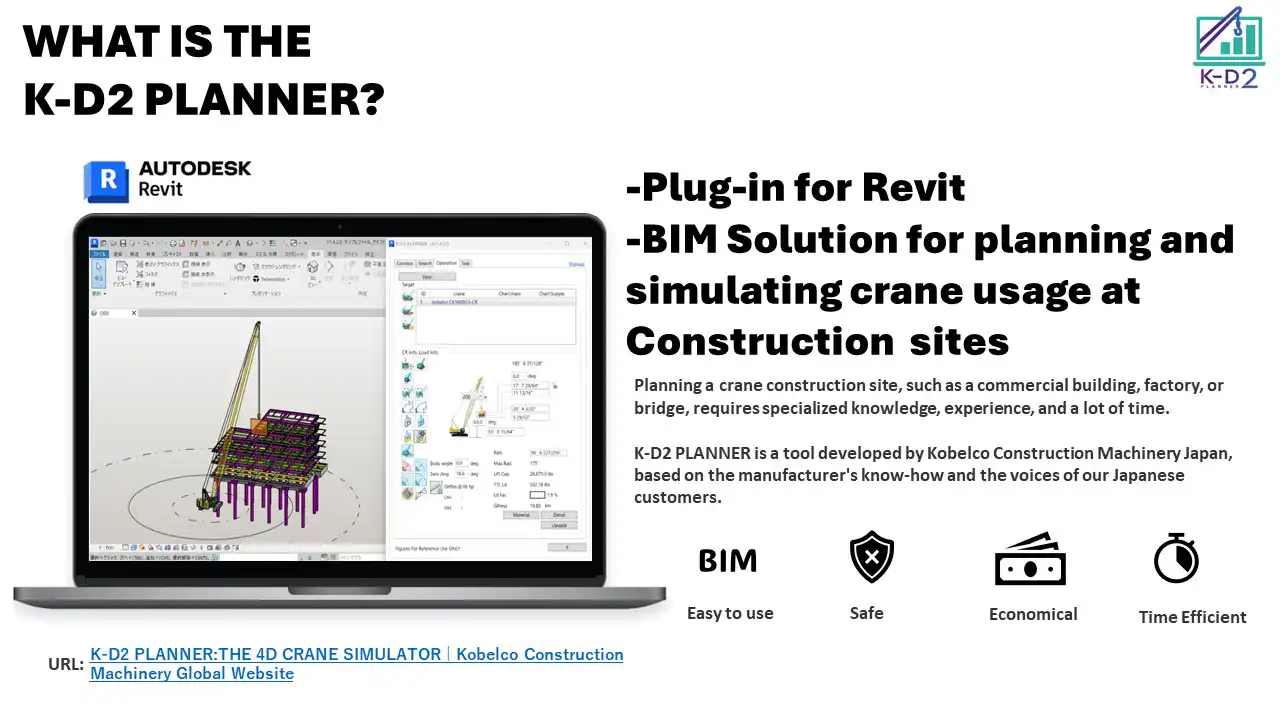
(Image by: KOBELCO CONSTRUCTION MACHINERY CO., LTD.)
Easy to Use and Customizable
K-D2 PLANNER is user-friendly and highly customizable, allowing you to import 3D models and capacity charts for your cranes directly into the plugin. The plugin comes preloaded with cranes from Kobelco Construction Machinery in the United States, with plans to add cranes from Tadano in the future. If you wish to simulate cranes from other manufacturers, the support team is available to assist you. This flexibility ensures that you can tailor the plugin to meet your specific lift planning needs.
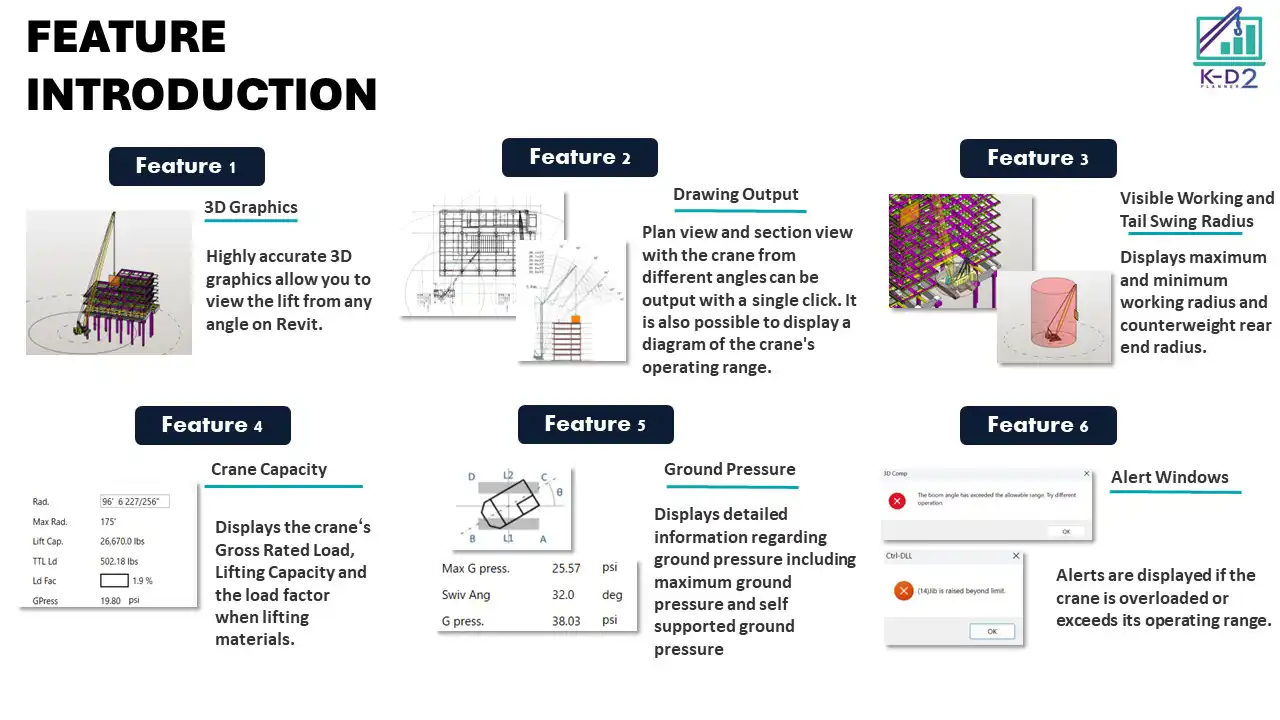
(Image by: KOBELCO CONSTRUCTION MACHINERY CO., LTD.)
Support and Assistance
If you have any questions or need assistance with K-D2 PLANNER, the support team is ready to help you make the most of your experience. Kobelco Construction Machinery offers free support from specialized engineers to help you understand and utilize the plugin's functions effectively. Whether you need help with preliminary preparations, analysis, or evaluation of study results, the support team is there to assist you every step of the way.
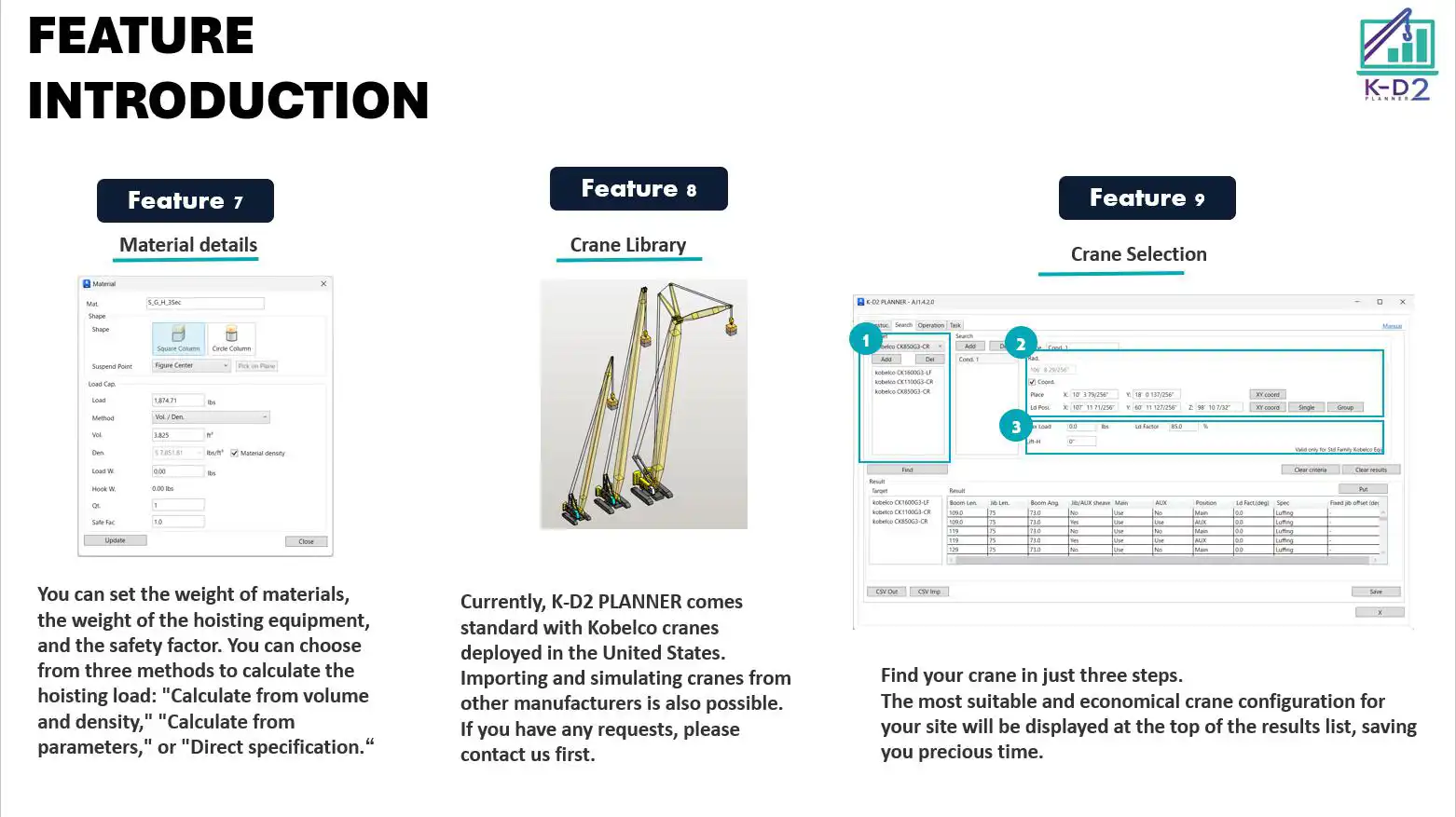
(Image by: KOBELCO CONSTRUCTION MACHINERY CO., LTD.)
Conclusion
In conclusion, K-D2 PLANNER is a valuable tool for anyone involved in lift planning using Autodesk Revit. With its advanced features, user-friendly interface, and customizable options, this plugin can help you plan safer lifts faster and more efficiently. Whether you are a site manager, equipment company, or construction professional, K-D2 PLANNER can streamline your lift planning process, reduce errors, and save you valuable time. Why not try the trial version today and experience the benefits for yourself?
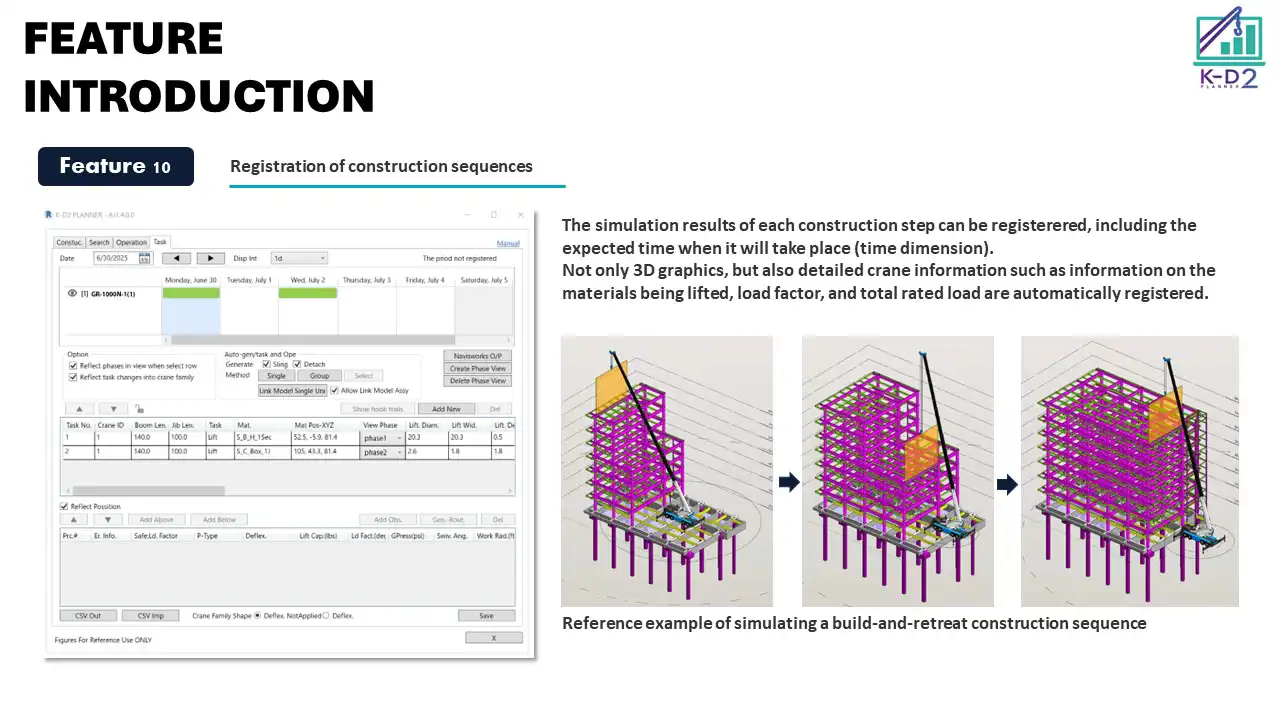
(Image by: KOBELCO CONSTRUCTION MACHINERY CO., LTD.)
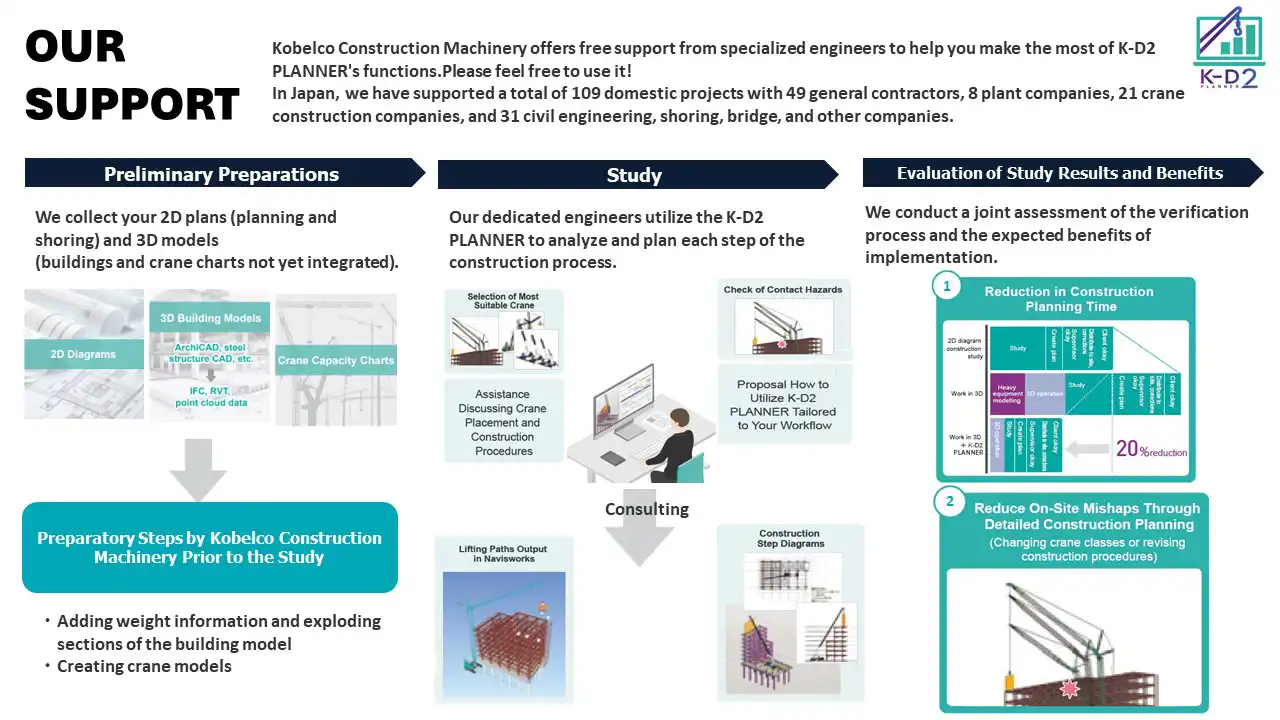
(Image by: KOBELCO CONSTRUCTION MACHINERY CO., LTD.)
Similar apps:
- Free
- Free
- Free
- Free
- Free
- $10/month