About this app
Introduction
As architects, structural engineers, or BIM managers working with complex Revit models, the process of exporting project sheets can often be time-consuming and tedious. Manual exporting and naming of files one by one can eat up valuable time that could be better spent on design and other critical tasks. Fortunately, there is a solution to streamline and automate this process - XportOne.
(Image by: Melo Structural)
Streamlined Export Process
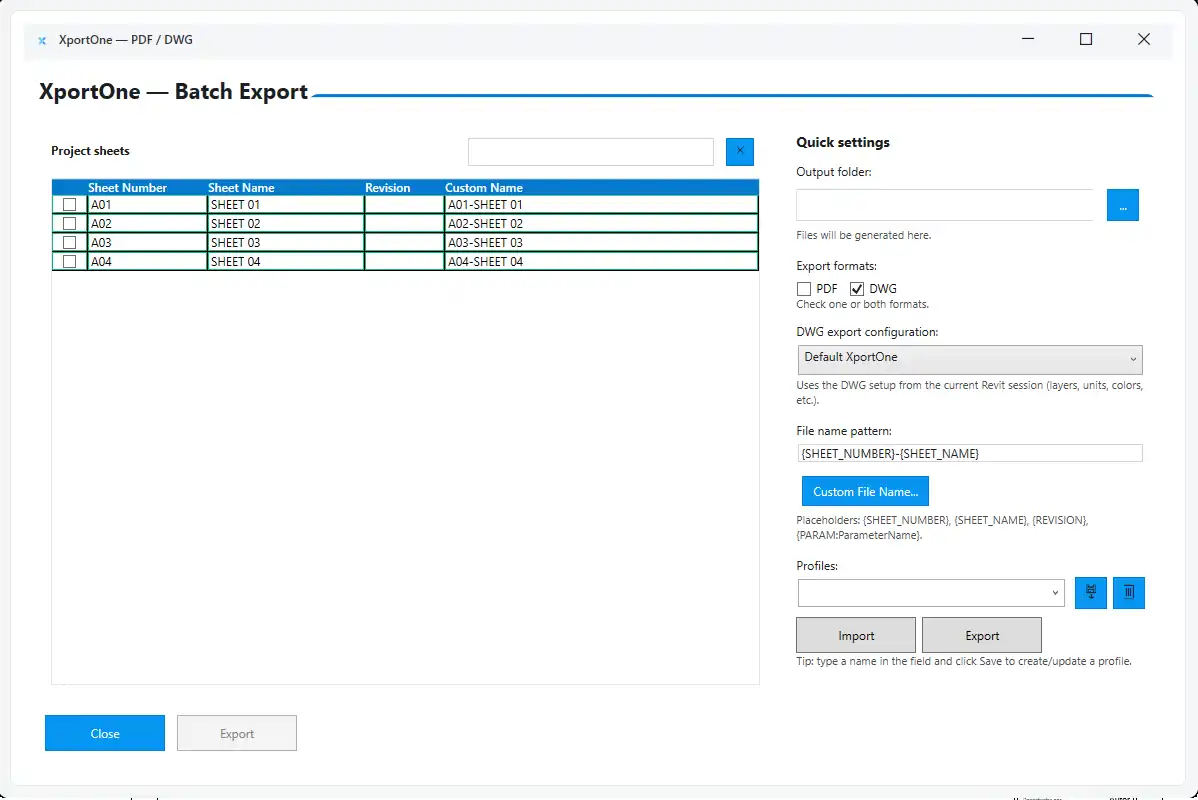
XportOne is a powerful Autodesk® Revit® add-in that is designed to make exporting your project sheets a breeze. With its modern and intuitive interface, XportOne allows you to export multiple sheets to both PDF and DWG formats simultaneously. This means you can export dozens or even hundreds of sheets in a single operation, saving you valuable time and effort.
(Image by: Melo Structural)
Smart Features for Efficiency
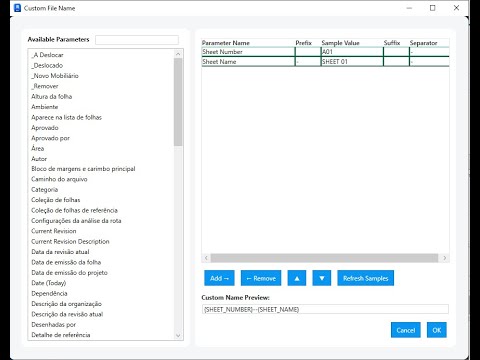
One of the standout features of XportOne is its smart naming rules. You can automatically name exported files using Revit parameters such as Sheet Number, Sheet Name, and Project Name. This ensures that your exported files follow a standardized structure, making it easy to keep track of and organize your documentation set.
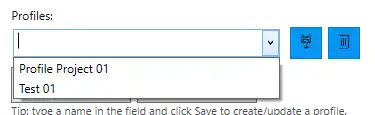
In addition to smart naming rules, XportOne also offers custom profiles. You can save, load, import, or export predefined export configurations for different projects or clients. This makes it easy to switch between different export settings without having to reconfigure everything each time.
XportOne also generates synchronized file sets with matching folder structures for both PDF and DWG exports. This ensures that your exported documents are well-organized and easy to access, saving you time searching for specific files.
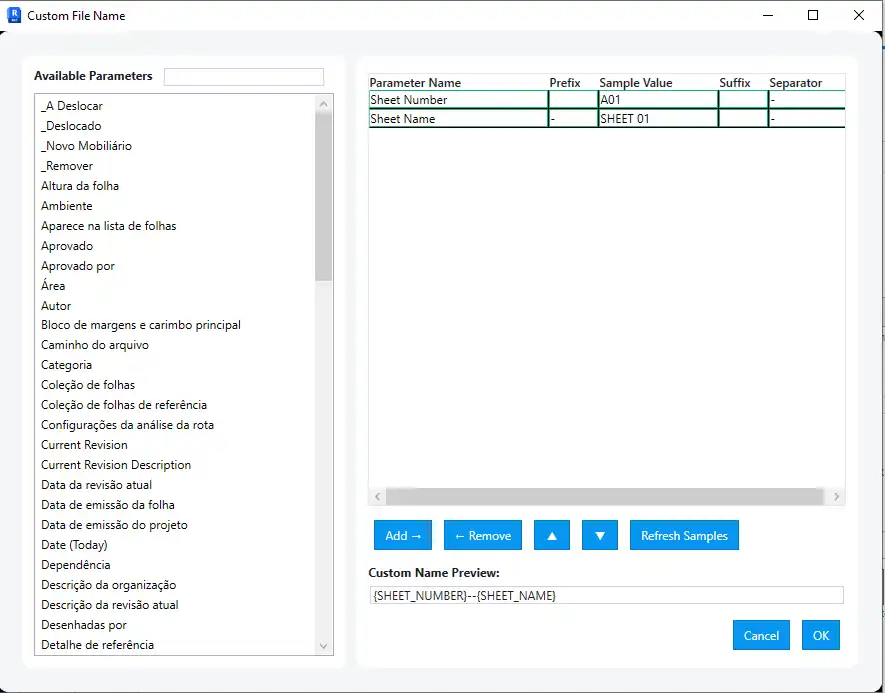
(Image by: Melo Structural)
Consistency and Accuracy
With XportOne, you can say goodbye to human errors and inconsistencies in your exported documents. The add-in automatically creates well-organized folders and subfolders for all your exported sheets, maintaining consistent naming and folder organization across all your deliverables. This level of consistency is essential for standardizing documentation company-wide and ensuring accuracy in your project documentation.
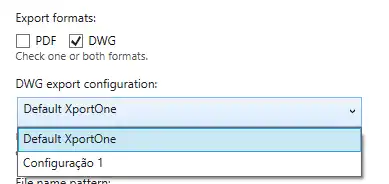
(Image by: Melo Structural)
Boosting Productivity and Efficiency
By drastically reducing the time spent on repetitive export operations, XportOne allows you to boost productivity and focus on what really matters - design. With XportOne taking care of the manual file management tasks, you can spend more time on creative and strategic aspects of your projects, ultimately improving efficiency and workflow.
Conclusion
XportOne is a game-changer for architects, structural engineers, and BIM managers working with Revit models. Its powerful features, such as batch export, smart naming rules, custom profiles, and consistent output, make exporting project sheets a seamless and efficient process. By saving time, reducing errors, and improving consistency, XportOne allows you to focus on what you do best - designing exceptional projects. Give XportOne a try and experience the difference it can make in streamlining your Revit export process.
Similar apps:
- Free
- Free
- $10/month
- Free
- Free
- $50