 1 / 4
1 / 4About this app
Introduction
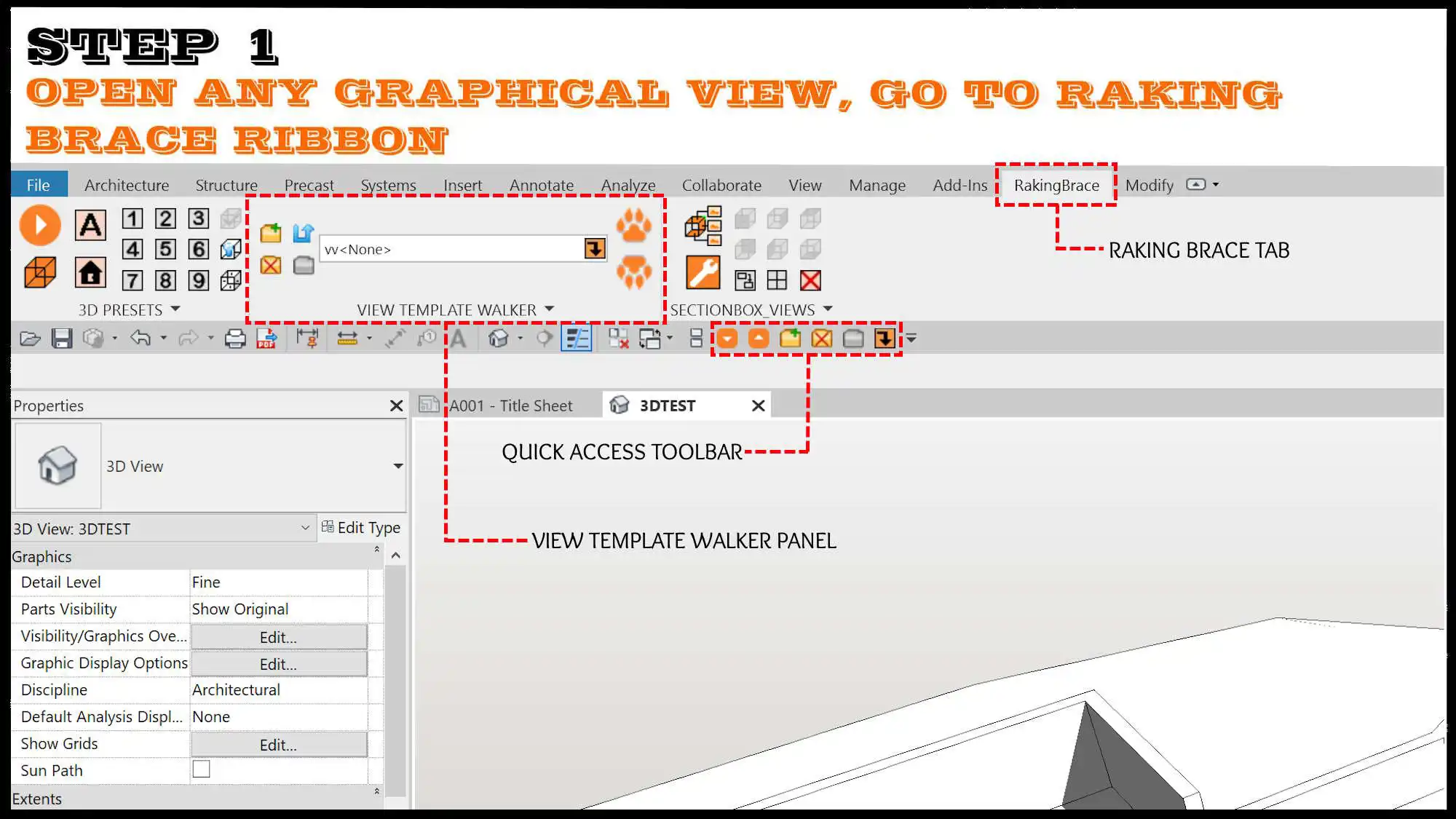
If you're a Revit user who is tired of wading through endless lists to switch view templates, then WALKIES! 'VIEW TEMPLATE WALKER' is the plugin for you. Compatible with Autodesk Revit versions 2023, 2024, 2025, and 2026, this powerful ribbon tool simplifies the process of changing or testing different view templates with just one click. Whether you're an architect, engineer, BIM manager, or designer, this plugin unleashes the power of view templates and makes your workflow more efficient.
(Image by: RAKING BRACE LTD)
Unleash the Power of View Templates
WALKIES! 'VIEW TEMPLATE WALKER' makes using view templates feel like flipping toggle switches. With this plugin, you can easily switch on or off walls, floors, windows, doors, links, and imports with just one click. Say goodbye to manually adjusting settings for each view – WALKIES! streamlines the process and saves you valuable time.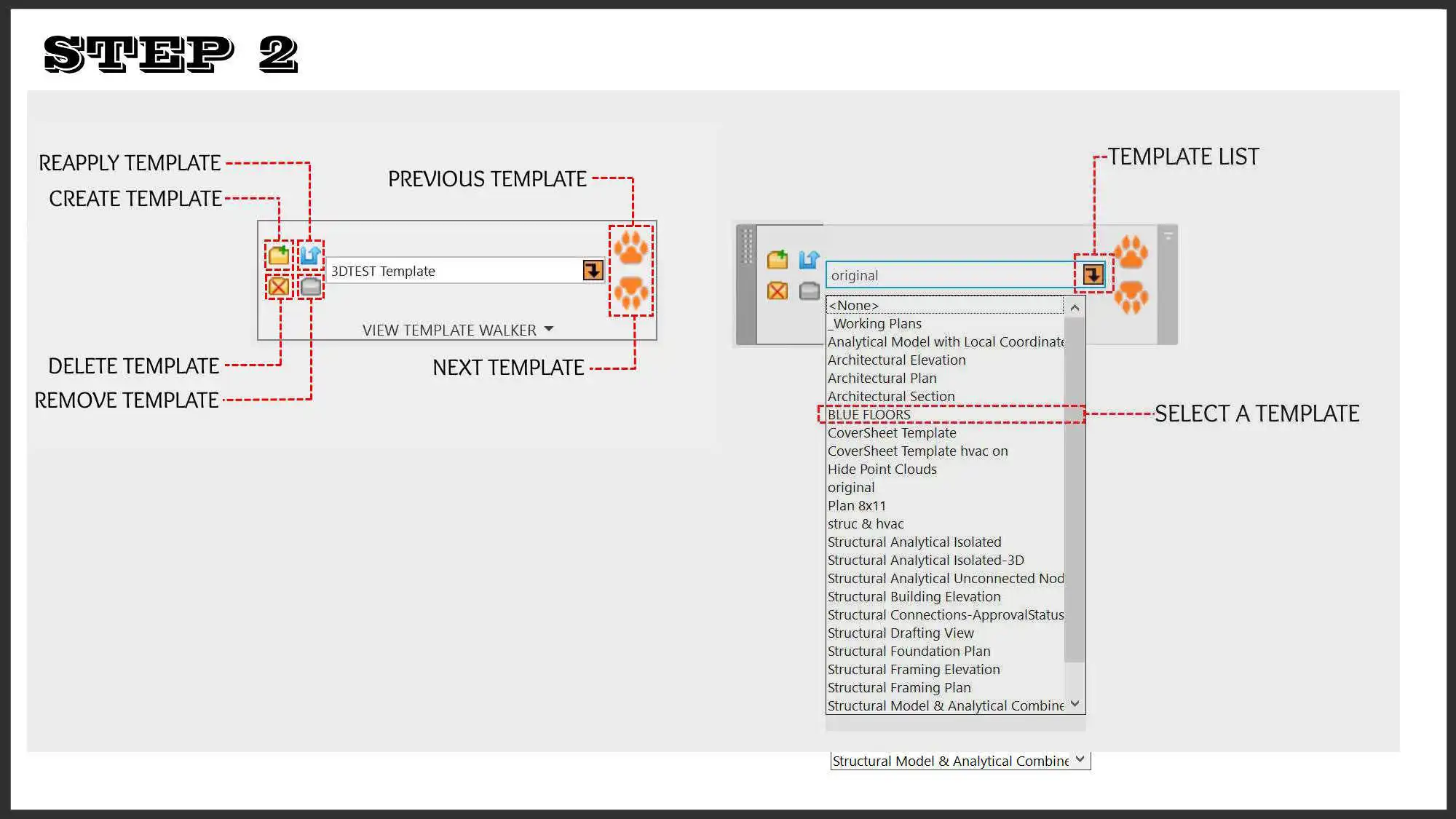
(Image by: RAKING BRACE LTD)
Instant Template Selection
One of the standout features of WALKIES! is its Browse Pick List, which allows you to browse and select view templates directly from the Revit Ribbon. Gone are the days of scrolling through a long list of templates – now you can instantly find and apply the template you need with ease. The Smart Search function also enables you to quickly filter the list by typing in the text box, making template selection a breeze.Visual Feedback is another useful feature of WALKIES! With the active template name displayed clearly in the ribbon, you can easily see which template is currently applied to your view. This visual feedback ensures that you are always aware of the template in use, enhancing your overall Revit experience.
Furthermore, WALKIES! 'VIEW TEMPLATE WALKER' automatically saves the initial state of a view when a template is applied. This means that if a view already has a template assigned when it is opened, the template is stored and can be restored at any time. This feature ensures consistency across your projects and simplifies template management.
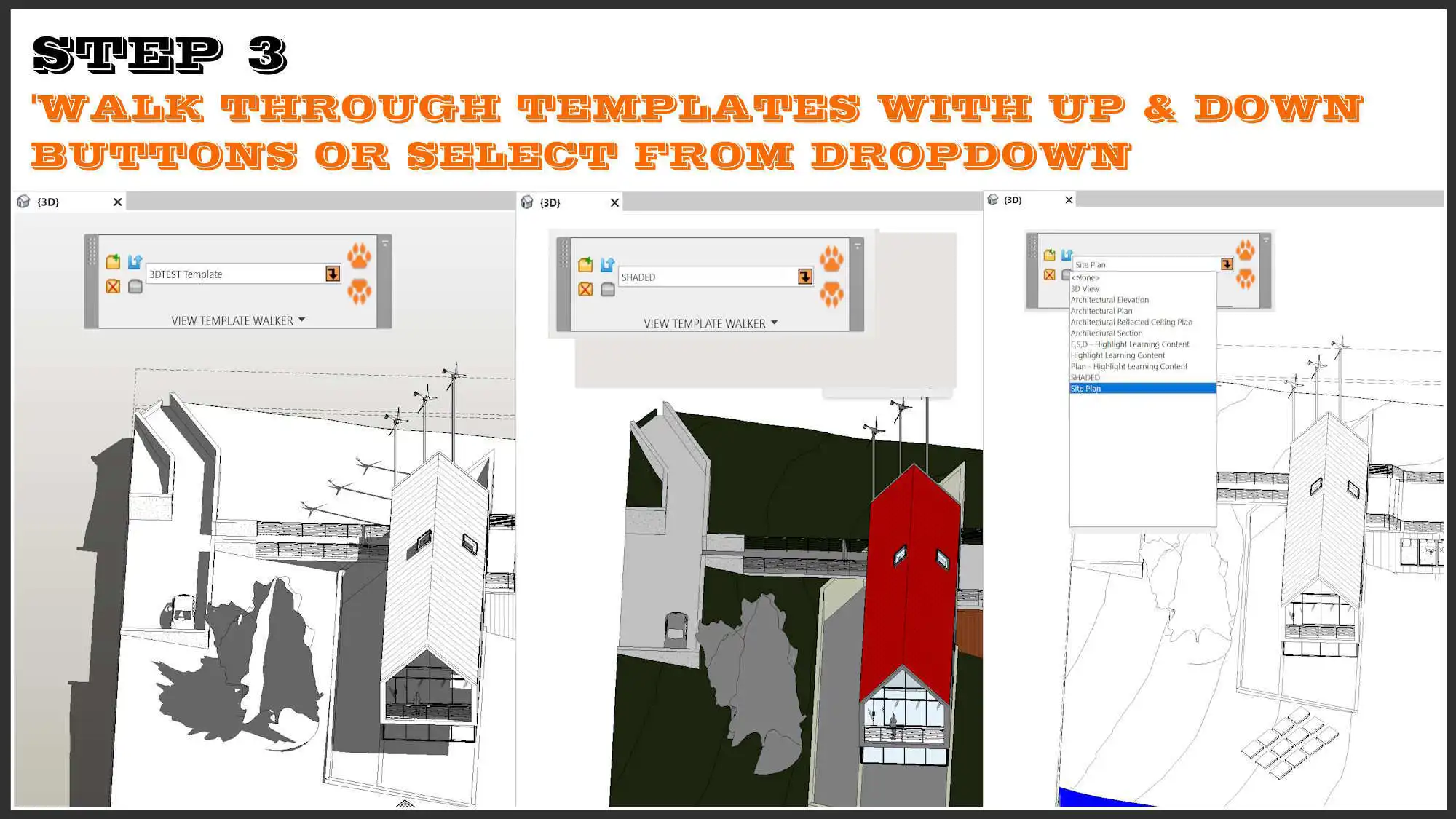
(Image by: RAKING BRACE LTD)
One-Click View Template Creation
In addition to making it easy to switch between existing view templates, WALKIES! also allows for one-click view template creation. This feature is especially useful for users who frequently need to create new templates or modify existing ones. With WALKIES!, creating and managing view templates has never been easier.Summary
WALKIES! 'VIEW TEMPLATE WALKER' is a must-have plugin for any Revit user looking to streamline their workflow and make the most of view templates. With its intuitive interface, powerful features, and time-saving capabilities, WALKIES! simplifies the process of switching between templates and creating new ones. Whether you're an architect, engineer, BIM manager, or designer, this plugin will enhance your Revit experience and boost your productivity. Give WALKIES! a try and see the difference it can make in your workflow.Similar apps:
- Free
- $50
- Free
- Free
- Free
- Free