 1 / 6
1 / 6About this app
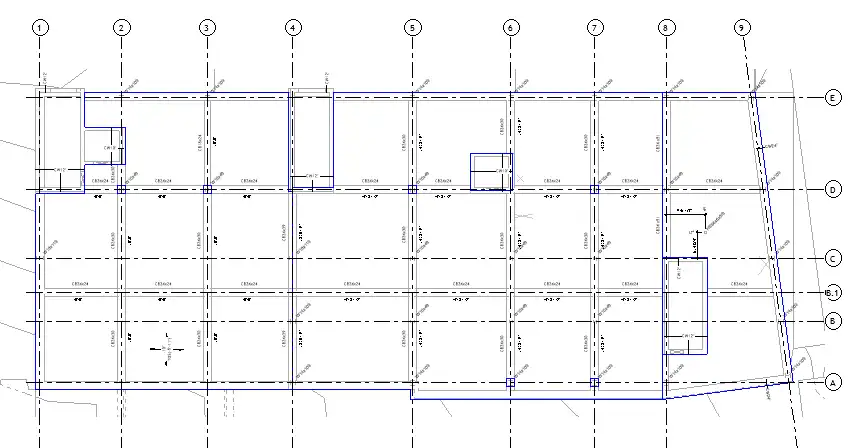
Are you tired of manually creating and highlighting slab edges in your Revit floor plan views? Look no further than the Edge of Slab Generator Autodesk® Revit® Addin. This handy plugin automates the process, saving you time and effort. In this review, we will explore the features and benefits of this plugin to help you decide if it’s the right tool for your workflow.
Features
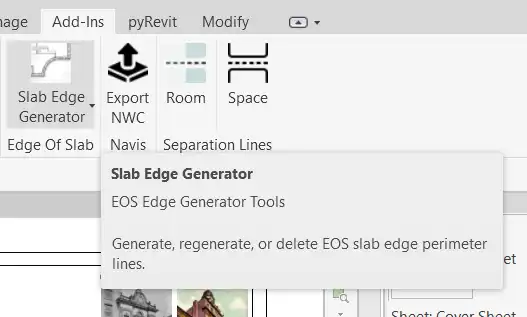
The Edge of Slab Generator Addin generates and highlights linework for slab edges in floor plan views. It supports both architectural and structural floors and roofs visible in the current view. The tool is conveniently located as a dropdown button on the ‘Edge of Slab’ panel of the ‘Add-Ins’ tab in the Revit interface.
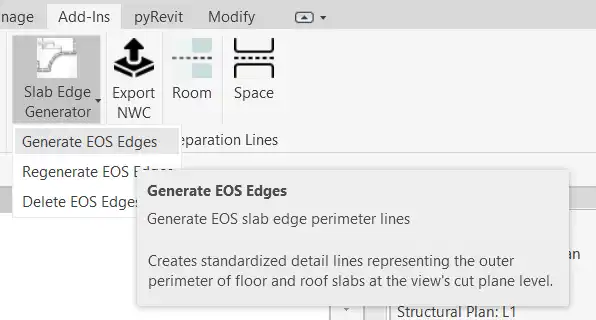
There are three options available in the dropdown menu:
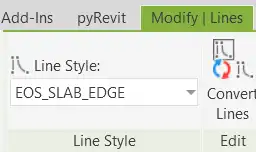
- Generate EOS Edges: Clicking this option creates slab edges in the form of blue linework. The tool automatically creates a line style for the slab edges.
- Regenerate EOS Edges: Use this option when you make changes to floors to update the slab edges. The tool will remove old edges and recreate the new ones.
- Delete EOS Edges: If you wish to remove the slab edges from the view, simply click on this option.
(Image by: Sanjiv Kapila)
Ease of Use
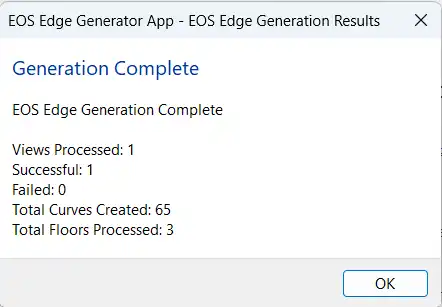
The Edge of Slab Generator plugin is extremely easy to use. Simply ensure that you are in a floor plan view with a suitable template for displaying slab edges, click on the ‘Edge of Slab’ dropdown button, and select the desired option. The tool does the rest for you, generating or updating the slab edges with just a few clicks.
(Image by: Sanjiv Kapila)
Benefits
One of the key benefits of using the Edge of Slab Generator plugin is the time-saving aspect. By automating the process of creating and highlighting slab edges, you can focus on other aspects of your project. The tool also ensures consistency in the linework, creating a professional and polished look in your floor plan views.
Additionally, the ability to regenerate slab edges when changes are made to floors eliminates the need for manual adjustments, streamlining your workflow and reducing the risk of errors. The plugin’s intuitive interface makes it accessible to users of all levels, from beginners to seasoned Revit professionals.
(Image by: Sanjiv Kapila)
Conclusion
The Edge of Slab Generator Autodesk® Revit® Addin is a valuable tool for architects and structural engineers working in Revit. Its ease of use, time-saving features, and ability to maintain consistency in slab edge linework make it a must-have plugin for anyone looking to enhance their workflow. Whether you are creating architectural or structural floor plans, this plugin will streamline the process and improve the overall quality of your drawings. Give it a try and experience the benefits for yourself!
(Image by: Sanjiv Kapila)
(Image by: Sanjiv Kapila)
Similar apps:
- Free
- $4.99/month
- Free
- Free
- Free
- Free