 1 / 2
1 / 2About this app
Introduction
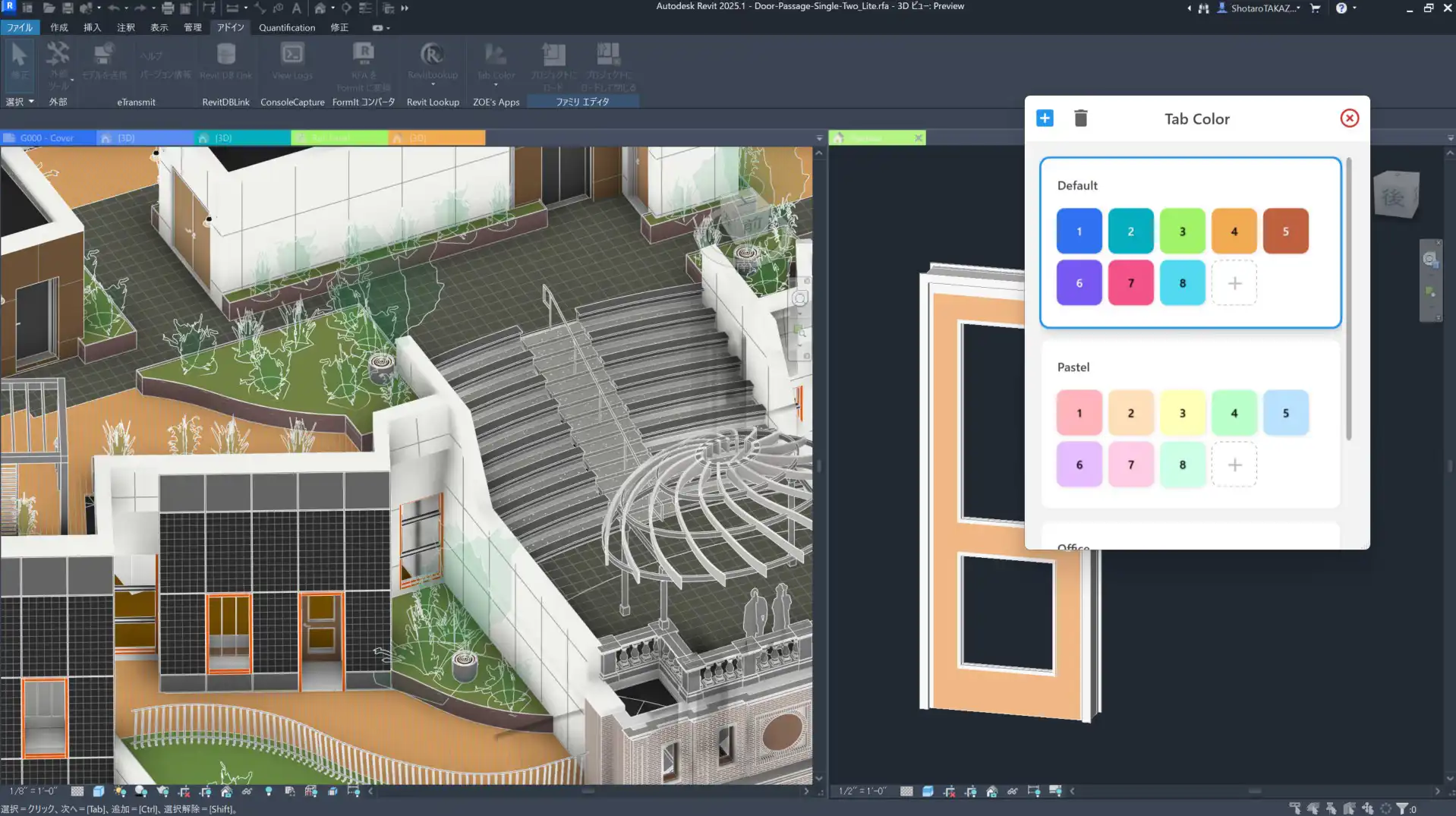
When working on multiple projects simultaneously in Revit, it can be challenging to keep track of which tab belongs to which project. This is where Simple Tab Coloring comes in to improve your workflow by assigning distinct colors to tabs for each project.
(Image by: 👨🏻💻Shotaro TAKAZOE)
Key Features
Simple Tab Coloring offers a range of key features that make it a must-have plugin for Revit users:
- Simple Design: This tool is ready to use immediately after installation, making it easy to integrate into your workflow.
- Customizable: You can adjust the color palettes to suit your specific needs, allowing for a personalized experience.
- Effective for Multiple Projects: Simple Tab Coloring is particularly useful when working on multiple projects simultaneously, handling projects with similar names, or opening multiple views within a large-scale project.
- JSON Format: The color palette is stored in JSON format, allowing for easy adjustments. You can manually modify the JSON file or generate new color schemes using AI tools like ChatGPT.
Enhanced Visibility for Better Productivity
With Simple Tab Coloring, you can enhance the visibility of your tabs in Revit, making it easier to differentiate between projects at a glance. This not only saves you time but also reduces the risk of errors that can occur when working on multiple projects simultaneously.
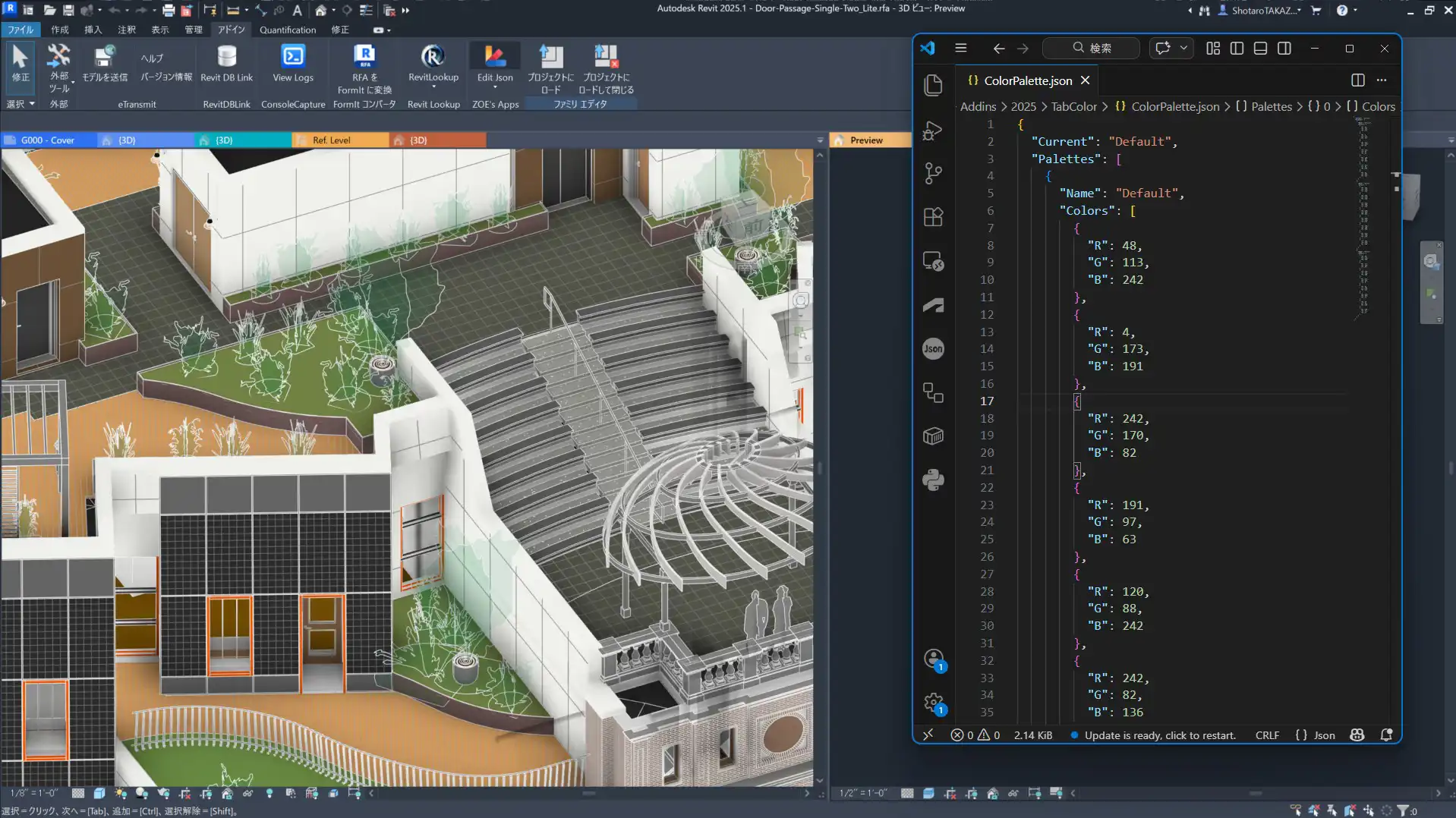
(Image by: 👨🏻💻Shotaro TAKAZOE)
Summary
Overall, Simple Tab Coloring is a valuable plugin for Revit users who work on multiple projects or large-scale projects. Its simple design, customizable features, and effective color coding make it a must-have tool for enhancing visibility and productivity. Give Simple Tab Coloring a try and see how it can streamline your workflow in Revit.
Similar apps:
- Free
- Free
- Free
- Free
- Free
- $20