 1 / 8
1 / 8About this app
Introduction
If you're an architect looking for a more efficient way to manage keynotes in your Revit projects, look no further than Smart Keynotes. This innovative plugin replaces Revit's built-in keynote workflow with a modern, AI-powered keynote manager designed specifically for architects. With features like a central keynote manager, AI assistance for generating and discussing keynotes, and a keynote browser for quick lookup and placement, Smart Keynotes is sure to streamline your workflow and save you time.
(Image by: Smart Tools)
Keynote Manager: Your Central Hub
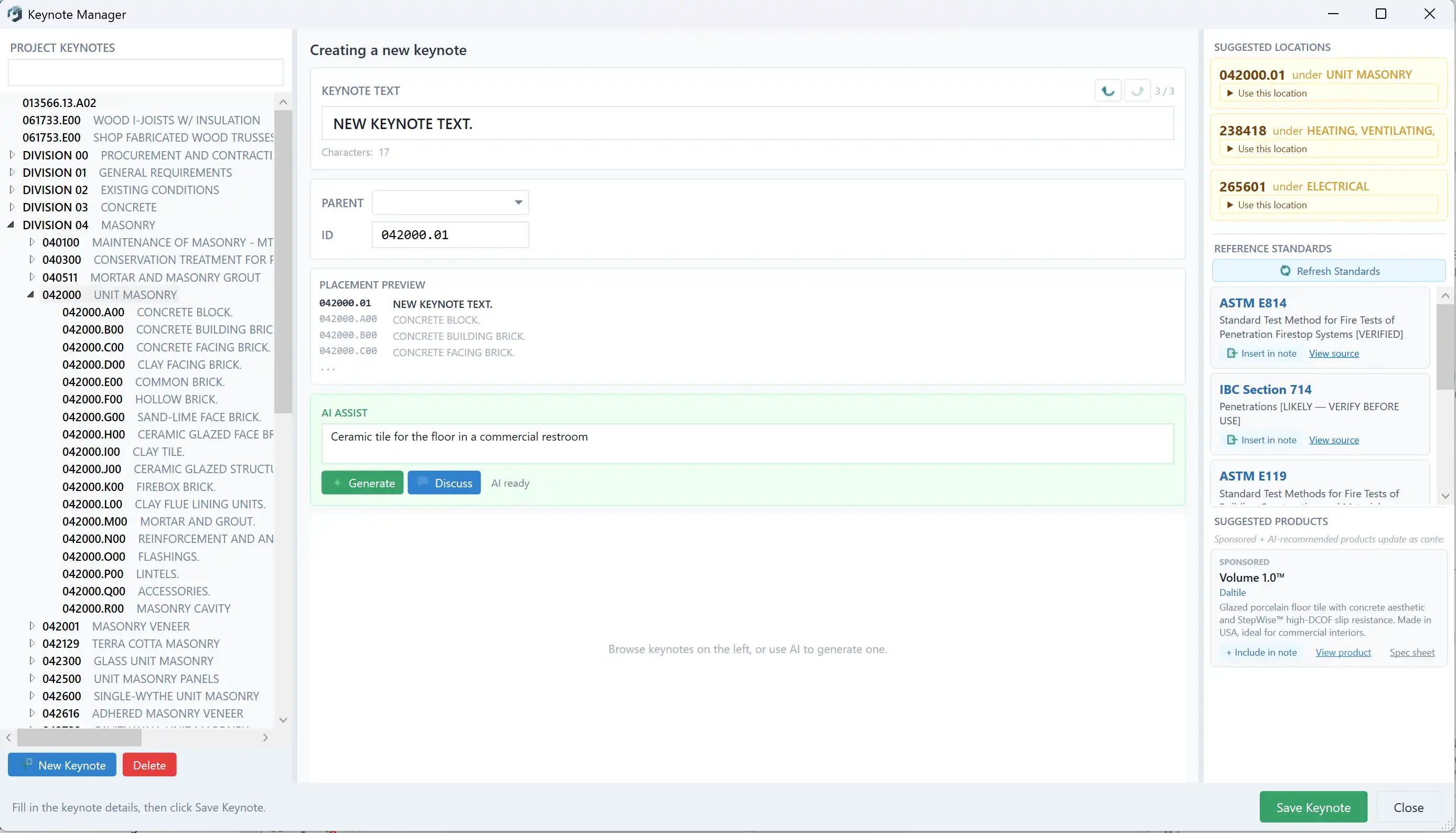
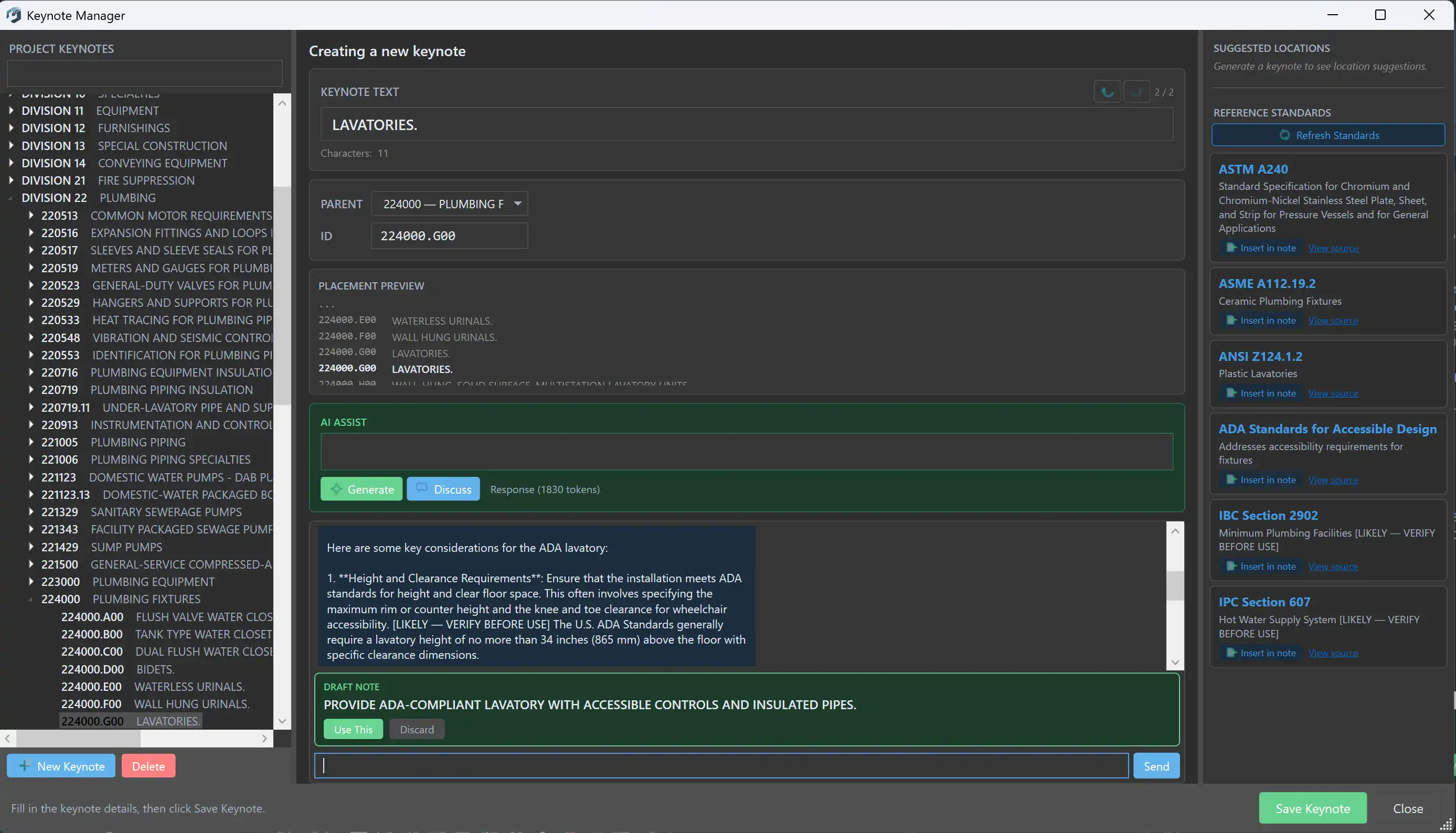
The central hub of Smart Keynotes is the Keynote Manager, where you can view, edit, and organize all keynotes in your current project. The three-panel layout provides a full keynote tree, a create/edit form, and smart suggestions all in one window. This intuitive interface makes it easy to manage your keynotes efficiently, ensuring that you can focus on the design process without getting bogged down in administrative tasks.
(Image by: Smart Tools)
AI Assist: Generate & Discuss
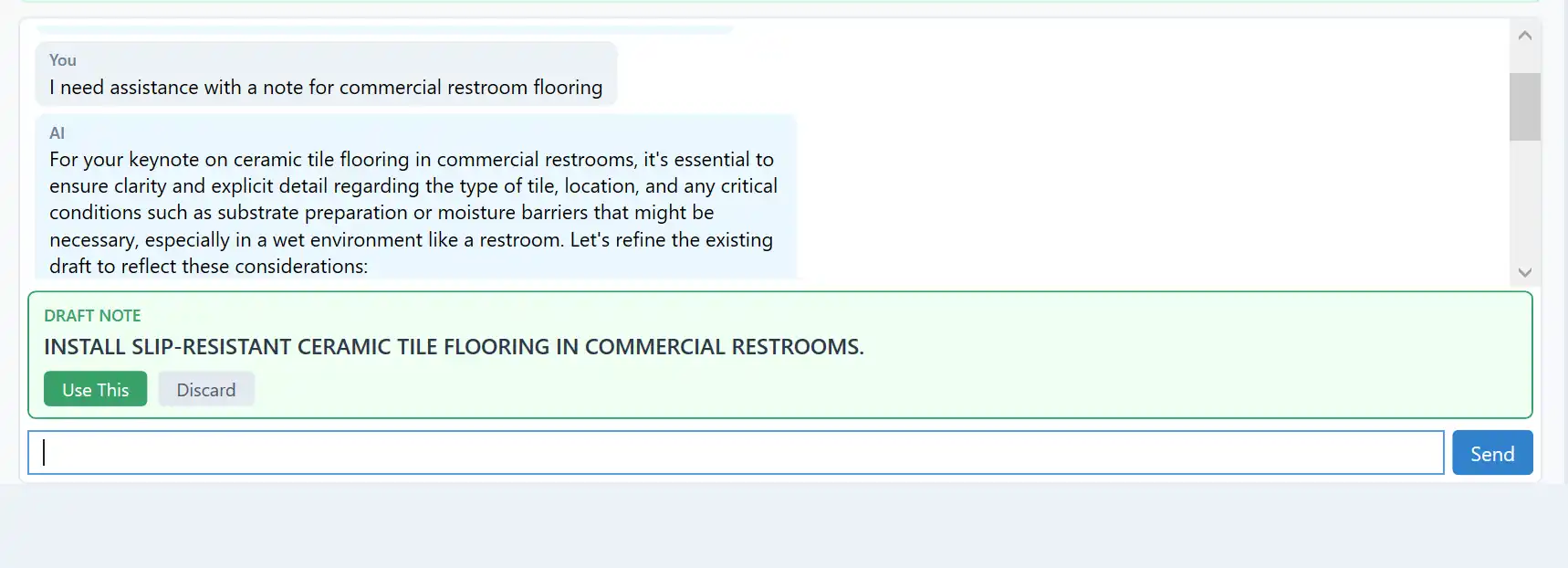
One of the standout features of Smart Keynotes is its AI assistance for generating and discussing keynotes. Simply describe what you need in plain language, such as "ceramic tile for a commercial restroom floor," and the AI will draft a professional keynote text, assign the correct ID, and suggest where it belongs in the hierarchy. You can also use the Discuss mode to refine the wording in a chat conversation, ensuring that your keynotes are clear and concise.

(Image by: Smart Tools)
Keynote Browser: Quick Lookup and Placement
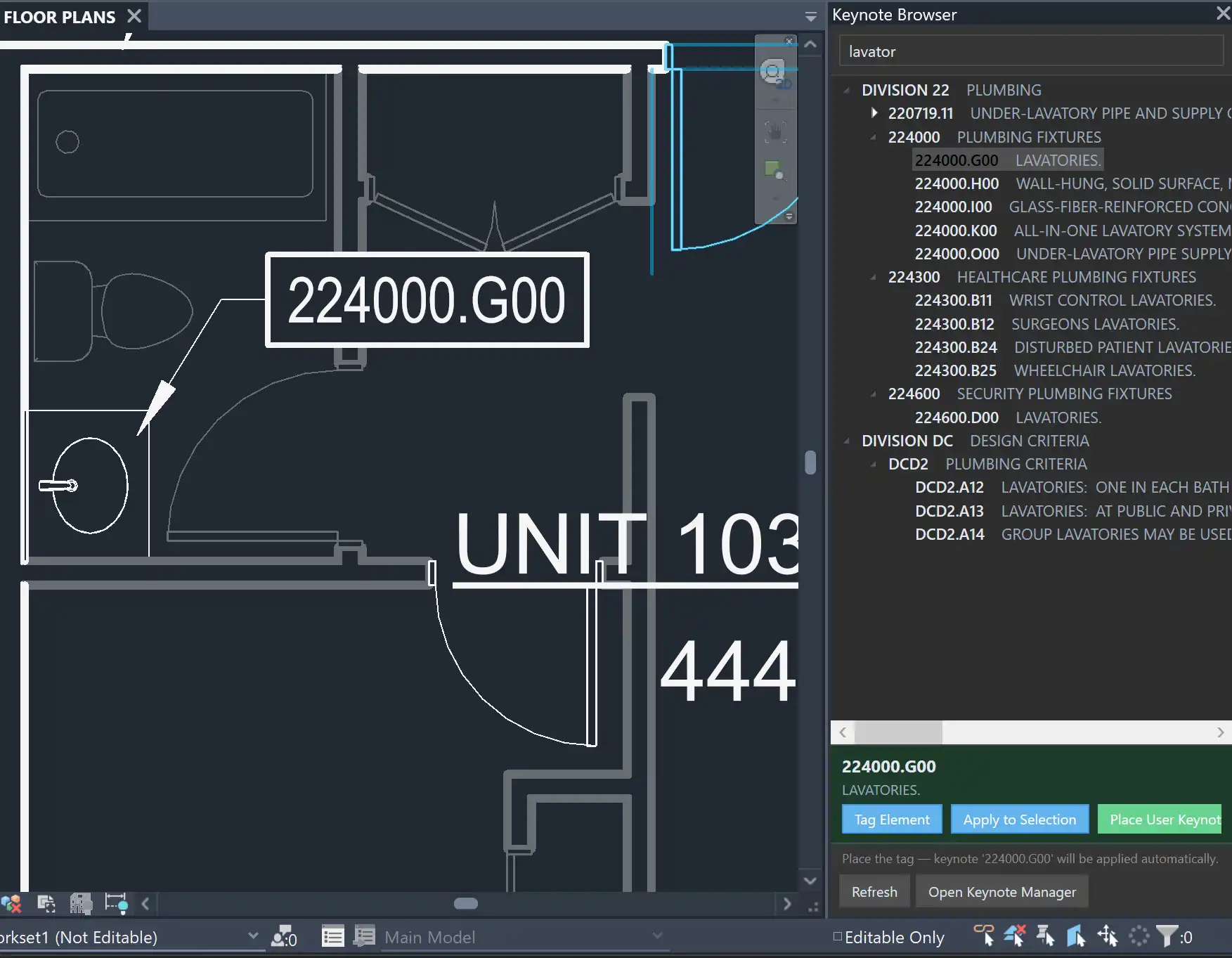
The Keynote Browser is a dockable side panel that allows for quick lookup and placement of keynotes. You can search, browse, tag elements, and place user keynotes without leaving your view, saving you time and keeping your workflow seamless. This feature is particularly useful for architects who need to quickly reference keynotes while working on their designs.
(Image by: Smart Tools)
Keynote Types: Versatility and Ease of Use
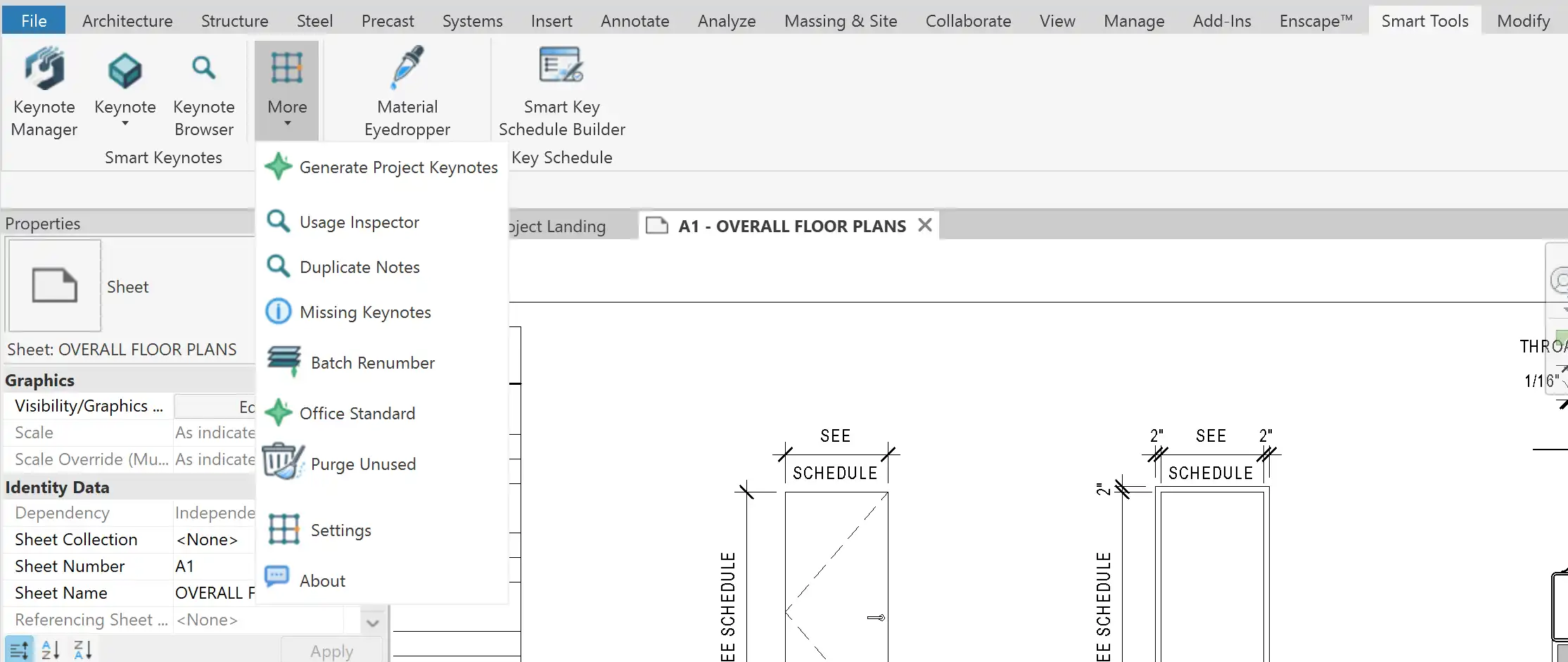
Smart Keynotes offers three types of keynotes – Place Element, User, and Material keynotes – all accessible from one dropdown menu. For multi-material elements, a picker is provided so you can choose the right layer for your keynotes. This versatility and ease of use make it simple to add keynotes to your projects, ensuring that your documentation is thorough and accurate.
(Image by: Smart Tools)
Summary
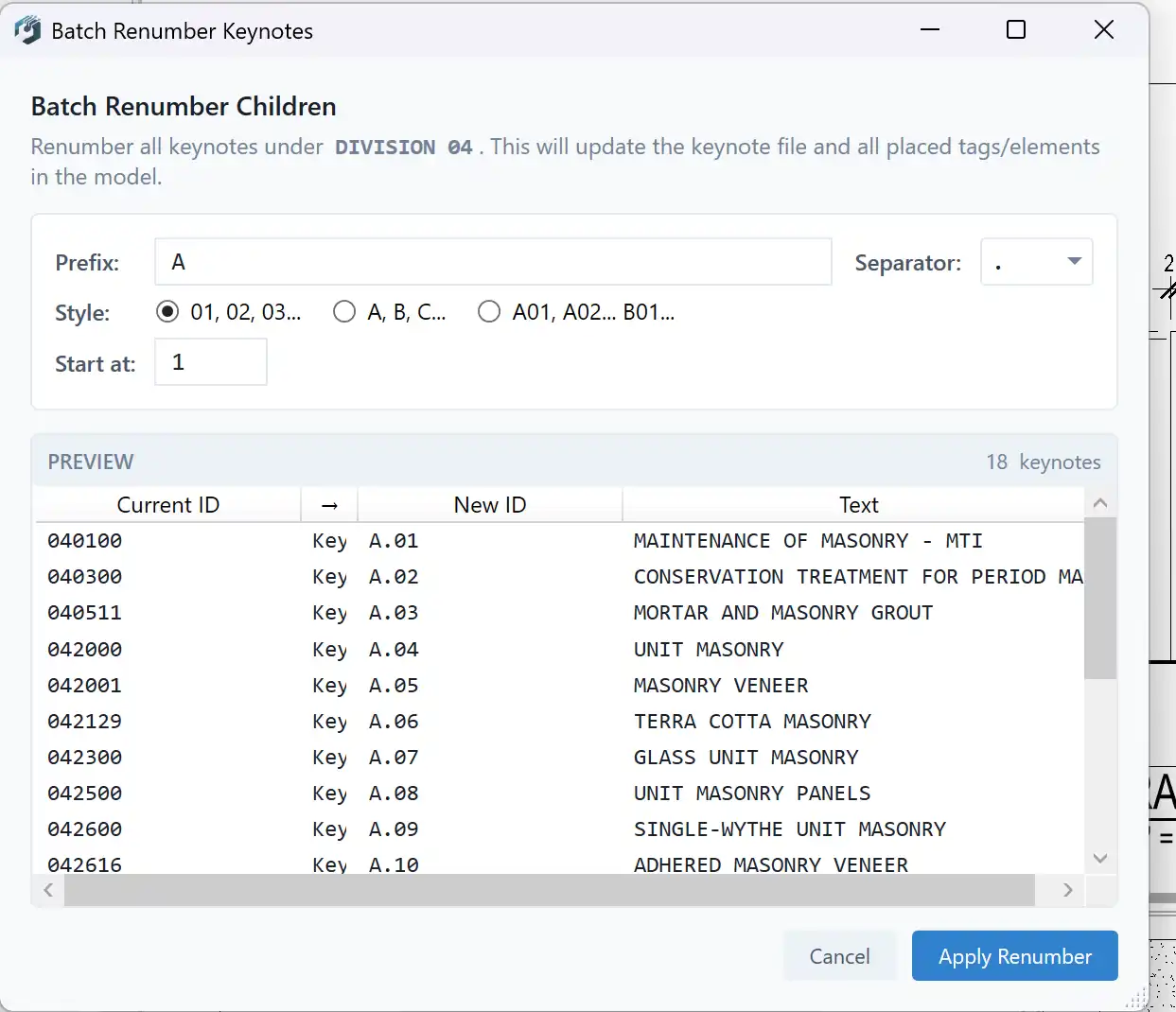
Overall, Smart Keynotes is a game-changer for architects working with Revit. Its modern, AI-powered keynote manager, intuitive interface, and versatile features make managing keynotes a breeze. Whether you need to quickly generate keynotes, discuss wording with AI assistance, or browse keynotes for placement, Smart Keynotes has you covered. We highly recommend giving this plugin a try to streamline your workflow and enhance your Revit projects.
(Image by: Smart Tools)
(Image by: Smart Tools)
Similar apps:
- Free
- Free
- $15/month
- Free
- $1.99/month
- $5