 1 / 5
1 / 5About this app
Introduction
Revit is a powerful tool for architects and designers, but sometimes the process of creating views can be tedious and time-consuming. That's where ElevationMasterX comes in. This innovative plugin streamlines the view creation process, making it easier and more efficient for users to generate views for rooms and walls. With features like customizable parameters, sheet creation, and naming conventions, ElevationMasterX is a must-have tool for anyone working in Revit.
(Image by: vConstruct Private Limited)
Streamlined View Creation
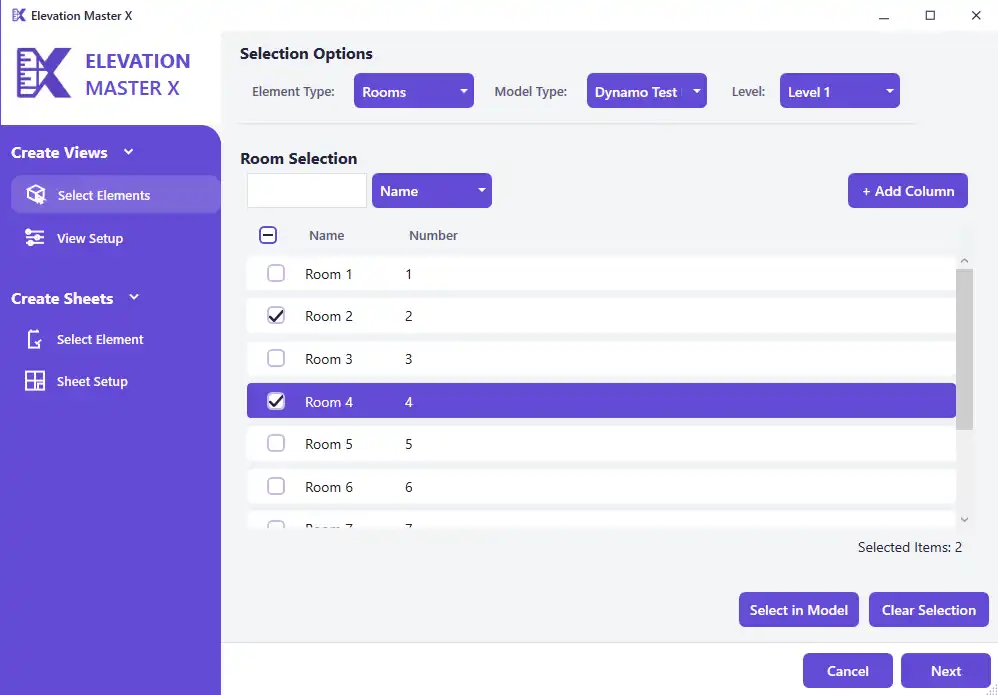
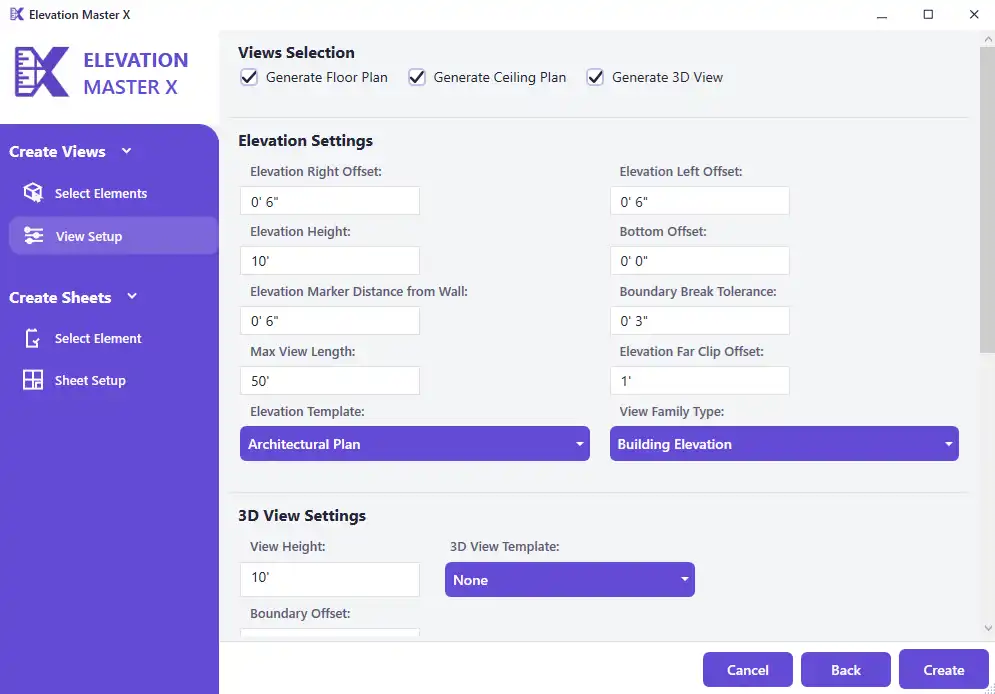
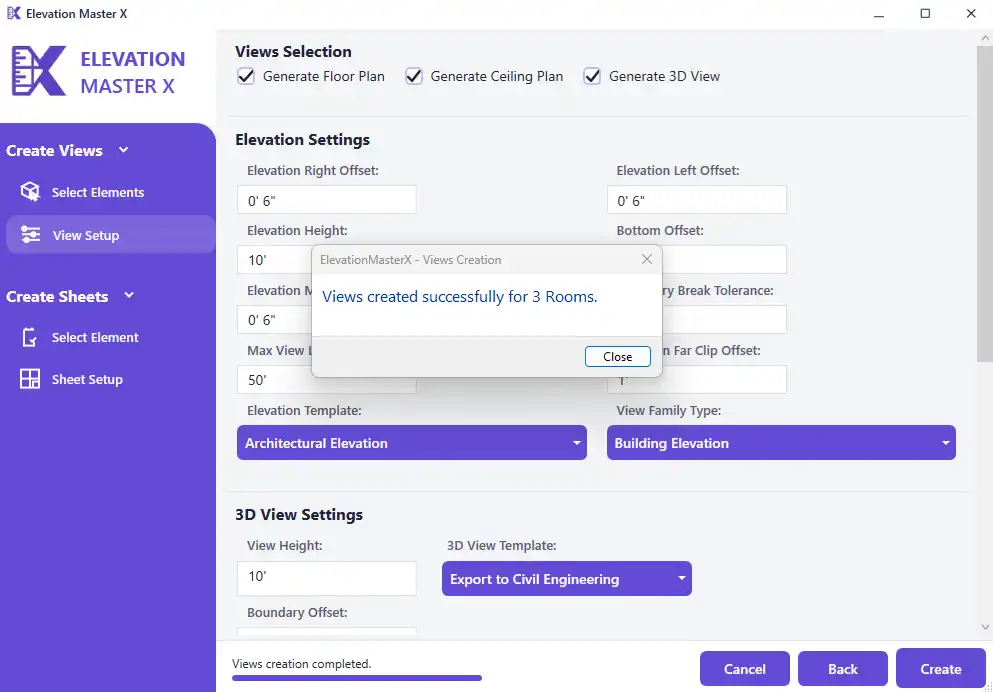
One of the standout features of ElevationMasterX is its ability to create views automatically for specific rooms and walls. Users can select the rooms and walls they want to generate views for, and the plugin takes care of the rest. This saves users time and effort, as they no longer have to manually create views for each individual room or wall.
Additionally, ElevationMasterX allows users to define various parameters for the generated views, such as offsets, distance from walls, and boundary offsets for floor and ceiling plans. These customizable options give users full control over the appearance of their views, ensuring that they meet their specific requirements.
(Image by: vConstruct Private Limited)
Effortless Sheet Creation
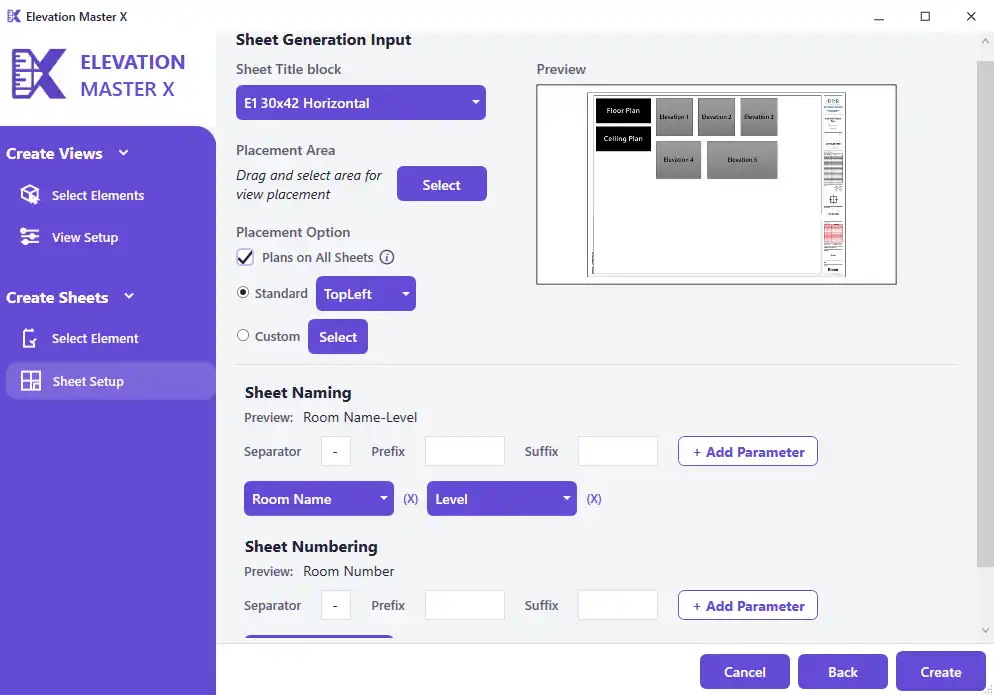
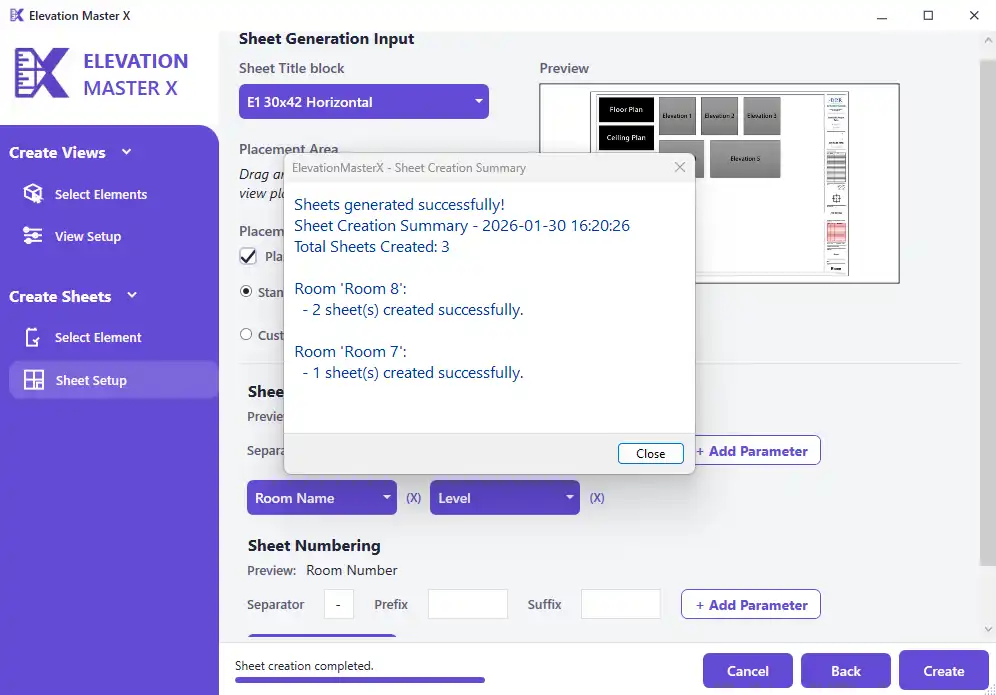
Creating sheets for room views is another task that can be time-consuming in Revit. ElevationMasterX simplifies this process by allowing users to easily create sheets for the views generated by the plugin. Users can define a rectangular placement area for positioning the views on the sheet, and choose from two placement modes: Manual Mode and Custom Mode.
In Manual Mode, users can select from predefined alignment options to place views precisely on the sheet. This ensures that views are neatly organized and easy to navigate. In Custom Mode, users have even more control, as they can drag and drop Autodesk Revit Family instances directly onto the sheet. This feature allows for a more personalized and flexible approach to sheet creation.
(Image by: vConstruct Private Limited)
Organized Documentation
Consistency and clarity are key when it comes to documentation in Revit, and ElevationMasterX makes it easy to maintain these standards. Users can set custom naming conventions for both the generated views and the sheets, ensuring that their documentation is organized and easy to understand.
By assigning naming conventions to views and sheets, users can quickly identify the content of each view and sheet, making it easier to navigate their project. This level of organization helps to streamline the design process and improve overall efficiency.
(Image by: vConstruct Private Limited)
Conclusion
ElevationMasterX is a game-changer for anyone working in Revit. By simplifying the view creation process and providing customizable options for both views and sheets, this plugin makes it easier than ever to create organized and professional documentation. Whether you're a seasoned Revit user or just starting out, ElevationMasterX is an essential tool that will save you time and effort on every project. Give it a try and see the difference it can make in your workflow!
(Image by: vConstruct Private Limited)
Similar apps:
- Free
- $10/month
- Free
- Free
- $5
- Free