 1 / 4
1 / 4About this app
Introduction
In the world of Building Information Modeling (BIM), Autodesk® Revit® has established itself as a leading platform for architects, engineers, and designers. One of the most time-consuming tasks in Revit is the manual creation of section boxes in 3D views. Enter the Auto Boxing plugin, a revolutionary tool designed to automate this tedious process. With its intuitive features, Auto Boxing significantly enhances workflow efficiency, allowing users to focus on design rather than repetitive tasks. In this article, we will explore the key functionalities of Auto Boxing and how they can transform your Revit experience.
(Image by: 2sites)
Streamlined Section Box Creation
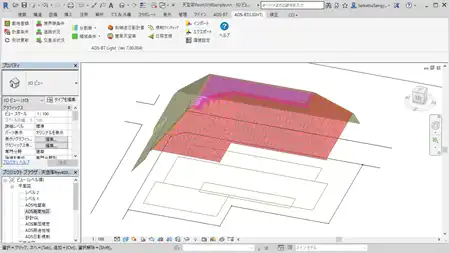
Auto Boxing stands out with its primary feature: the automatic creation of section boxes in 3D views. Traditionally, users had to painstakingly adjust section boxes element by element, which could be both time-consuming and frustrating. With Auto Boxing, this process is streamlined, enabling users to create section boxes with just a few clicks.
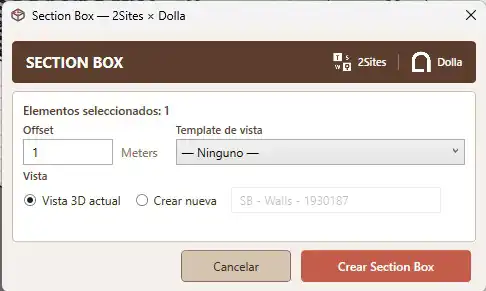
The plugin offers a tool called Section Box Rápido, which allows users to select one or more elements in the model and instantly generate a 3D view with a custom-fitted section box. The offset feature is particularly noteworthy; users can define the distance from the section box to the selected element in project units. By setting an offset of zero, the section box aligns perfectly with the geometry of the chosen element, providing a precise view that eliminates the guesswork. This feature is a game changer for professionals who demand accuracy in their designs.
(Image by: 2sites)
Batch Section Box Generation
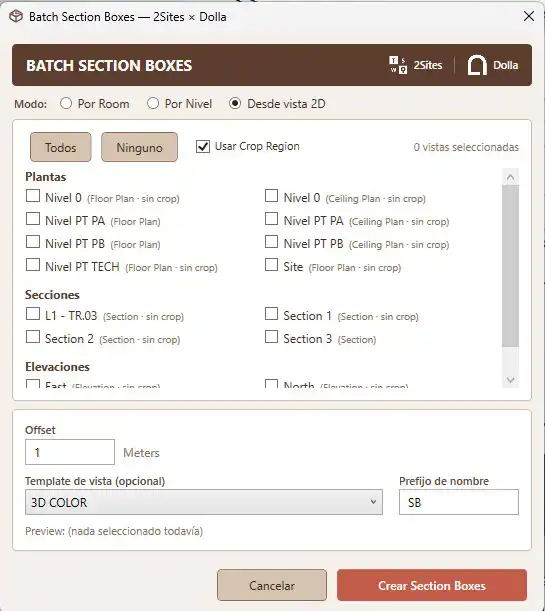
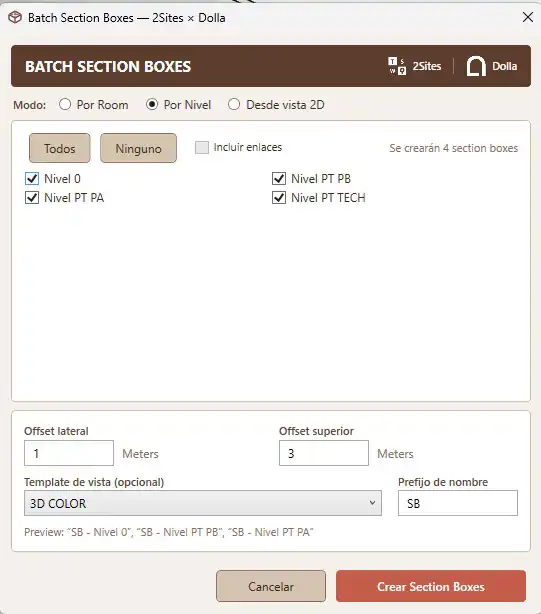
Auto Boxing doesn't stop at individual section box creation; it also excels in bulk operations through its Batch Section Boxes feature. This functionality allows users to generate multiple section boxes automatically based on predefined criteria. There are three modes for batch creation, with the Room mode being particularly impressive. This mode lists all rooms in the model, complete with names, numbers, and levels, making it easy for users to manage their views effectively.
Whether working on large projects with numerous rooms or smaller models, the ability to generate section boxes efficiently saves significant time. The Batch Section Boxes feature allows users to create a comprehensive set of views for all their rooms without the need for manual adjustments. This not only enhances productivity but also ensures consistency across project documentation.
(Image by: 2sites)
User-Friendly Features
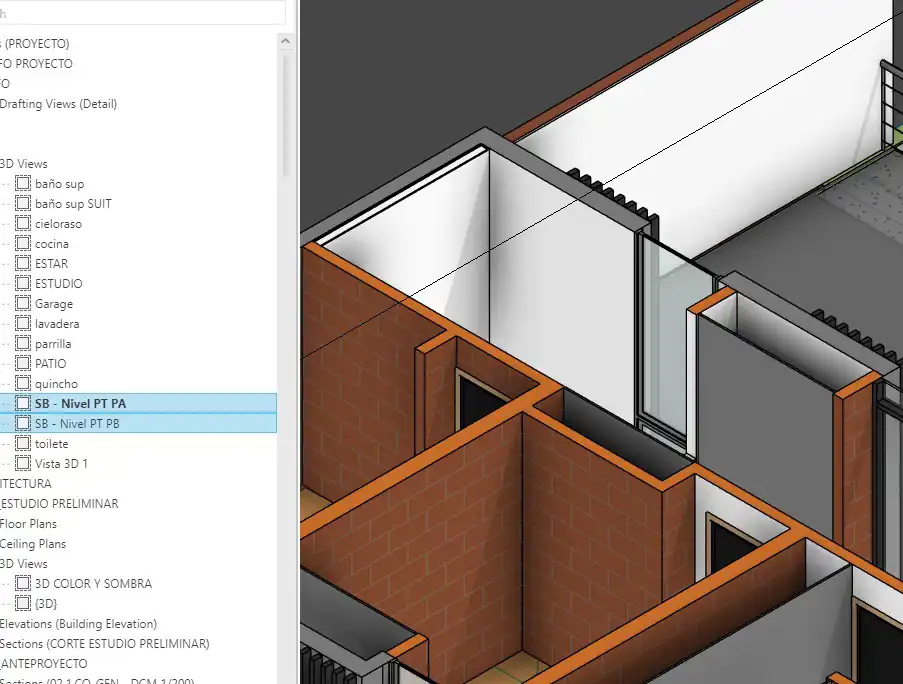
The user-friendly design of Auto Boxing enhances its appeal. The ability to use the current 3D view or create a new one with a customizable name ensures that users can maintain an organized workflow. Additionally, the plugin remembers the offset value between executions, adding an element of convenience that reduces repetitive tasks further. This focus on usability makes Auto Boxing a must-have tool for anyone working extensively with Revit.
Moreover, the plugin supports multi-selection, allowing users to wrap multiple elements in a single section box seamlessly. This feature is particularly useful during the design process, where quick iterations and adjustments are paramount. The flexibility and efficiency offered by Auto Boxing can significantly improve the overall BIM workflow, making it an indispensable asset for professionals in the field.
(Image by: 2sites)
Summary
In conclusion, the Auto Boxing plugin is a powerful tool that automates the creation of section boxes in Autodesk® Revit®, transforming a tedious process into a swift and efficient operation. With its features like Section Box Rápido and Batch Section Boxes, users can enhance their productivity while maintaining accuracy in their designs. The intuitive design and user-friendly functionalities make Auto Boxing an essential addition to any Revit toolkit. Whether you are a seasoned professional or a newcomer to the world of BIM, Auto Boxing promises to streamline your workflow and elevate your project outcomes. Don’t miss the opportunity to simplify your Revit experience—give Auto Boxing a try and see the difference it can make!
Similar apps:
- Free
- $100
- Free
- $100
- Free
- $50