About this app
Introduction
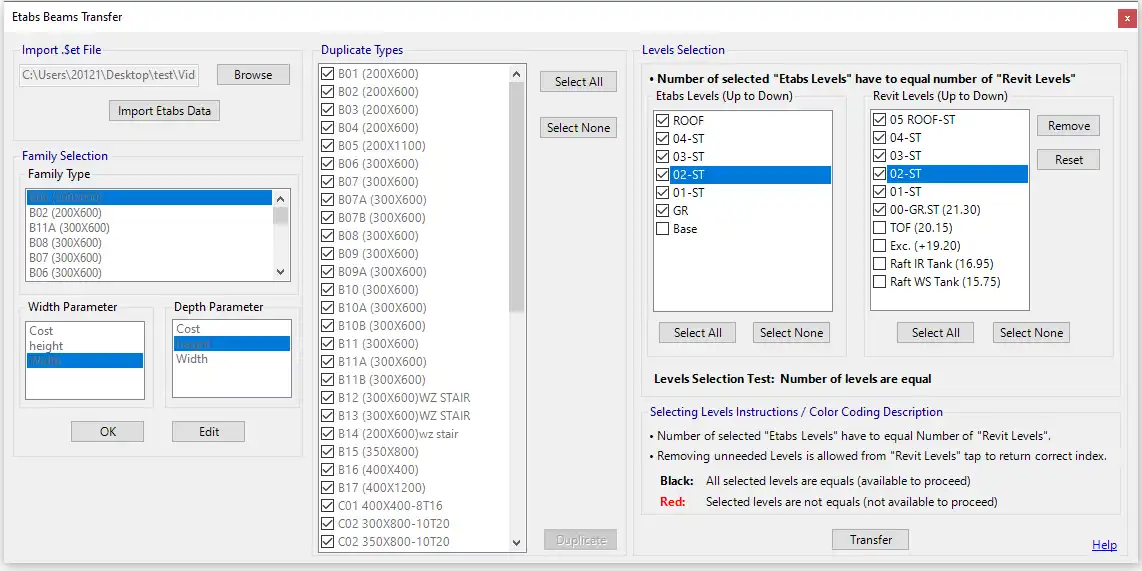
Structural engineers and designers who work with ETABS for analysis know the importance of accuracy and efficiency in their projects. The Etabs Beams Transfer plugin is a specialized tool designed to streamline the process of duplicating beam types and updating dimensions in Autodesk Revit models. With key features such as one-step duplication, dimension updates, selective level updates, and comprehensive beam replacement, this plugin offers a range of benefits that can save time and improve consistency in structural design.
(Image by: AAA Add-ins And Automation)
Key Features
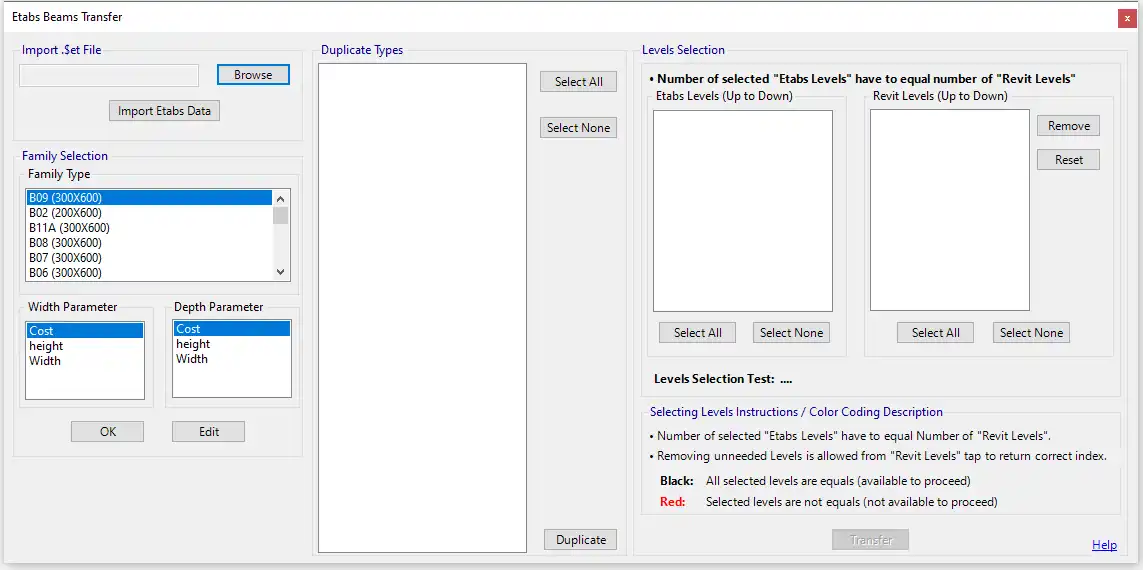
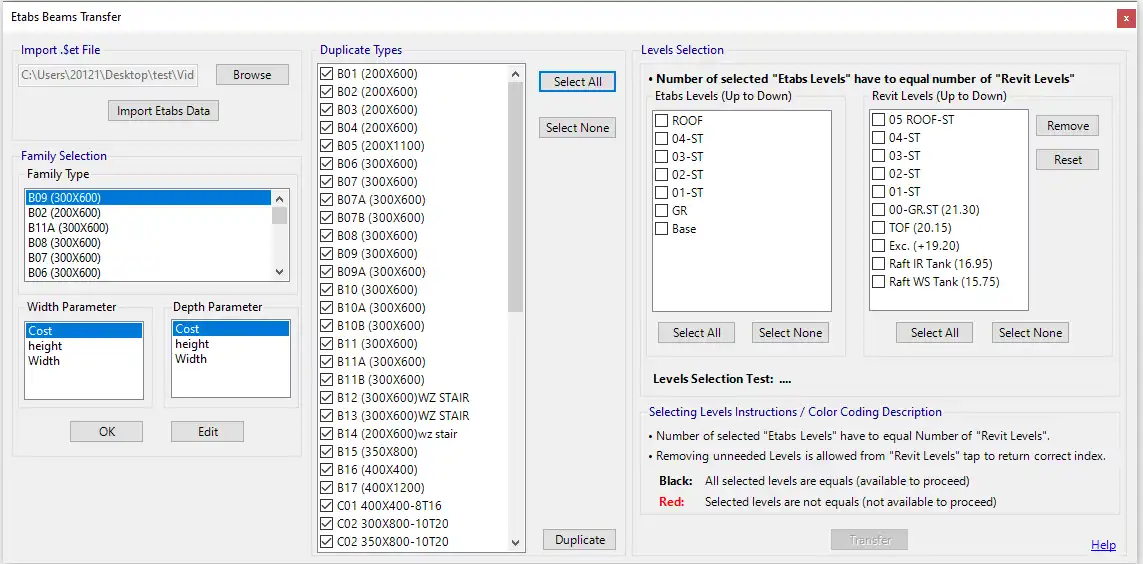
One of the standout features of the Etabs Beams Transfer plugin is its one-step duplication functionality. With just a single operation, users can easily duplicate all new family types from ETABS, eliminating the need for manual copying and pasting. This saves valuable time and ensures that the latest beam specifications are accurately reflected in the Revit model.
Another key feature of the plugin is the automatic dimension updates. When a new ETABS model is created with updated beam dimensions, the Etabs Beams Transfer plugin can automatically adjust the dimensions of existing beam types in the Revit model to match those specified in ETABS. This ensures consistency across both platforms and reduces the risk of errors due to manual input.
Users also have the option to selectively update beams at a specific level or across all levels in the model. This flexibility allows for customization based on project requirements, ensuring that updates are applied only where needed. Additionally, all beams in the model will be changed to the new type as specified in ETABS, guaranteeing uniformity and accuracy in the structural design.
(Image by: AAA Add-ins And Automation)
Benefits
The Etabs Beams Transfer plugin offers a range of benefits that can greatly enhance the efficiency and accuracy of structural design projects. By automating the duplication and dimension adjustment processes, the plugin reduces manual work and saves valuable time for designers. This allows users to focus on more critical aspects of their projects, improving overall productivity.
Furthermore, the plugin ensures consistency in beam specifications by aligning them with the latest ETABS analysis. This enhances model accuracy and reduces the risk of errors that can arise from manual updates. The flexibility of selective level updates also accommodates varied project requirements, allowing users to customize the plugin to suit their specific needs.
(Image by: AAA Add-ins And Automation)
Conclusion
The Etabs Beams Transfer plugin is a valuable tool for structural engineers and designers who use ETABS for analysis. With its range of key features and benefits, including one-step duplication, dimension updates, selective level updates, and comprehensive beam replacement, this plugin offers a streamlined solution for updating beam types in Autodesk Revit models. By enhancing efficiency, consistency, and flexibility in structural design projects, the Etabs Beams Transfer plugin is a must-have tool for professionals looking to improve their workflow and accuracy.
(Image by: AAA Add-ins And Automation)
Similar apps:
- Free
- Free
- $40
- Free
- Free
- Free