 1 / 7
1 / 7About this app
Introduction
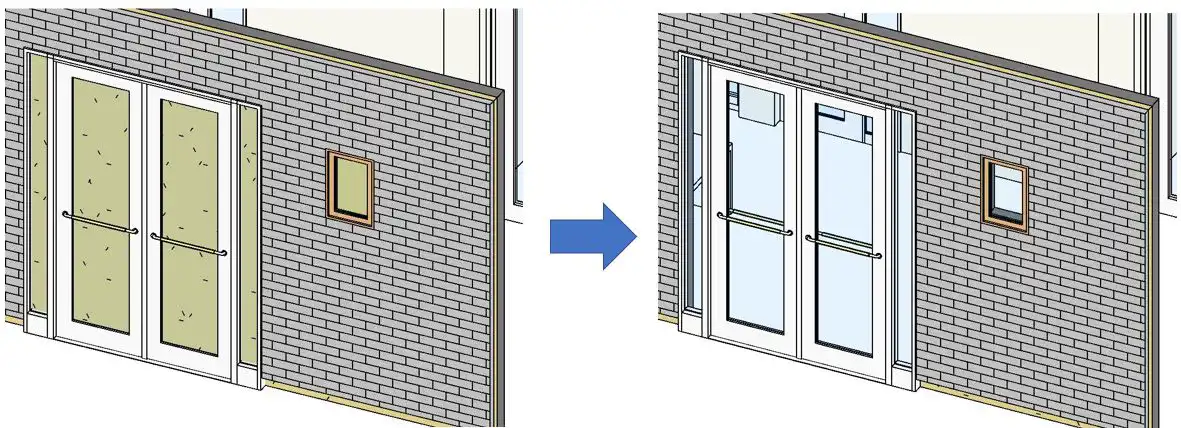
If you're a Revit user looking to save time and streamline the process of creating wall openings, then B's WallAutoOpening 2020(Trial version) may be the plugin you've been searching for. This add-in software is designed to automatically create openings on adjacent walls alongside doors, windows, or wall openings. By simplifying the process and enabling users to create multiple openings at once, this plugin can significantly reduce workload and increase efficiency. In this review, we'll dive into the functionality and benefits of this powerful tool.
(Image by: ブレンスタッフ株式会社)
Key Features of B's WallAutoOpening 2020(Trial version)
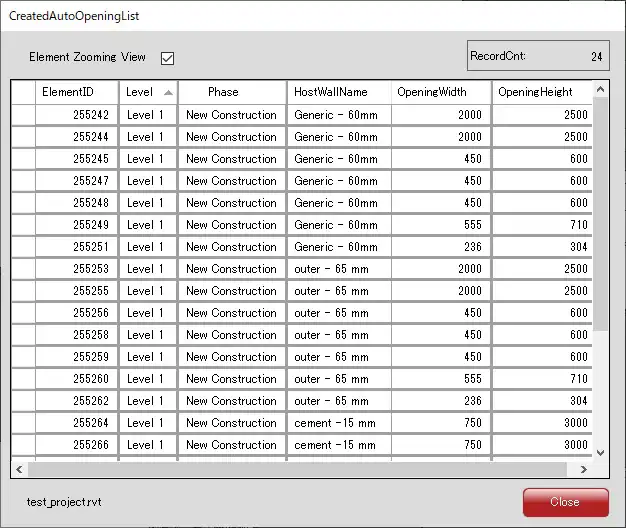
One of the standout features of B's WallAutoOpening 2020(Trial version) is its ability to create AutoOpenings on single walls, making it ideal for instances where walls are entered as "single walls" rather than "composite walls". This plugin eliminates the need to manually create openings for groundwork and finish along with doors and windows, allowing users to generate multiple openings with just a few clicks. Additionally, the software includes a convenient feature that displays a list of created AutoOpenings, making it easy to track and manage them.
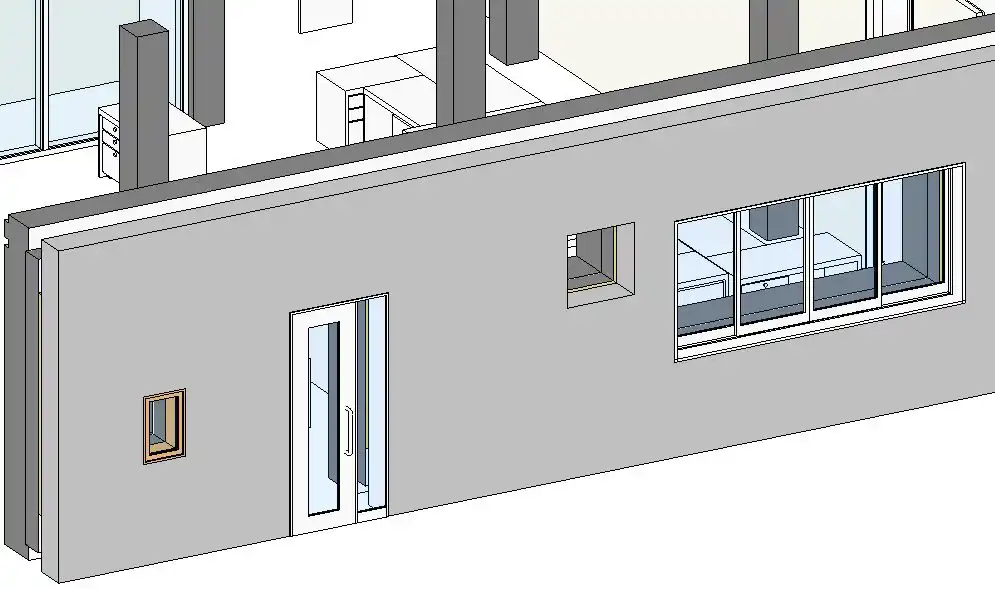
(Image by: ブレンスタッフ株式会社)
Functionality and Benefits
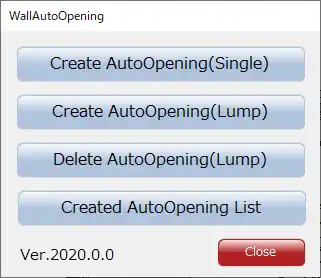
The add-in software offers several key functions that enhance the user experience and simplify the process of creating wall openings in Revit. The "Create AutoOpening(Single)" function allows users to generate automatic openings on adjacent walls by selecting an arbitrary wall. This functionality is particularly useful for quickly adding openings without the need for manual input.
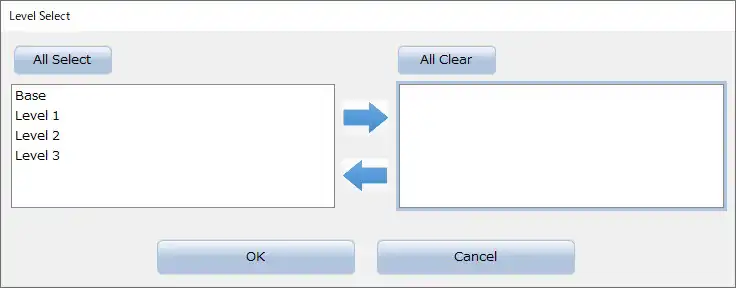
For users with the paid version of the plugin, the "Create AutoOpening(Lump)" function enables the creation of AutoOpenings in walls adjacent to a selected wall. The selection process is streamlined by allowing users to select all relevant walls at once using a specified level. This feature is especially beneficial for projects that involve multiple walls with matching constraints.
Another paid function, the "Delete AutoOpening(Lump)" feature, allows users to remove created AutoOpenings with ease. By selecting all AutoOpenings at once using a specified level, users can quickly delete unwanted openings, streamlining the editing process.
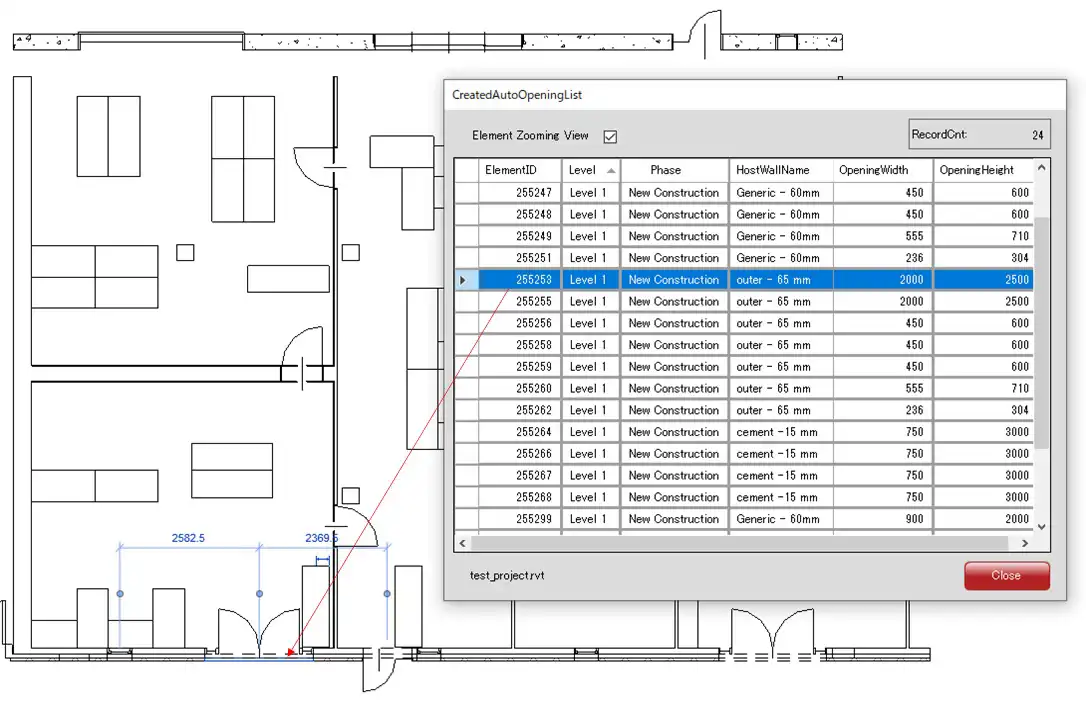
Lastly, the "Created AutoOpening List" function provides users with a comprehensive list of all AutoOpenings created using the plugin. By selecting an AutoOpening from the list, users can easily locate and highlight it in the view, facilitating efficient project management.
(Image by: ブレンスタッフ株式会社)
Conclusion
In conclusion, B's WallAutoOpening 2020(Trial version) is a valuable tool for Revit users seeking to streamline the process of creating wall openings. With its intuitive functions and time-saving features, this plugin can greatly enhance productivity and efficiency in project workflows. Whether you're working on a small-scale project or a large-scale development, B's WallAutoOpening 2020(Trial version) offers the functionality and convenience you need to succeed. Give it a try and experience the benefits for yourself!
(Image by: ブレンスタッフ株式会社)
(Image by: ブレンスタッフ株式会社)
(Image by: ブレンスタッフ株式会社)
Similar apps:
- Free
- Free
- $100
- $5
- Free
- Free