 1 / 13
About this app
Introduction
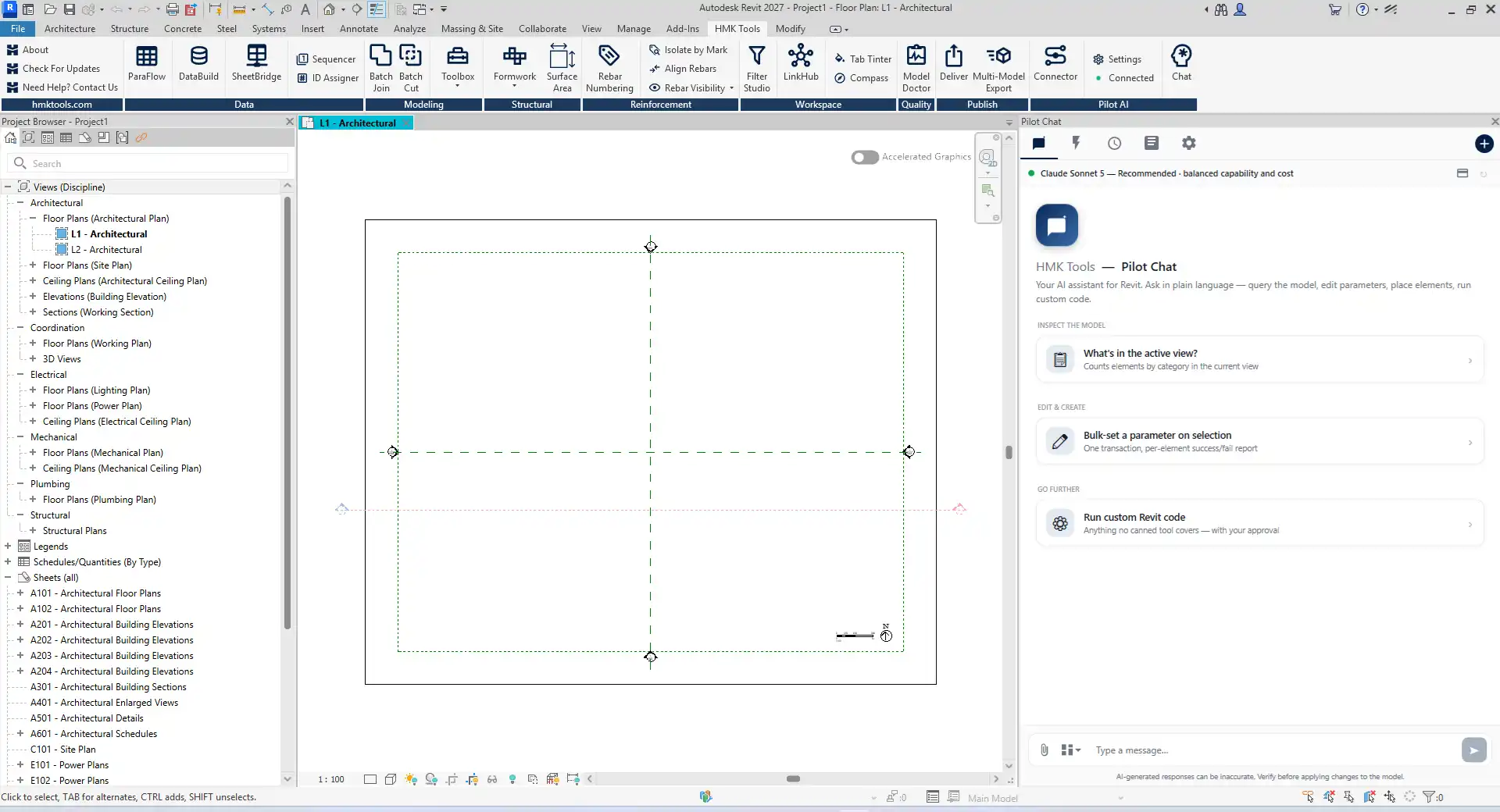
In the dynamic world of Building Information Modeling (BIM), efficiency and productivity are paramount. For architects, engineers, and construction professionals, the ability to streamline workflows can make a significant difference in project outcomes. HMK Tools for Autodesk® Revit® emerges as a comprehensive productivity suite designed to tackle the myriad tasks that can bog down even the most seasoned professionals. With over 25 robust add-ins, an intuitive AI assistant, and a user-friendly ribbon interface, HMK Tools is poised to transform your Revit experience.
(Image by: HMK Tools)
Unleashing Parameter Automation
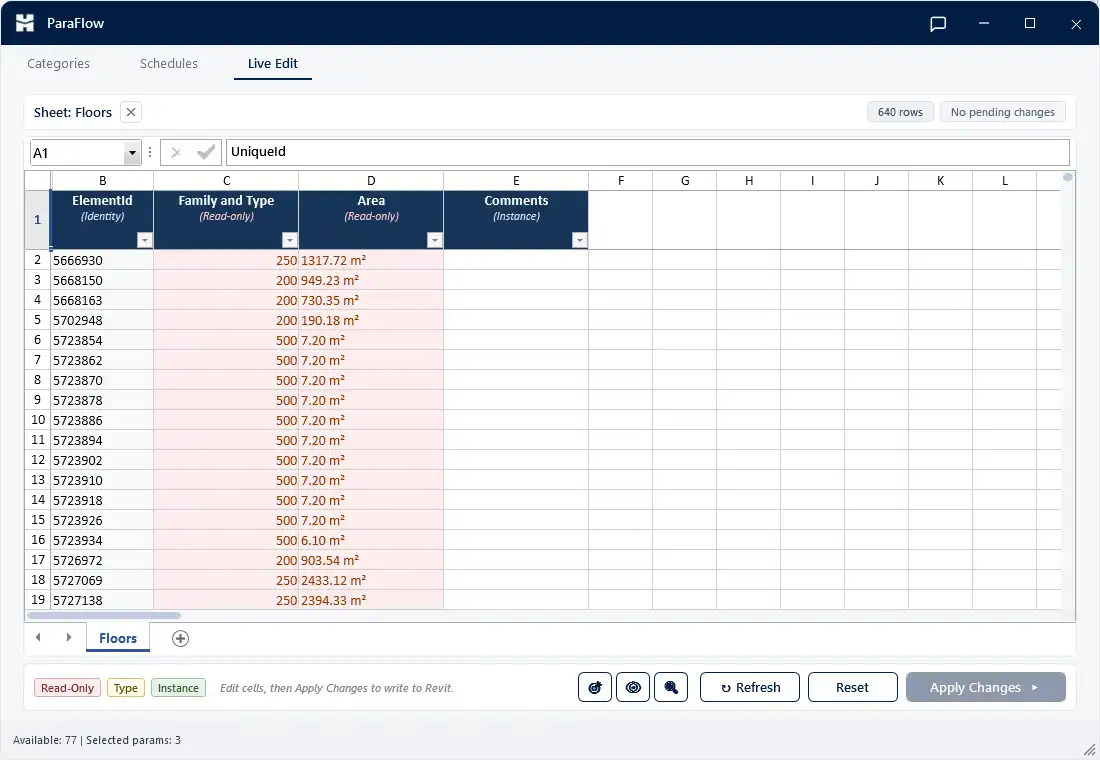
One of the standout features of HMK Tools is its powerful parameter automation capabilities. The ParaFlow tool allows users to export element parameters to Excel, enabling bulk editing in a familiar spreadsheet format. This seamless integration means changes can be easily made and then written back into the Revit model without hassle. For users managing complex projects with multiple parameters, this functionality can save countless hours of manual data entry.
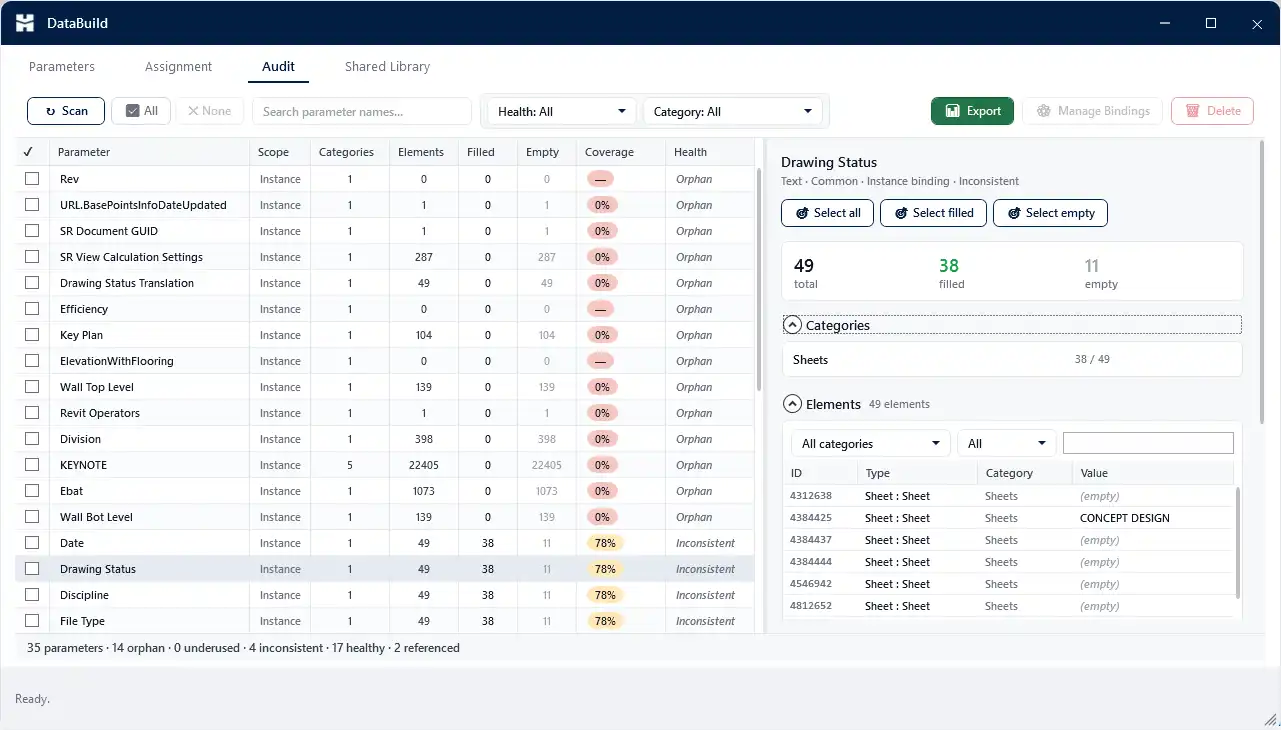
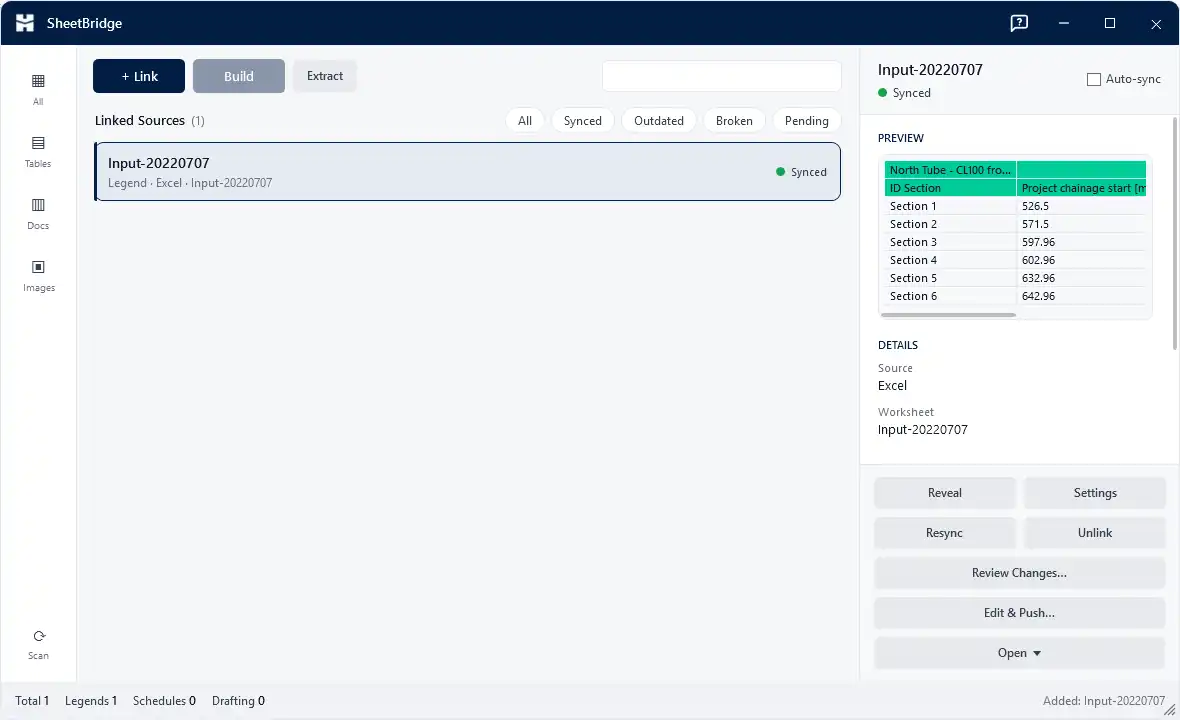
Additionally, the DataBuild feature simplifies the creation, editing, and binding of project and shared parameters all from one convenient workspace. This holistic approach not only reduces errors but also enhances collaboration among team members. The SheetBridge tool further amplifies productivity by allowing users to bring content from Excel, CSV, Word, and PDF files directly into Revit views, facilitating easy round-trips of schedules back to Excel. This ensures that your documentation remains consistent and up-to-date without the tedious back-and-forth typically associated with data management.
(Image by: HMK Tools)
Ensuring Model Quality
In any BIM project, maintaining model integrity is crucial. HMK Tools addresses this with its innovative Model Doctor feature, which performs a comprehensive health scan of your project. Providing a score from 0 to 100 across thirteen critical checks, including warnings, unused elements, and untagged entities, Model Doctor empowers users to understand their model's health at a glance. With just a single click, safe findings can be resolved, bolstered by a preview option and a full undo capability. This proactive approach to model quality not only enhances performance but also mitigates the risk of errors downstream.
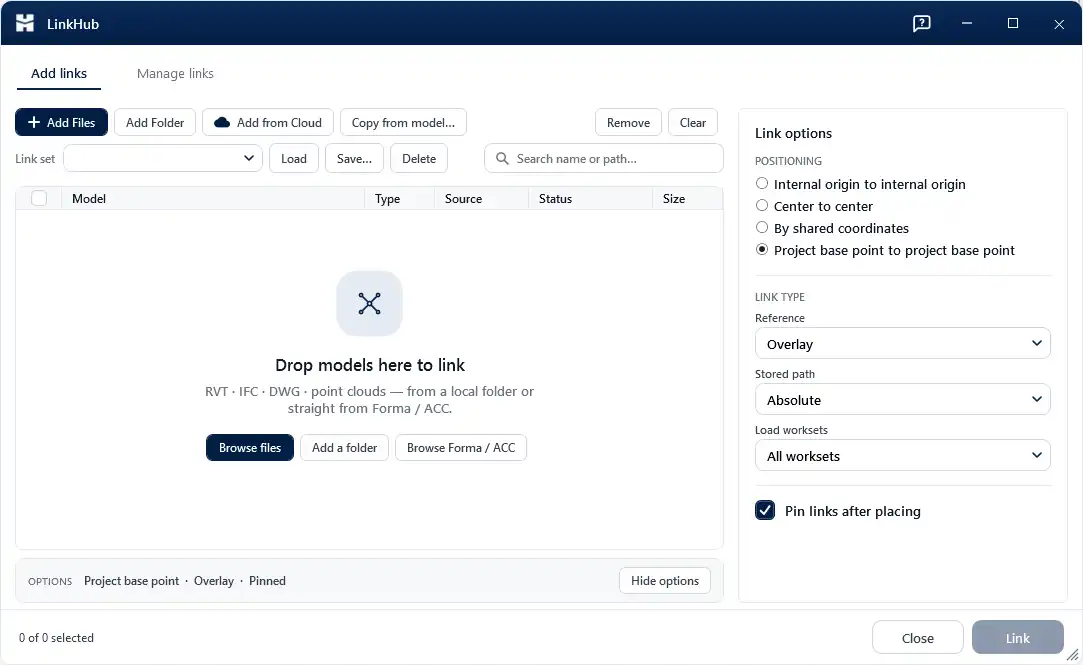
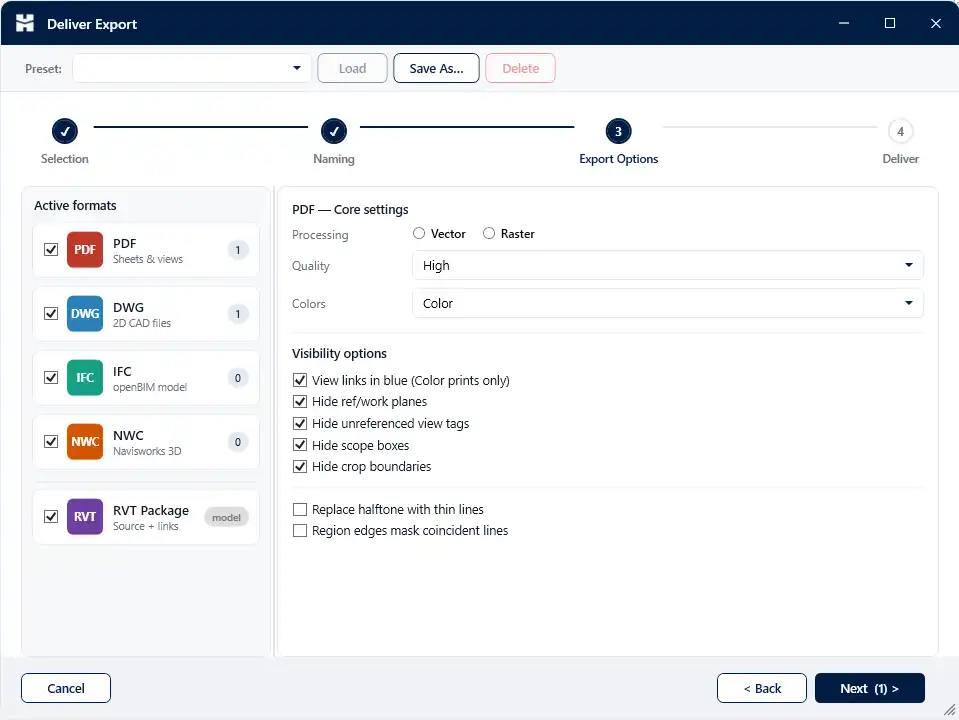
The suite also excels in documentation and delivery processes. With the ability to deliver batch exports in various formats such as PDF, DWG, IFC, and NWC, users can save presets and naming tokens for consistent output. The Multi-Model Export feature allows for exporting IFC and NWC files from multiple Revit projects simultaneously, eliminating the need to open each file individually. Furthermore, LinkHub facilitates batch-linking of various model types, making it easier than ever to manage diverse project files and enhance collaboration across disciplines.
(Image by: HMK Tools)
Streamlined Modeling and Structural Workflows
Modeling in Revit can often be a complex and time-consuming endeavor, but with HMK Tools, the process becomes significantly more manageable. Features such as Batch Join/Cut, Smart Place, and Instant Clash allow for rapid adjustments to model elements, ensuring seamless integration between various components. The Wall Cutter and Column Swap features simplify structural modifications, while the Region Builder enables users to create complex areas efficiently.
For those working with reinforcement, HMK Tools provides tools such as Rebar Numbering and Rebar Visibility which enhance accuracy in detailing and presentation. The addition of a powerful command palette named Compass allows users to launch any command, view, or sheet from the keyboard, further streamlining workflows. These tools work harmoniously to reduce the time spent on repetitive tasks, allowing professionals to focus on more critical aspects of their projects.
(Image by: HMK Tools)
Harnessing the Power of AI with Pilot AI
In the age of artificial intelligence, HMK Tools doesn't fall behind. The Pilot AI assistant is integrated directly within Revit, offering an intuitive way to enhance productivity. By utilizing a secure local MCP connector, it allows users to leverage popular LLM models like Claude, ChatGPT, Cursor, or Antigravity to perform over 100 real Revit actions. This capability transforms the way users interact with the software, enabling them to execute complex commands and streamline their workflows through natural language processing.
Moreover, Pilot AI extends its functionality to Dynamo, a visual programming tool within Revit. The assistant can perceive the open graph, search through the node library, add nodes, write code, run graphs, and read results back. This immersive interaction means that what would typically require in-depth programming knowledge can now be accomplished through simple conversation, making it accessible to a broader audience.
(Image by: HMK Tools)
Summary
HMK Tools for Autodesk® Revit® represents a significant leap forward in enhancing productivity for BIM professionals. With its extensive suite of features, including parameter automation, model quality checks, efficient modeling tools, and AI integration, it addresses common pain points in the design and documentation processes. Whether you are looking to streamline your workflows, improve model integrity, or harness the power of artificial intelligence, HMK Tools offers a comprehensive solution that can elevate your Revit experience.
In a field where time is money, investing in productivity-enhancing tools like HMK Tools can yield substantial returns. By enabling users to focus on creativity and innovation rather than getting bogged down in repetitive tasks, this plugin is an invaluable asset for any Revit user. With over 25 add-ins and an intelligent assistant at your fingertips, the possibilities are virtually endless. So why not give HMK Tools a try? You may find that it transforms the way you work and enhances the overall quality of your projects.
(Image by: HMK Tools)
(Image by: HMK Tools)
(Image by: HMK Tools)
Similar apps:
- Free
- Free
- $15/month
- $1.99/month
- $100
- $20