1 / 7
1 / 7About this app
Introduction
Revit is a powerful software tool that has transformed the way architects and engineers collaborate on building projects. However, one common challenge that arises during the coordination process is the detection and resolution of conflicts between architectural and structural elements. This is where Eazy Struct comes in - a game-changing plugin that simplifies conflict detection and resolution in Revit models.
(Image by: Eazy Struct)
Features
Eazy Struct offers a range of innovative features that streamline the coordination process and improve communication between architects and engineers. One of the key features of this plugin is Conflict Detection, which spatially tests every element between Architectural and Structural links, scoring the real overlap from 0 to 100. Unlike traditional bounding-box guesswork, Eazy Struct uses mesh-based technology to provide accurate conflict analysis. The plugin compares Walls, Floors, Structural Framing (beams), and Structural Columns, allowing users to quickly identify clashes and resolve them efficiently.
Another standout feature of Eazy Struct is the Per Conflict Chat and Comments functionality, which enables architects and engineers to discuss conflicts in real-time and assign them to the appropriate party - Architect, Structural, or Ignore. These assignments persist for both sides, ensuring that conflicts are addressed promptly and effectively. Users can also jump to any clash with Zoom (3D), Plan, Isolate, and a Diff view that renders the exact intersection as a red 3D shape, making it easy to visualize and understand the conflict.
Additionally, Eazy Struct offers a Color Mode feature that allows users to tag their model by discipline and toggle colors on to see exactly who owns what - Architect in blue, Structural in yellow, and over 40 other categories hidden to focus on what matters. One-click tagging across Walls, Floors, Structural Framing, and Structural Columns simplifies the process of identifying ownership and resolving conflicts. Users can easily switch between colored view and View Graphics settings, providing greater flexibility in how they view and analyze the model.
Opening Conflicts is another powerful feature of Eazy Struct, which compares structural openings with the coordination model (ducts, pipes, shafts, windows, doors, etc.) in multiple linked files simultaneously. The plugin classifies every element as Coordinated, Size Conflict, Missing, Duplicate, or Length Mismatch, making it easy to identify and address discrepancies in the model. This feature enhances the overall coordination process and helps ensure that all elements align properly in the final design.
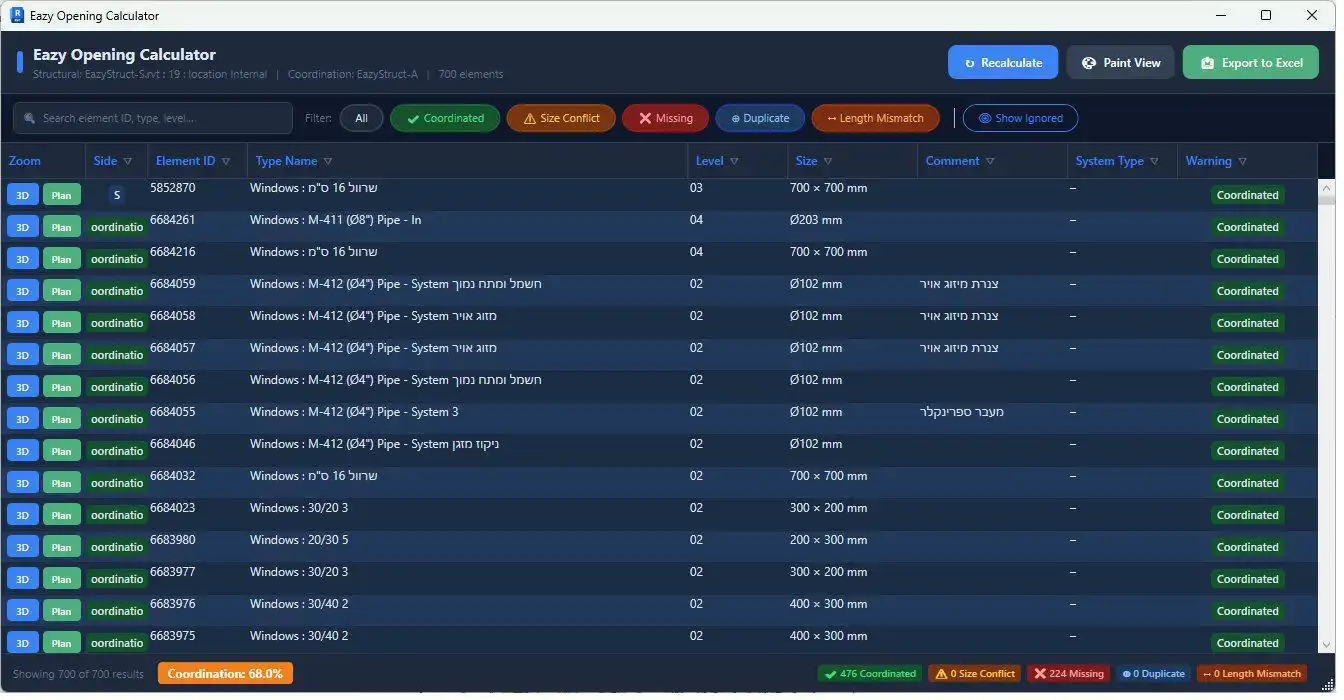
(Image by: Eazy Struct)
Benefits
The benefits of using Eazy Struct are numerous. Firstly, the plugin saves time and effort by automating conflict detection and resolution, reducing the need for manual intervention. This not only streamlines the coordination process but also improves overall project efficiency. Secondly, Eazy Struct enhances communication between architects and engineers by providing a platform for real-time collaboration and feedback on conflicts. This leads to faster resolution and better coordination between disciplines, ultimately resulting in a higher quality final design.
Furthermore, Eazy Struct improves the accuracy of conflict detection by using mesh-based technology, ensuring that clashes are identified with precision and accuracy. This reduces the likelihood of errors and omissions in the model, leading to a more reliable and consistent design. The Color Mode feature also enhances visibility and clarity in the model, making it easier for users to identify ownership and resolve conflicts quickly.
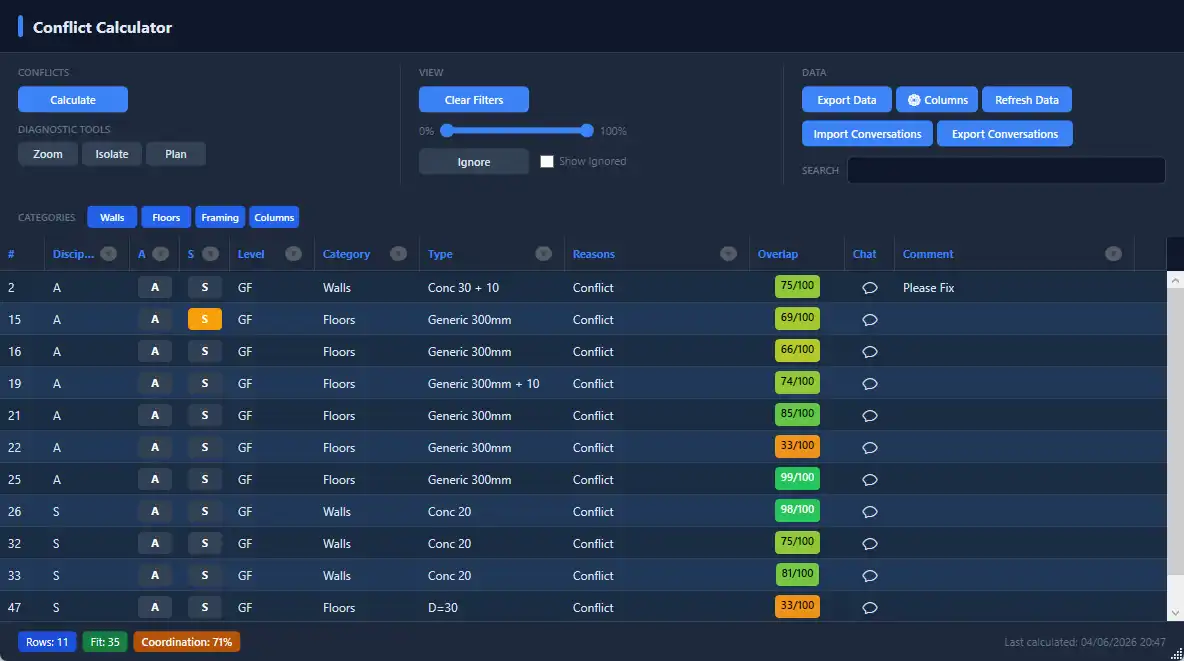
(Image by: Eazy Struct)
Summary
In conclusion, Eazy Struct is a revolutionary plugin that transforms the coordination process in Revit models. With its advanced conflict detection, real-time collaboration, and powerful visualization features, Eazy Struct simplifies coordination between architects and engineers, resulting in faster resolution of conflicts and improved project efficiency. By using Eazy Struct, users can streamline their workflow, enhance communication, and achieve a higher level of accuracy in their designs. This plugin is a must-have for anyone working with Revit models and looking to optimize their coordination process.
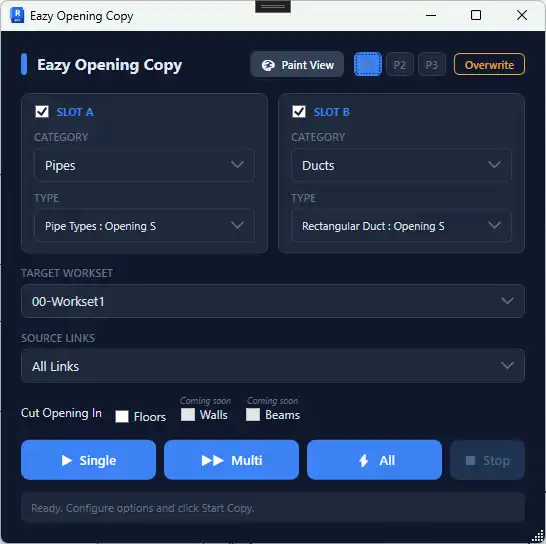
(Image by: Eazy Struct)
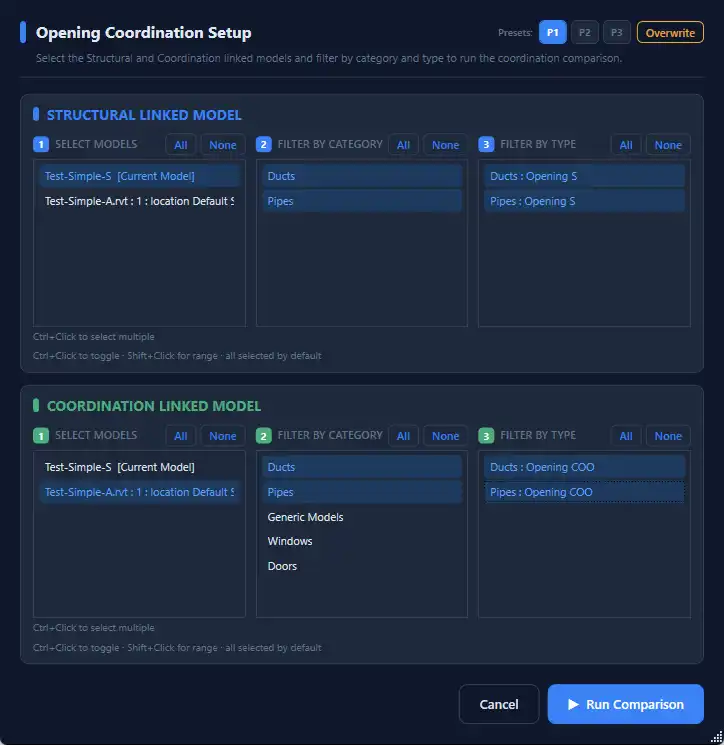
(Image by: Eazy Struct)
Similar apps:
- Free
- Free
- Free
- Free
- Free
- $99