 1 / 7
About this app
Introduction
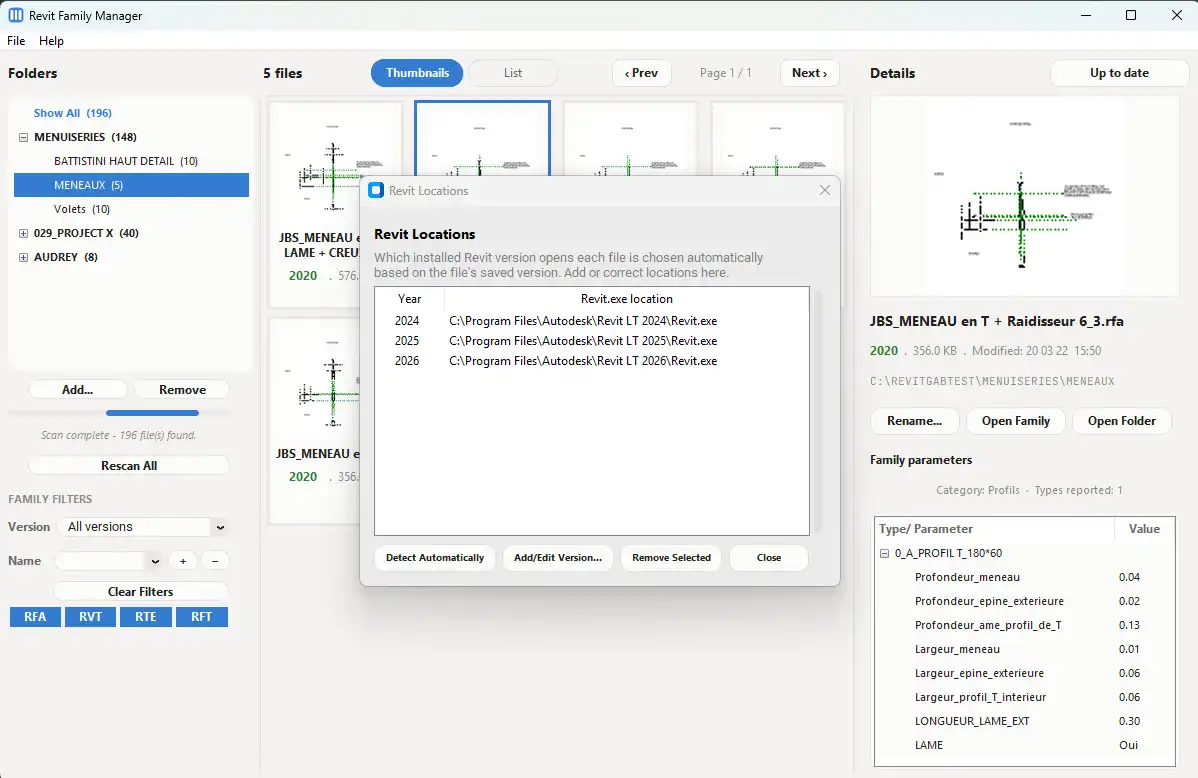
In the fast-paced world of architecture and design, time is of the essence. For Revit users, managing extensive libraries of families can often be a daunting task. Enter Arch Family Manager, a standalone Windows desktop application tailored specifically to streamline the browsing, searching, and organizing of large Revit family libraries. Developed by a practicing architect, this innovative tool addresses a universal challenge faced by architects, BIM professionals, and designers alike—finding the right .rfa files among thousands scattered across various folders. In this review, we will explore the key features and benefits of Arch Family Manager and how it can transform your BIM workflow for the better.
(Image by: Architite)
Efficient Family Discovery
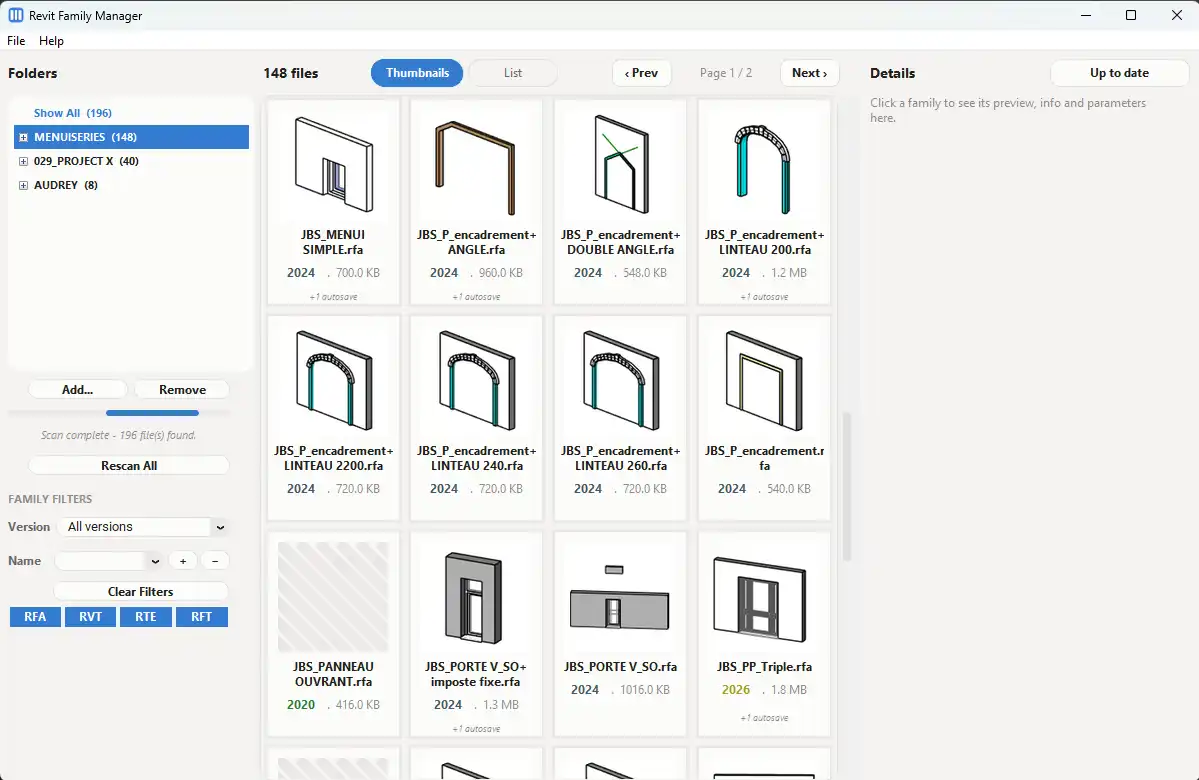
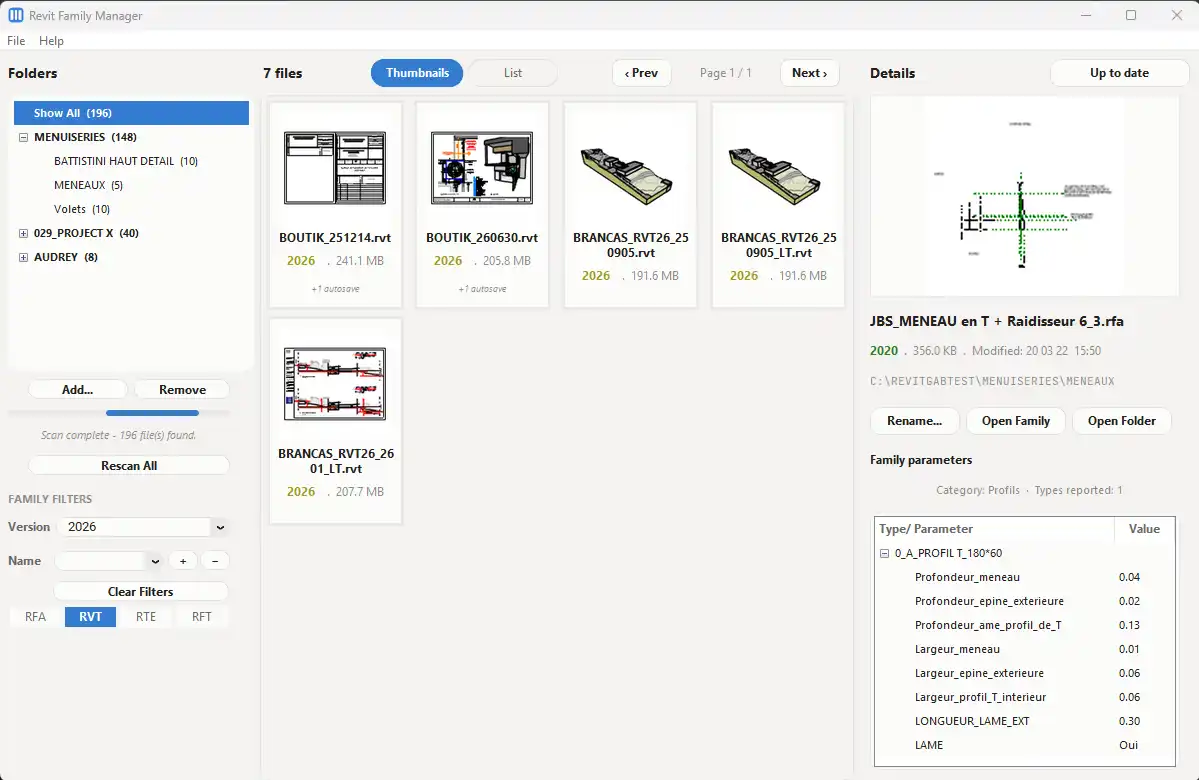
One of the standout features of Arch Family Manager is its ability to provide efficient family discovery. Instead of launching Autodesk Revit and navigating through complex menus, users can directly access their Revit family libraries through this intuitive application. The plugin allows for quick searches across extensive content libraries, enabling you to locate .rfa files in mere seconds. Whether you're looking for specific door types, furniture, or fixtures, Arch Family Manager eliminates the frustration of manual searching and allows you to focus on what truly matters—your design work.
(Image by: Architite)
Simplified Library Navigation
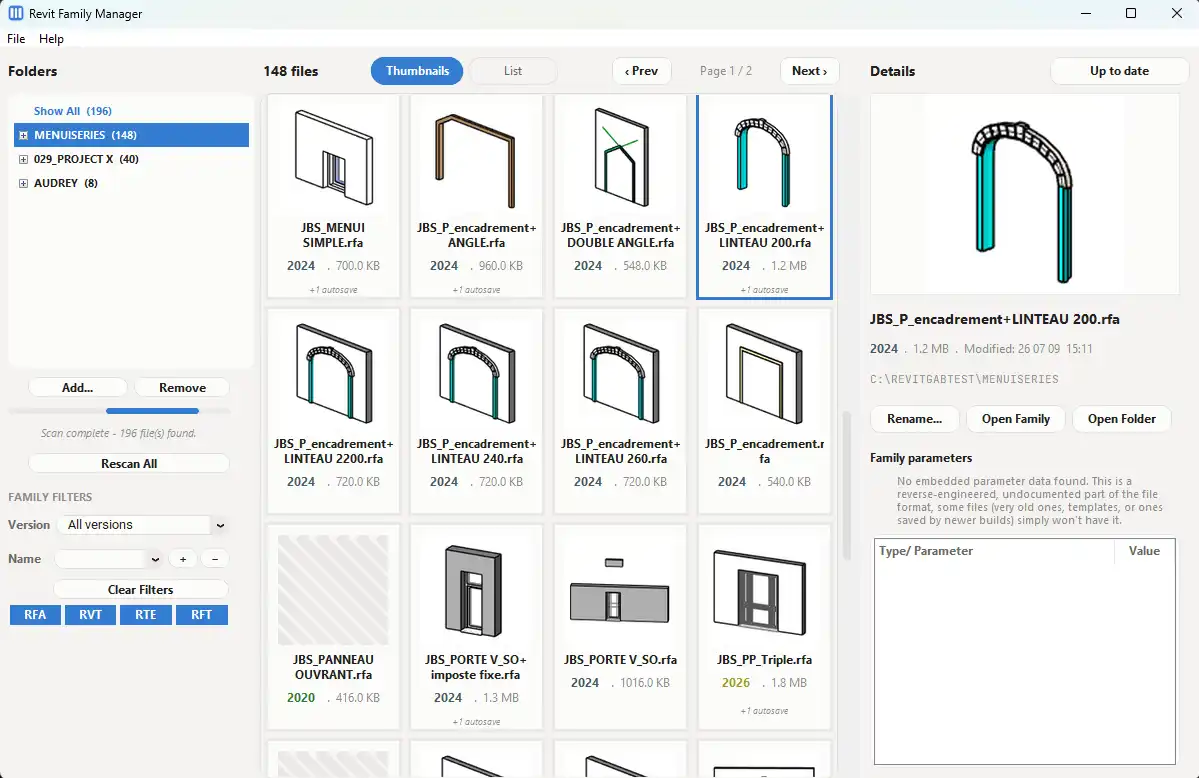
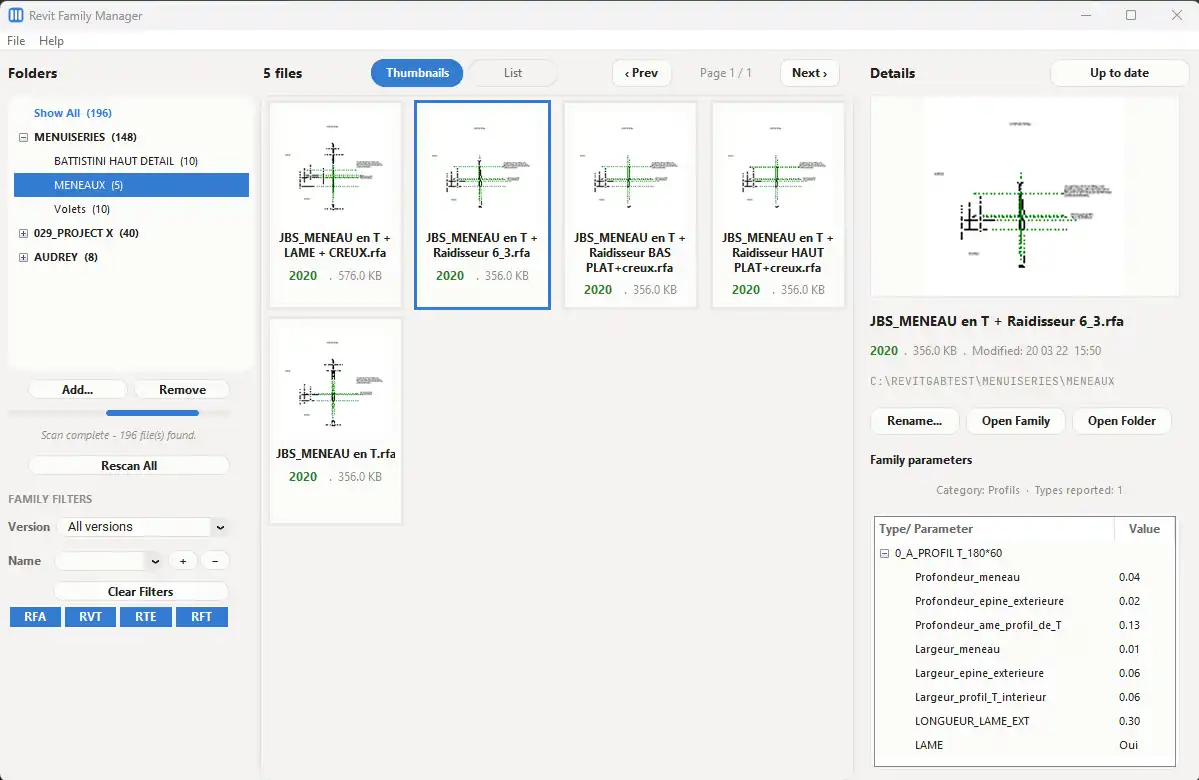
Another remarkable aspect of Arch Family Manager is its capability to simplify library navigation. The application provides a user-friendly interface that makes it easy to browse and organize Revit families stored across multiple folders. This means no more sifting through endless directory structures or struggling to remember where you saved a specific family. With Arch Family Manager, you can effortlessly categorize and tag your families, ensuring that your library remains accessible and well-organized. This streamlined navigation not only saves time but also significantly enhances the overall user experience.
(Image by: Architite)
Time-Saving Workflow for Professionals
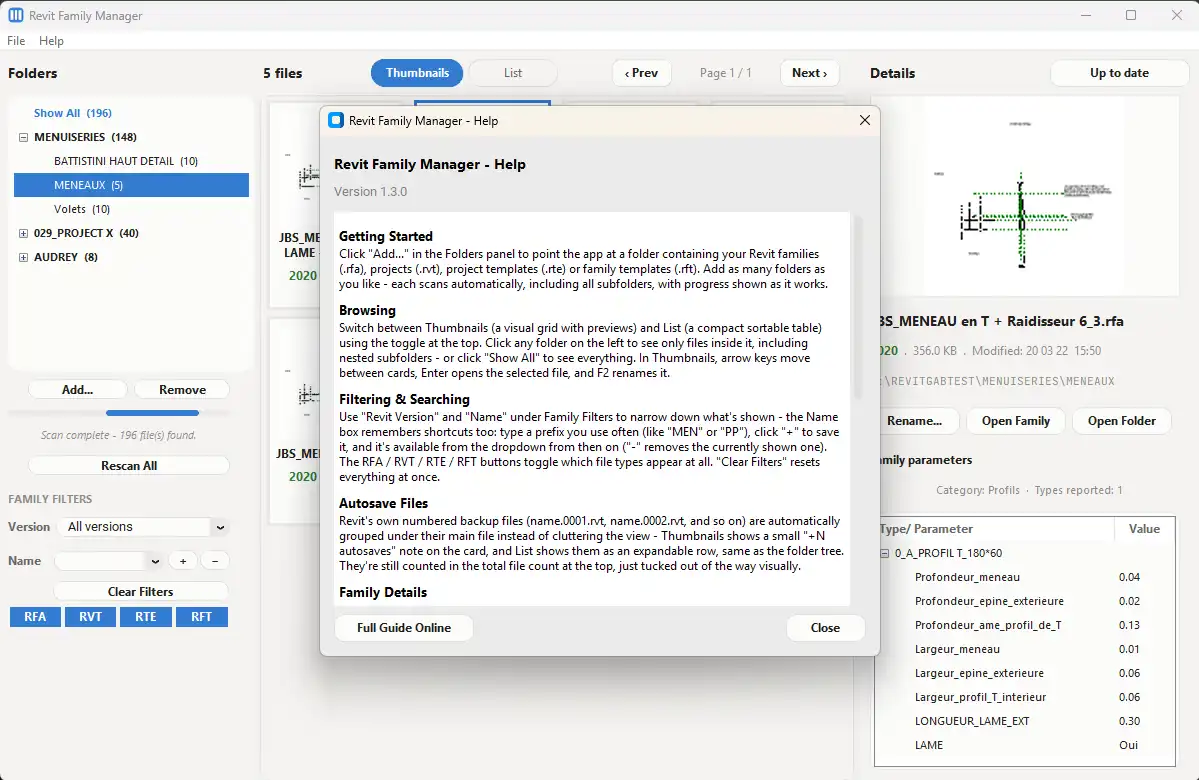
In the architecture and design field, productivity is key. Arch Family Manager is designed to save you time by reducing repetitive manual searching. By optimizing your workflow, you can spend less time hunting for families and more time bringing your creative visions to life. The application’s ability to quickly pull up relevant families ensures that you can enhance your projects without unnecessary delays. This time-saving benefit is invaluable for BIM professionals who are often juggling multiple projects and deadlines.
(Image by: Architite)
Built for BIM Professionals
What truly sets Arch Family Manager apart is that it is developed by a practicing architect who understands the real-world needs of architectural workflows. This insider knowledge has translated into an application that is not only functional but also intuitively designed for usability. Every feature within Arch Family Manager caters specifically to the challenges encountered by BIM professionals, making it a vital addition to any architect's toolkit. Whether you are a seasoned professional or a budding designer, this plugin is designed to enhance your productivity in a meaningful way.
(Image by: Architite)
Summary
In conclusion, Arch Family Manager is a game-changing tool for anyone working with Revit. By simplifying the process of browsing, searching, and organizing Revit family libraries, it empowers architects, BIM professionals, and designers to work more efficiently and effectively. With its user-friendly interface and time-saving capabilities, this standalone application transforms the way you manage your content libraries, allowing you to focus on what you do best—designing exceptional spaces. If you are looking to enhance your BIM workflow and reclaim valuable time in your day, we highly encourage you to try Arch Family Manager. Your future projects will thank you for it!
(Image by: Architite)
Similar apps:
- Free
- Free
- Free
- Free
- Free
- Free