About this app
Autotag by Bimrock AI is a game-changing Revit plugin designed to streamline MEP annotation processes in Autodesk® Revit®. By automating the tedious task of manual tag placement, this plugin helps save valuable time for MEP designers and consultants, team leads, firms, and enterprises. With its profile-based automation, intelligent overlap avoidance, batch processing capabilities, and support for all MEP disciplines, Autotag by Bimrock AI offers a comprehensive solution for improving annotation efficiency and standardization.
How Autotag Works
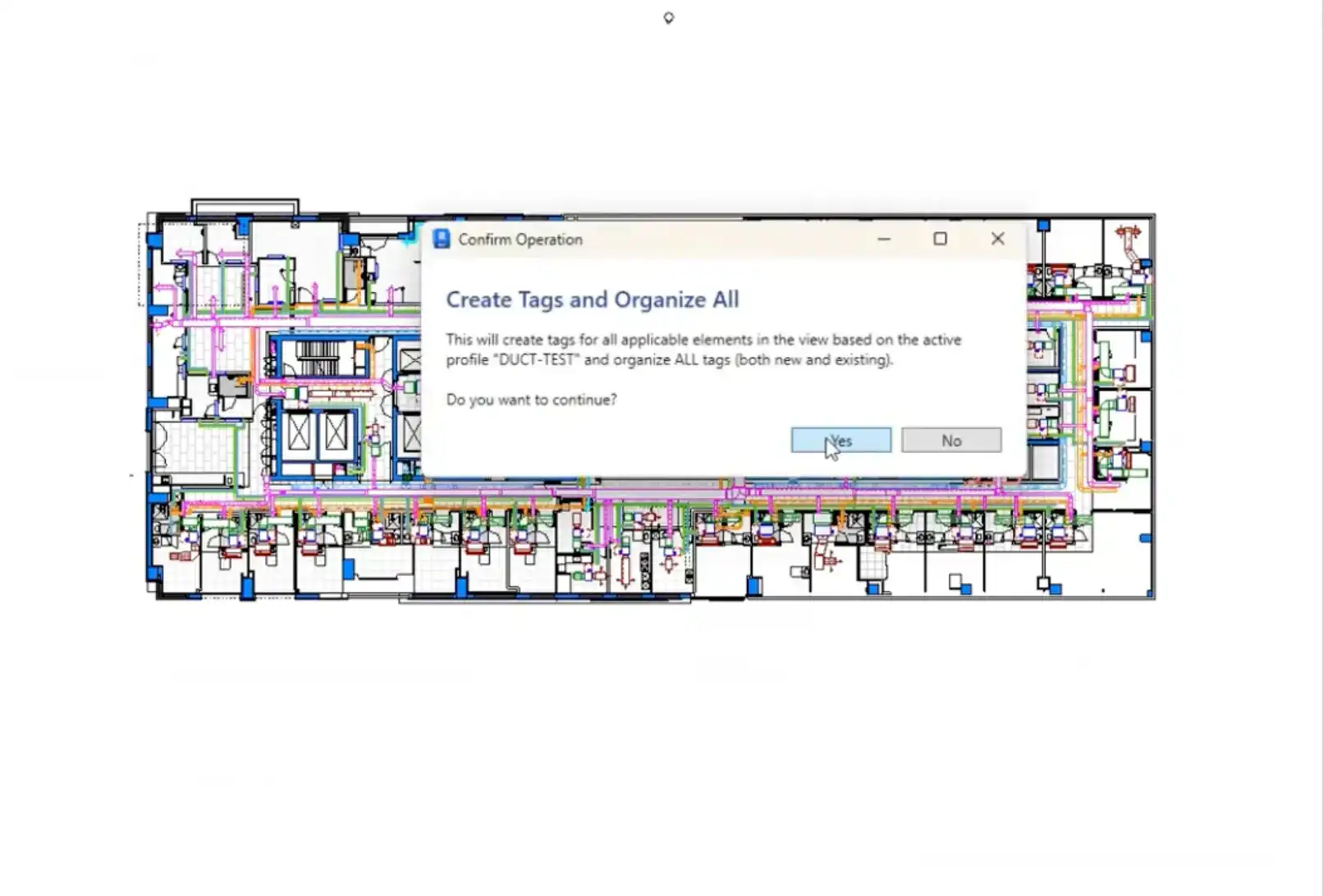
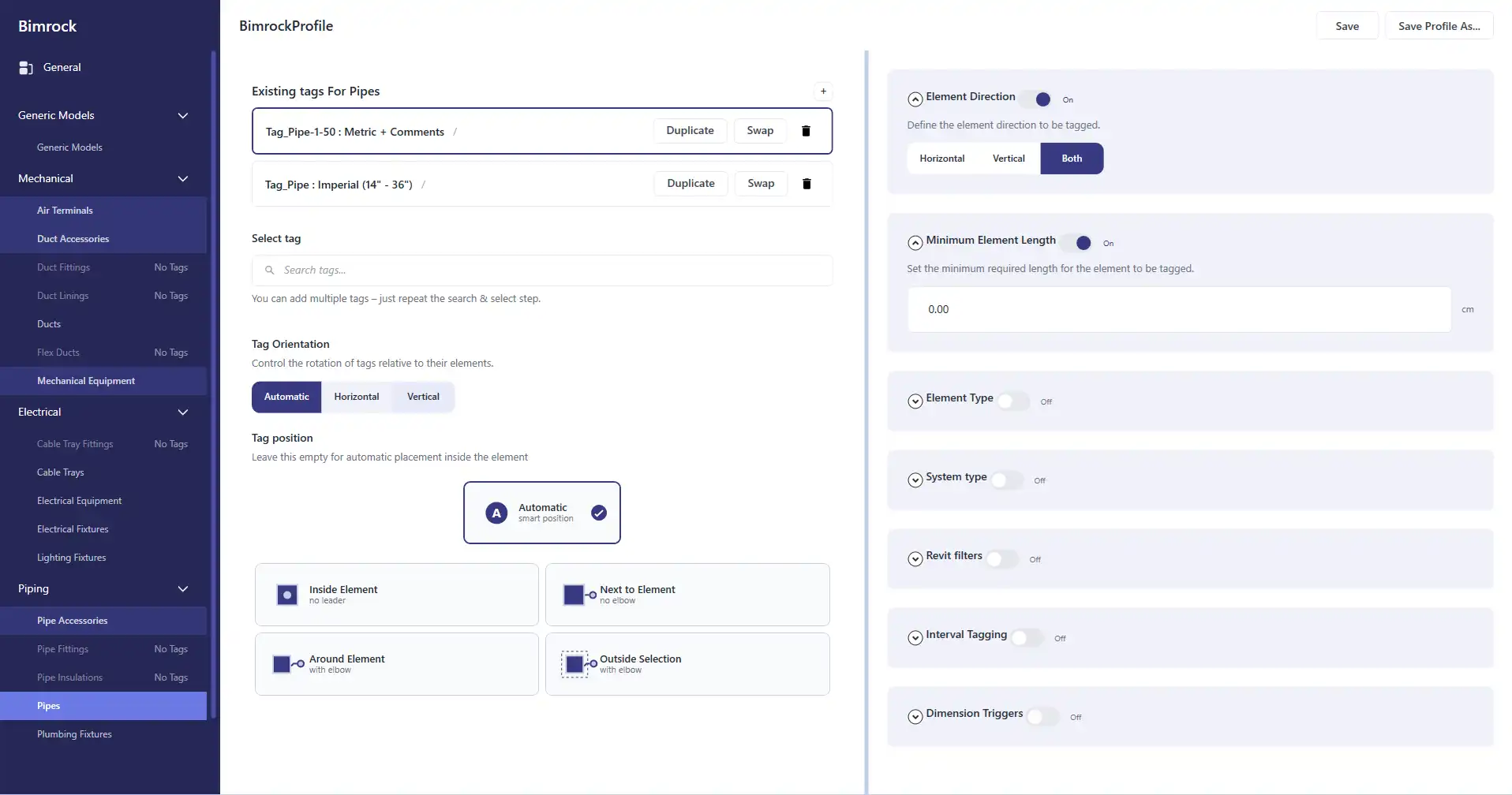
The workflow of Autotag by Bimrock AI revolves around creating profiles that define tagging rules for MEP categories, tag families, filters, and placement rules. These profiles act like View Templates but specifically for annotation. Once a profile is created, it can be applied to one or more views, automatically placing tags with precision and avoiding overlap intelligently. Users can then edit and refine tags in bulk, organize leader lines, align elbows, and even batch process multiple views for efficient tagging of entire buildings.
(Image by: Bimrock AI)
Key Features of Autotag
Autotag by Bimrock AI offers a range of key features that set it apart from manual tagging methods and other Revit plugins:
- Profile-Based Automation: Create tagging rules once and apply them consistently across projects and team members.
- Automatic Overlap Avoidance: Intelligent positioning of tags eliminates the need for manual cleanup of overlapping labels.
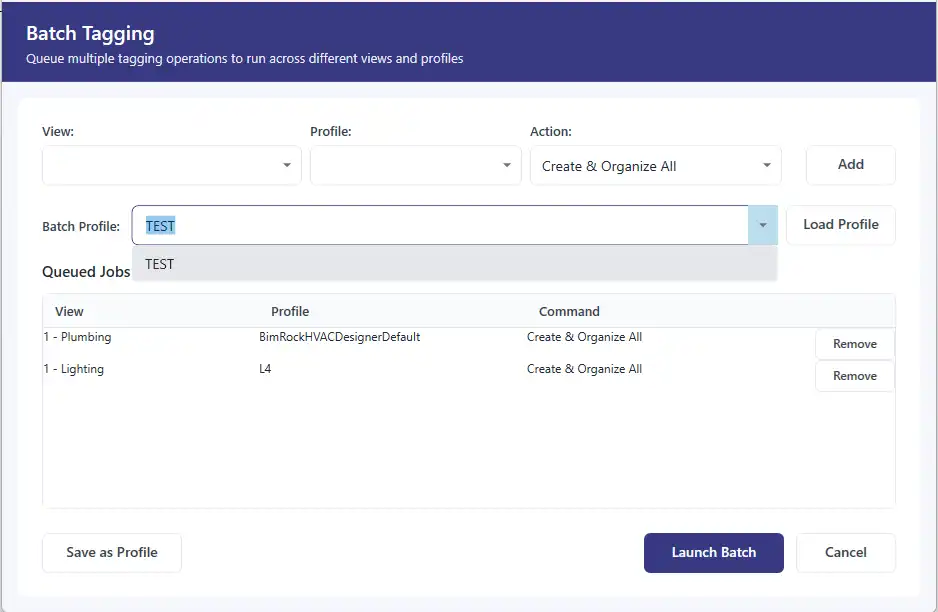
- Batch View Processing: Tag multiple views in one go, saving time and effort in large-scale projects.
- All MEP Disciplines Support: Mechanical, Electrical, and Plumbing elements are fully supported, along with general architectural elements.
- Linked Model Support: Works seamlessly with Revit linked models and workshared projects.
- Custom Family Support: Compatible with any parameter defined on any element, including native and custom Revit families.
(Image by: Bimrock AI)
Who Should Use Autotag
Autotag by Bimrock AI is ideal for solo MEP designers, consultants, team leads, firms, and enterprises looking to optimize their annotation processes and achieve consistent standards across projects. Whether you're working on a single floor plan or batch-processing building documentation sets, this plugin can help you save significant time and effort. With time savings ranging from 30-60 minutes per floor plan to 2-4 hours per building documentation set, Autotag by Bimrock AI delivers tangible benefits that compound across projects.
(Image by: Bimrock AI)
Support and Pricing
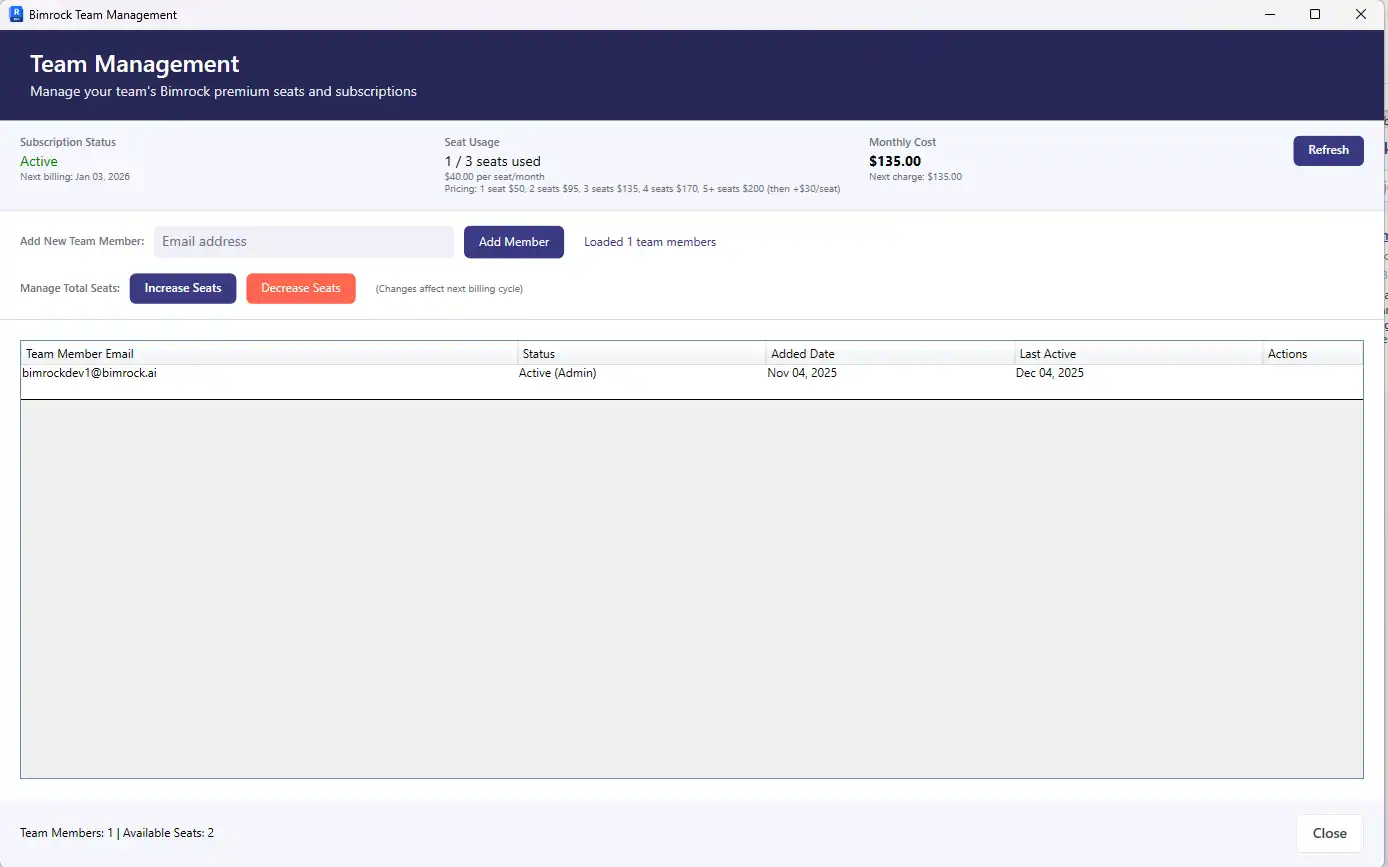
The pricing options for Autotag by Bimrock AI cater to freelancers/consultants, firms/studios, and enterprises, with a 14-day free trial available for all users. Email support with a 24-hour response SLA ensures timely assistance, while community support via Discord offers additional help and resources. Guided onboarding documentation, billing inquiries, and discovery calls are also provided to support users at every stage.
(Image by: Bimrock AI)
Conclusion
Autotag by Bimrock AI is a must-have Revit plugin for MEP professionals seeking to streamline their annotation workflows and enhance productivity. From profile-based automation to intelligent overlap avoidance, batch processing capabilities, and comprehensive support for all MEP disciplines, this plugin offers a robust solution for improving annotation efficiency and standardization. With its user-friendly interface, built-in defaults, and no scripting requirement, Autotag by Bimrock AI empowers users to save time, maintain consistent standards, and achieve high-quality documentation in their Revit projects.
(Image by: Bimrock AI)
Similar apps:
- Free
- Free
- Free
- Free
- Free
- $4.95/month