 1 / 6
1 / 6About this app
Revit users, rejoice! The Tags & Keynotes Editor plugin offers a range of powerful features that streamline the process of editing keynotes and creating tags within Revit. From collaborative editing capabilities to automatic tag creation, this plugin is a game-changer for architects, engineers, and designers working in Revit.
Introduction
Revit is a powerful tool for building information modeling, but its native features for editing keynotes and creating tags can be cumbersome and time-consuming. The Tags & Keynotes Editor plugin addresses these pain points by providing a user-friendly interface and a host of innovative features that simplify these tasks.
(Image by: BIM_Tools)
Keynotes Editor
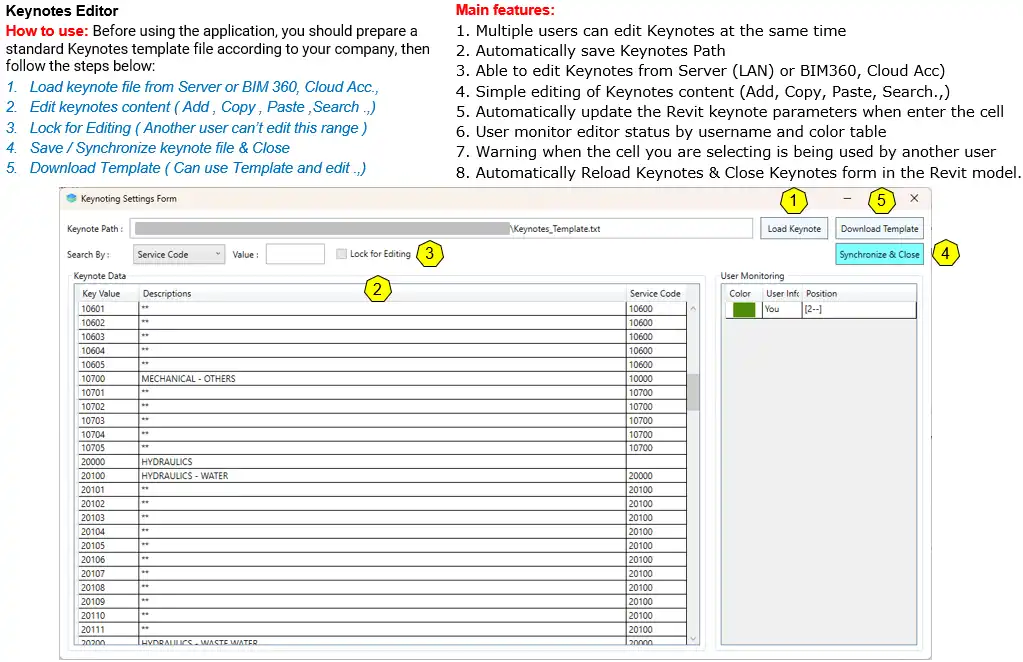
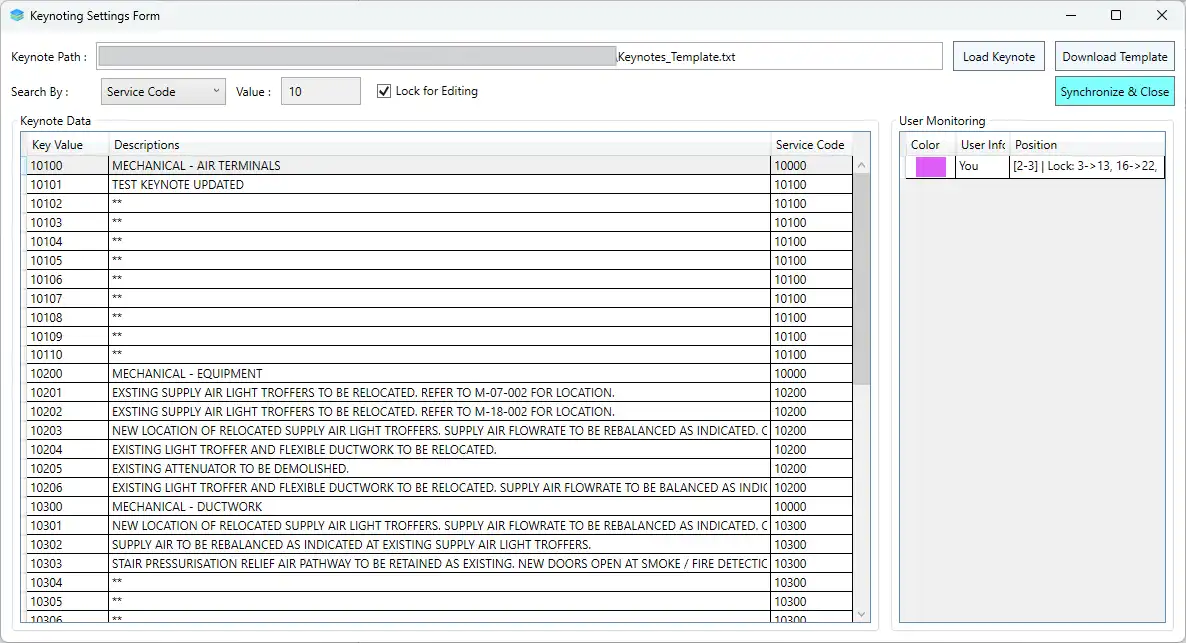
One of the standout features of the Tags & Keynotes Editor plugin is its Keynotes Editor. This tool allows multiple users to edit keynotes simultaneously, making collaboration a breeze. Users can edit keynotes from a server (LAN) or BIM360, Cloud Acc, enabling seamless workflow across different platforms.
The Keynotes Editor also offers simple editing of keynote content, with options to add, copy, paste, and search for specific keynotes. The plugin automatically updates the Revit keynote parameters when entering the cell, ensuring accuracy and efficiency in the editing process.
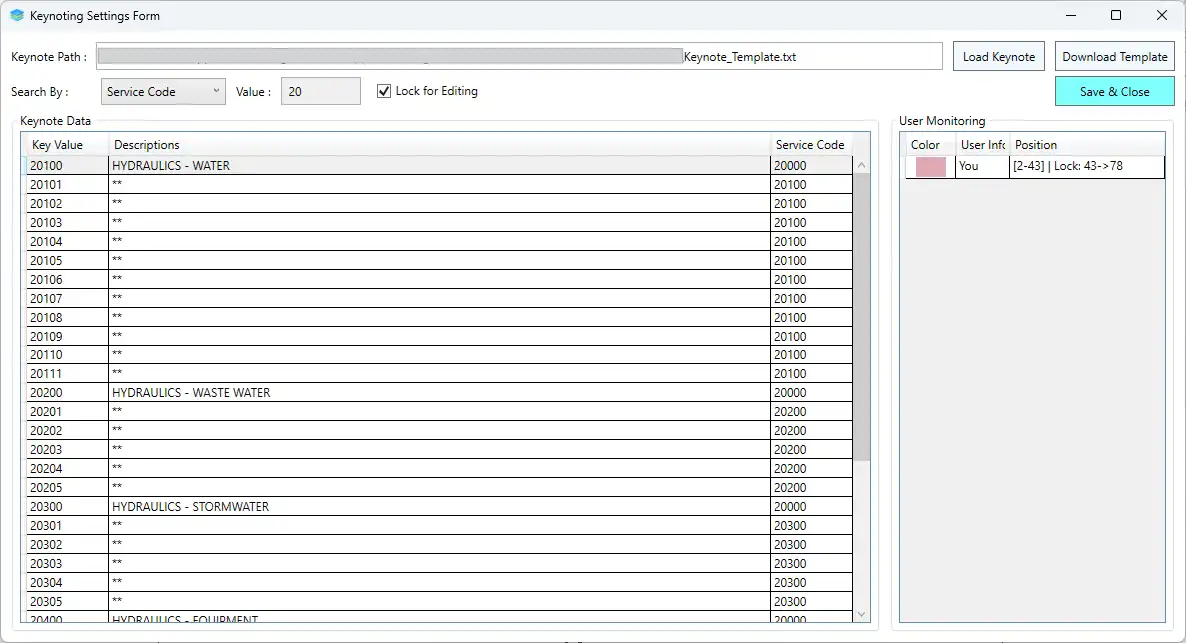
Additionally, users can monitor editor status by username and color table, receive warnings when selecting a cell in use by another user, and automatically synchronize and reload the keynote table. These features enhance collaboration and coordination among team members, ultimately improving project efficiency.
(Image by: BIM_Tools)
Create Tags
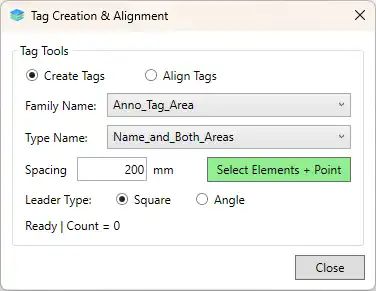
Another valuable feature of the Tags & Keynotes Editor plugin is its ability to create tags automatically for multiple selected elements. This functionality saves time and reduces manual effort, especially when working with a large number of elements in a Revit project.
The plugin supports both square and angled leader styles for tags, providing flexibility in tag design. Users can also use keynote tags and other supported Revit tag families with this feature, further enhancing the customization options available.
(Image by: BIM_Tools)
Align Tags
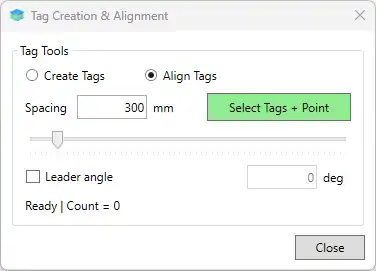
In addition to creating tags, the Tags & Keynotes Editor plugin offers the Align Tags feature, which automatically aligns existing tags in the current view. Users can define custom spacing between tags, ensuring a consistent and professional appearance throughout the project.
By automating the alignment of tags, this feature saves time and improves the overall presentation of the Revit model. It is a valuable tool for maintaining visual clarity and organization in complex building projects.
(Image by: BIM_Tools)
Summary
The Tags & Keynotes Editor plugin for Revit is a must-have for users looking to streamline their workflow and enhance collaboration on building information modeling projects. With its innovative features, including the Keynotes Editor, Create Tags, and Align Tags capabilities, this plugin offers a range of tools to improve efficiency and accuracy in Revit projects.
Whether you are a seasoned Revit user or new to the platform, the Tags & Keynotes Editor plugin is sure to become an essential part of your toolkit. Try it out today and experience the benefits of enhanced productivity and seamless collaboration in your Revit projects.
(Image by: BIM_Tools)
Similar apps:
- Free
- Free
- Free
- Free
- Free
- $100