 1 / 6
1 / 6About this app
Introduction
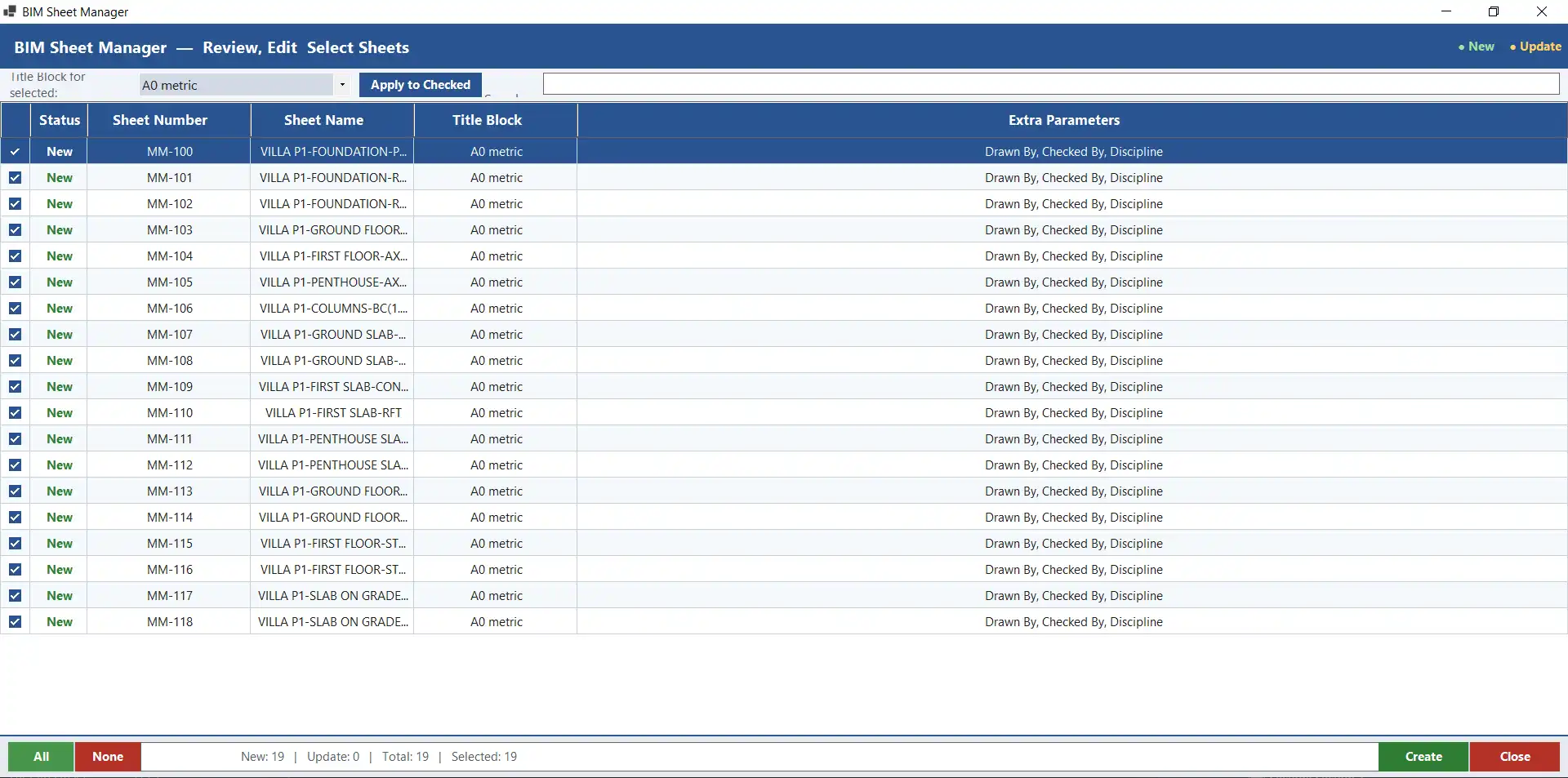
The BIM Sheet Manager is a powerful Revit plugin that revolutionizes the way BIM engineers create, edit, and manage sheets within their projects. By leveraging the power of Excel as a central control interface, this add-in streamlines the entire sheet management process, saving time and reducing errors. Let's dive into the features and benefits of this innovative tool.
(Image by: NEXORA)
Features
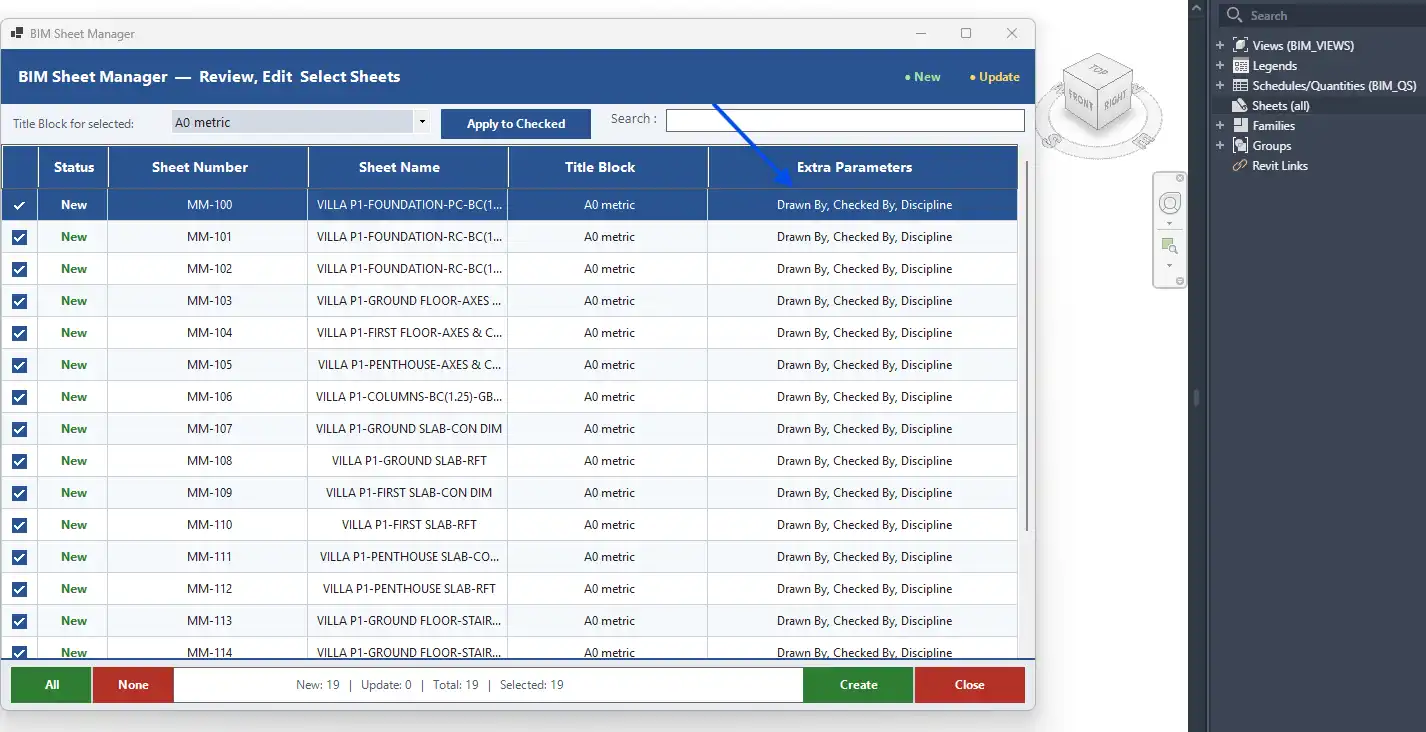
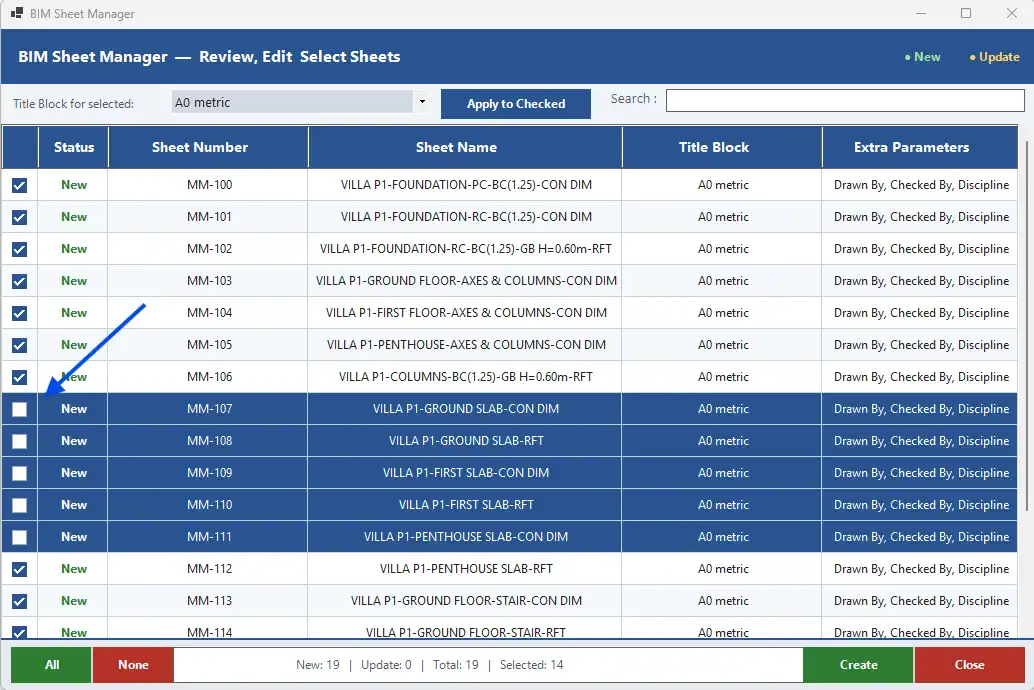
One of the standout features of the BIM Sheet Manager is its ability to import, update, and organize sheets in bulk. This can be a game-changer for large projects with numerous sheets that require constant changes and updates. The interactive preview interface allows users to maintain full control over their sheets, ensuring that everything is in order before finalizing the changes.The smart detection of existing sheets is another key feature that sets this plugin apart. By automatically recognizing duplicate sheets, the BIM Sheet Manager helps users avoid unnecessary work and potential errors. The flexible parameter mapping and batch operations make it easy to customize sheets according to project requirements, saving valuable time and effort.Additionally, the ability to export sheet data back to Excel and explore all available sheet parameters makes the BIM Sheet Manager a complete workflow solution for sheet management within Revit. This seamless integration with Excel enables users to work more efficiently and effectively, ultimately improving the overall project workflow.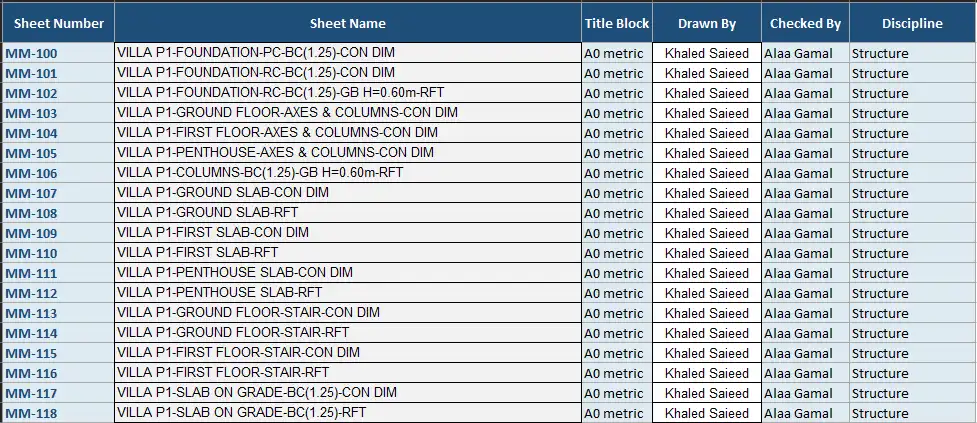
(Image by: NEXORA)
Summary
In conclusion, the BIM Sheet Manager is a must-have tool for any BIM engineer looking to streamline their sheet management process in Revit. With its advanced features, user-friendly interface, and seamless integration with Excel, this plugin offers a comprehensive solution for creating, editing, and organizing sheets. By automating repetitive tasks and reducing human error, the BIM Sheet Manager empowers users to focus on what matters most – delivering high-quality projects on time and within budget. Give it a try and experience the benefits firsthand!
(Image by: NEXORA)
(Image by: NEXORA)
(Image by: NEXORA)
Similar apps:
- Free
- Free
- Free
- Free
- $20
- Free