 1 / 4
1 / 4About this app
Introduction
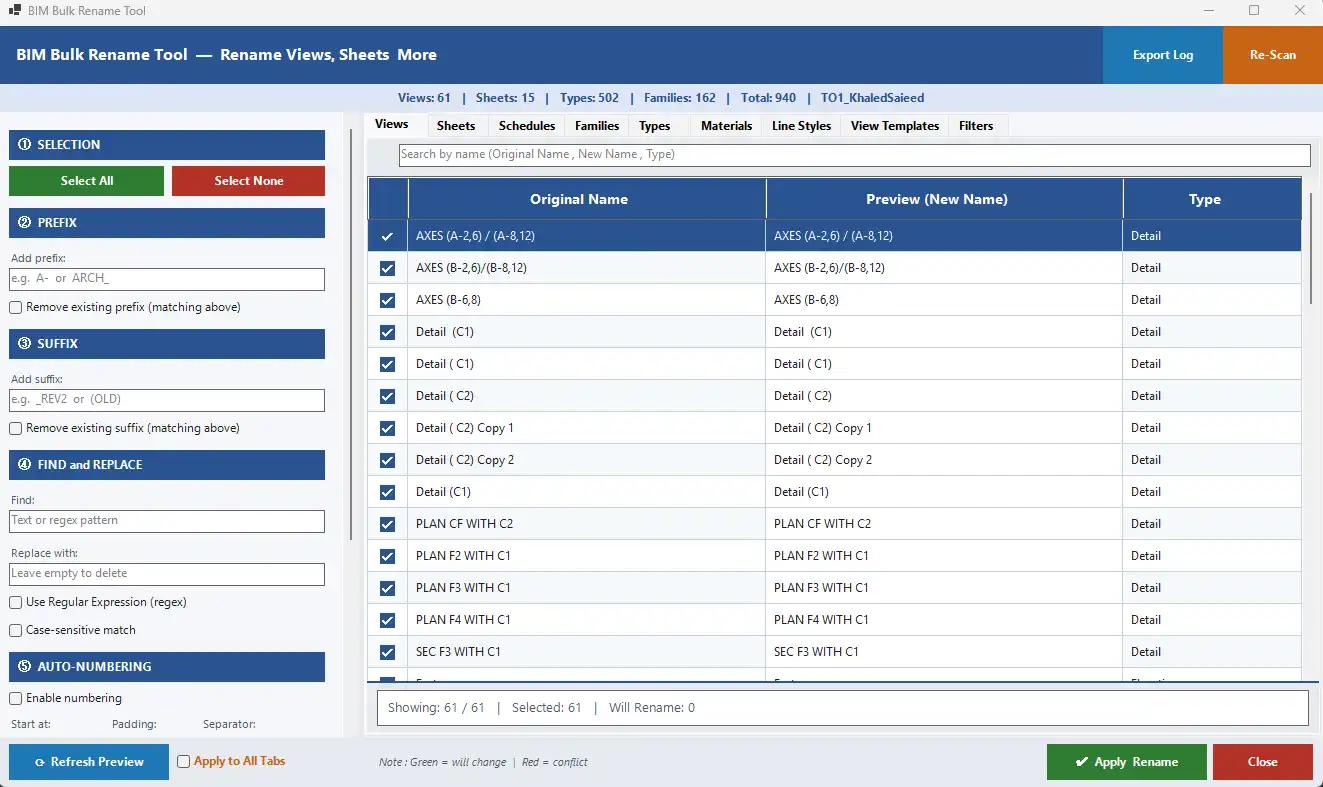
Renaming elements within a Revit project can be a time-consuming and tedious task, especially when dealing with multiple components. However, with the BIM Bulk Rename Tool, this process becomes much more efficient and automated. This professional add-in for Autodesk Revit is designed to simplify the renaming of various project elements, enhancing overall productivity and consistency.
(Image by: NEXORA)
Key Features
The BIM Bulk Rename Tool offers a wide range of features that make it a valuable asset for any Revit user:
- Batch renaming with prefix, suffix, find & replace
- Advanced regex support
- Auto-numbering with customizable formats
- Case transformation (UPPERCASE, lowercase, Title Case)
- Built-in conflict detection
- Live preview before applying changes
- Support for multi-tab operations
- Exportable logs and backup files
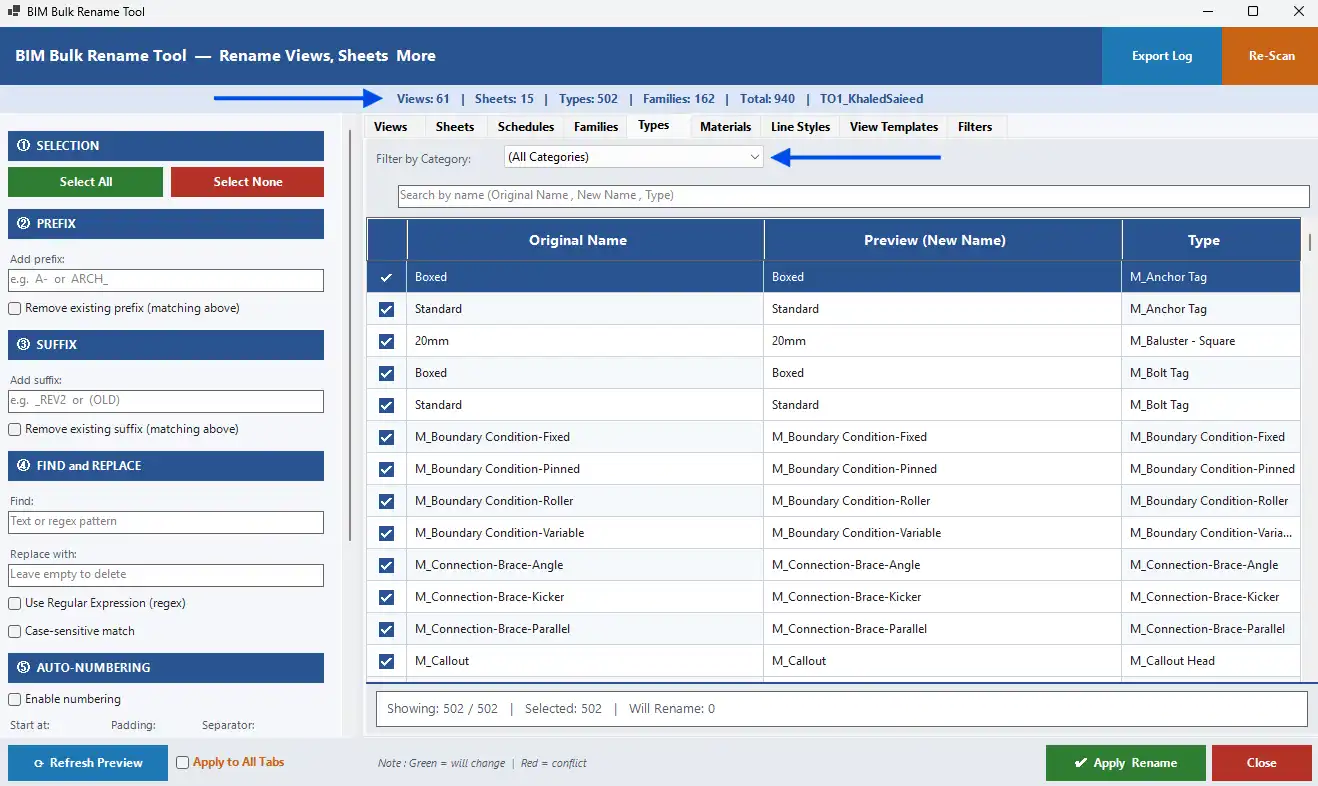
(Image by: NEXORA)
Why You Should Try It
The BIM Bulk Rename Tool is a game-changer for anyone working on BIM projects in Revit. By significantly reducing manual work, minimizing errors, and ensuring naming consistency across projects, this plugin streamlines workflows and enhances overall project efficiency. The user-friendly interface and powerful features make it easy to use, even for those new to Revit add-ins.
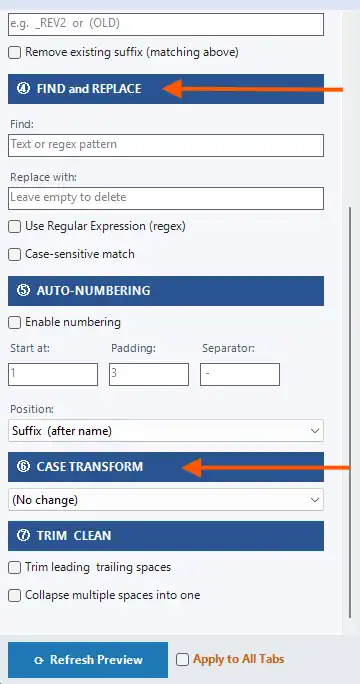
(Image by: NEXORA)
Summary
Overall, the BIM Bulk Rename Tool is a must-have plugin for anyone working with Autodesk Revit. Its advanced features and automation capabilities make the renaming process quick, accurate, and hassle-free. By incorporating this tool into your workflow, you can save time, reduce errors, and maintain naming consistency across all your BIM projects. Give it a try and experience the benefits for yourself!
Similar apps:
- Free
- Free
- Free
- Free
- Free
- Free