 1 / 8
About this app
Introduction
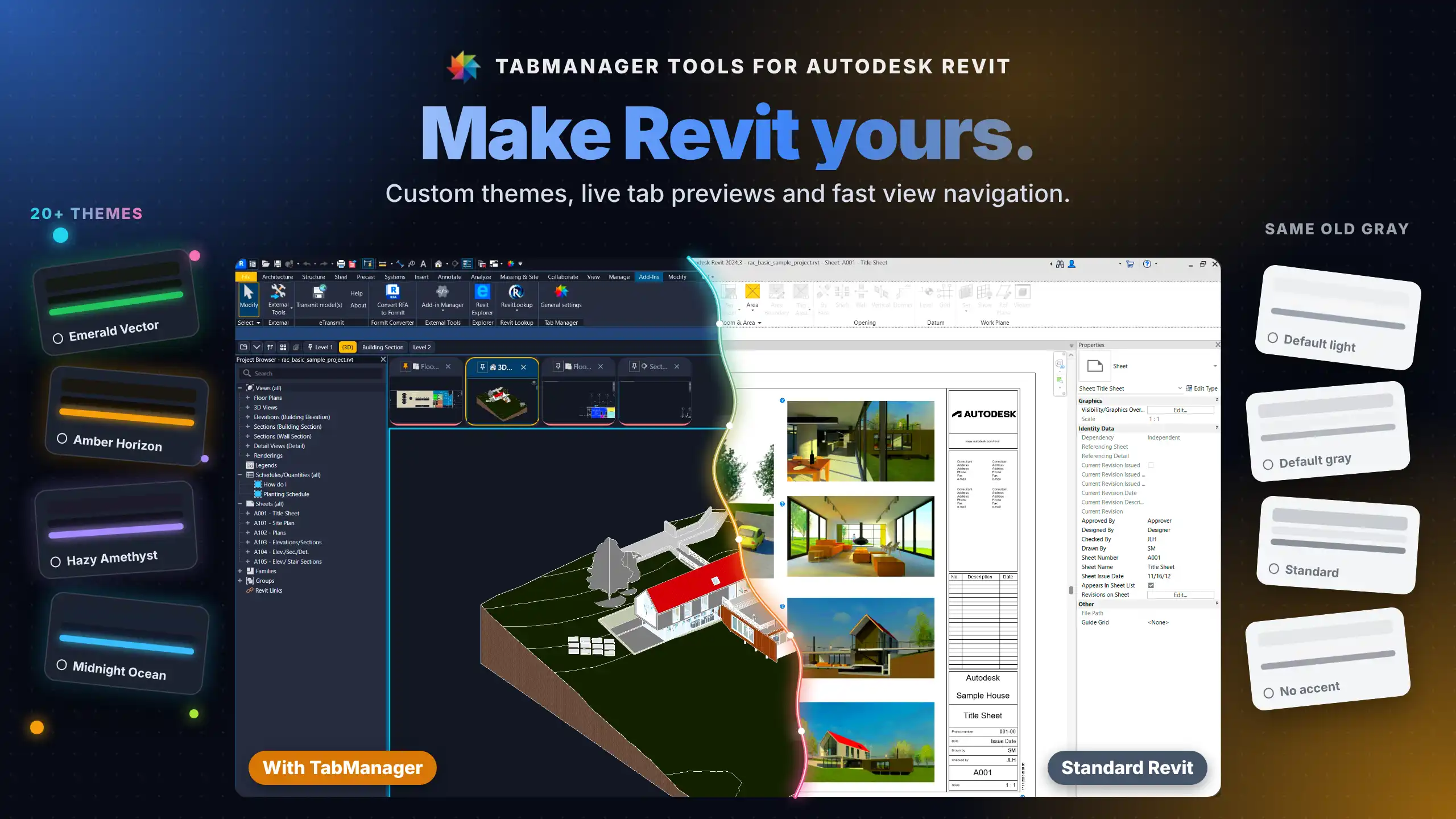
In the fast-paced world of architecture and engineering, efficiency and comfort in software tools can significantly impact productivity. Autodesk Revit has long been a staple in the industry, but its default interface may not cater to every individual designer's preferences. Enter TabManager - Themes & View Navigation, a game-changing plugin designed to tailor your Revit workspace to your unique style and workflow. With a blend of customizable themes and streamlined view navigation, TabManager empowers users to work in a visually engaging and efficient environment.
(Image by: NOVA Addins)
Custom Workspace for Enhanced Comfort
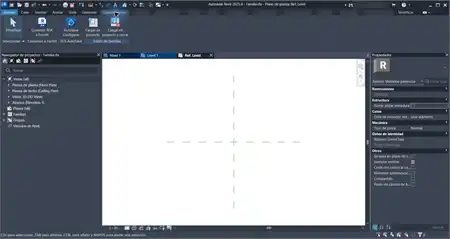
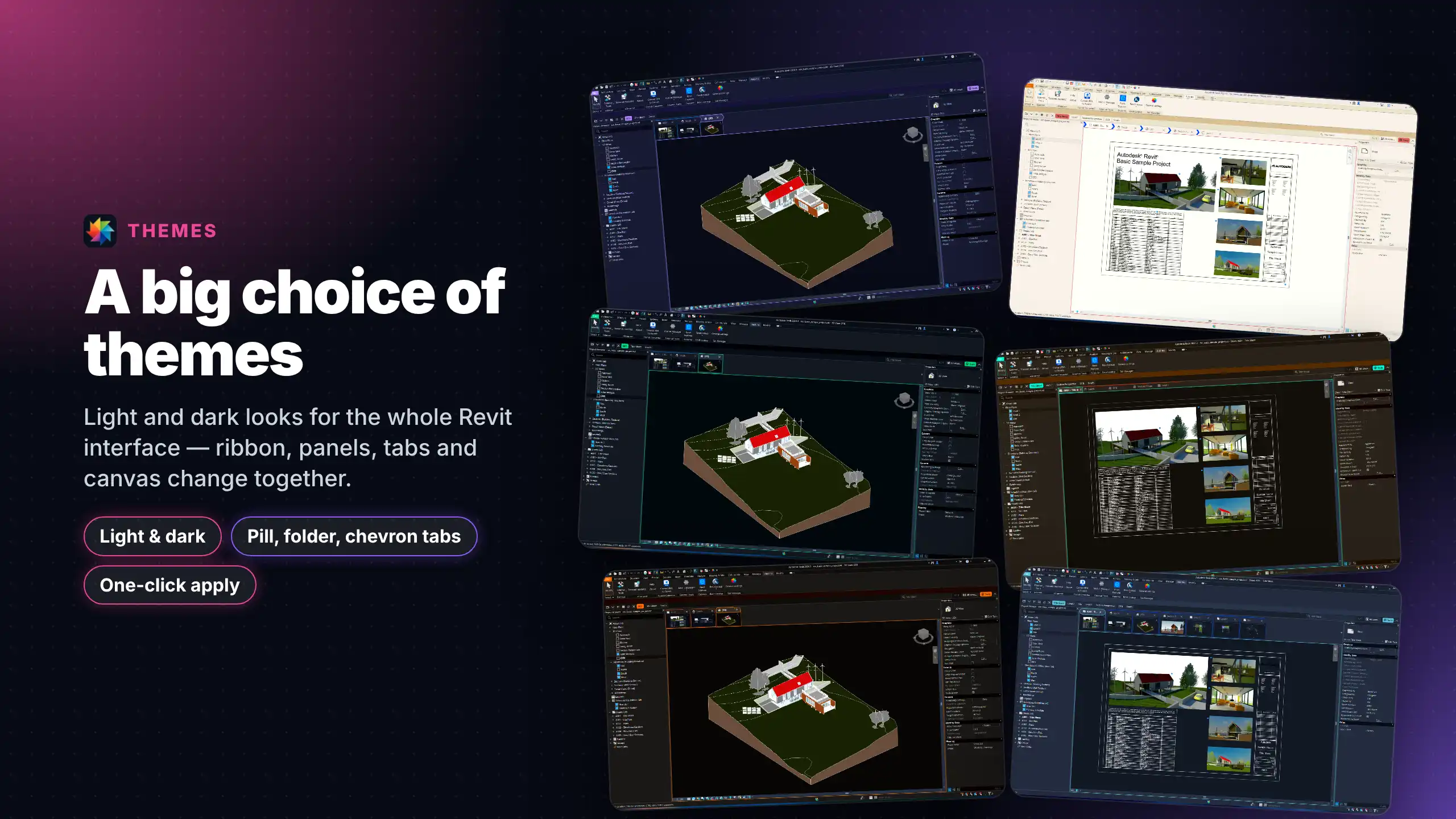
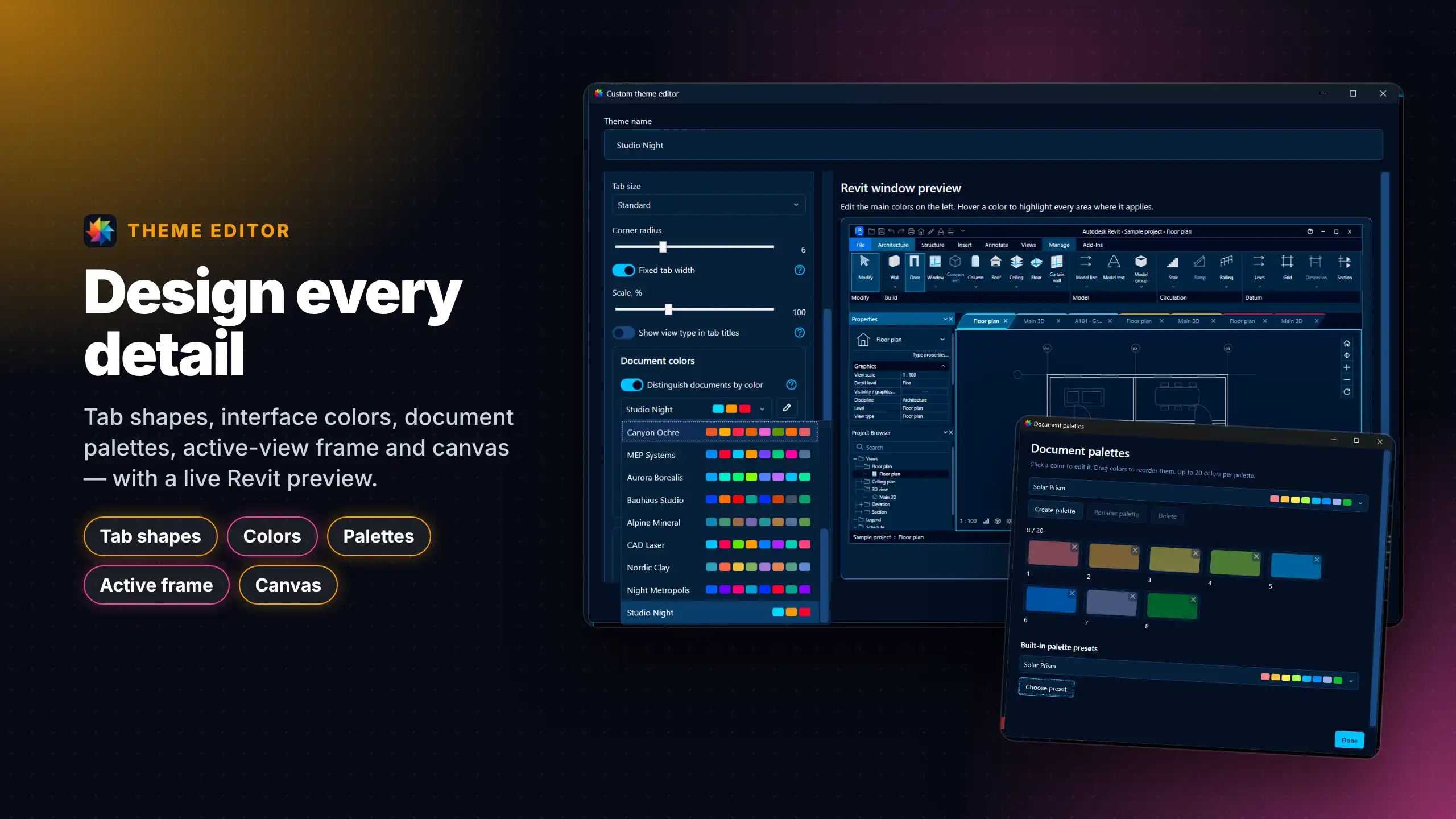
One of the standout features of TabManager is its ability to transform your Revit workspace visually. The plugin allows you to coordinate colors across the interface, including the ribbon, docked panels like Properties and Project Browser, view tabs, and even the drawing-area background. This full-workspace coordination helps create a cohesive visual experience that minimizes distractions and reduces eye strain during long work sessions.
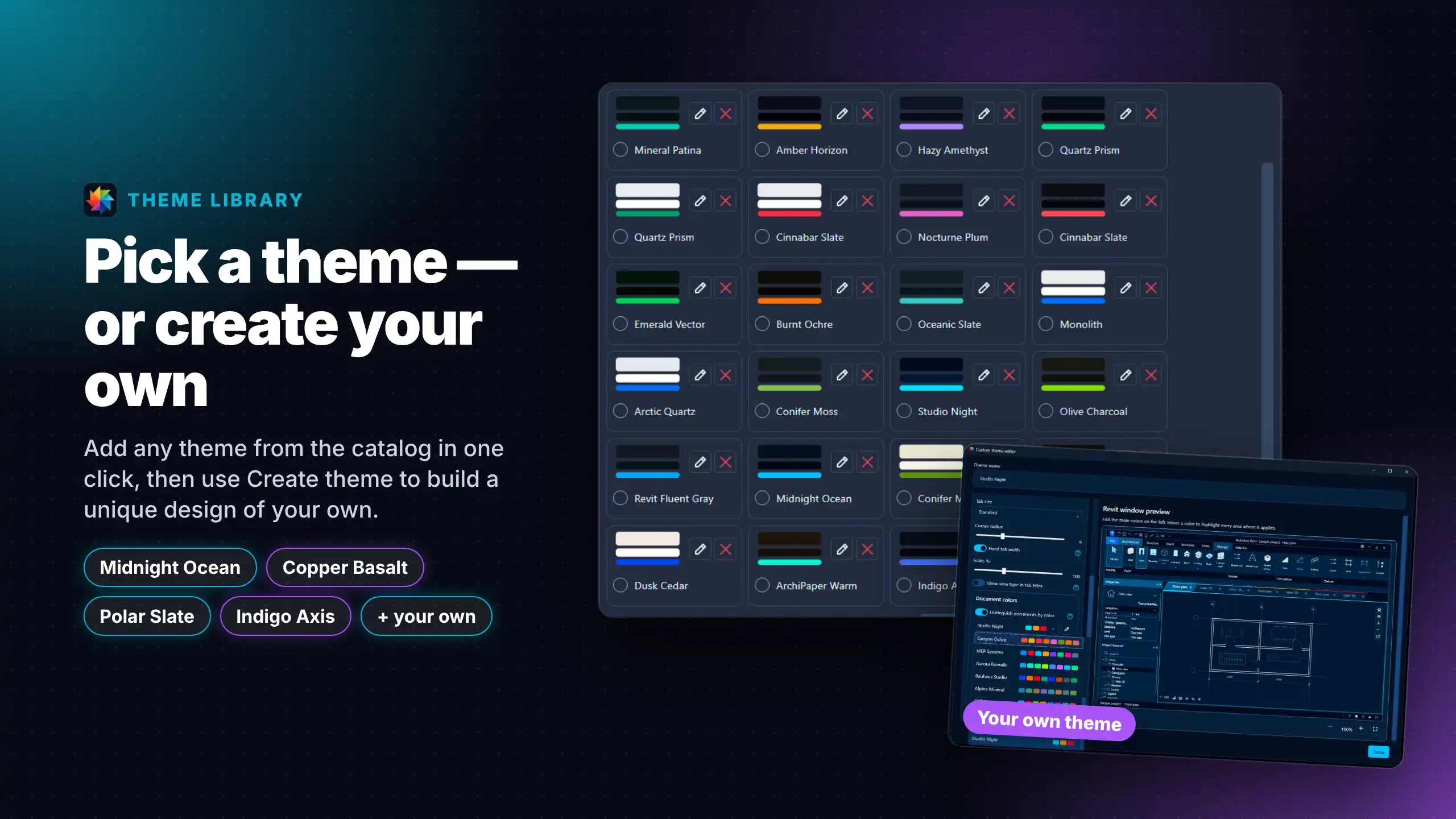
Whether you prefer a high-contrast theme that energizes your workflow or a subdued palette that fosters concentration, TabManager has you covered. Users can choose from a selection of ready-made designs or unleash their creativity by crafting their custom themes. The interactive visual editor offers a zoomable preview that ensures your adjustments look just right before they go live, making it easy to refine your workspace.
(Image by: NOVA Addins)
Streamlined Navigation for Greater Efficiency
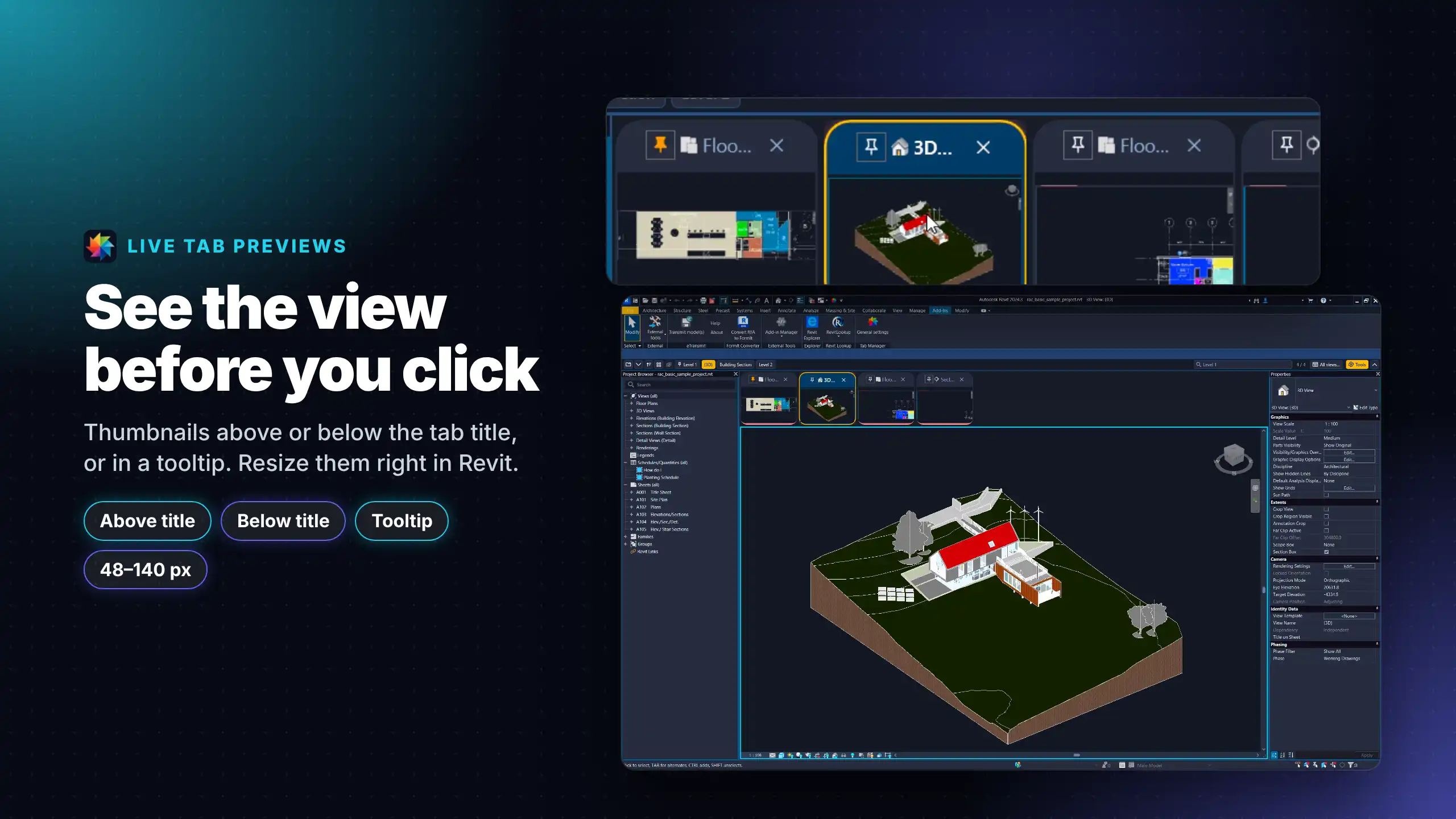
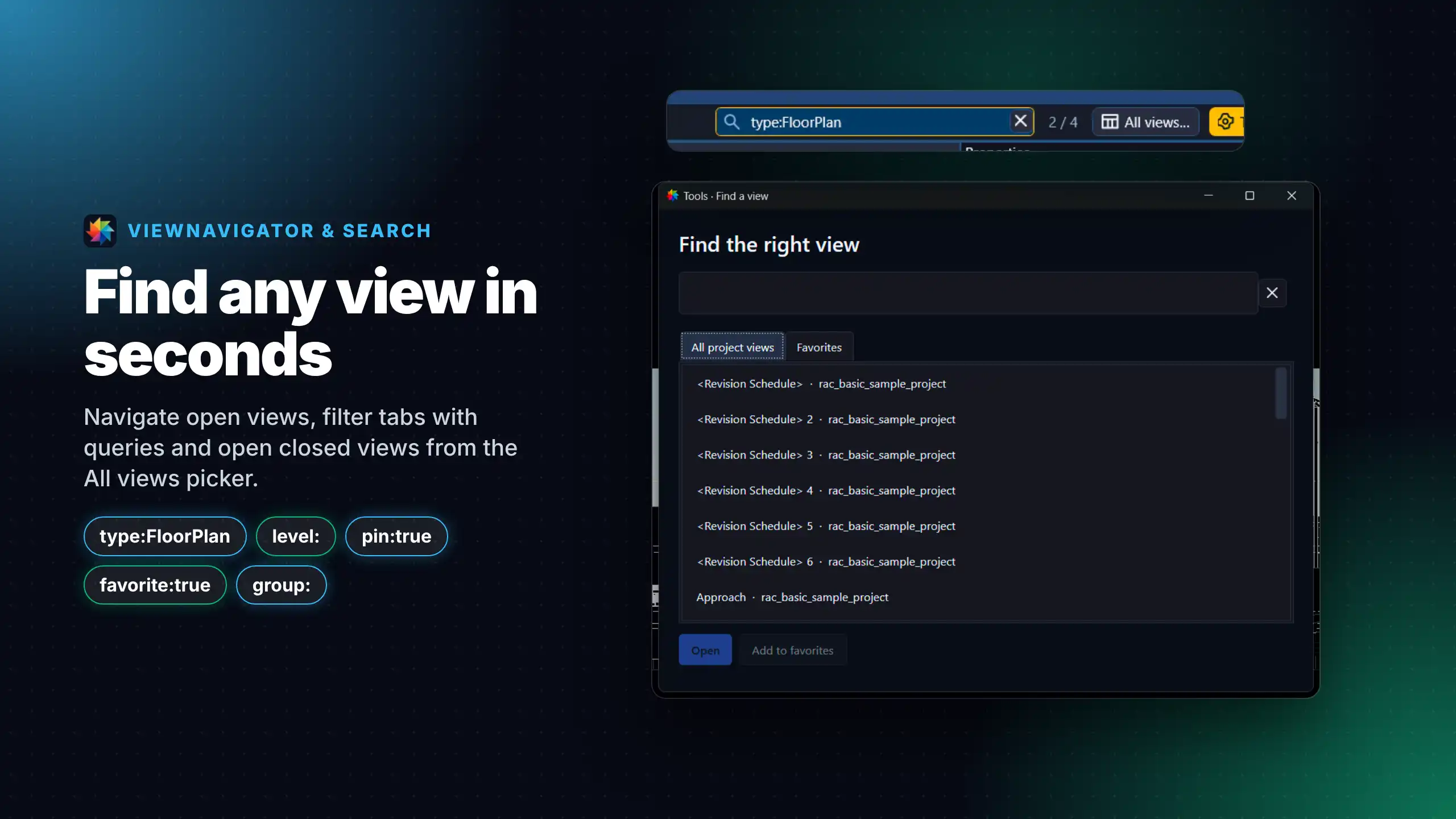
In addition to its aesthetic enhancements, TabManager excels in improving workflow efficiency through its fast, visual view navigation capabilities. In heavy multi-model projects, quickly accessing the right view can be a challenge. With TabManager, users can jump straight to the desired view, saving valuable time and effort. This feature is particularly beneficial for teams collaborating on large projects, where navigating through numerous views is often a necessity.
Moreover, TabManager allows for customization of tab shapes, sizes, and document color coding, enabling better organization and emphasis on active views. Users can build and reorder their own color palettes, ensuring that everything is tailored to their workflow. This attention to detail not only makes navigation easier but also helps team members recognize views quickly before switching, reducing the likelihood of errors and miscommunication.
(Image by: NOVA Addins)
Sharing Your Vision with Team Theme Sharing
Collaboration is at the heart of architectural and engineering projects, and TabManager recognizes this need by introducing team theme sharing capabilities. Users can easily import or export themes, ensuring that a consistent visual standard is maintained across the team. This feature fosters a unified approach to design, enabling all team members to have a harmonious workspace that aligns with their collective vision.
The ability to share themes can significantly enhance group dynamics, as everyone works in an environment that reflects their collaborative ethos. This not only streamlines the design process but also enhances teamwork, as visual consistency leads to better communication and understanding among team members.
(Image by: NOVA Addins)
Summary
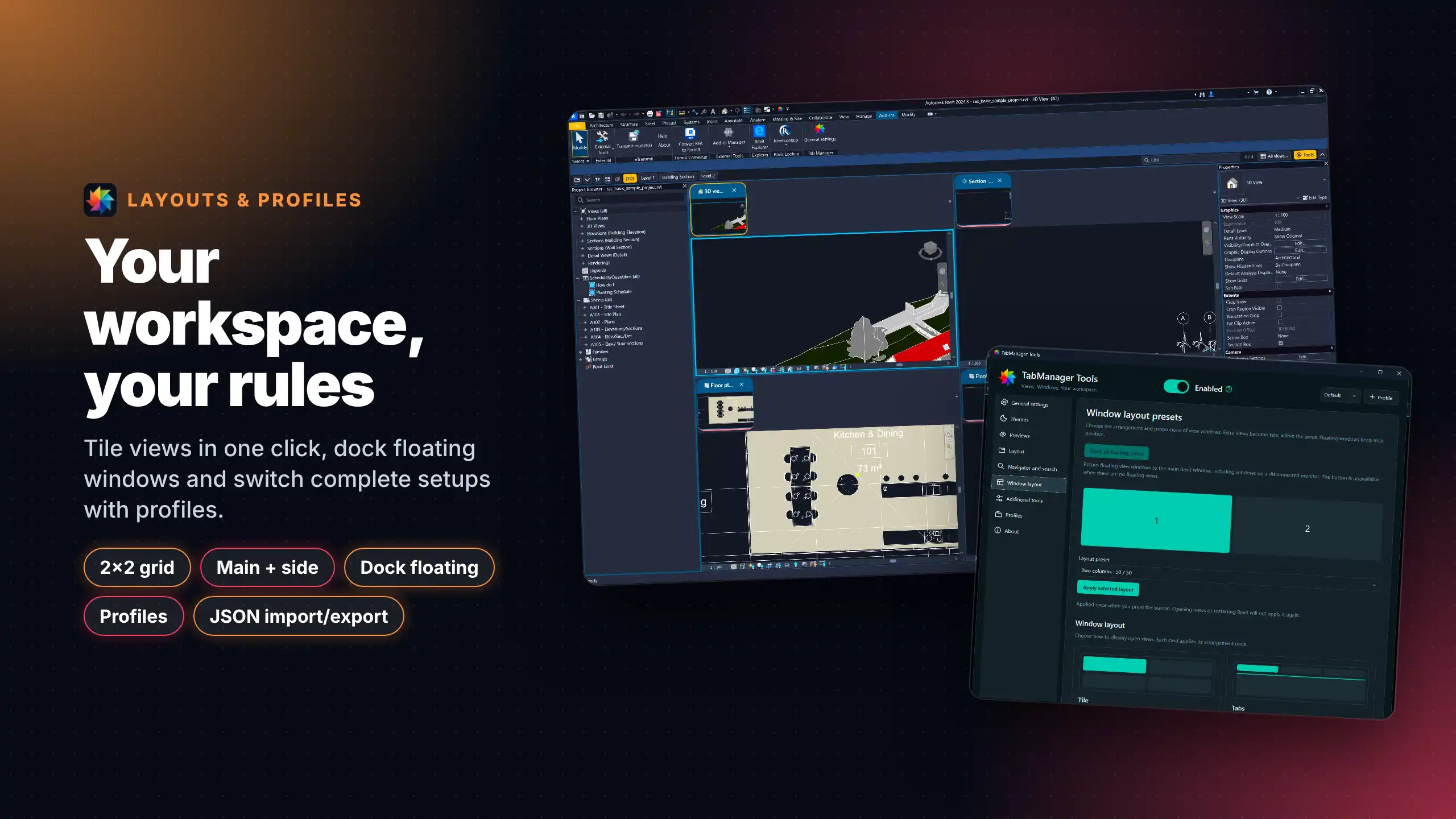
TabManager - Themes & View Navigation is a powerful tool that reshapes the way Revit users interact with their workspace. By allowing for extensive customization and efficient navigation, this plugin not only enhances visual comfort but also promotes productivity. With features like full-workspace coordination, an interactive visual editor, and team theme sharing, TabManager is designed to optimize your Revit experience. Whether you're working on intricate architectural designs or complex engineering projects, giving Revit your own look can make all the difference. Embrace the flexibility and functionality of TabManager and transform your Revit workspace today!
(Image by: NOVA Addins)
(Image by: NOVA Addins)
(Image by: NOVA Addins)
Similar apps:
- Free
- Free
- Free
- $40
- $100
- Free