 1 / 10
About this app
Introduction
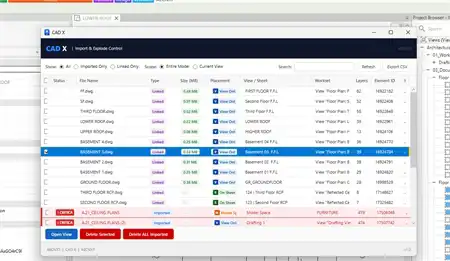
As architects, engineers, and BIM professionals, we are constantly seeking ways to streamline our workflows, reduce errors, and save valuable time. This is where BIMomatic comes in – a powerful Autodesk Revit plugin designed to elevate your Revit experience by offering a wide range of smart tools to help you automate repetitive tasks and enhance standard Revit capabilities.
(Image by: ONG&ONG Group)
Key Features
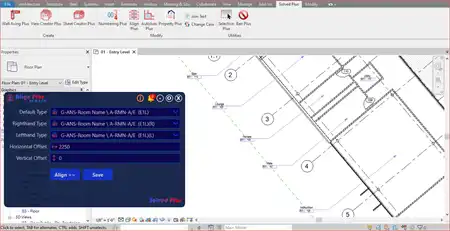
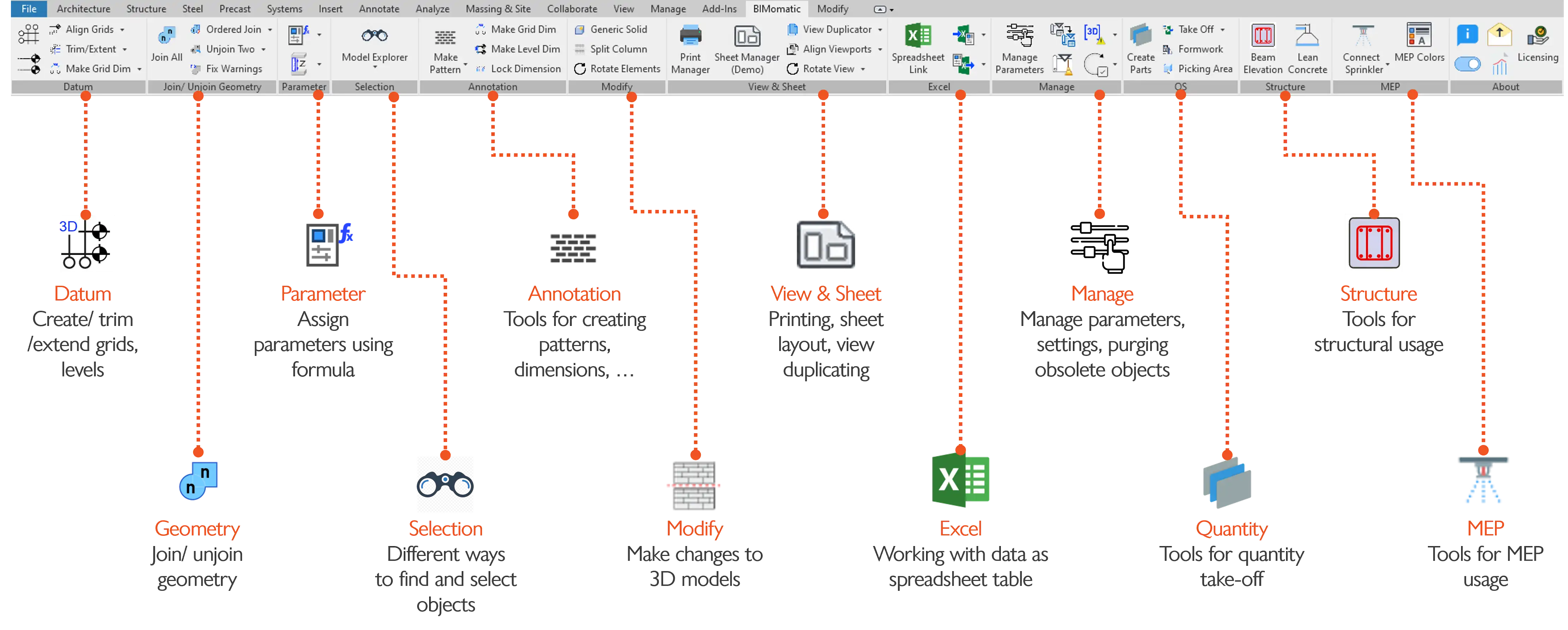
One of the standout features of BIMomatic is its Datum Tools, which allow users to easily create and manage grids and levels, align them properly, and generate dimensions automatically. This not only saves time but also ensures accuracy in your models. The Join Geometry feature is another game-changer, enabling you to efficiently join or unjoin elements using custom priorities, reducing manual work and improving model accuracy.
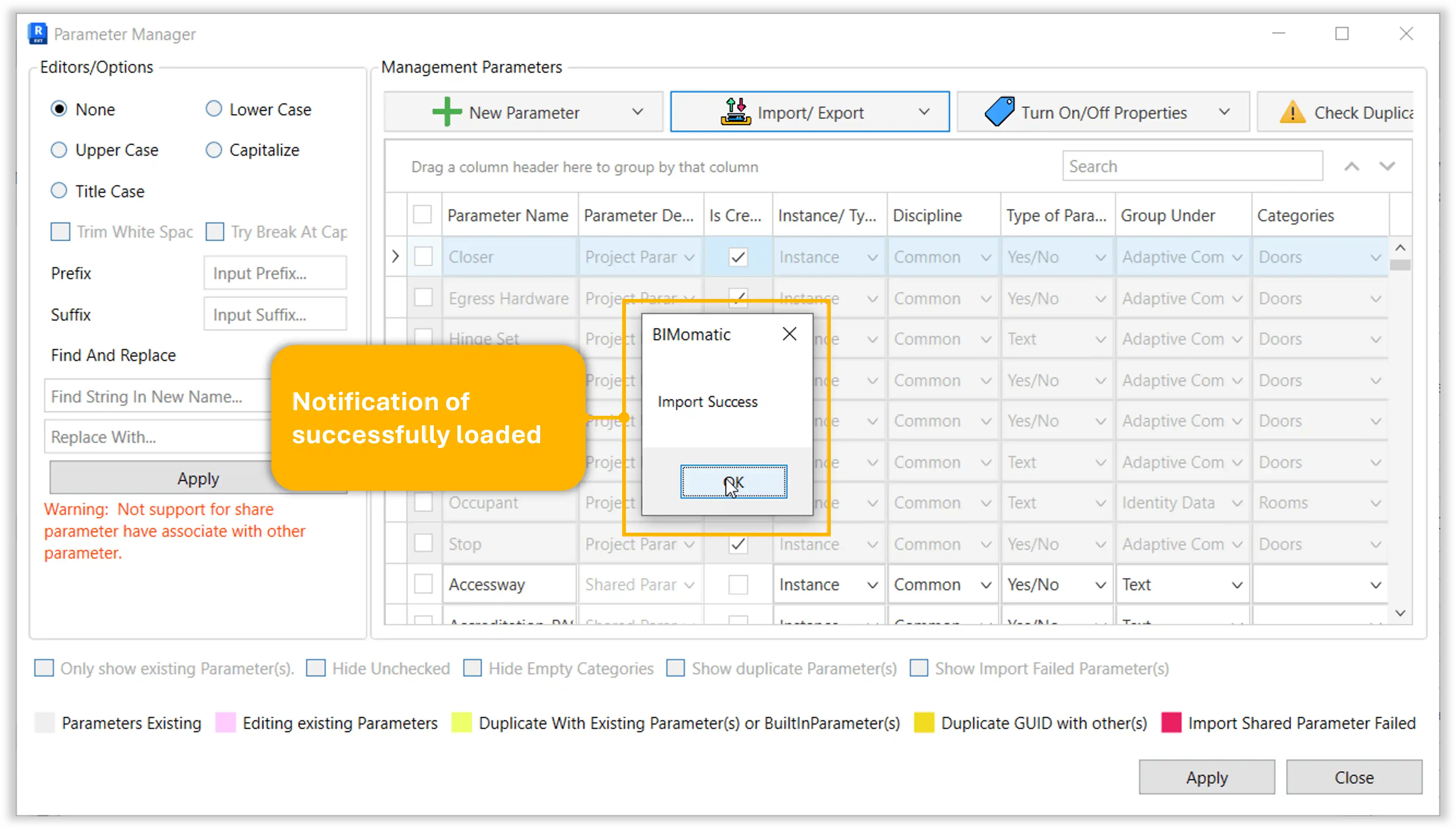
Parameters Management is made simple with BIMomatic, allowing users to create, delete, duplicate, and rename parameters with ease. Import parameters from shared parameter files, assign them to categories, and even use formulas to modify parameter values. Auto-number elements by alphabet or number series for seamless organization.
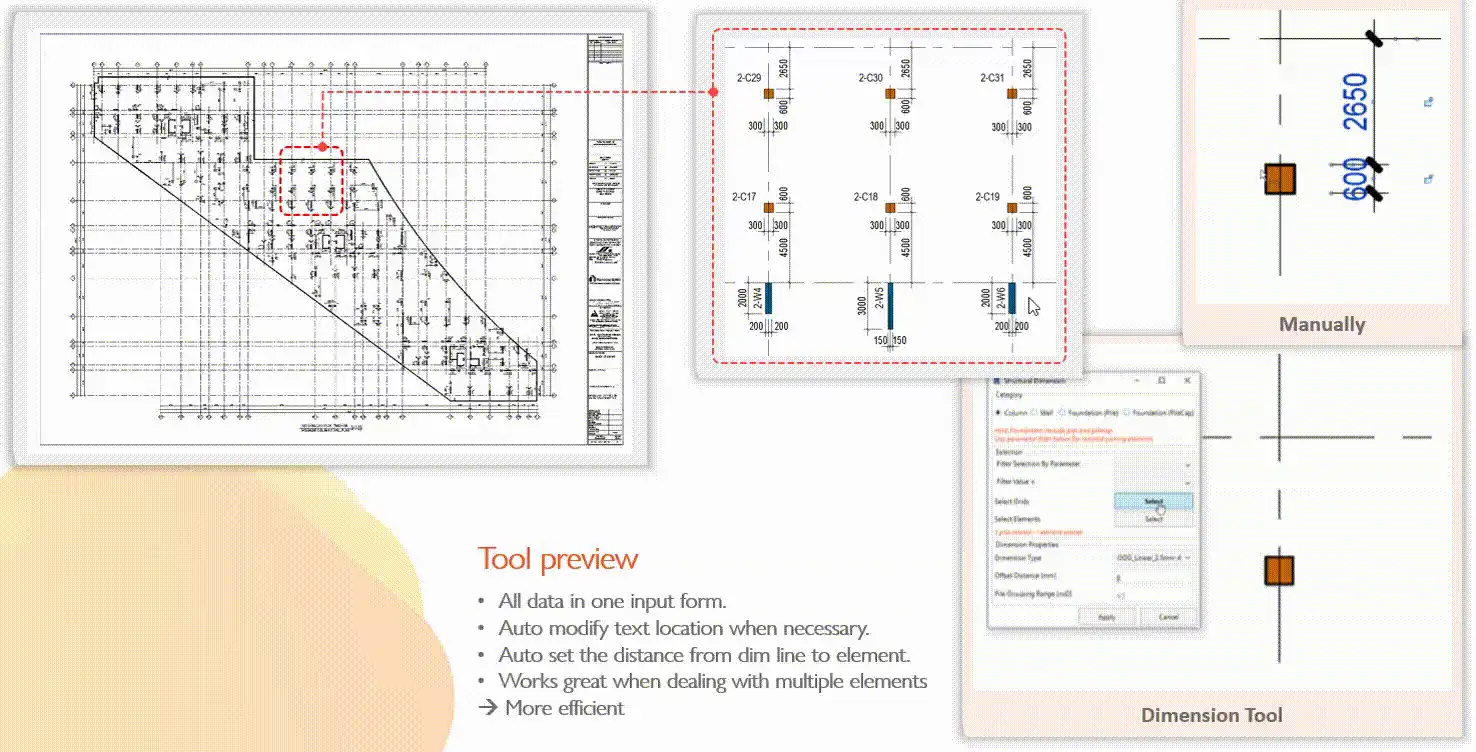
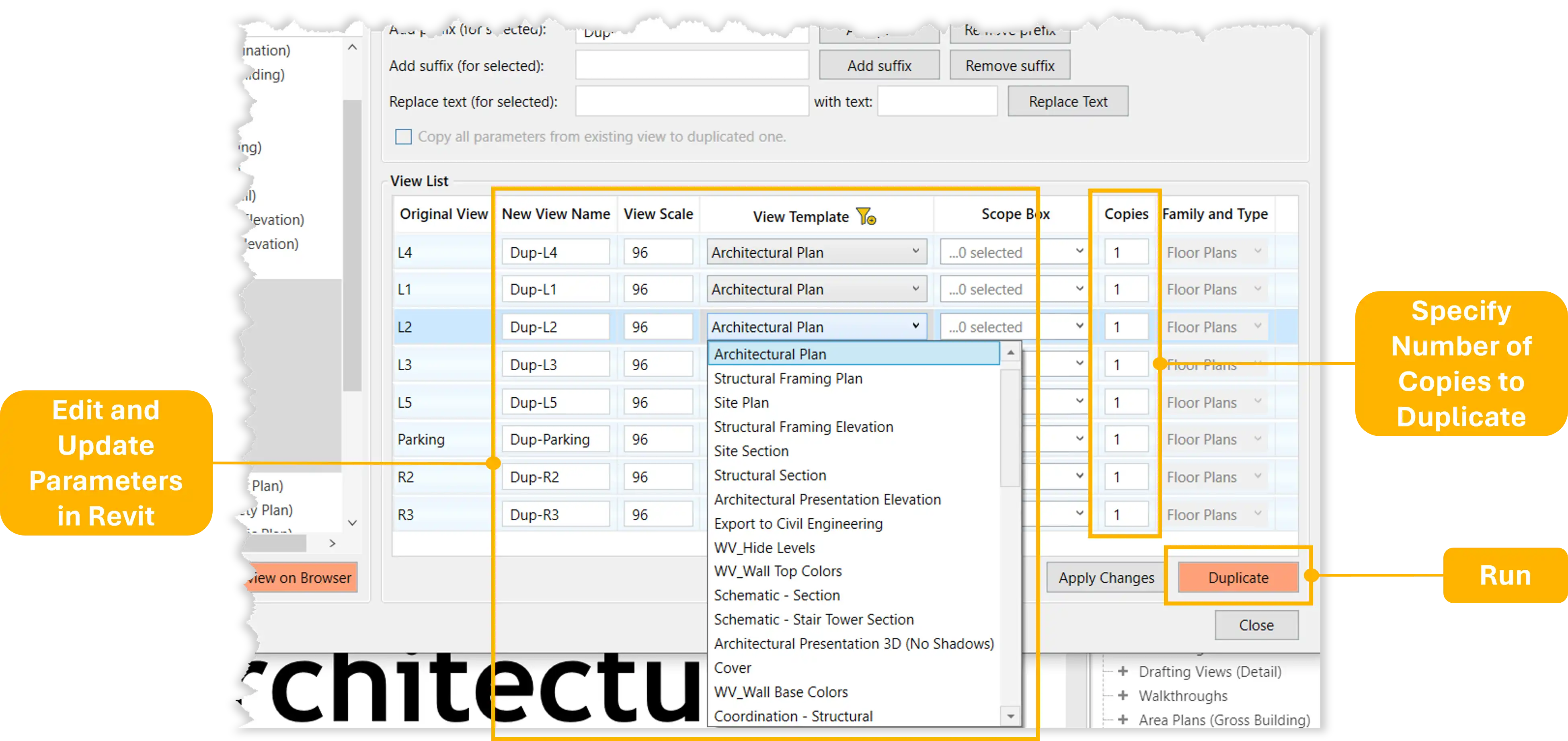
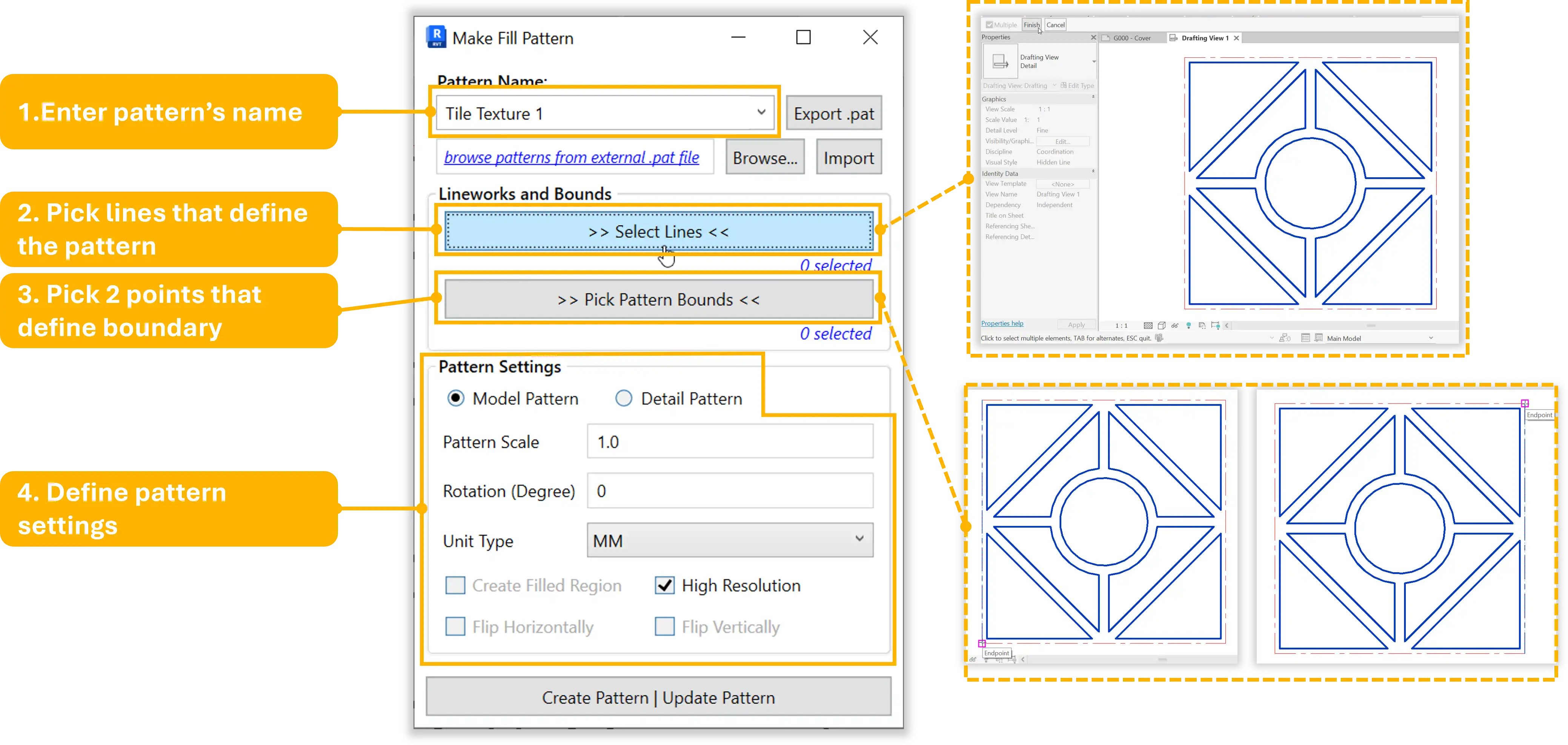
Smart Selection is a handy tool for finding and isolating elements using a tree explorer and rule-based filters. Annotation Tools enable users to auto-generate dimensions for structural elements and create custom fill patterns effortlessly. View & Sheet Tools streamline the process of aligning viewports, duplicating views, and batch creating sheets from Excel.
Excel Tools allow for the easy export/import of data between Revit and Excel, with a Spreadsheet tool that lets you view and edit model data in an Excel-like interface. Other Tools offered by BIMomatic include transferring project standards, clearing cloud cache, detecting clashes, checking families, and more.
(Image by: ONG&ONG Group)
Continual Improvement
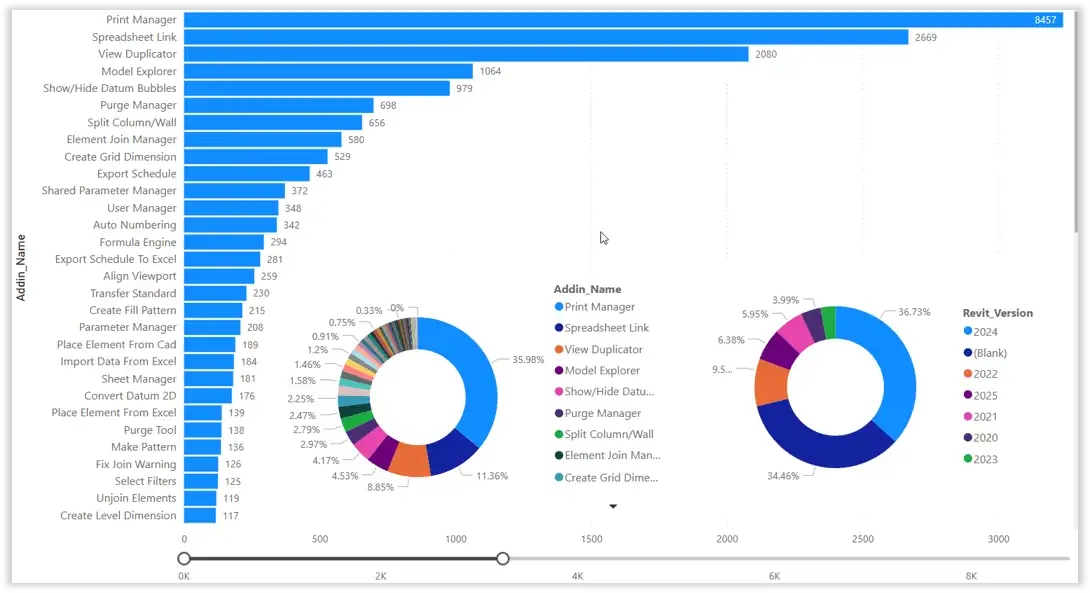
BIMomatic is committed to growing and evolving to meet the changing needs of Revit users. The focus on usability and performance ensures that users can work more efficiently and effectively within the Revit environment. With a wide range of tools and features, BIMomatic is continuously enhancing the user experience and pushing the boundaries of what is possible within Revit.
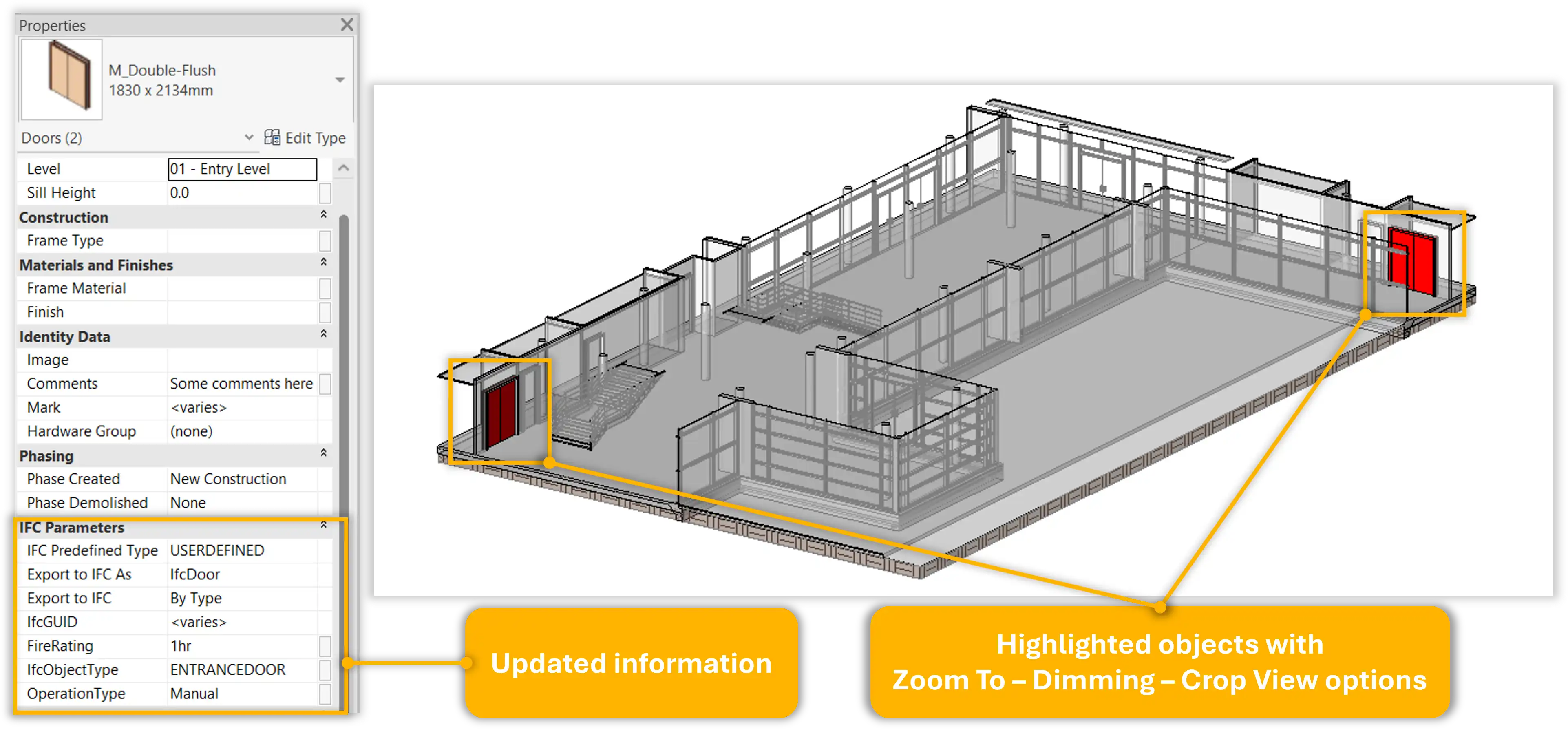
(Image by: ONG&ONG Group)
Conclusion
If you are looking to take your Revit experience to the next level, BIMomatic is the plugin for you. With its powerful tools, seamless integration, and commitment to continual improvement, BIMomatic offers a comprehensive solution for architects, engineers, and BIM professionals. Give it a try and experience the difference that BIMomatic can make in your daily workflows.
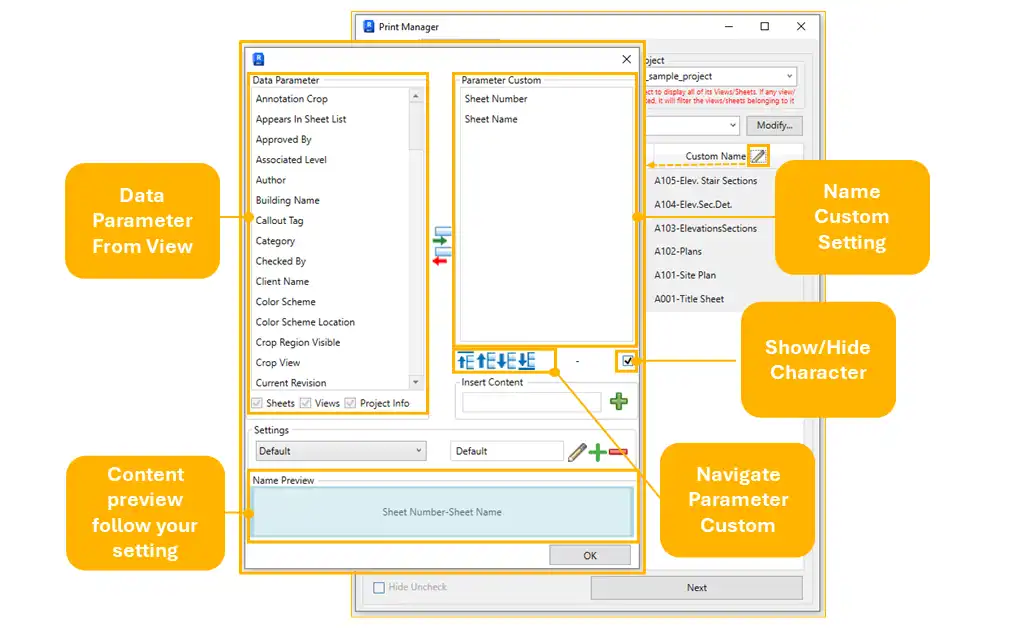
(Image by: ONG&ONG Group)
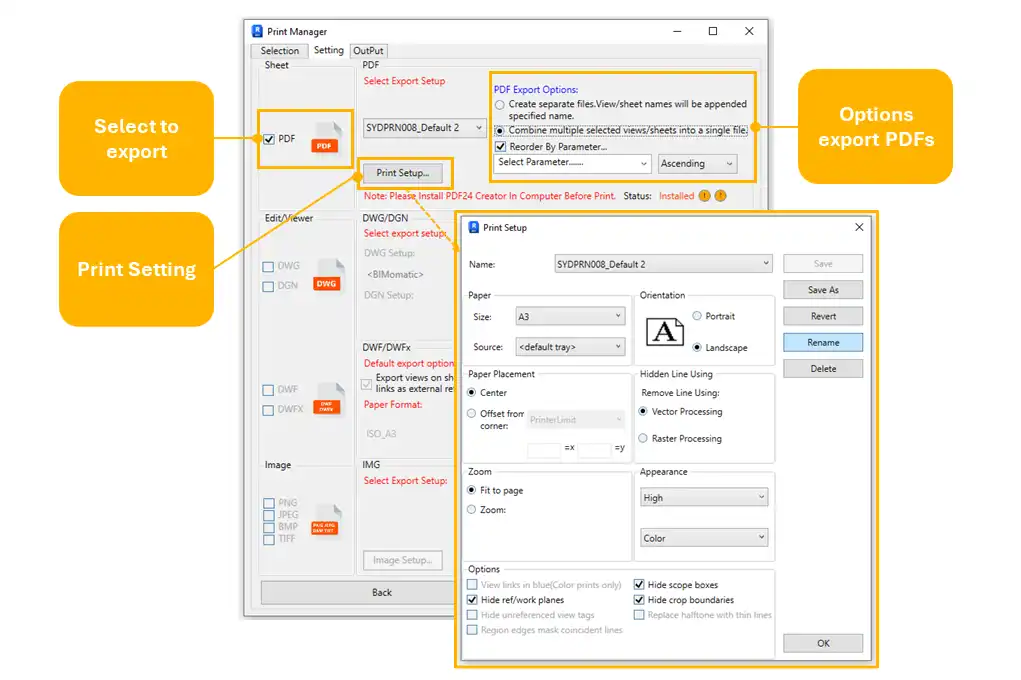
(Image by: ONG&ONG Group)
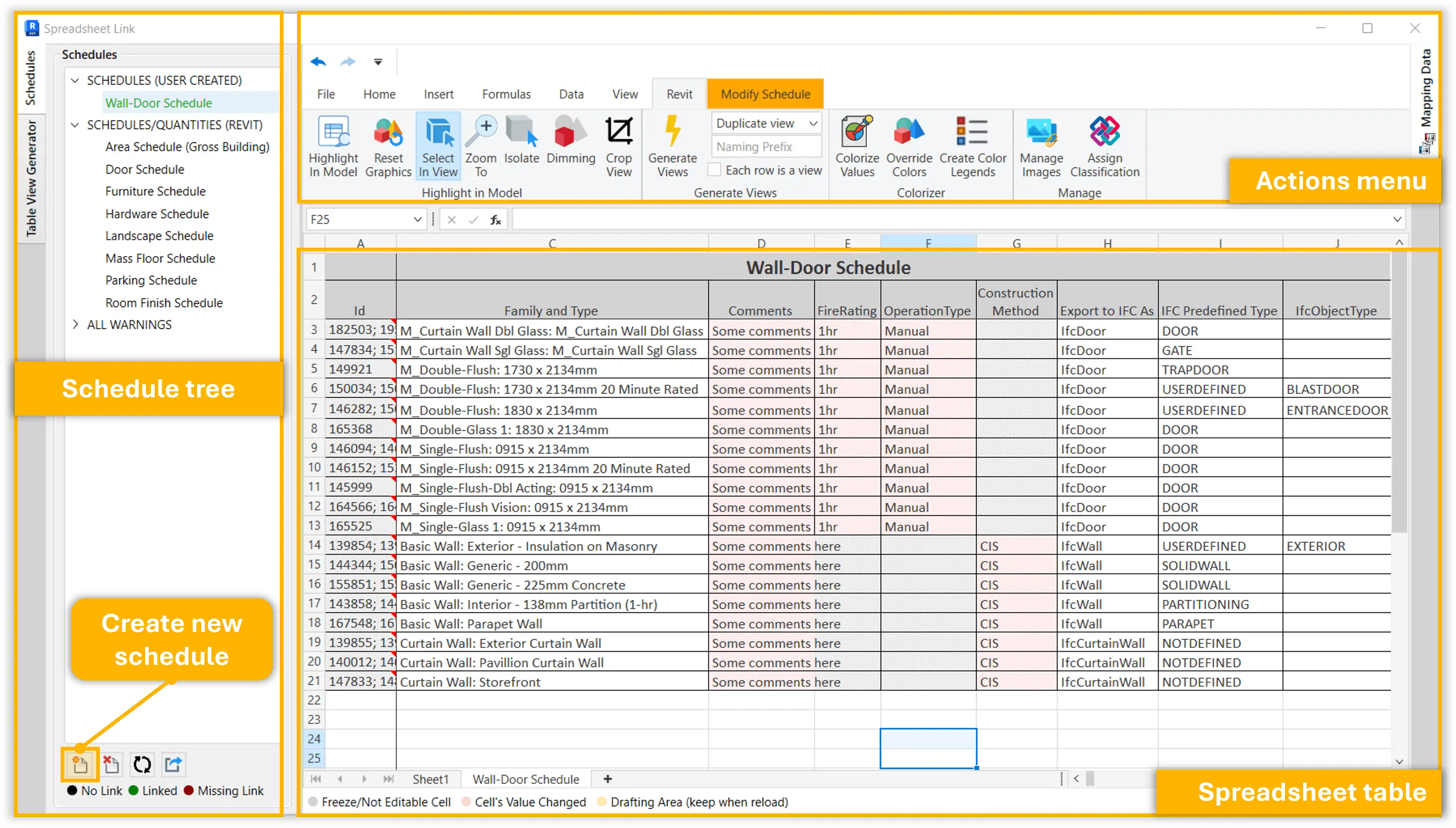
(Image by: ONG&ONG Group)
(Image by: ONG&ONG Group)
(Image by: ONG&ONG Group)
(Image by: ONG&ONG Group)
(Image by: ONG&ONG Group)
Similar apps:
- Free
- Free
- Free
- Free
- Free
- $1.99