 1 / 7
1 / 7About this app
Introduction
Revit users, rejoice! A powerful new plugin has arrived to revolutionize your workflow. QBitec offers seamless point cloud streaming, advanced visualization tools, and robust QA/QC features to effortlessly manage and validate as-built data. Say goodbye to tedious data management and hello to a more efficient and accurate way of working with point clouds in Revit.
(Image by: Qbitec)
Streamlining Data Management
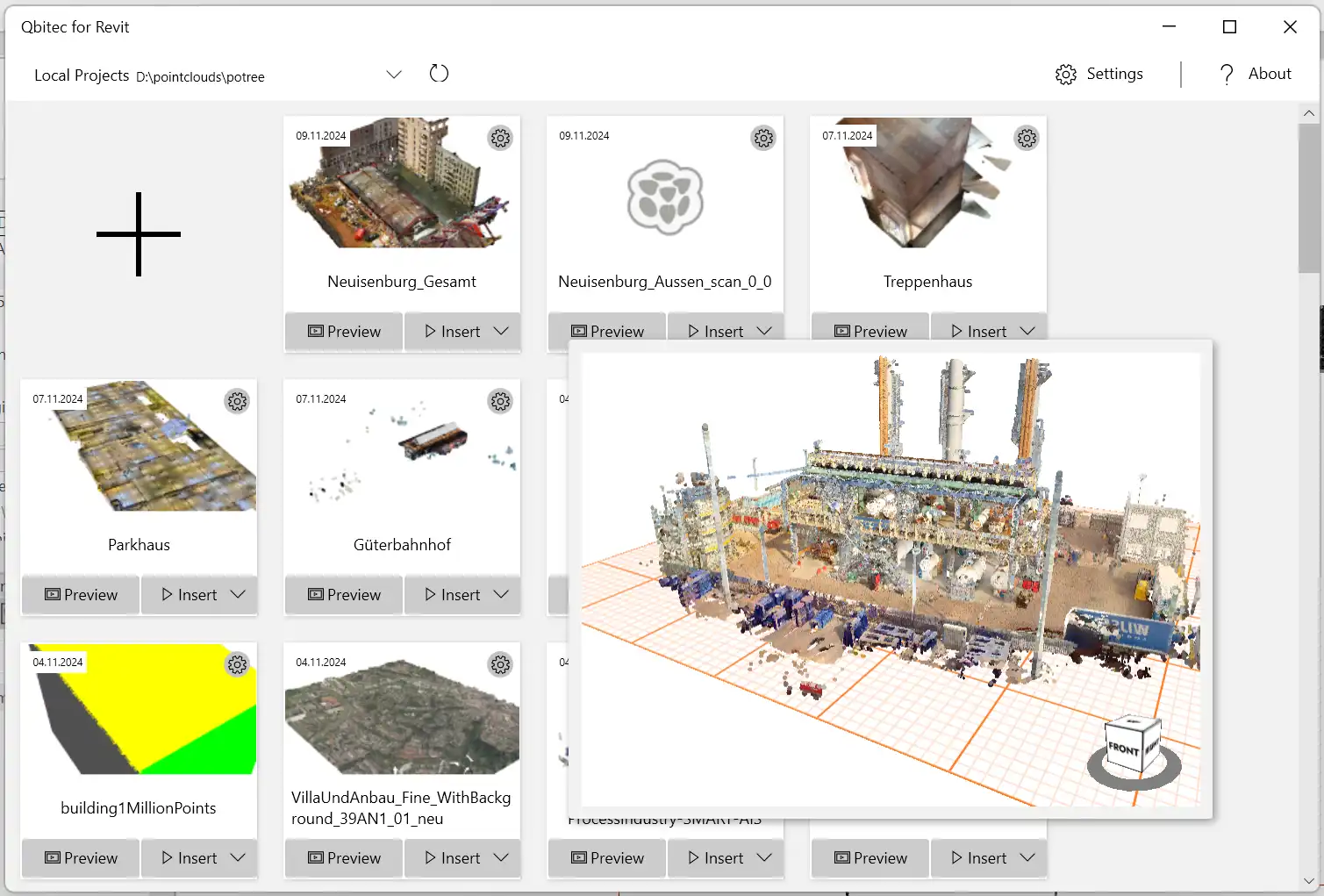
One of the standout features of QBitec is its simplified data management capabilities. With this plugin, users can import point clouds of any size from multiple vendors directly from their local hard drive or corporate network. No longer will you need to split data, reduce detail, or create local copies. QBitec supports a wide range of formats, including E57, ReCap, Riegl, Z+F, Potree (1.7 and 2.0), and Entwine, making it incredibly versatile and user-friendly.
Seamless Streaming & NavVis Integration
Another key feature of QBitec is its seamless streaming and NavVis integration. Users can stream point clouds directly from the NavVis IVION platform into Revit without the need for tedious export and data management. This integration allows for panoramic images to be streamed directly from the IVION platform and displayed within Revit, enhancing the visualization experience. Additionally, users can insert point cloud data from publicly accessible URLs, further expanding the plugin's capabilities.
(Image by: Qbitec)
Advanced QA/QC Validation
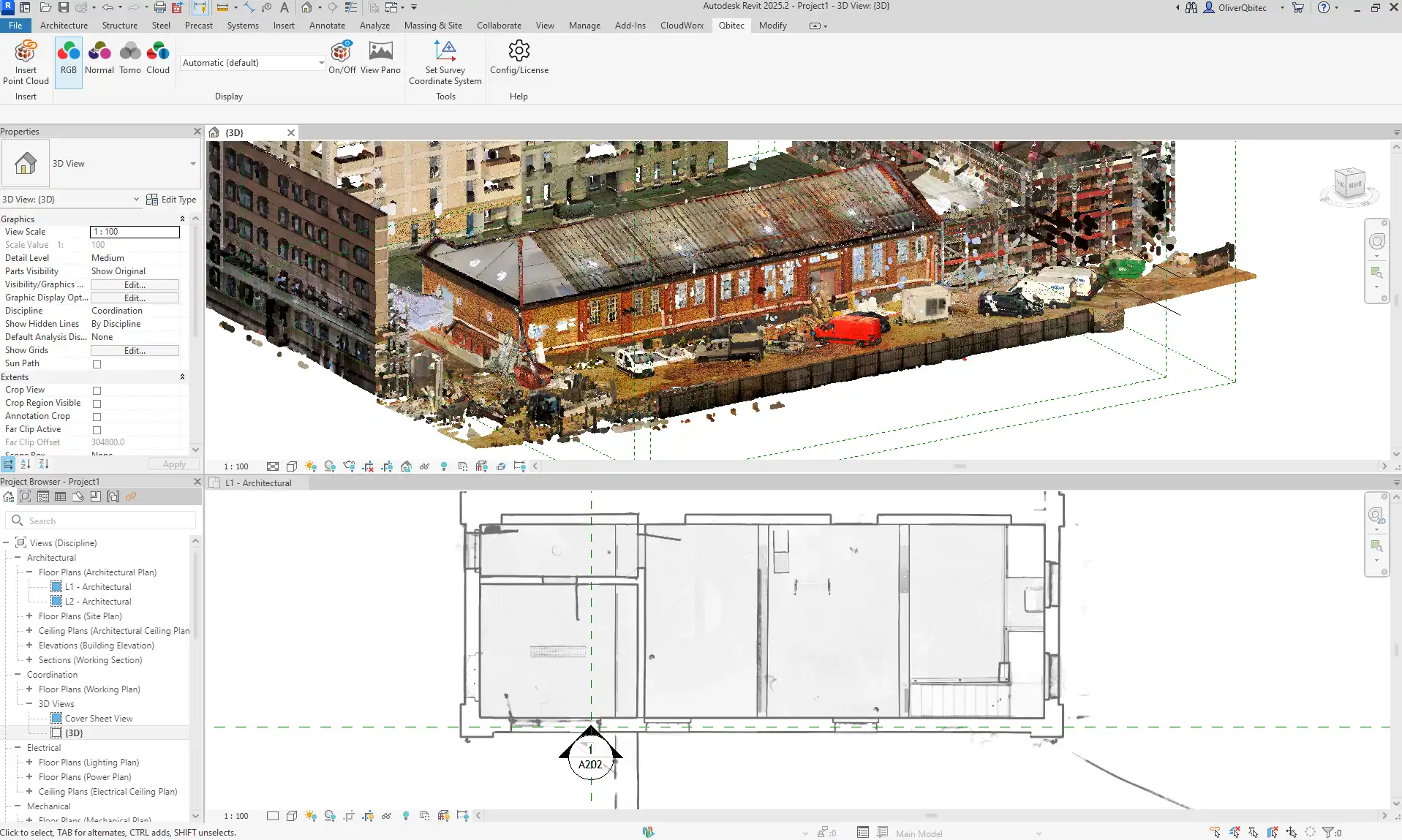
One of the most impressive aspects of QBitec is its advanced QA/QC validation features. The Quality Analysis tool allows users to compare point cloud data with selected Revit geometry and visualize distances using color maps. This feature supports flatness, deviation, tolerance, clash, and completeness checks, making it easy to spot discrepancies and validate as-built conditions. Real-time updates and intensity blending further enhance the validation process, making point cloud details more visible and actionable.
With QBitec, users can achieve better quality results in less time. The colored X-ray view allows for instant visualization of walls and features without the need for manually defining cropping planes or losing detail. Clipping Regions give users control over their views, allowing them to clip or exclude areas using different geometries, supporting multiple regions per view and saving/restoring configurations. The ability to toggle the visibility of individual point clouds and assign custom uniform colors blended with intensity further enhances the user experience.
Integrated Panoramas
QBitec offers integrated panoramas, allowing users to display panoramic images directly in the Revit 3D view and overlay them correctly on their model. This feature enhances the visualization experience and provides users with additional context when working with point cloud data.
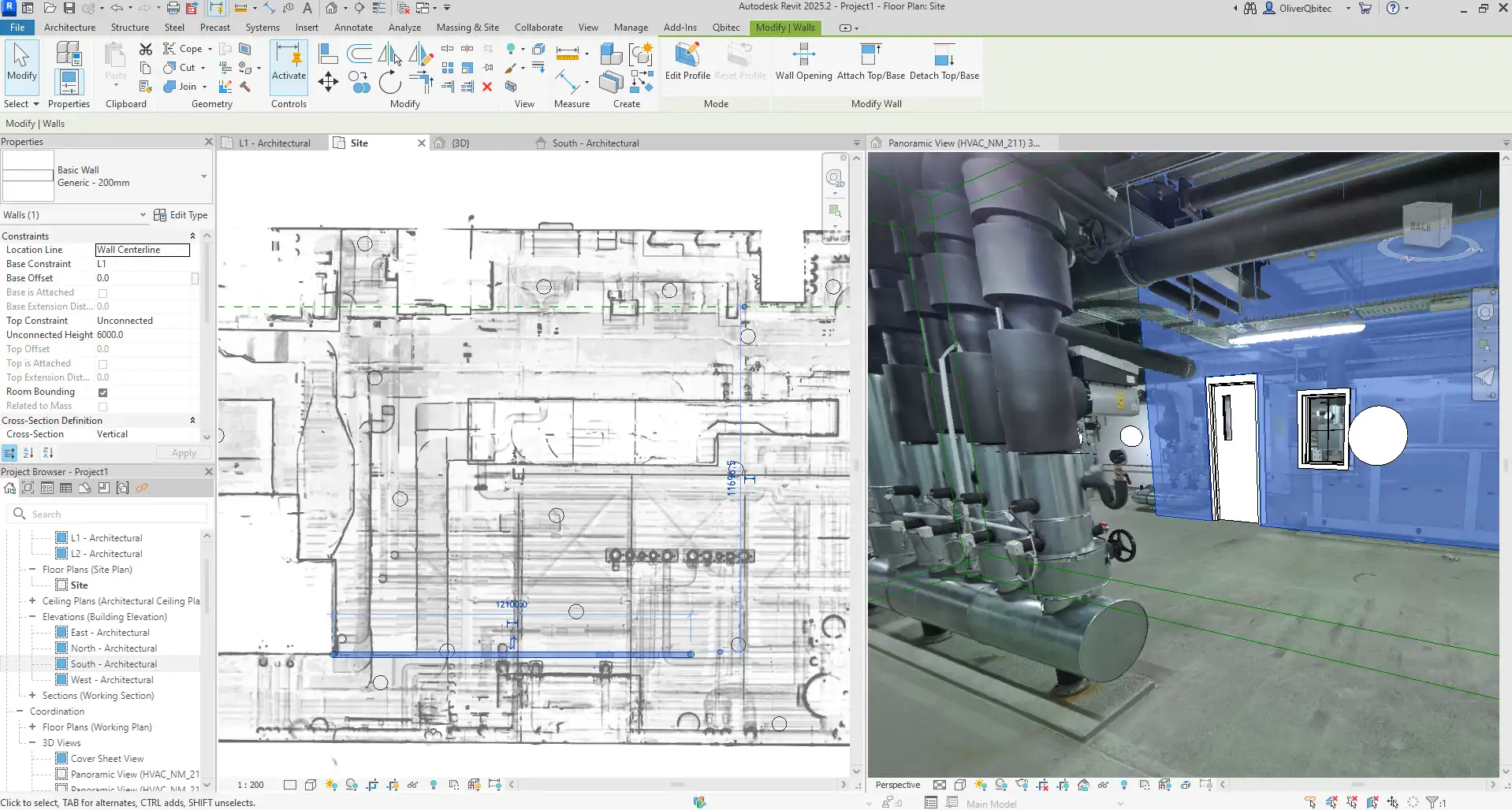
(Image by: Qbitec)
Summary
Overall, QBitec is a game-changer for Revit users looking to enhance their point cloud workflow. With seamless point cloud streaming, advanced visualization tools, and robust QA/QC features, QBitec makes managing and validating as-built data effortless. Say goodbye to tedious data management and hello to a more efficient and accurate way of working with point clouds in Revit. Give QBitec a try and experience the difference for yourself.
Similar apps:
- Free
- Free
- Free
- Free
- Free
- Free