 1 / 13
About this app
Introduction
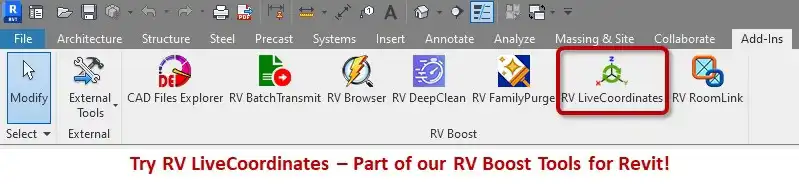
Revit users rejoice! RV Live Coordinates 2027 is here to revolutionize the way you track and report element coordinates in your models. This powerful plugin takes the hassle out of manual updates and streamlines the entire process, saving you time and increasing your productivity. Let's dive in and explore the key features of this game-changing tool.
(Image by: RV Boost)
Automated Coordinate Reporting
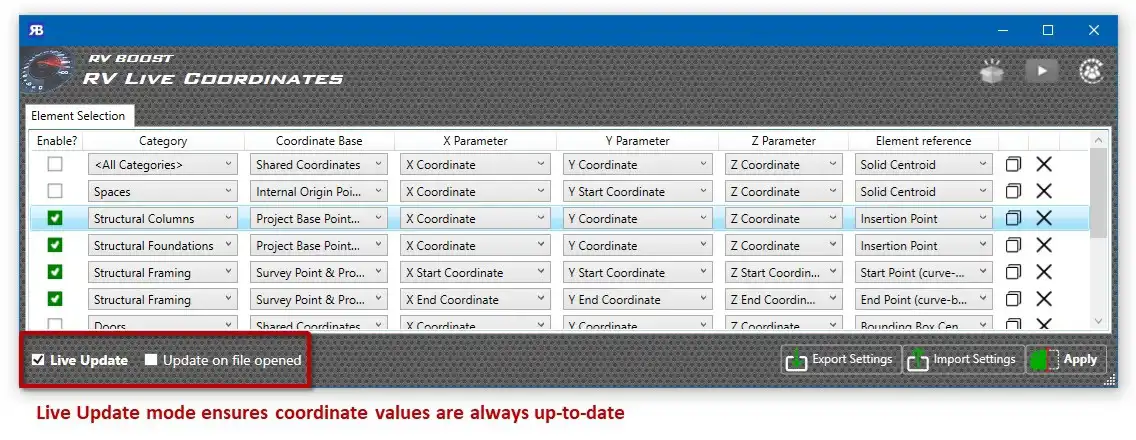
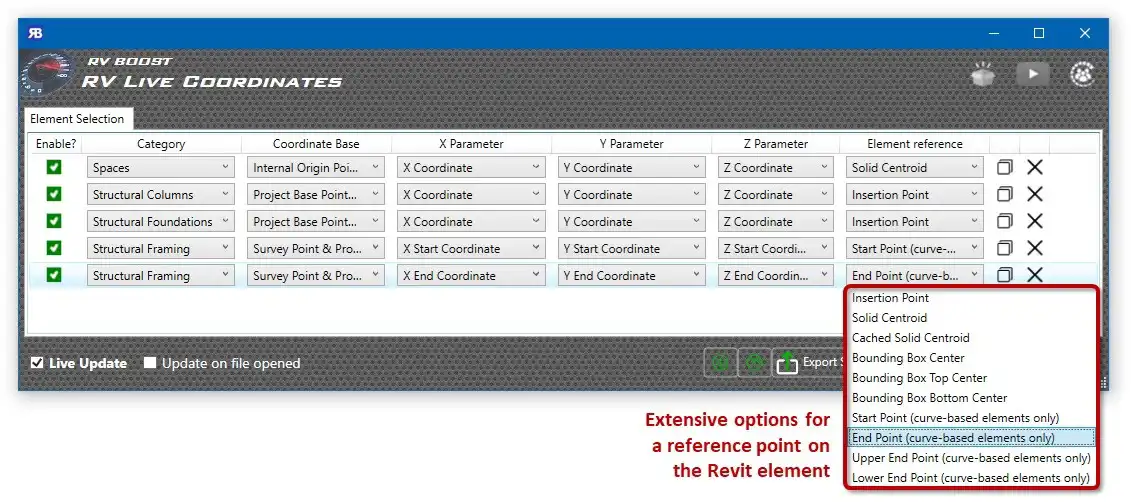
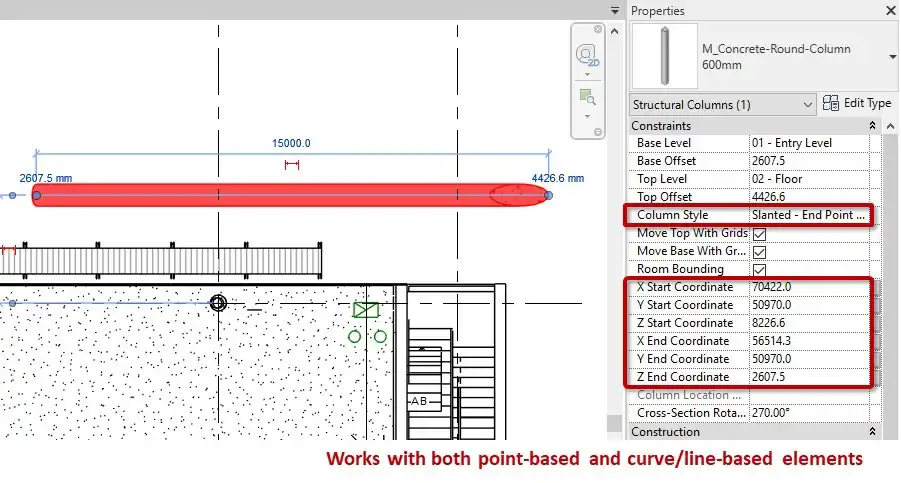
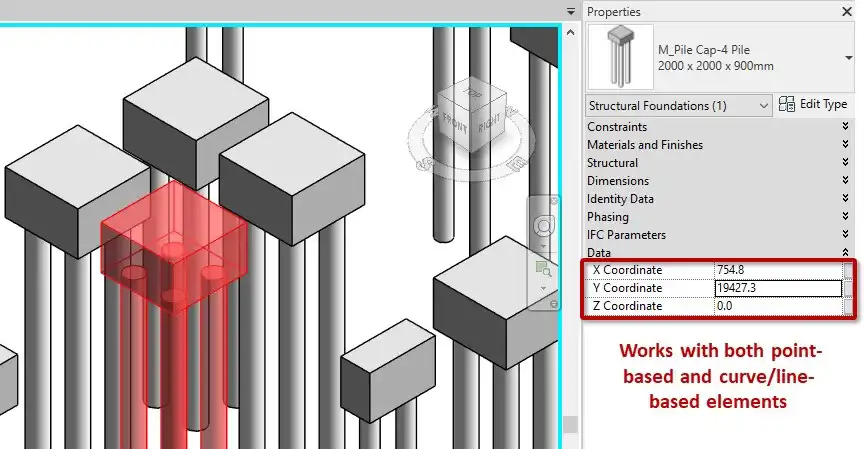
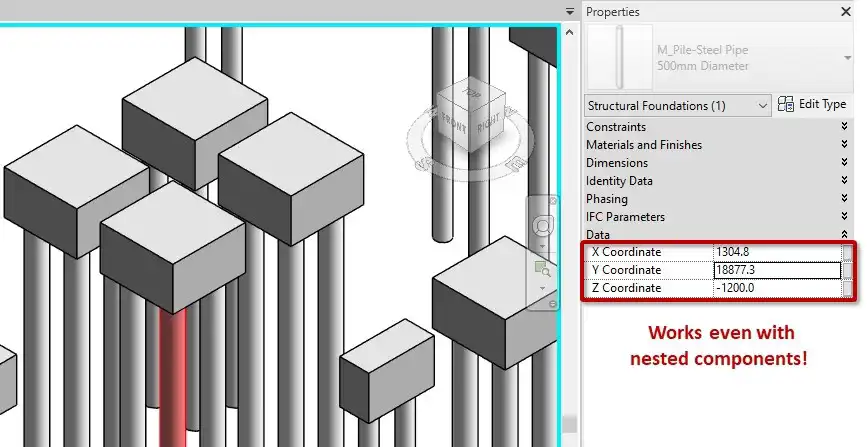
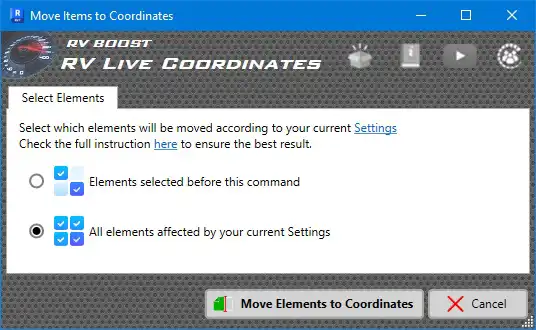
The standout feature of RV Live Coordinates 2027 is its ability to automate element coordinate tracking and reporting. Say goodbye to tedious manual updates of XYZ parameters - this plugin does it all for you. Once set up, XYZ parameters automatically update as you move elements in your model, ensuring accurate and up-to-date coordinate information.
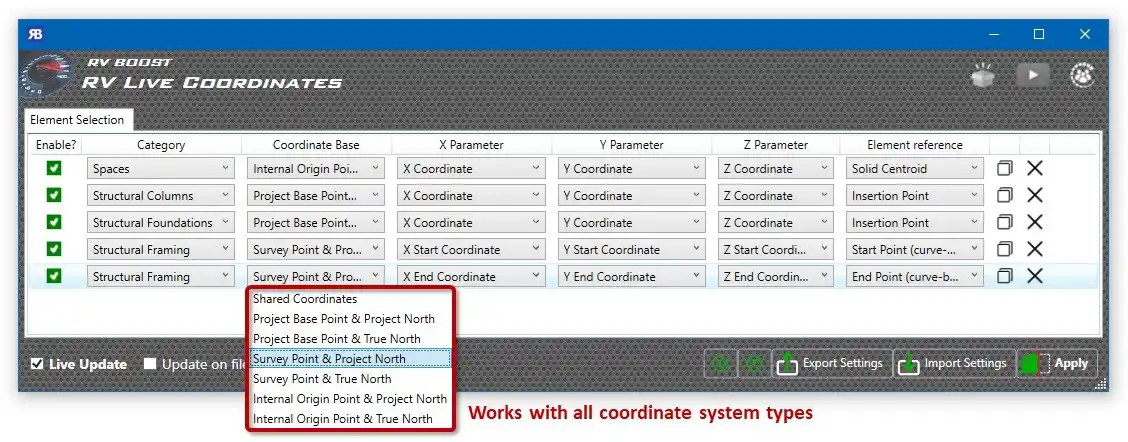
RV Live Coordinates supports all coordinate systems and element location types, giving you the flexibility to work with any type of Revit element. You can choose which point on each object to use for coordinate calculations or even specify a "coordinate marker" family nested inside each object for reporting purposes.
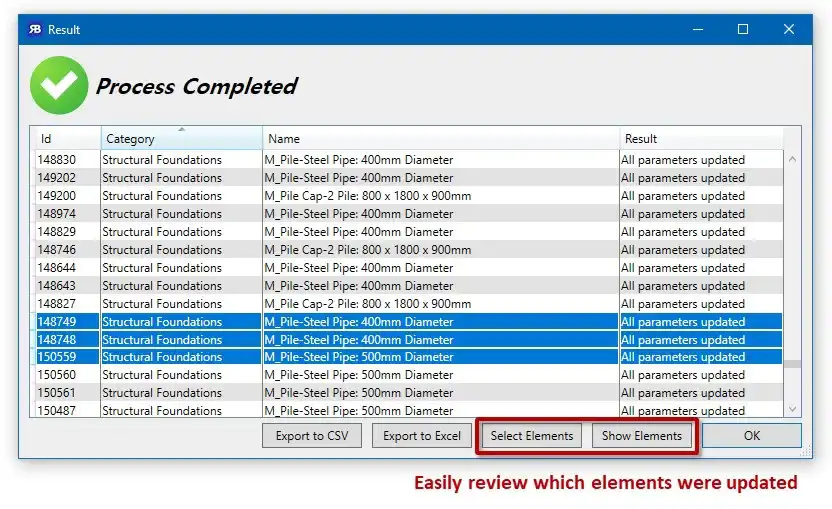
Whether you're working with point-based elements or curve/line-based components, RV Live Coordinates has you covered. It even supports nested components, no matter how deeply they are nested. The plugin allows you to set different coordinate-mapping configurations for individual Revit categories or a predefined set of selected elements, giving you full control over the reporting process.
Additionally, RV Live Coordinates lets you add default parameters for coordinate reporting if your model doesn't have them yet, making it easy to get started with the plugin and customize it to suit your needs.
(Image by: RV Boost)
Coordinate Markers Placement
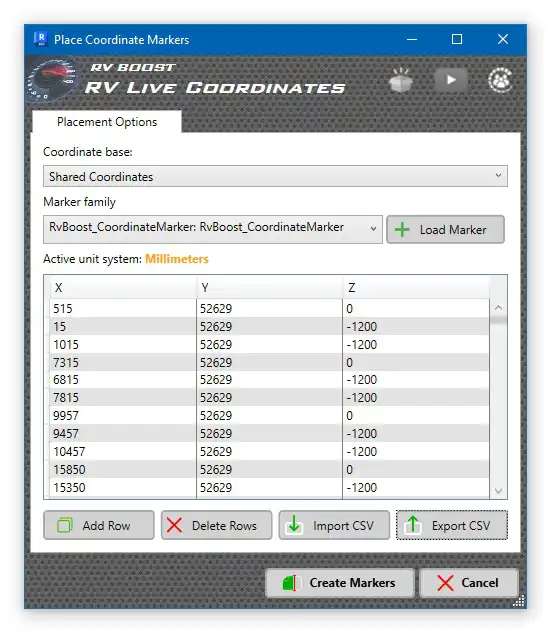
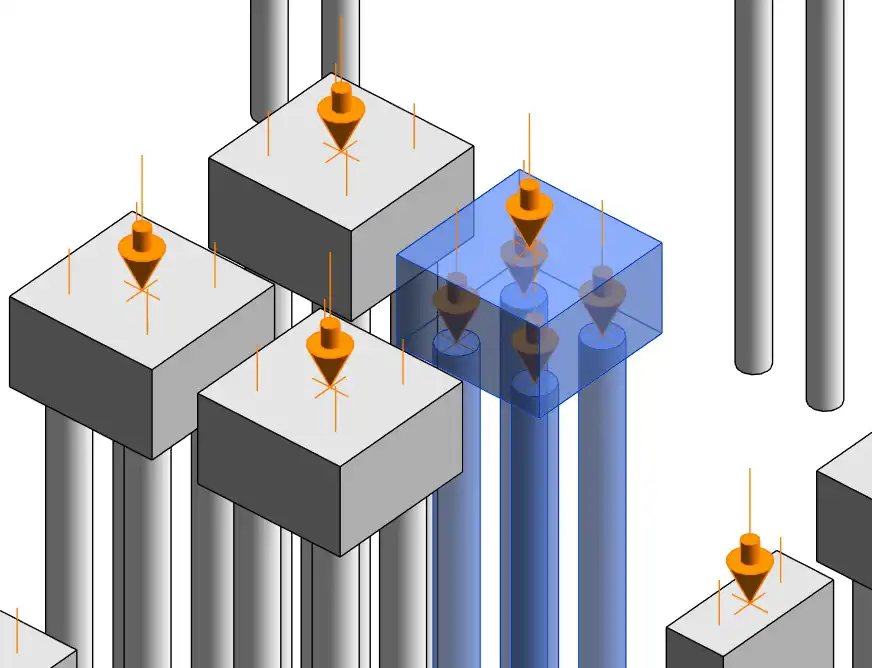
In addition to automated coordinate reporting, RV Live Coordinates offers the functionality to generate new coordinate markers using a family of your choice and at any location you desire. Whether you prefer to input marker locations manually or import them from a CSV file, the plugin makes it simple to place markers exactly where you need them.
This feature is invaluable for visualizing coordinate points within your model and ensuring accuracy in your designs. By placing coordinate markers strategically throughout your model, you can easily reference key points and make informed decisions about element placement and alignment.
(Image by: RV Boost)
Summary
RV Live Coordinates 2027 is a must-have plugin for Revit users who want to streamline their workflow and improve the accuracy of their designs. With its automated coordinate reporting and flexible marker placement options, this tool takes the guesswork out of tracking element coordinates and provides valuable insights for your projects.
Don't miss out on the opportunity to try RV Live Coordinates 2027 and experience firsthand the benefits it can bring to your Revit workflow. Visit the official website to download the trial version and unlock the full potential of this powerful plugin.
(Image by: RV Boost)
(Image by: RV Boost)
(Image by: RV Boost)
(Image by: RV Boost)
(Image by: RV Boost)
(Image by: RV Boost)
(Image by: RV Boost)
(Image by: RV Boost)
Similar apps:
- Free
- Free
- $20
- Free
- Free
- $1.99