 1 / 5
About this app
Introduction
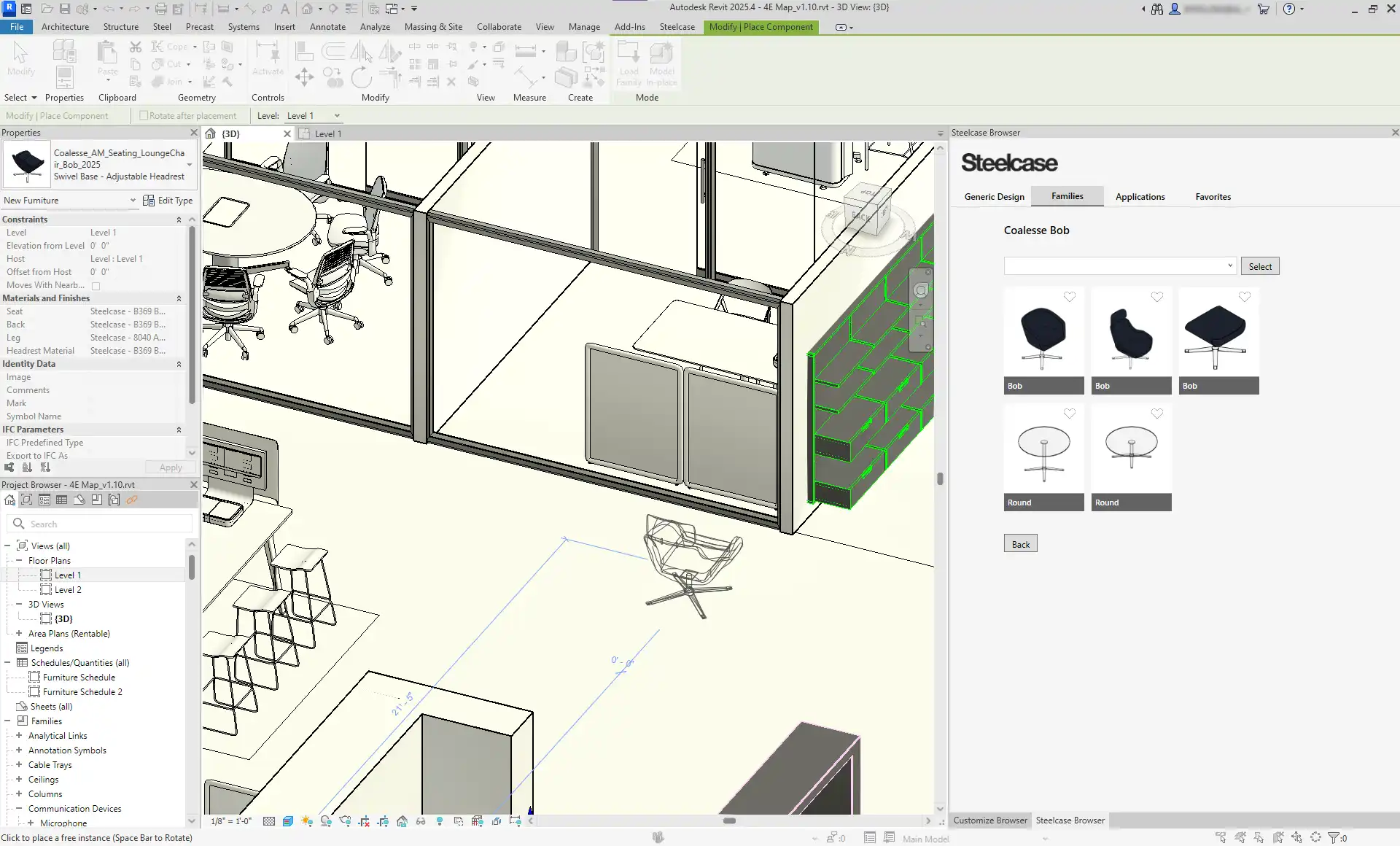
In the fast-paced world of architectural design, efficiency and accuracy are paramount. Enter the Steelcase SmartTools for Autodesk® Revit®, an innovative plugin that promises to streamline the design process for architects and designers alike. This powerful tool merges the extensive Steelcase library—encompassing a plethora of brands like Coalesse, Viccarbe, and West Elm Work—into the Revit environment seamlessly. With a suite of features designed specifically for the design community, SmartTools enhances productivity without compromising the integrity of your Revit model.
(Image by: Steelcase)
Seamless Integration and Lightweight Library
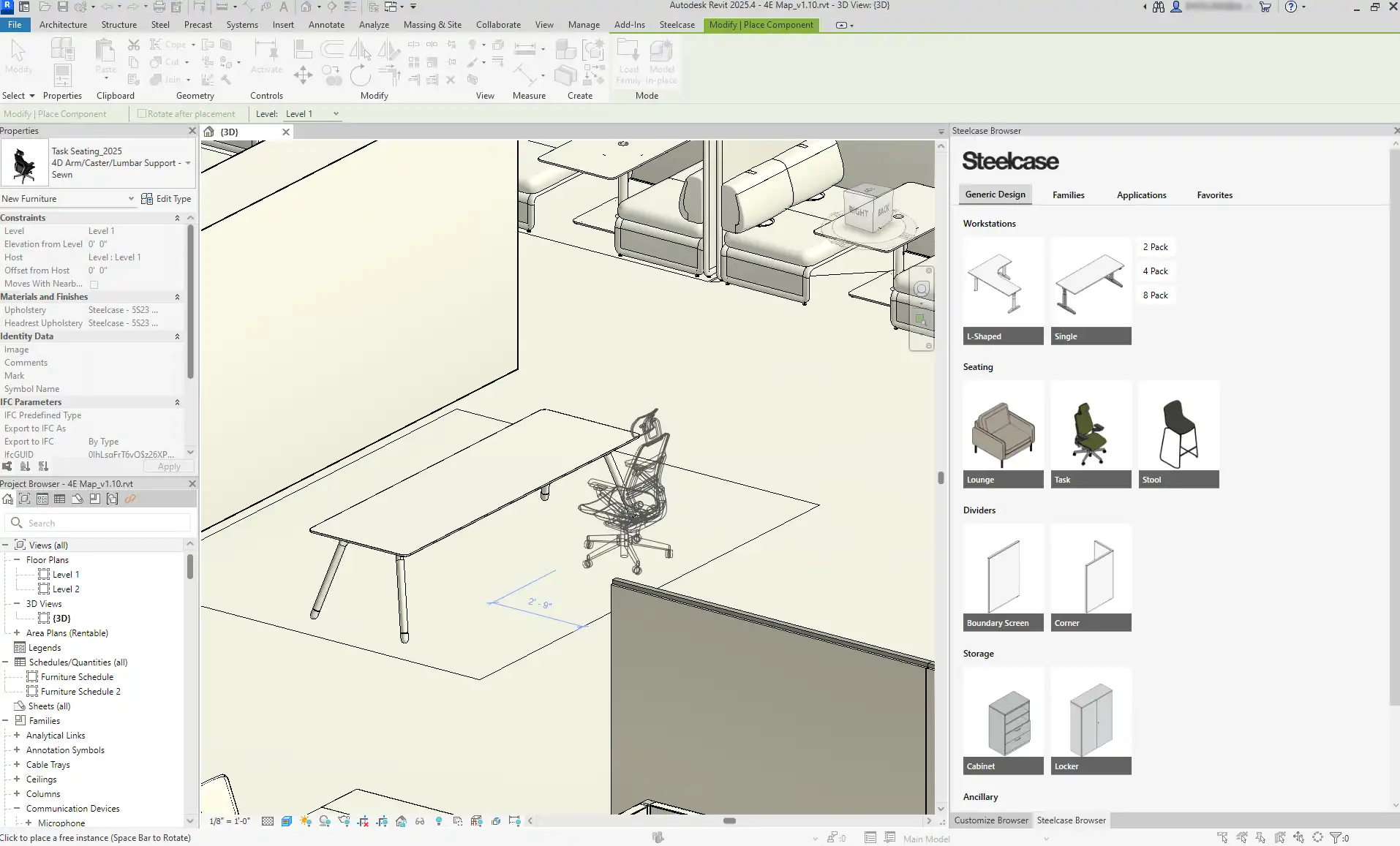
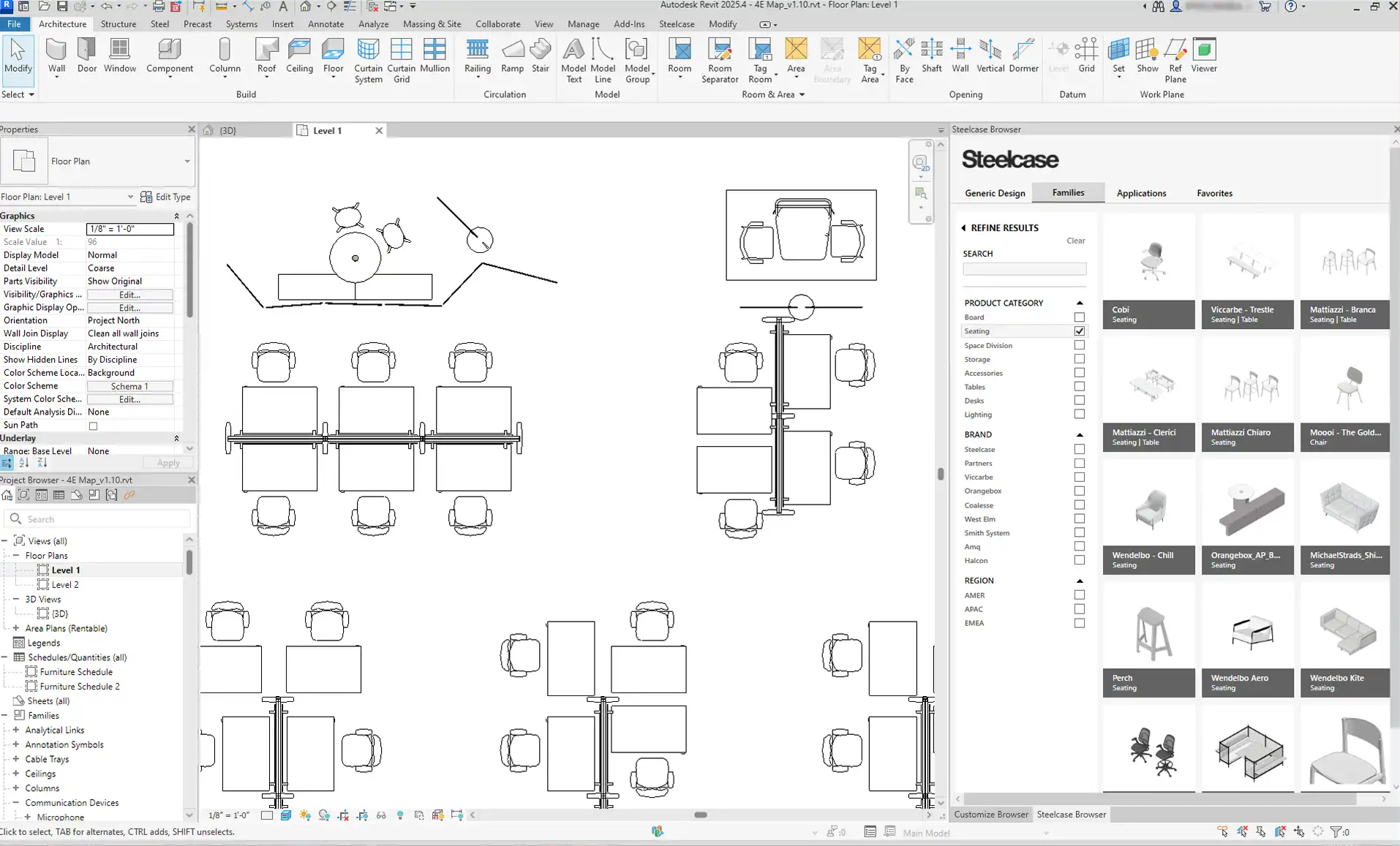
One of the standout features of the Steelcase SmartTools plugin is its lightweight, searchable, and filterable library. Unlike many plugins that can bog down your model with excessive data, SmartTools integrates effortlessly into your Revit workspace without adding unnecessary bulk. This means that designers can access high-quality, well-categorized products directly within their workflows, making it easy to search and find the right components for their projects.
The plugin's library is continuously updated, allowing users to always have access to the latest Steelcase products and those from its community of partner brands. This continuous improvement means you can say goodbye to manual file collection and outdated components, making your design process both efficient and enjoyable.
(Image by: Steelcase)
One-Click Access to Planning Ideas and Customization
Designers often find themselves in need of inspiration or quick planning solutions. Steelcase SmartTools offers a unique feature that provides access to planning ideas available on Steelcase.com. With just one click, you can incorporate these ideas into your model, significantly reducing the time spent brainstorming layouts and solutions. This feature is particularly beneficial for those working on large-scale projects where time is of the essence.
Moreover, the plugin offers a robust material library that allows you to customize finish materials across multiple families simultaneously. This means you can maintain consistency in your design while experimenting with different finishes to find the perfect look for your project. The ability to quickly populate your floor plan with generic products also helps jumpstart your project, enabling you to focus on the creative aspects of your design.

(Image by: Steelcase)
Sustainability and Community-Driven Development
In today’s design landscape, sustainability is a crucial consideration, and Steelcase SmartTools does not overlook this important aspect. The plugin provides sustainability information for products right within the tool, allowing designers to make informed choices that align with their environmental goals. This integration reflects a commitment to responsible design that is increasingly important in the industry.
Built with input from the design community, the SmartTools plugin is tailored to meet the needs of its users. Each feature has been carefully considered to enhance the design process, making it clear that the developers prioritize the feedback and experiences of real-world designers. This community-driven approach not only fosters innovation but also ensures that the plugin remains relevant and effective in addressing the evolving challenges faced by designers.

(Image by: Steelcase)
Summary
The Steelcase SmartTools for Autodesk® Revit® plugin is an invaluable resource for architects and designers looking to enhance their workflow and streamline their design processes. With its lightweight library, one-click access to planning ideas, robust customization options, and a strong focus on sustainability, this tool is designed with the user in mind. By integrating seamlessly into the Revit environment and continuously updating its offerings, Steelcase SmartTools positions itself as a must-have plugin for anyone serious about efficient architectural design.
If you’re looking to improve your design efficiency and leverage a rich library of high-quality products, give Steelcase SmartTools a try. Its user-friendly interface and powerful features may just transform your design workflow, allowing you to focus more on creativity and less on cumbersome tasks. Dive into the world of Steelcase SmartTools and experience the difference in your next project!
(Image by: Steelcase)
Similar apps:
- Free
- Free
- Free
- $50
- Free
- $4.99/month