 1 / 4
1 / 4About this app
Introduction
Revit users, listen up! If you're looking to streamline your workflow and increase efficiency in adjusting family instance elevations, then AG Height Manager is the plugin for you. This powerful Revit add-in takes the hassle out of adjusting heights by automating the process and providing precise control over elevation offsets. Say goodbye to manual adjustments and hello to accuracy, consistency, and efficiency with AG Height Manager.
(Image by: AG)
Features
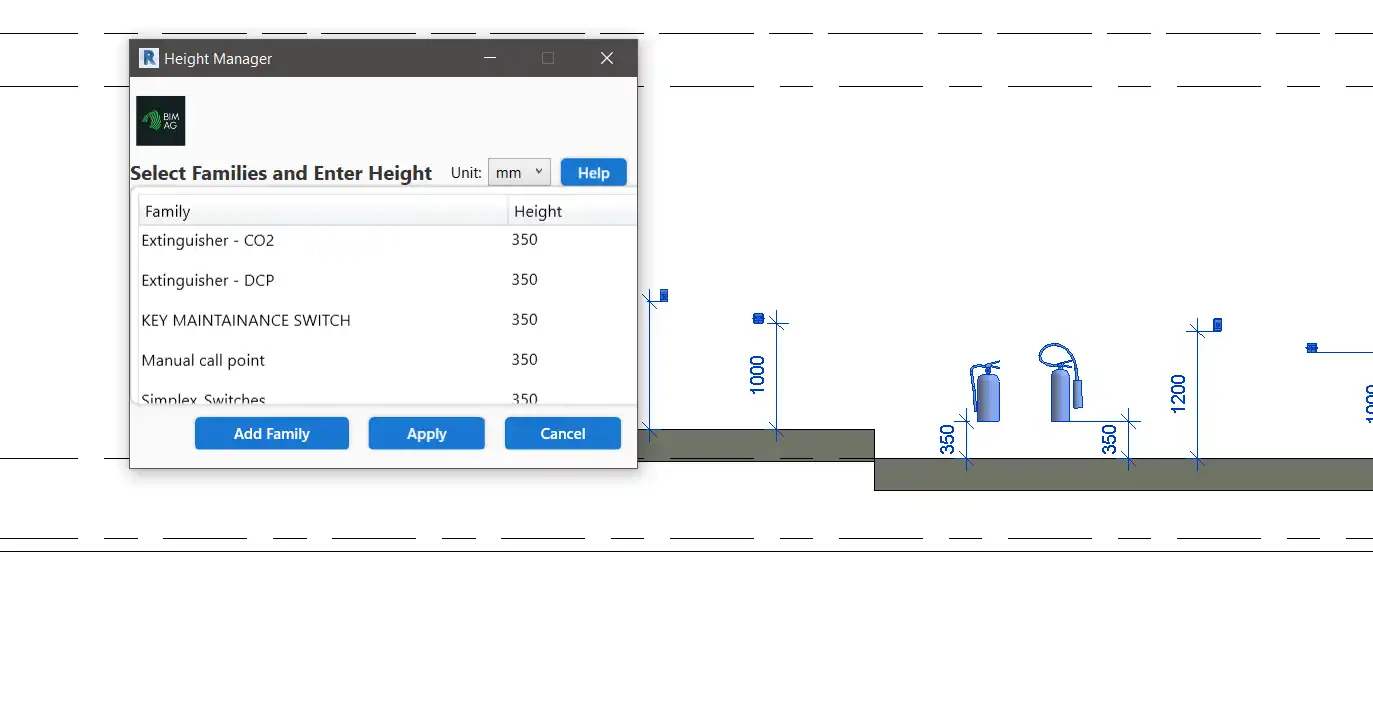
AG Height Manager offers a range of features that make it a must-have tool for any Revit user looking to enhance their BIM workflow. One of the key features is the ability to automatically adjust the elevation of selected family instances with just a few clicks. This saves time and ensures that all family placements are accurate and consistent throughout the model.
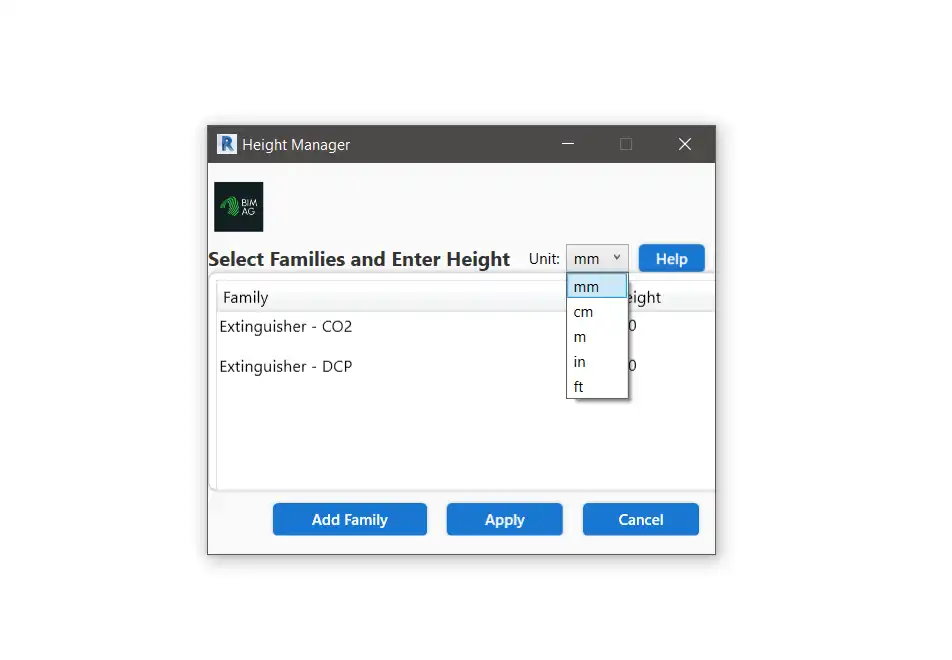
Another standout feature of AG Height Manager is its support for multiple height units, including millimeters, centimeters, meters, and feet. This flexibility allows users to work with their preferred unit of measurement, making it easy to adapt to different project requirements.
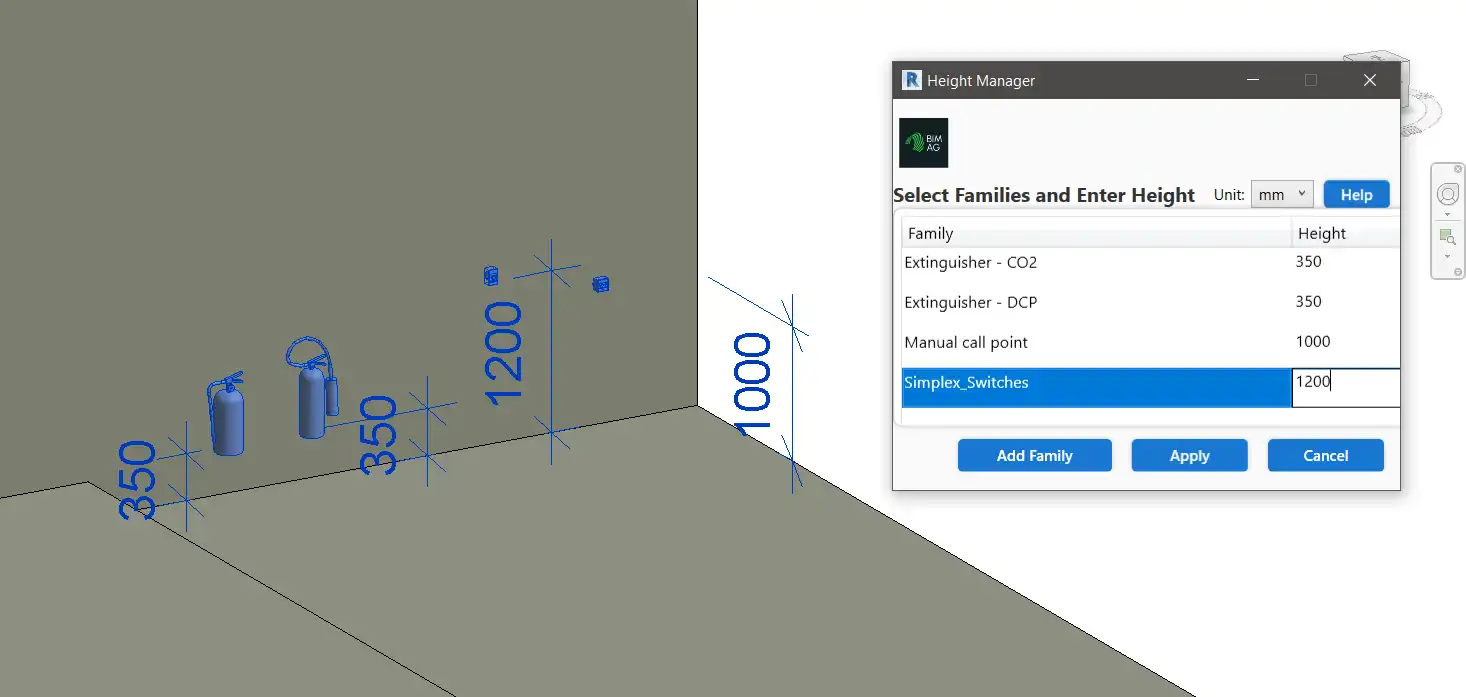
Users can also assign different height values to multiple families in a single operation, further streamlining the process and increasing productivity. By using model geometry such as floors, roofs, and structural framing as reference levels, AG Height Manager ensures that all family placements are aligned correctly.
(Image by: AG)
Interface
The interface of AG Height Manager is intuitive and user-friendly, seamlessly integrated into the Revit environment. This makes it easy for users to navigate the plugin and access its powerful features without any steep learning curve. With its simple and straightforward design, AG Height Manager enhances the overall user experience and makes adjusting family elevations a breeze.
(Image by: AG)
Conclusion
In conclusion, AG Height Manager is a game-changer for Revit users looking to elevate their BIM workflow. With its powerful features, flexible unit control, and intuitive interface, this plugin simplifies the process of adjusting family instance elevations and ensures accuracy and consistency across the model. Say goodbye to manual adjustments and hello to efficiency with AG Height Manager. Try it out today and experience the difference it can make in your Revit projects!
Similar apps:
- Free
- $40
- Free
- $100
- Free
- $1.99/month