 1 / 9
1 / 9About this app
Introduction
Revit is a powerful tool for architects and designers, but anyone who has worked with the software knows that there are certain tedious tasks that can slow down productivity. That's where Exstream Pro comes in. This Revit plugin is designed to simplify and automate a variety of tasks, from batch exporting sheets to cleaning up your model. With Exstream Pro, you can say goodbye to manual, one-at-a-time chores and hello to a streamlined workflow.
(Image by: TeamEx BIM Solutions)
Export Channels: Simplifying Batch Exporting
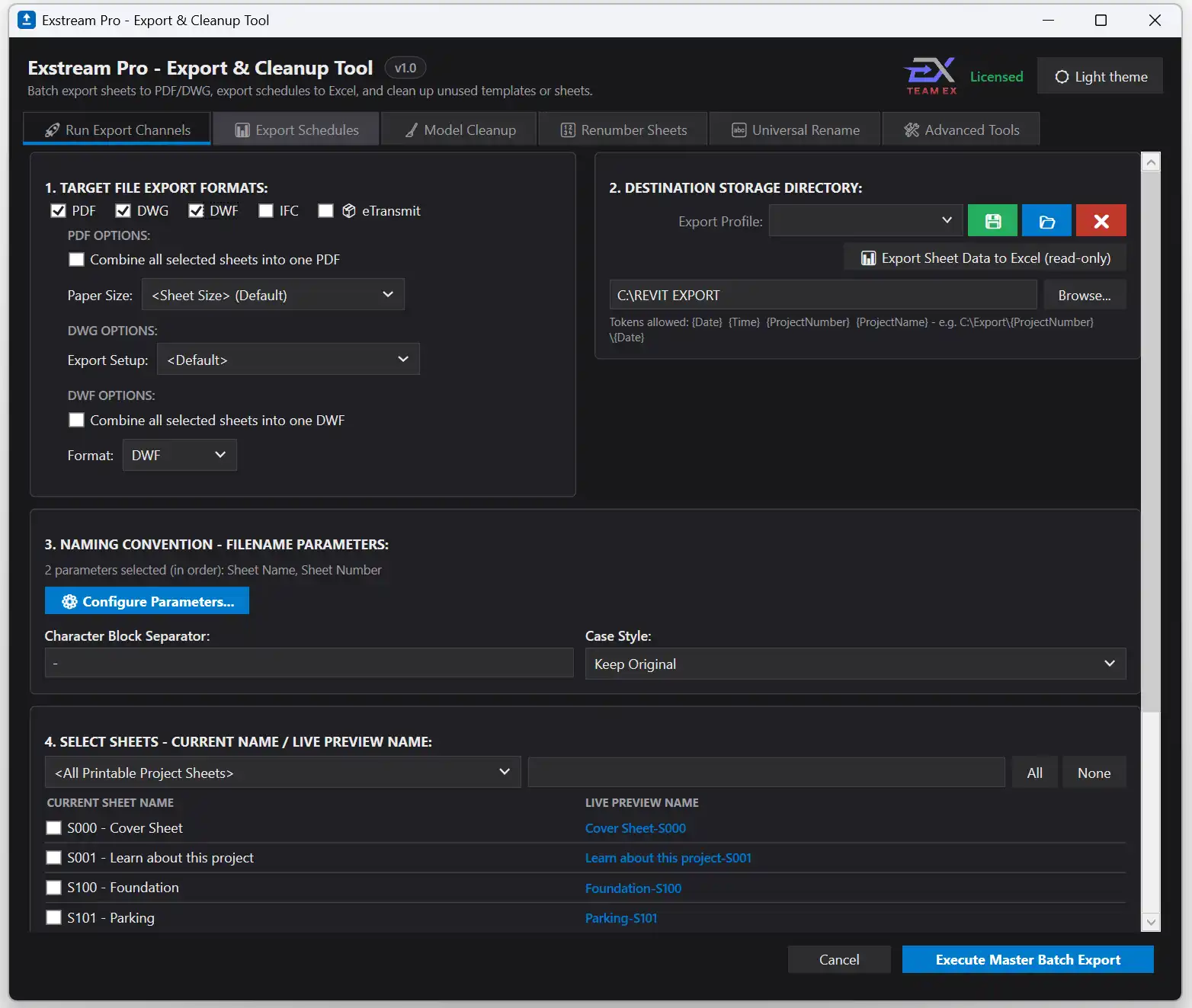
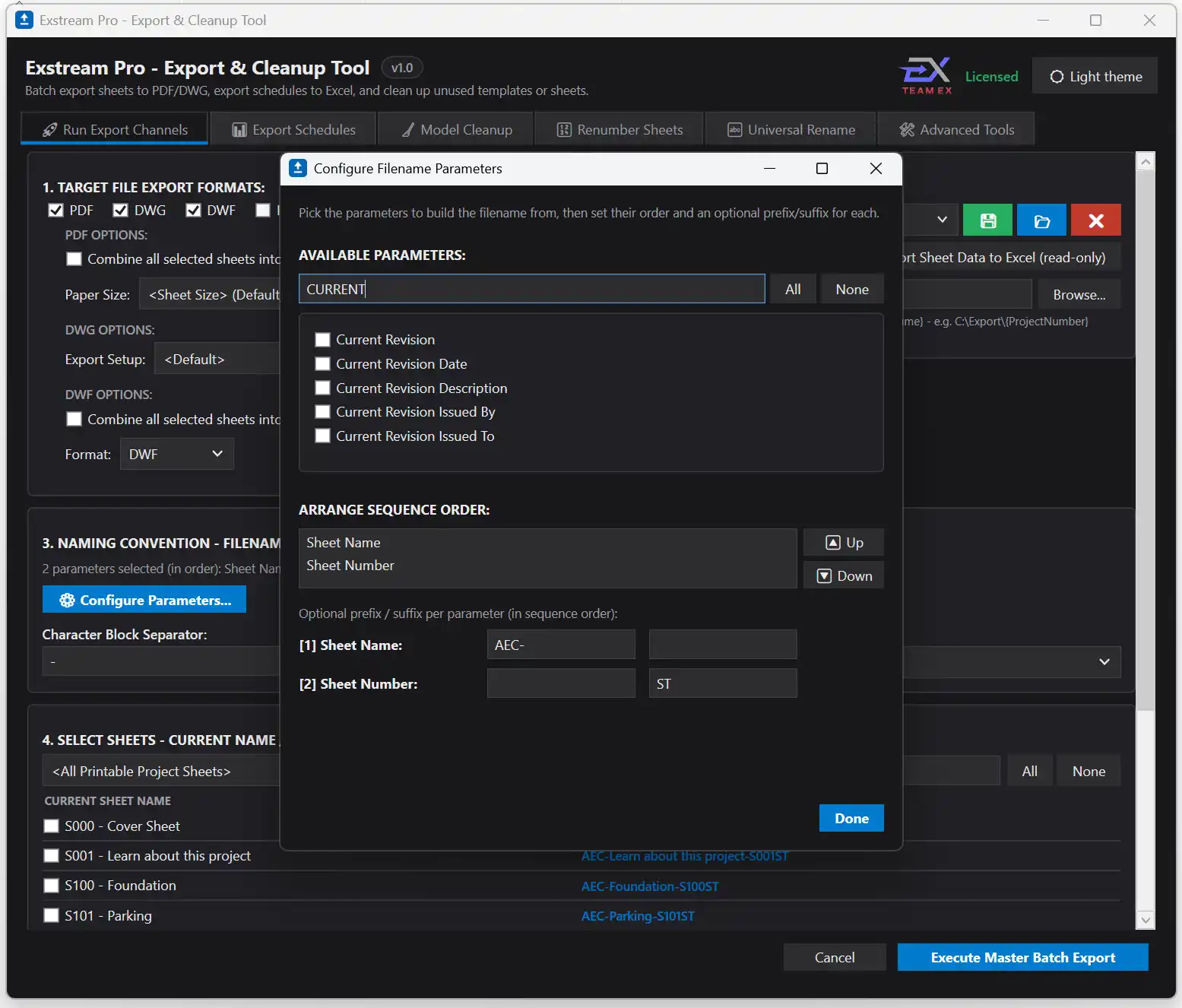
One of the standout features of Exstream Pro is its Export Channels tool. This tool allows you to batch-export sheets to various file formats such as PDF, DWG, DWF/DWFx, and IFC in a single pass. Gone are the days of exporting each sheet individually - with Export Channels, you can select the sheets you want to export and let the plugin do the rest. Additionally, you can customize the filename of each exported sheet based on your office standards, with a live preview to ensure everything looks just right. And if you prefer to have all sheets combined into one merged PDF or DWF/DWFx file, Exstream Pro has you covered.
(Image by: TeamEx BIM Solutions)
Named Profiles: Saving Time and Effort
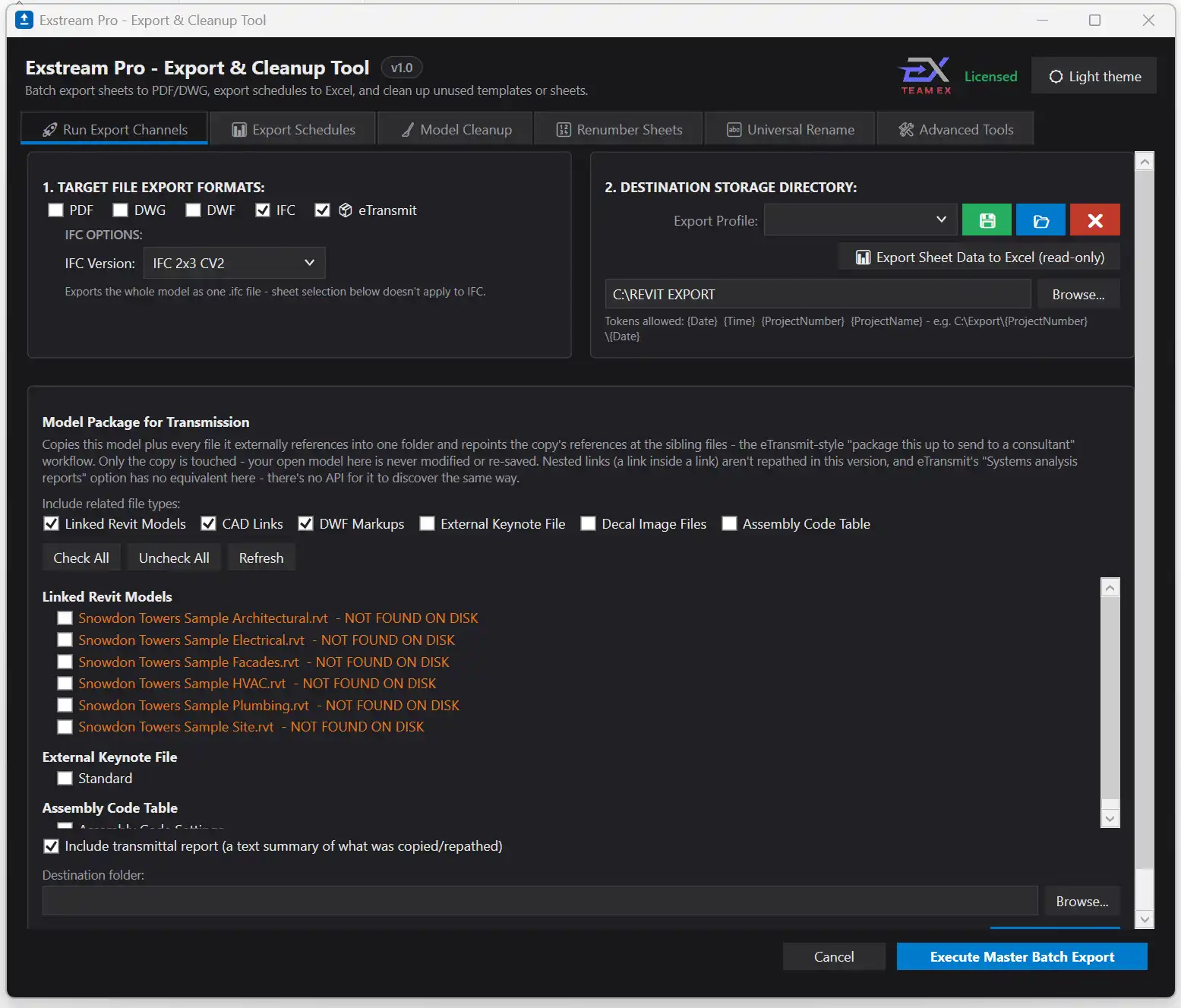
Another handy feature of Exstream Pro is the ability to save your export settings as named profiles. This means that once you've configured your preferred formats, sheet selection, and filename rules, you can save them as a profile and easily reuse them on all your projects. This saves you time and effort by eliminating the need to set up your export settings from scratch each time. The named profiles feature is a game-changer for those who frequently work on similar projects with consistent export requirements.
(Image by: TeamEx BIM Solutions)
Export Schedules and Universal Rename: Enhancing Efficiency
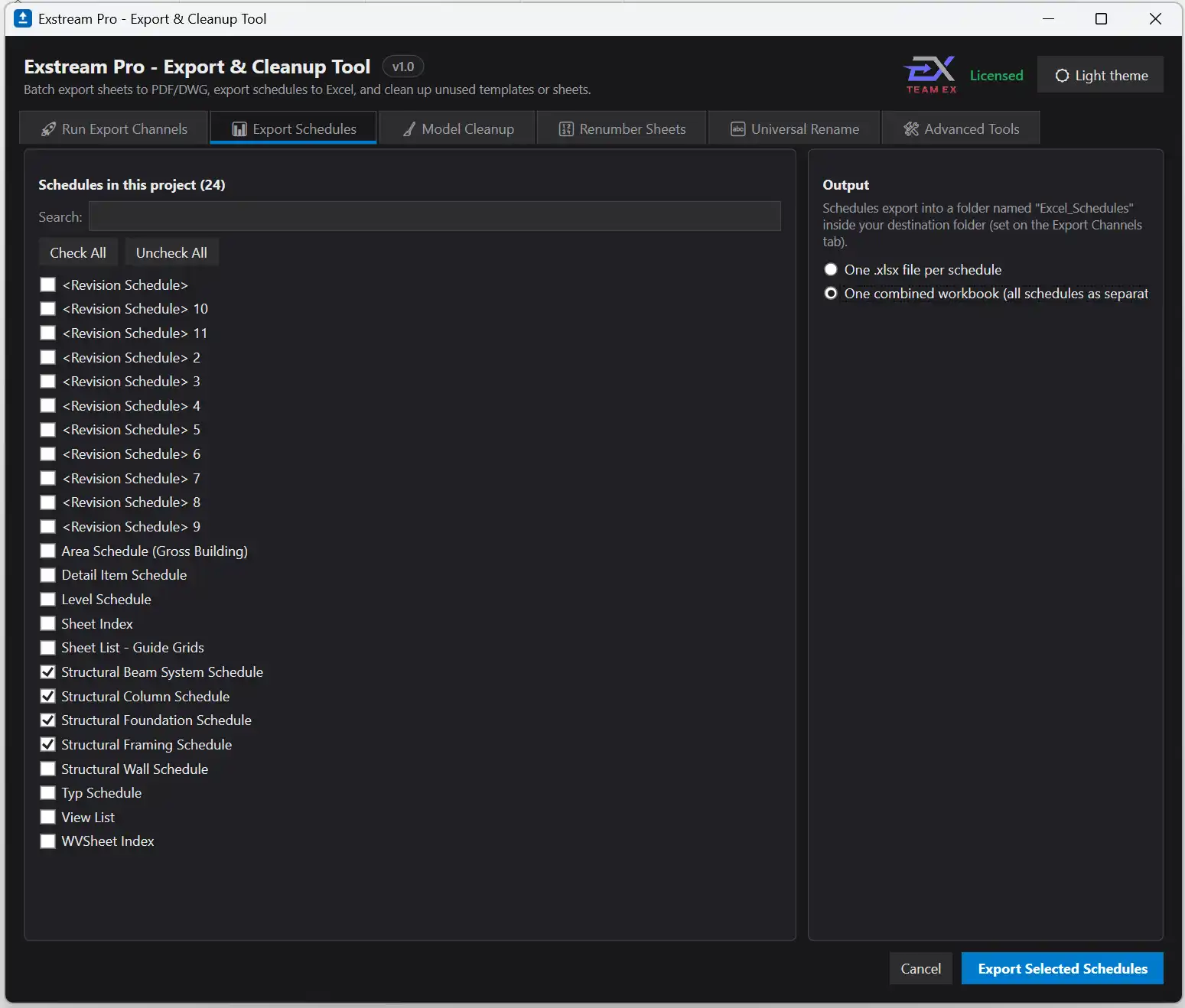
In addition to batch exporting sheets, Exstream Pro also allows you to export schedules to styled Excel workbooks. Whether you need to send a single schedule or every schedule in the model, this tool makes it easy to generate professional-looking Excel files with just a few clicks. The Universal Rename feature is another efficiency-boosting tool offered by Exstream Pro. With this tool, you can perform project-wide Find/Replace and/or Prefix/Suffix operations across Family/Type Names, Sheet Names, View Names, or Assembly Names. This powerful rename engine lets you quickly update naming conventions and ensure consistency across your project.
(Image by: TeamEx BIM Solutions)
Model Cleanup and Advanced Tools: Improving Model Quality
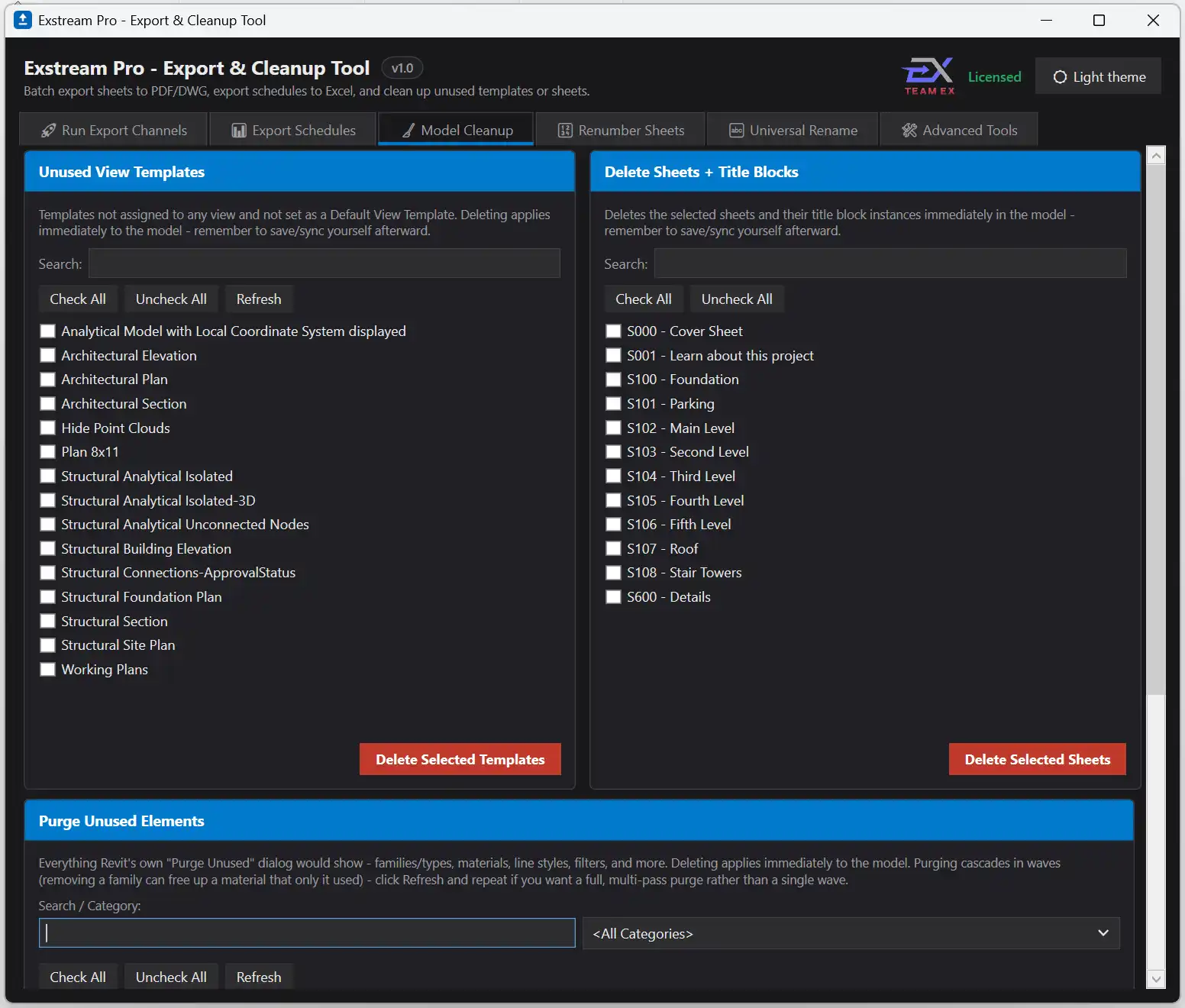
Keeping your Revit model clean and organized is essential for optimal performance. Exstream Pro includes tools for model cleanup, such as finding and deleting view templates that aren't assigned to any view, deleting sheets and their title blocks, and purging unused elements from the model. These tools help you maintain a clutter-free model and avoid unnecessary bloat. Additionally, Exstream Pro offers advanced tools like batch-swapping title blocks across multiple sheets and finding and merging duplicate or near-duplicate types. These tools help you streamline your workflow and ensure the quality of your Revit models.
(Image by: TeamEx BIM Solutions)
Summary
Exstream Pro - Export & Cleanup Tool is a must-have plugin for anyone working with Revit. By replacing manual, time-consuming tasks with automated processes, Exstream Pro helps you work more efficiently and effectively. From batch exporting sheets to cleaning up your model, this plugin offers a range of features designed to streamline your workflow and improve the quality of your Revit projects. If you're looking to enhance your Revit experience and save time on repetitive tasks, give Exstream Pro a try - you won't be disappointed!
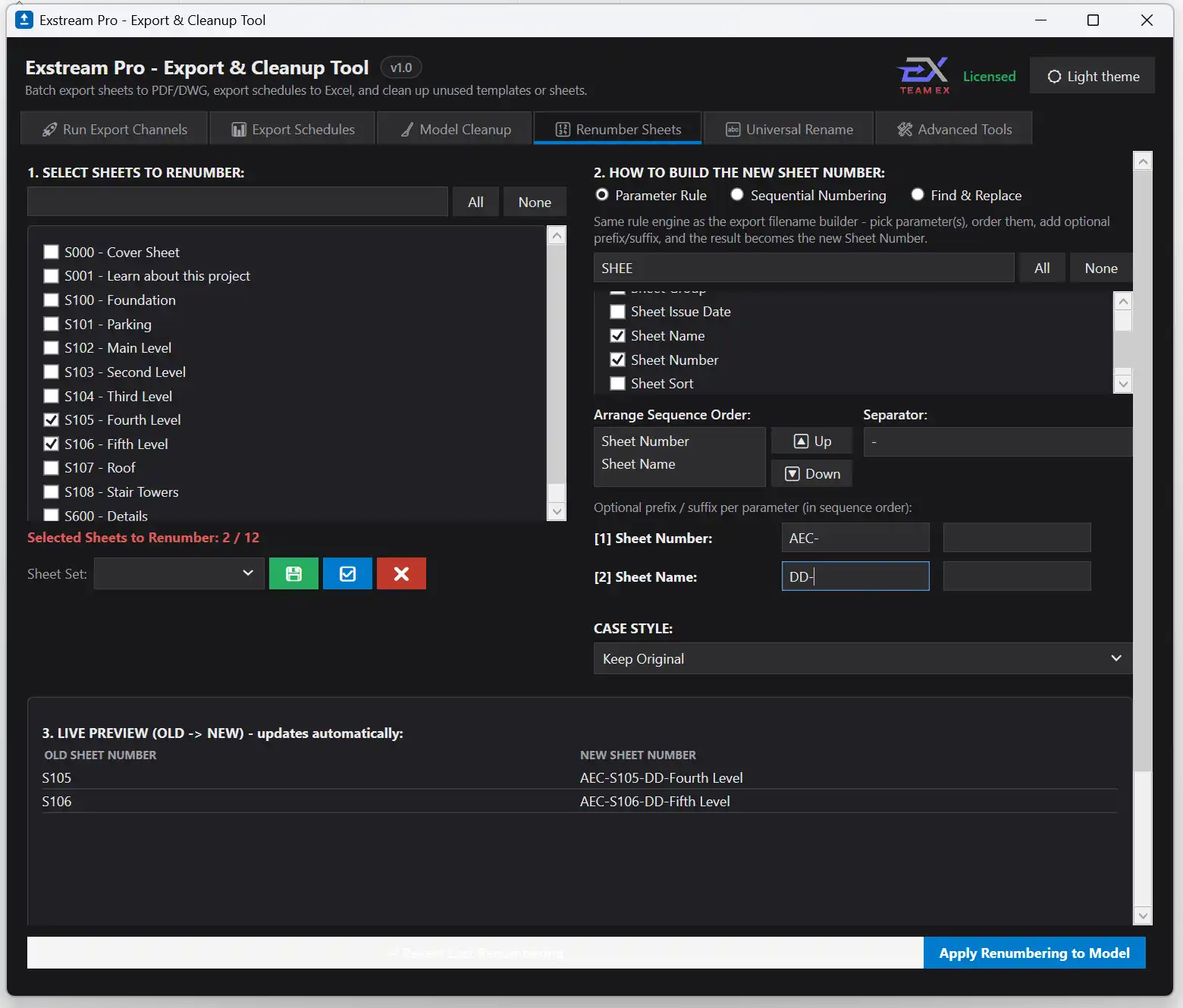
(Image by: TeamEx BIM Solutions)
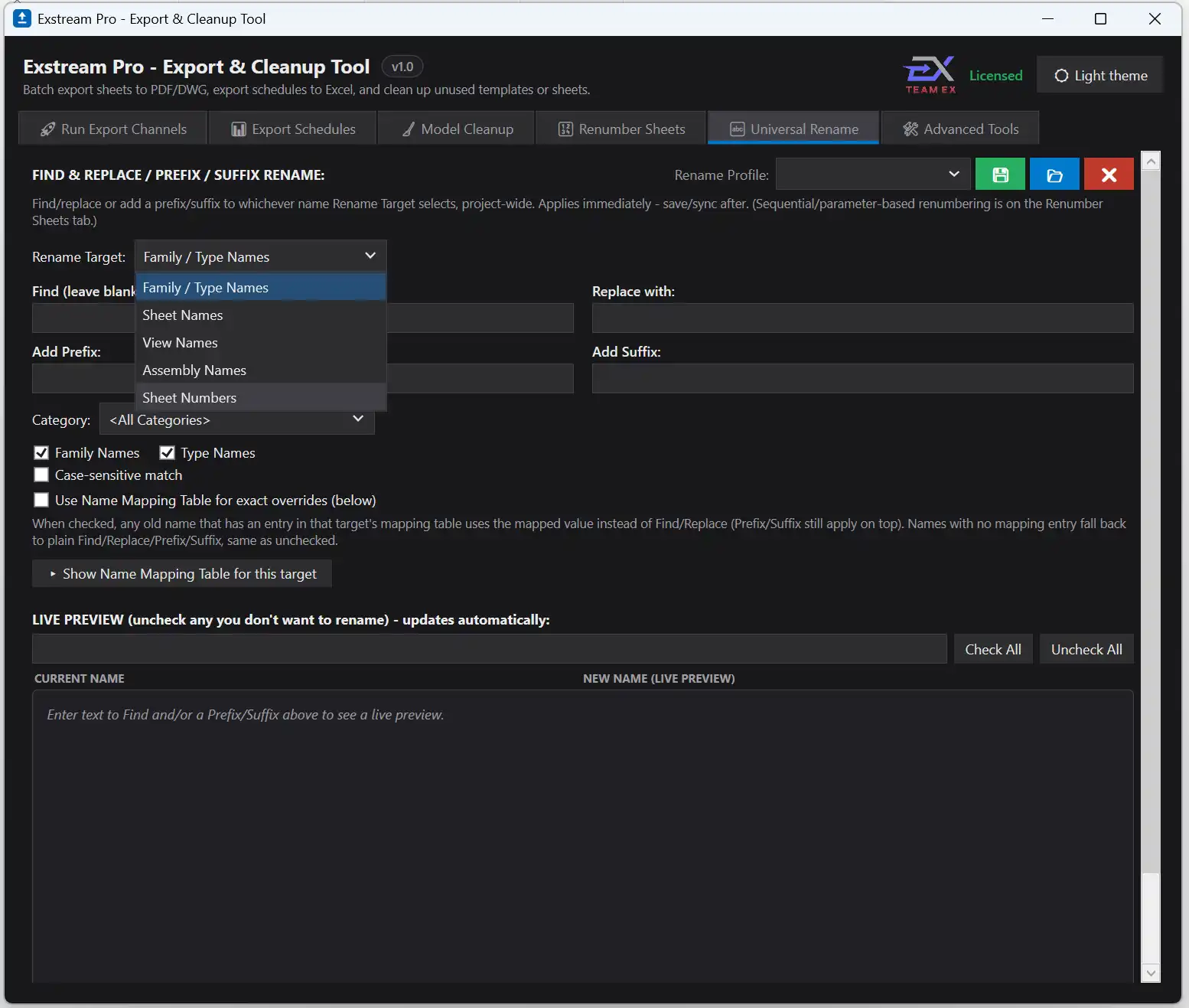
(Image by: TeamEx BIM Solutions)
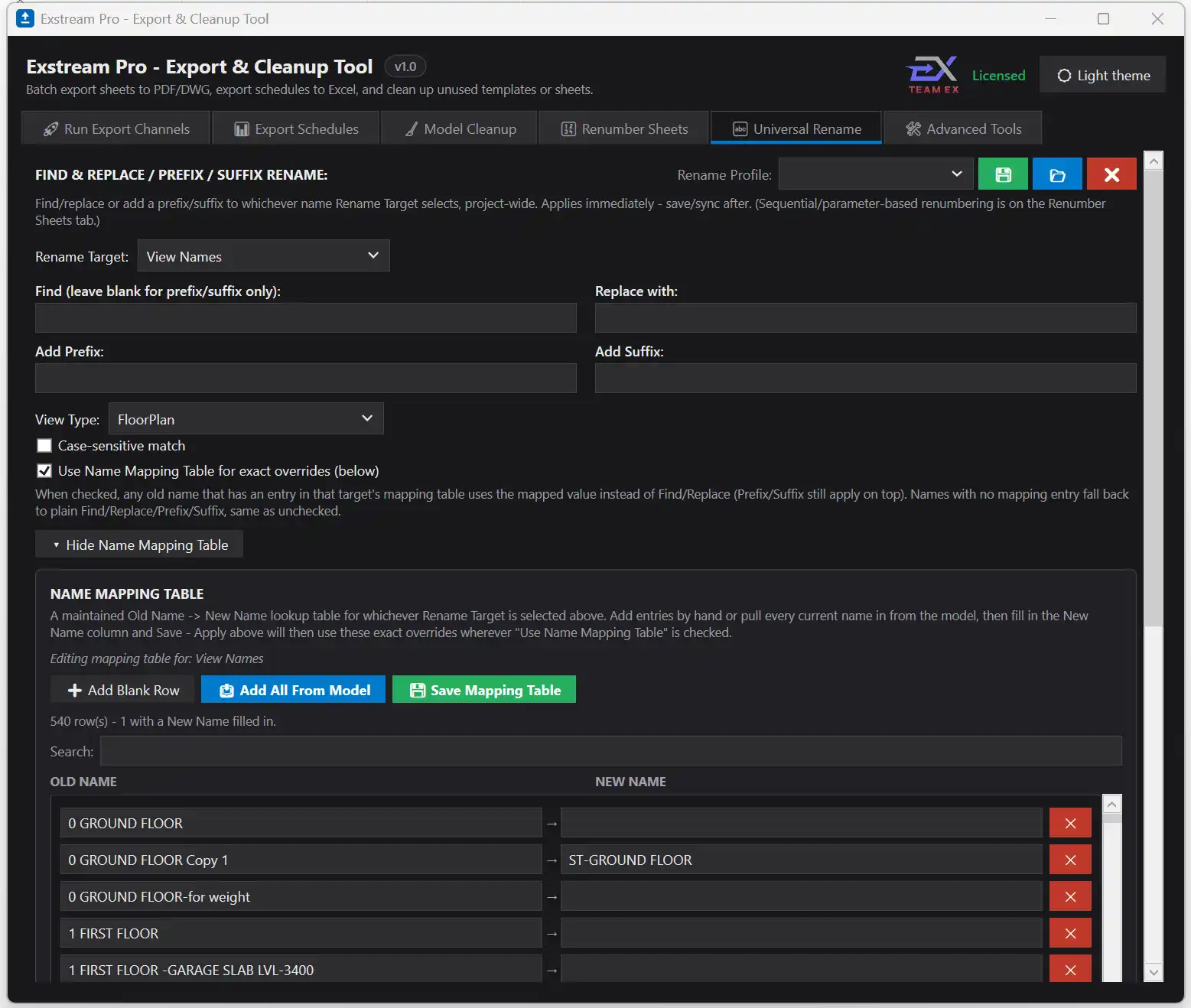
(Image by: TeamEx BIM Solutions)
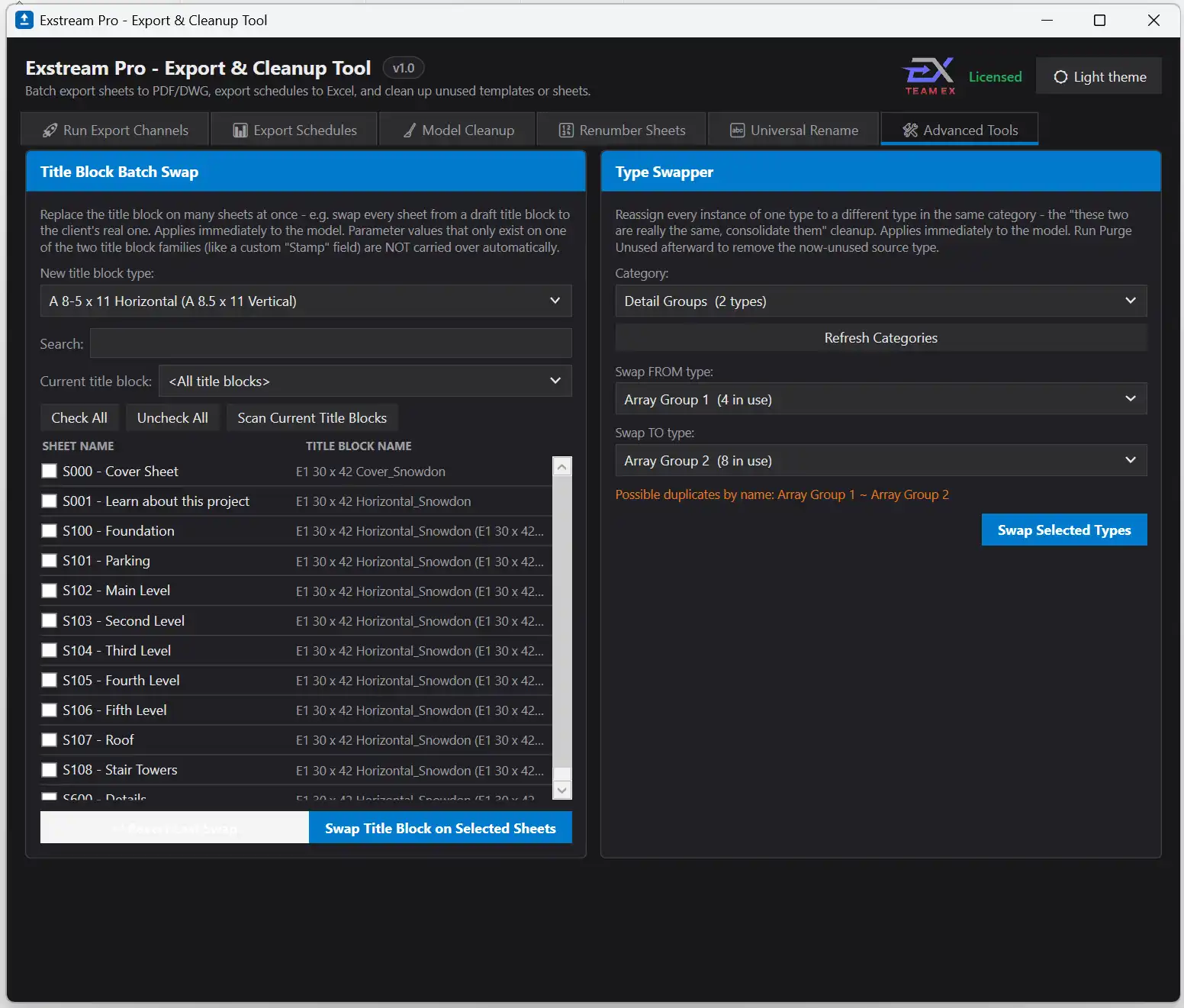
(Image by: TeamEx BIM Solutions)
Similar apps:
- Free
- $5
- Free
- $50
- $30
- Free