RVT Plugins
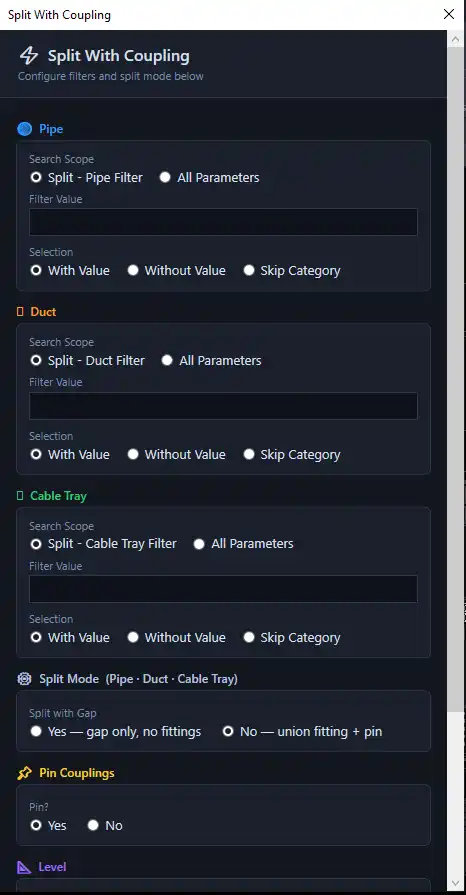
Ever had a large Revit model with multiple risers and needed to split pipes ducts, or cable trays at every level interse1 / 40

About this app

Introduction

In the ever-evolving world of Mechanical, Electrical, and Plumbing (MEP) engineering, time efficiency and accuracy are paramount. Zaki MEP Tools emerges as an indispensable Revit plugin tailored for plumbing, fire-fighting, and HVAC engineers. This dynamic toolkit streamlines the design process by automating repetitive tasks, allowing professionals to focus on the creative and critical aspects of their projects. In this review, we will delve into the powerful features of Zaki MEP Tools and how they transform MEP workflows.

Ever had a large Revit model with multiple risers and needed to split pipes ducts, or cable trays at every level interse

(Image by: Zaki Tools)

Core Features of Zaki MEP Tools

Zaki MEP Tools brings a wealth of features that cater specifically to the unique challenges faced by MEP engineers. One standout feature is the SPLIT & MERGE functionality. This allows users to effortlessly split vertical pipes, ducts, and cable trays at specified levels, with or without coupling. The Merge Split option enables the merging of previously split elements back together, ensuring a flexible and efficient workflow that adapts to changing project requirements.

Another impressive feature is the CHANGE LEVEL capability, which automatically reassigns MEP elements to their nearest level. This functionality minimizes manual adjustments, saving engineers significant time and reducing the likelihood of errors in the design phase.
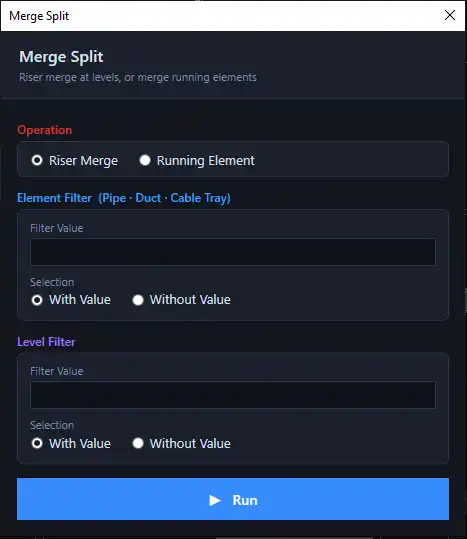
Risers are the backbone of any multi-story MEP network.
But when a continuous riser gets split — whether due to level-by
Risers are the backbone of any multi-story MEP network. But when a continuous riser gets split — whether due to level-by

(Image by: Zaki Tools)

Fire Fighting Solutions

For those specializing in fire-fighting systems, Zaki MEP Tools offers exceptional features tailored to enhance fire safety design. The Generate SPK From Rooms tool allows engineers to select a level, choose a hazard classification, and a sprinkler family, automatically generating a spacing-compliant sprinkler layout hosted to ceilings. This feature not only simplifies the design process but also ensures compliance with essential safety regulations.

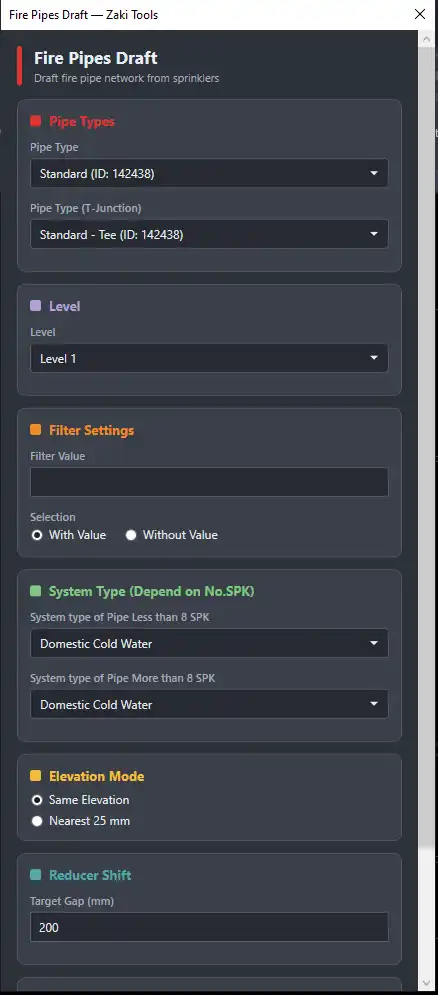
Furthermore, the Pipe Size function allows users to size fire-fighting pipes according to NFPA 13 Light/Ordinary Hazard schedules, ensuring that all fire safety measures are up to code. The Fire Pipes Draft tool intelligently assigns system types while drafting, significantly cutting down on the time spent on manual adjustments.

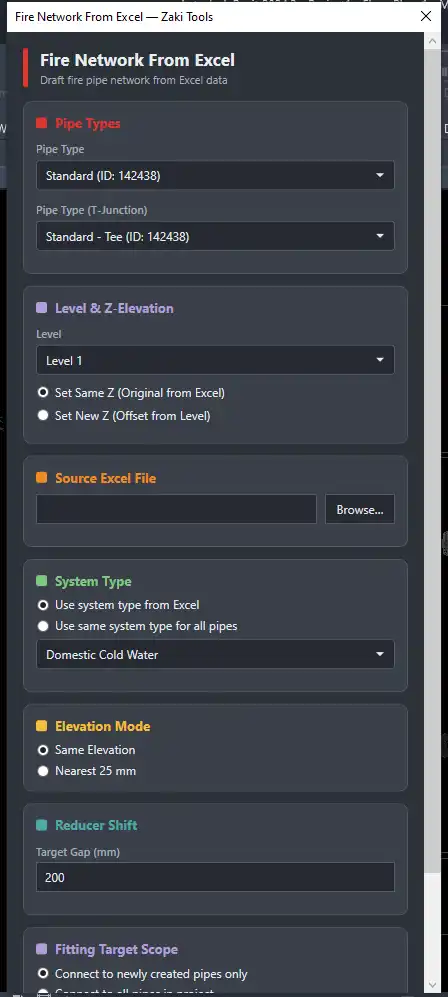
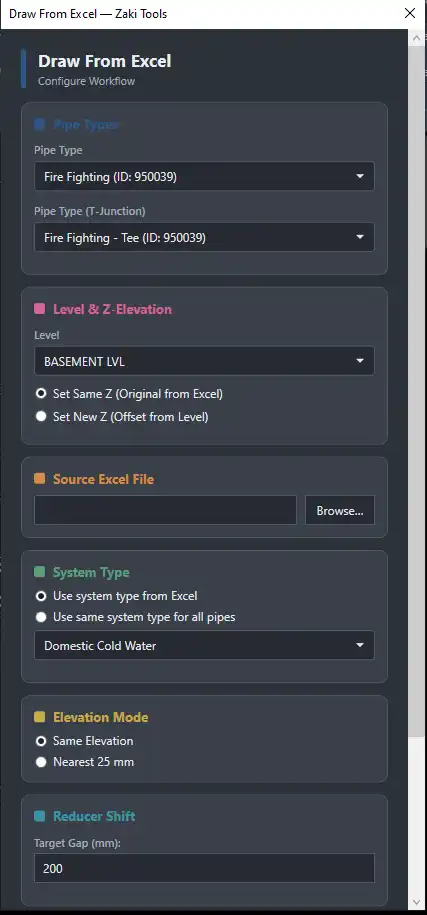
Zaki MEP Tools also provides seamless integration with data management through features like Fire Network From Excel. This innovative option enables engineers to draft a complete fire-fighting pipe network directly from an Excel file, complete with automatic tee and reducer creation and system-type allocation based on sprinkler counts. This level of automation is a game-changer for engineers dealing with large projects, significantly enhancing productivity.
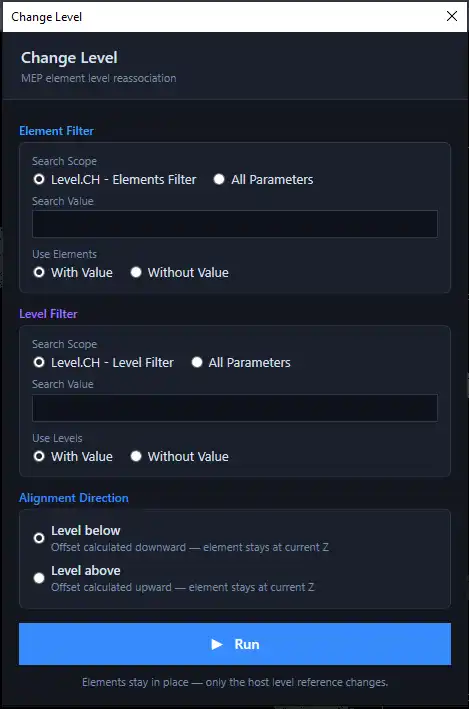
Every MEP engineer working in Revit has faced this situation:
A pipe, duct, or cable tray run gets modeled on the wrong
Every MEP engineer working in Revit has faced this situation: A pipe, duct, or cable tray run gets modeled on the wrong

(Image by: Zaki Tools)

Enhanced Usability and Connectivity

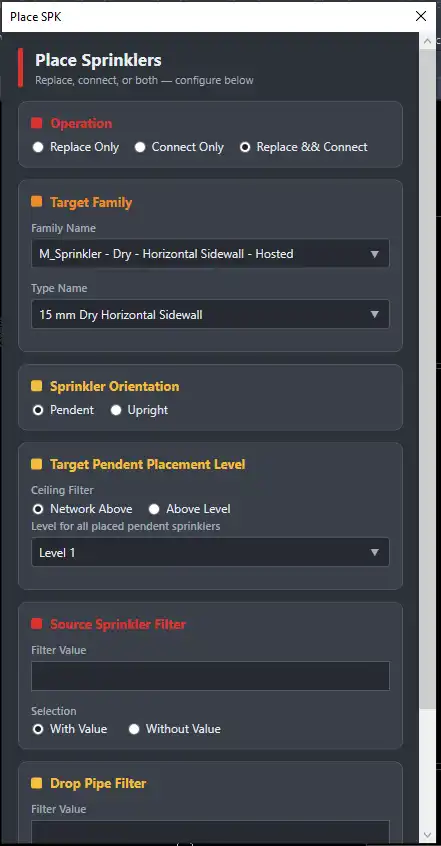
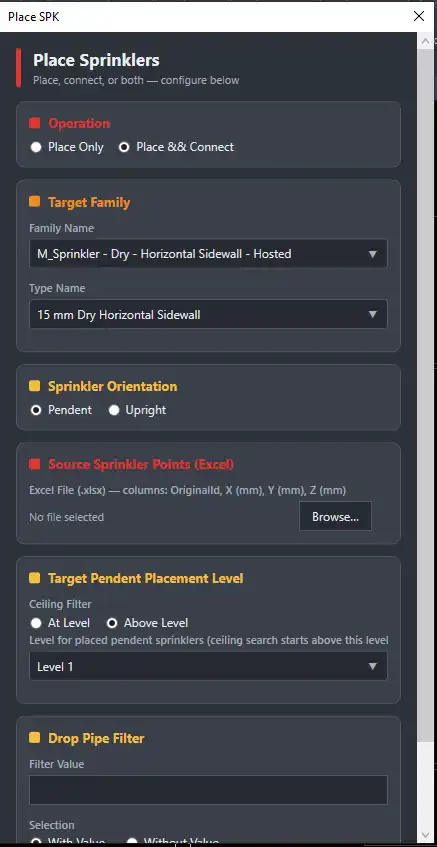
The accessibility of Zaki MEP Tools is yet another reason to consider this plugin for your Revit needs. The Place SPK and Place SPK From Excel features simplify the process of cloning, connecting, and rehosting sprinklers to ceiling faces, either live or from an exported Excel file. This means engineers can adapt their designs on the fly while maintaining accuracy and ensuring that all components are correctly positioned.

Overall, Zaki MEP Tools is designed with user experience in mind. Its intuitive interface and well-thought-out features make it accessible even for those who may not be highly experienced in MEP design. The plugin's ability to automate complex tasks while providing reliable outputs is invaluable for any engineering team looking to increase productivity and efficiency.
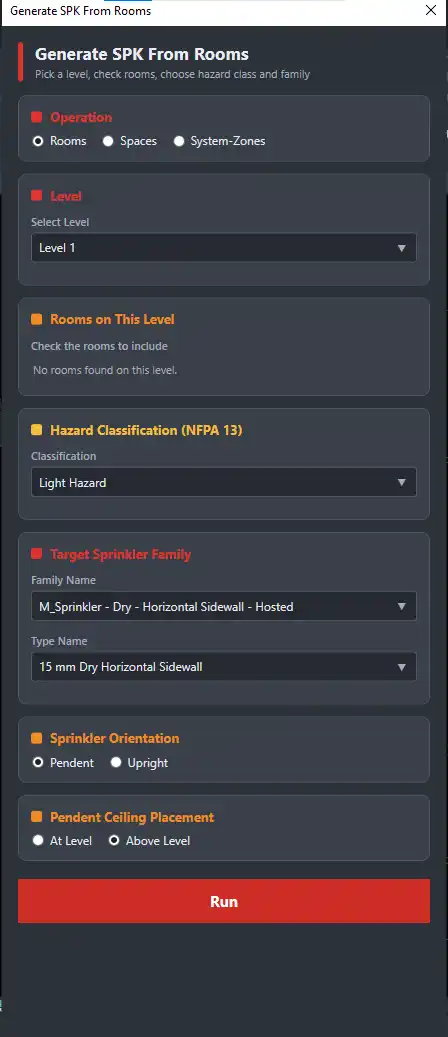
As part of the ongoing series about Zaki MEP Tools, today's tool is Generate SPK From Rooms, part of the Fire Fighting

(Image by: Zaki Tools)

Summary

In conclusion, Zaki MEP Tools is a powerful and versatile Revit plugin that significantly enhances the productivity of MEP engineers. With its robust set of features tailored for plumbing, fire fighting, and HVAC design, Zaki MEP Tools automates redundant tasks, allowing engineers to concentrate on creativity and problem-solving. The plugin not only streamlines workflows but also ensures compliance with safety regulations, making it an essential addition to any engineer's toolkit. If you're looking to revolutionize your MEP design process and elevate your projects to new heights, Zaki MEP Tools is definitely worth trying.
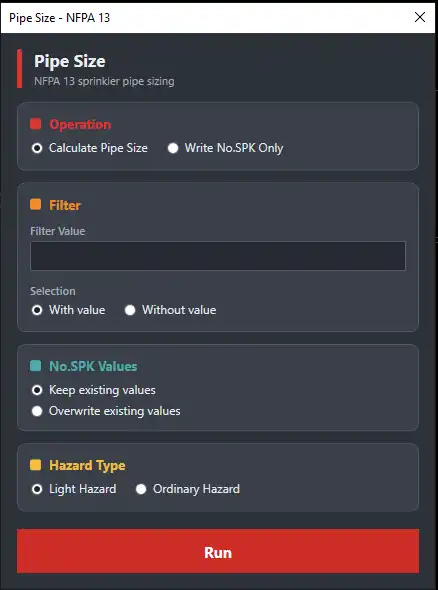
This tool automatically calculates pipe diameters based on the number of sprinkler passing through the network

(Image by: Zaki Tools)

This tool lets you draft a fire piping network quickly, without needing to place each pipe and fitting individually

(Image by: Zaki Tools)

This tool takes the Excel file exported by the Extract Data tool or from lsp for auto cad and uses it directly as input

(Image by: Zaki Tools)

This tool performs 3 operations:
1️⃣ Replace 2️⃣ Connect 3️⃣ Replace & Connect
This tool performs 3 operations: 1️⃣ Replace 2️⃣ Connect 3️⃣ Replace & Connect

(Image by: Zaki Tools)

Tools, todays tool connects two tools we have already covered: Extract Data and Place SPK. Place SPK From Excel

(Image by: Zaki Tools)

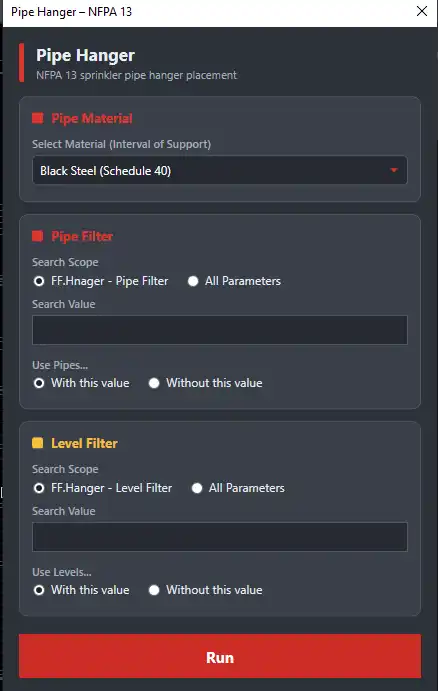
This tool automatically places hangers on fire protection pipes in compliance with NFPA 13, without needing to calculate

(Image by: Zaki Tools)

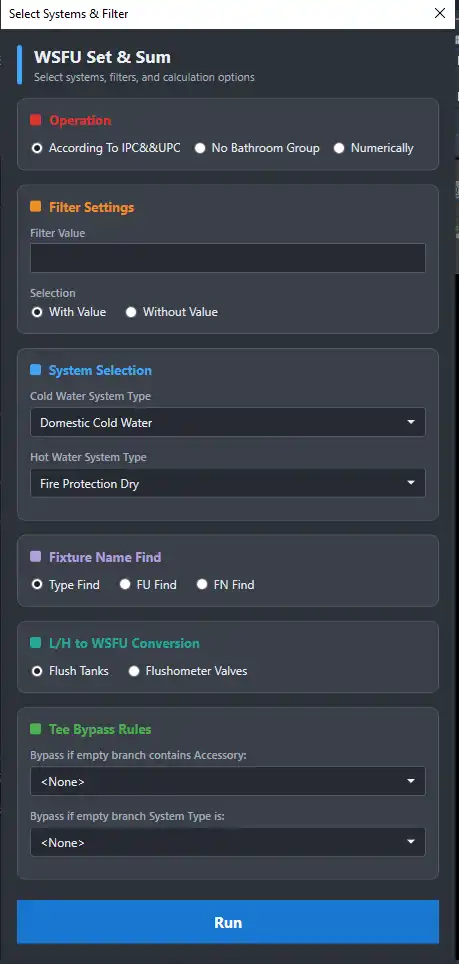
This tool automatically sets WSFU values on elements according to IPC & UPC standards, and sums them along the network

(Image by: Zaki Tools)

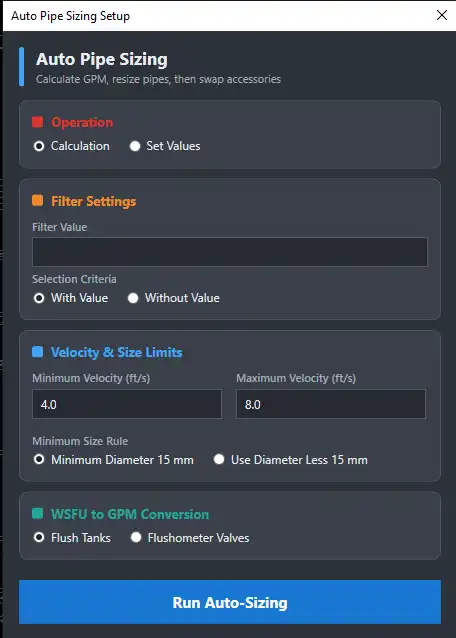
This tool calculates the required GPM for each pipe, assigns the appropriate velocity based on design criteria

(Image by: Zaki Tools)

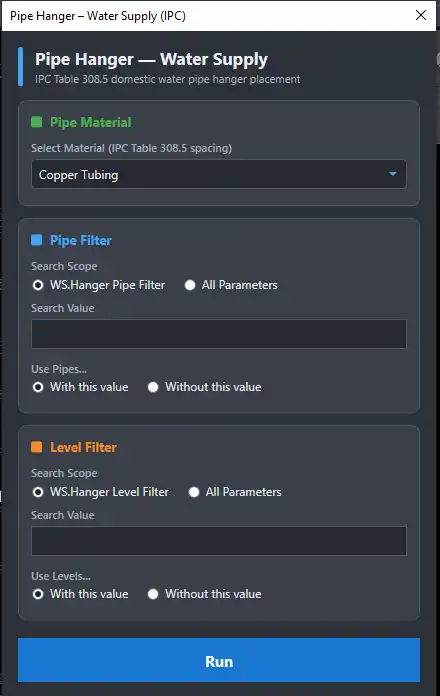
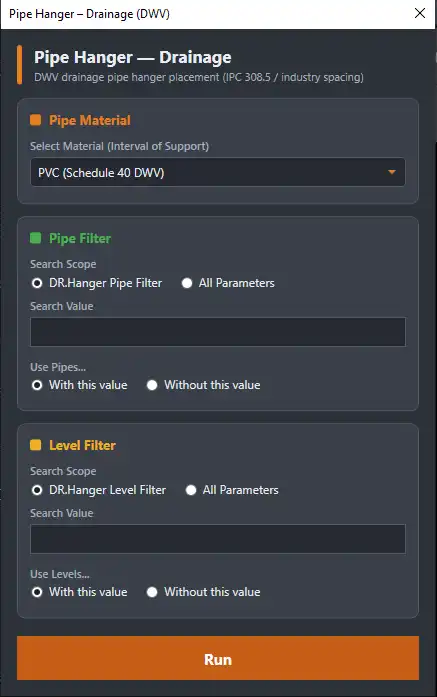
This tool automatically places hangers on water supply and drainage pipes in compliance with plumbing codes (IPC/UPC)

(Image by: Zaki Tools)

This tool automatically places hangers on water supply and drainage pipes in compliance with plumbing codes (IPC/UPC)

(Image by: Zaki Tools)

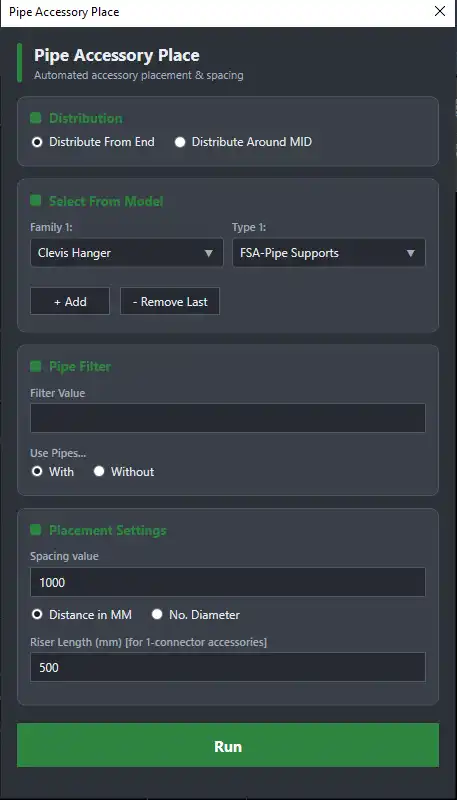
This tool lets you place pipe accessories directly on pipe or multiple pipes whether at end or around mid and automatic

(Image by: Zaki Tools)

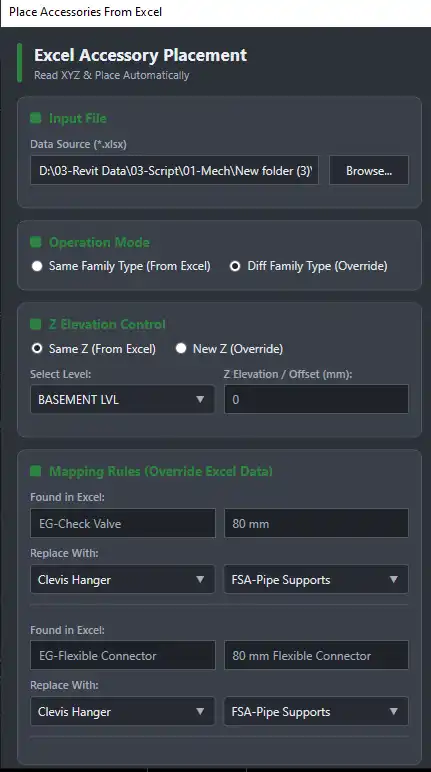
This tool takes the Excel file exported by the Extract Data tool — whether generated from the addin itself or from excel

(Image by: Zaki Tools)

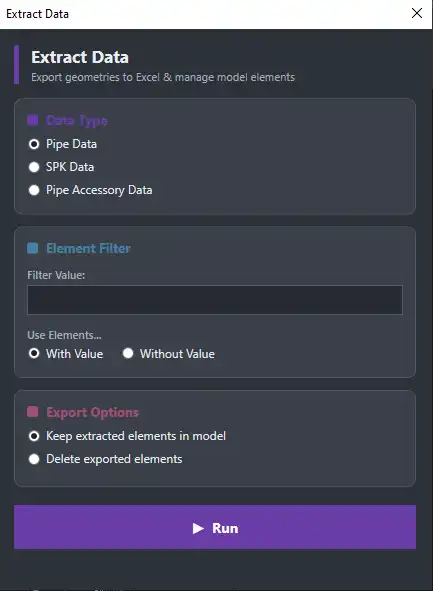
This tool extracts data for pipes, pipe accessories, or sprinklers from the model and exports it directly to an Excel

(Image by: Zaki Tools)

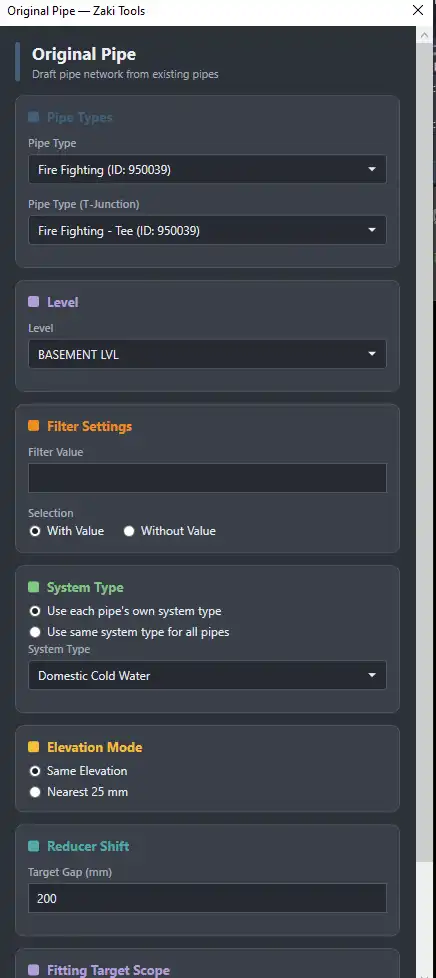
This tool takes the existing piping network in your model and rebuilds it completely clean, with no manual intervention

(Image by: Zaki Tools)

This tool takes the Excel file exported by the Extract Data tool or export from cad lsp and uses it directly as input

(Image by: Zaki Tools)

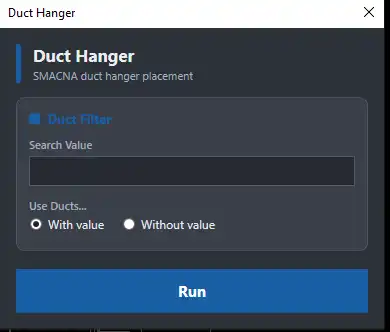
This tool automatically places hangers on ducts in compliance with SMACNA spacing rules, without needing to calculate

(Image by: Zaki Tools)

Similar apps:

Please log in or sign up for free to enable this feature.

Log inSign up