 1 / 7
1 / 7About this app
Introduction
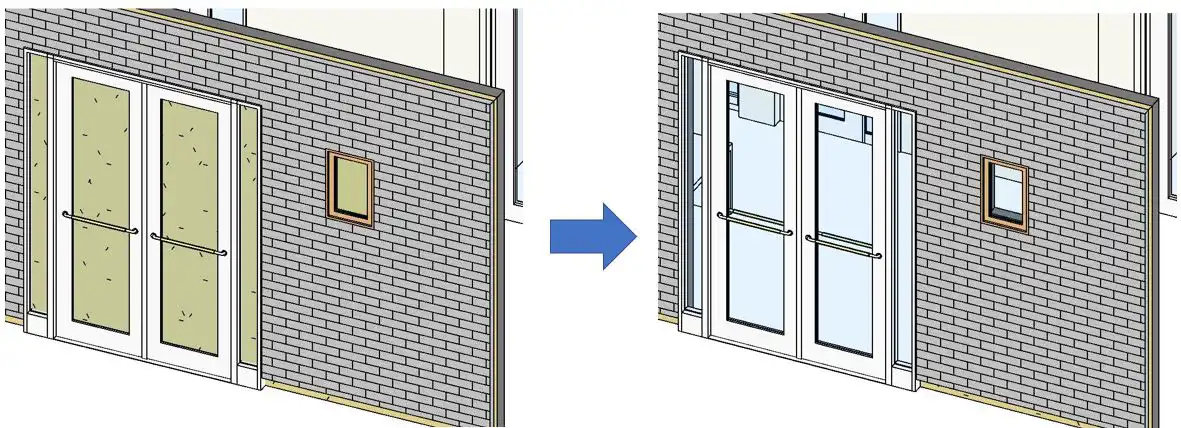
Revit users, are you tired of manually creating openings on adjacent walls when inserting doors, windows, or wall openings? Say goodbye to tedious tasks and hello to efficiency with B's WallAutoOpening 2020(Paid version). This powerful add-in software streamlines the process of creating AutoOpenings, saving you time and effort in your Revit projects.
(Image by: ブレンスタッフ株式会社)
Key Features
With B's WallAutoOpening 2020(Paid version), you can enjoy a range of convenient functions that enhance your workflow:
(Image by: ブレンスタッフ株式会社)
AutoOpening Creation
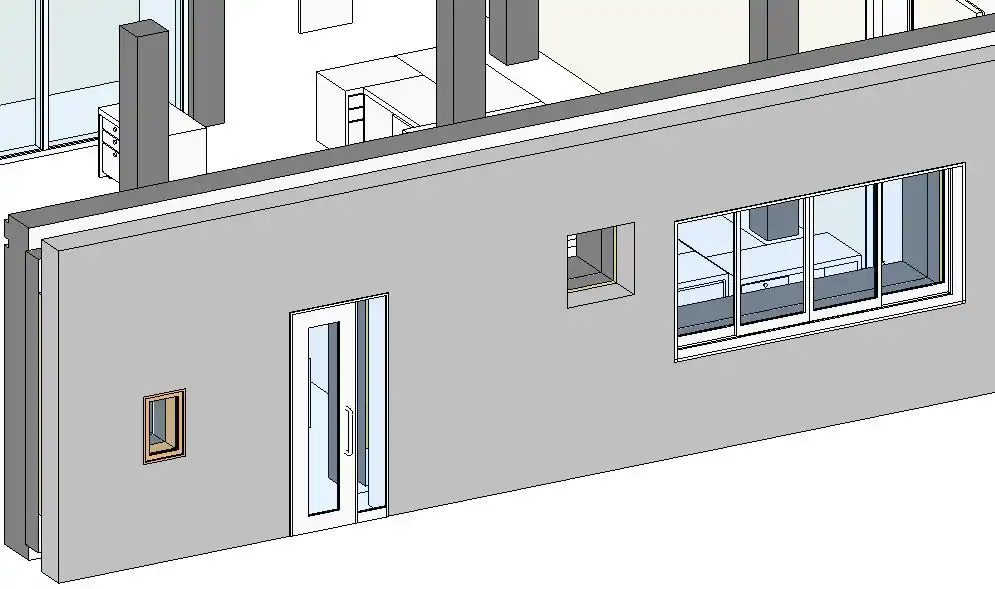
The software allows you to create AutoOpenings on adjacent walls with ease. Simply select a wall, and the add-in software will automatically generate the opening for you. This feature is particularly useful when working with "single walls" instead of "composite walls," as it eliminates the need for manual adjustments.
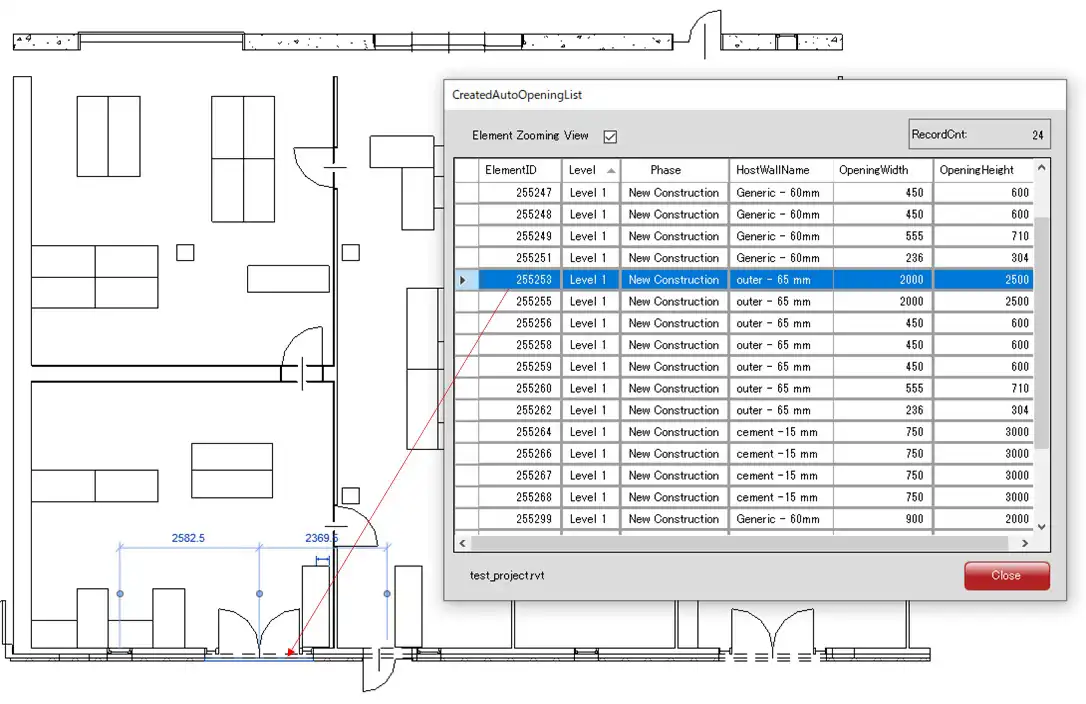
By using B's WallAutoOpening, you can create multiple openings simultaneously, drastically reducing the time spent on this task. The software also provides a list of created AutoOpenings, allowing you to easily track and manage your project's openings.
(Image by: ブレンスタッフ株式会社)
Additional Functions
In the paid version of B's WallAutoOpening 2020, users gain access to even more advanced functions:
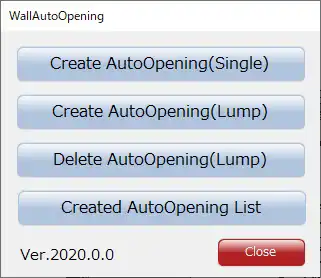
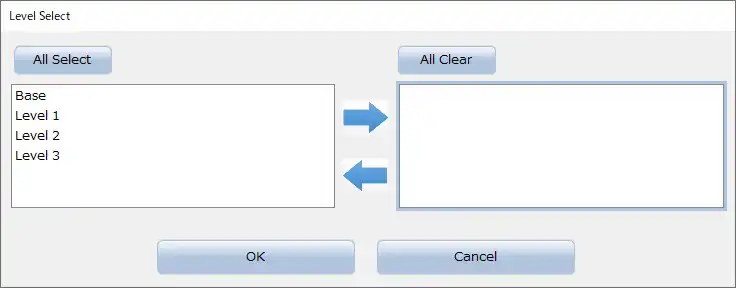
Create AutoOpening (Lump) Function: This feature enables users to create AutoOpenings in multiple walls at once. By selecting walls based on specified levels and constraints, users can efficiently generate openings across their project.
Delete AutoOpening (Lump) Function: With this function, users can remove unwanted AutoOpenings quickly and accurately. By selecting AutoOpenings based on specified levels and properties, users can streamline the deletion process.
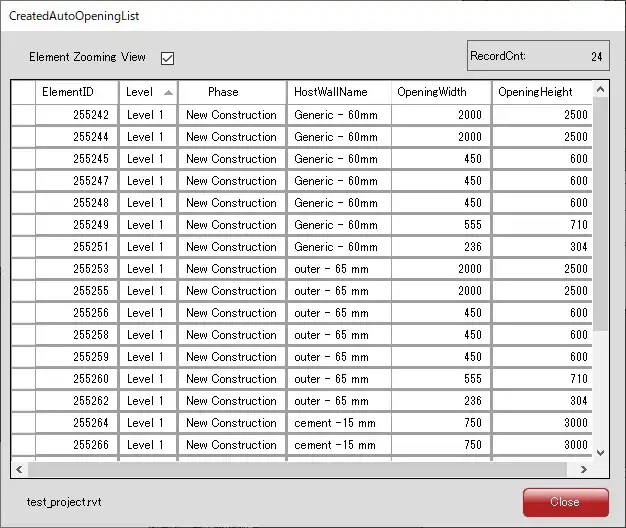
Created AutoOpening List Function: This function provides users with a comprehensive list of all created AutoOpenings. Users can easily select and highlight specific openings in their project, enhancing visibility and organization.
(Image by: ブレンスタッフ株式会社)
Conclusion
Overall, B's WallAutoOpening 2020(Paid version) is a must-have tool for Revit users looking to optimize their workflow and save time on project tasks. With its intuitive interface and powerful features, this add-in software simplifies the process of creating AutoOpenings, making it an invaluable asset for architectural and design professionals. Give B's WallAutoOpening a try and experience the benefits of enhanced efficiency in your Revit projects.
(Image by: ブレンスタッフ株式会社)
(Image by: ブレンスタッフ株式会社)
Similar apps:
- Free
- $1.99
- Free
- $100
- $50
- Free