 1 / 7
1 / 7About this app
Revit is a powerful software tool for architects and designers, but sometimes the process of creating openings in walls can be time-consuming and tedious. That's where B's WallAutoOpening 2021 comes in. This add-in software offers a solution to streamline the creation of AutoOpenings on adjacent walls, saving you valuable time and effort in your project workflow.
Introduction to B's WallAutoOpening 2021(Trial version)
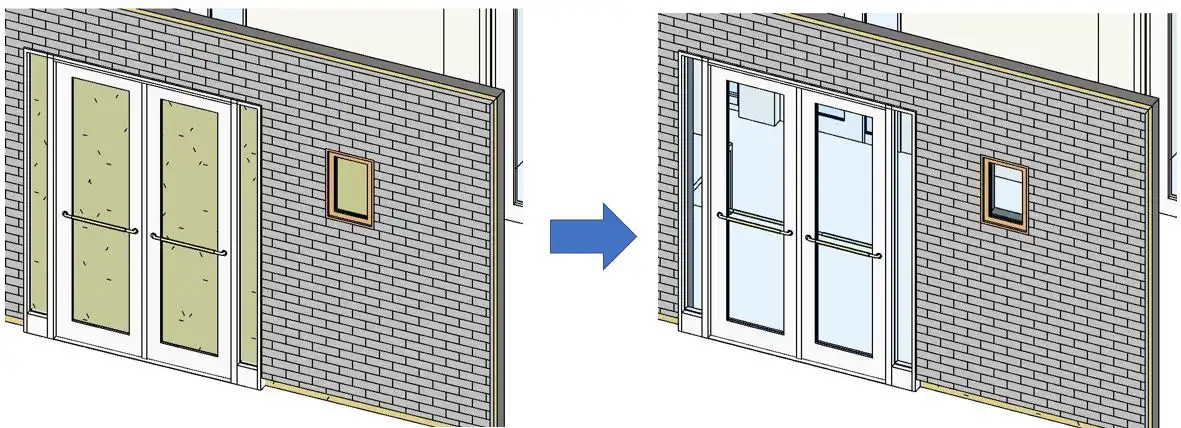
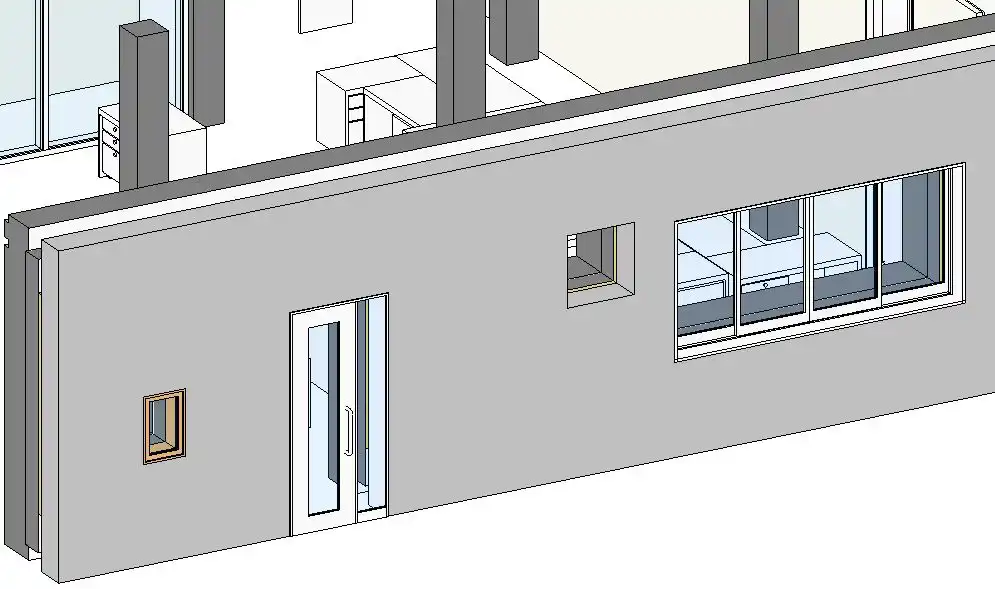
B's WallAutoOpening 2021 is a Revit plugin that simplifies the process of creating AutoOpenings on walls. Traditionally, users had to manually create openings in the groundwork and finish along with the windows and doors entered in the body. However, with this add-in software, multiple openings can be created at once, significantly reducing work time. Additionally, the software features a function to display a list of created AutoOpenings, making it easy to keep track of your project.
(Image by: ブレンスタッフ株式会社)
Key Features of B's WallAutoOpening 2021(Trial version)
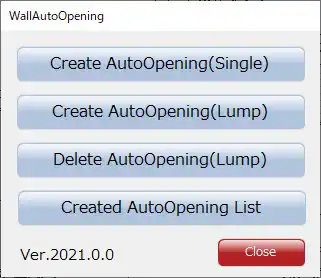
1. Create AutoOpening(Single) function: This function allows users to create an automatic opening on the wall adjacent to the selected wall. The selection of the wall is done by selecting one arbitrary wall, making the process quick and efficient.
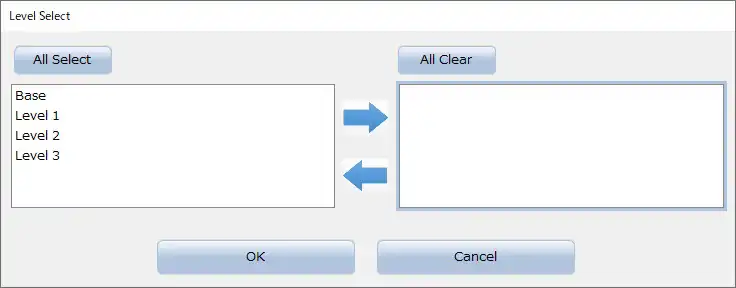
2. Create AutoOpening(Lump) function: This function, available in the paid version, creates AutoOpenings in walls adjacent to the selected wall. Users can select all walls at once using the "level" specified on the screen. The software processes walls whose "Level" and "Base Constraint" properties match, further simplifying the creation process.
3. Delete AutoOpening(Lump) function: Another feature available in the paid version, this function allows users to delete created AutoOpenings. Users can select all AutoOpenings at once using the "level" specified on the screen, making it easy to manage and edit openings as needed.
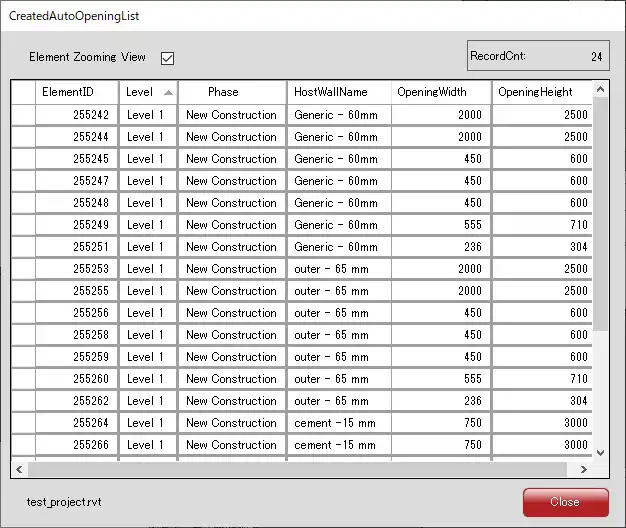
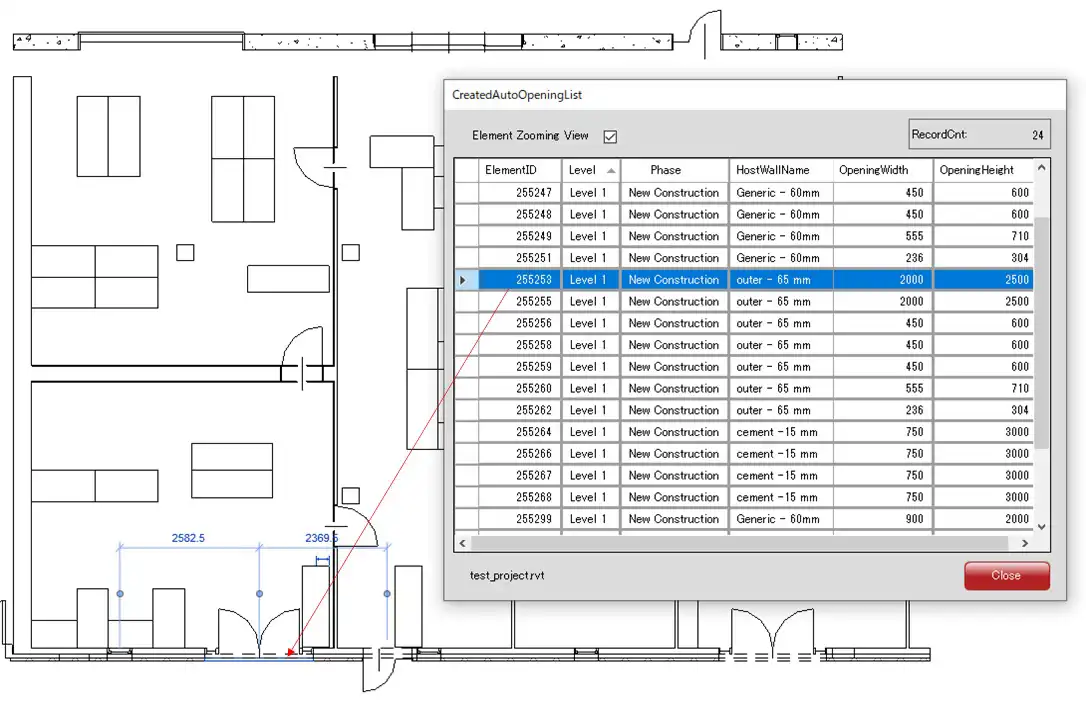
4. Created AutoOpening List function: This function lists all created AutoOpenings, allowing users to easily track and manage their openings. Users can select an AutoOpening from the list to highlight it in the view, providing a visual representation of their project.
(Image by: ブレンスタッフ株式会社)
Conclusion
B's WallAutoOpening 2021 is a valuable tool for architects and designers looking to streamline the process of creating AutoOpenings in Revit. With its time-saving features and user-friendly interface, this plugin is a must-have for anyone working on projects that require the efficient creation of openings in walls. Try B's WallAutoOpening 2021 today and experience the benefits of simplified AutoOpening creation in Revit.
(Image by: ブレンスタッフ株式会社)
(Image by: ブレンスタッフ株式会社)
(Image by: ブレンスタッフ株式会社)
(Image by: ブレンスタッフ株式会社)
Similar apps:
- Free
- $50
- $10/month
- Free
- Free
- Free