

About this app
Introduction
NonicaTab PRO is a game-changer in the world of Revit plugins, offering a comprehensive suite of tools designed to streamline the coordination process between architects and structural engineers. With its advanced conflict detection features and intuitive color tagging system, NonicaTab PRO makes it easier than ever to identify and resolve clashes in your Revit models. In this review, we will take a closer look at the key features of this powerful plugin and explore how it can benefit your workflow.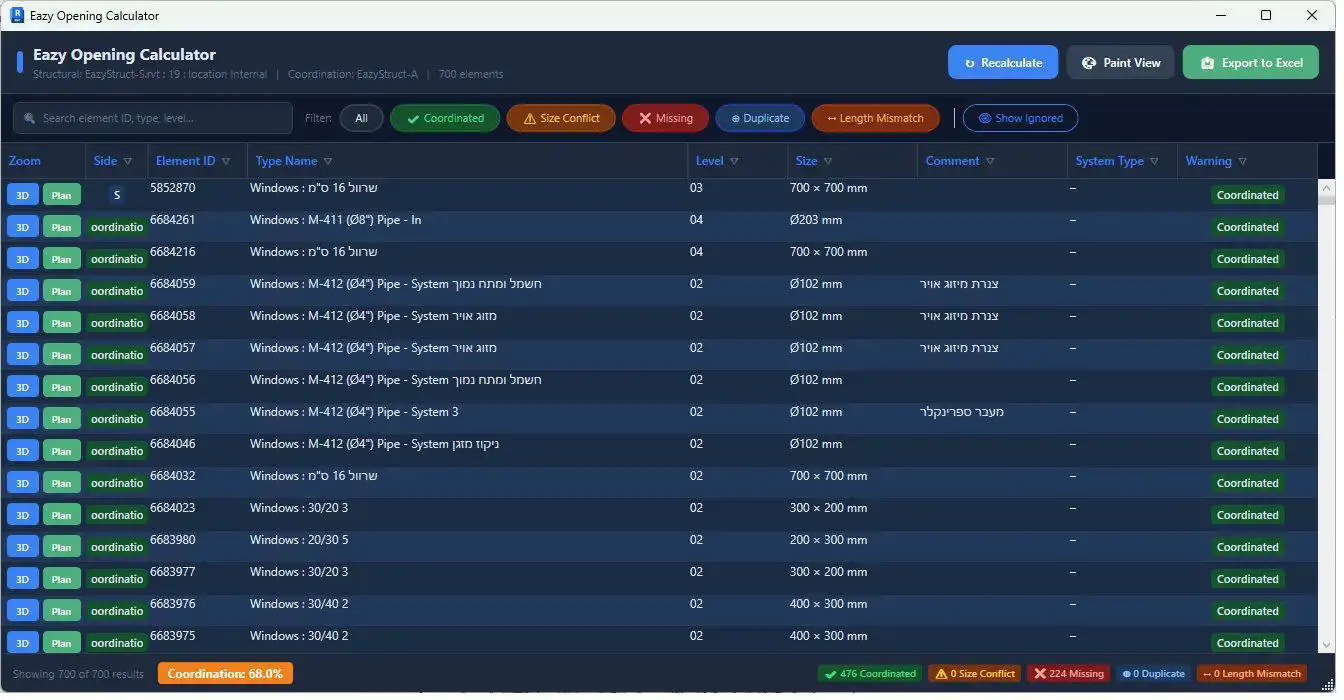
(Image by: Eazy Struct)
Advanced Conflict Detection
One of the standout features of NonicaTab PRO is its conflict detection tool, which allows users to quickly identify clashes between architectural and structural elements in their Revit models. With just a click of a button, the plugin spatially tests every element pair between your Architectural and Structural links, scoring the real overlap from 0 to 100. This mesh-based approach eliminates the guesswork often associated with traditional bounding-box clash detection methods, providing more accurate and reliable results.NonicaTab PRO compares a range of elements including Walls, Floors, Structural Framing (beams), and Structural Columns, giving users a comprehensive overview of potential clashes within their models. The per-conflict chat and comments feature allows architects and engineers to communicate directly within the plugin, making it easy to discuss and resolve conflicts in real time. Users can assign each conflict to either the Architectural or Structural discipline, or choose to ignore it if necessary. These assignments persist for both sides, ensuring seamless coordination between teams.Additionally, NonicaTab PRO offers a range of visualization tools to help users navigate and understand clashes more effectively. The Zoom (3D), Plan, Isolate, and Diff view features allow users to jump to any clash with ease, rendering the exact intersection as a red 3D shape for clear visualization. The plugin also provides a one-click Excel export option, complete with color-coded rows, auto-filters, and a metadata sheet, as well as a Coordination % badge to track progress.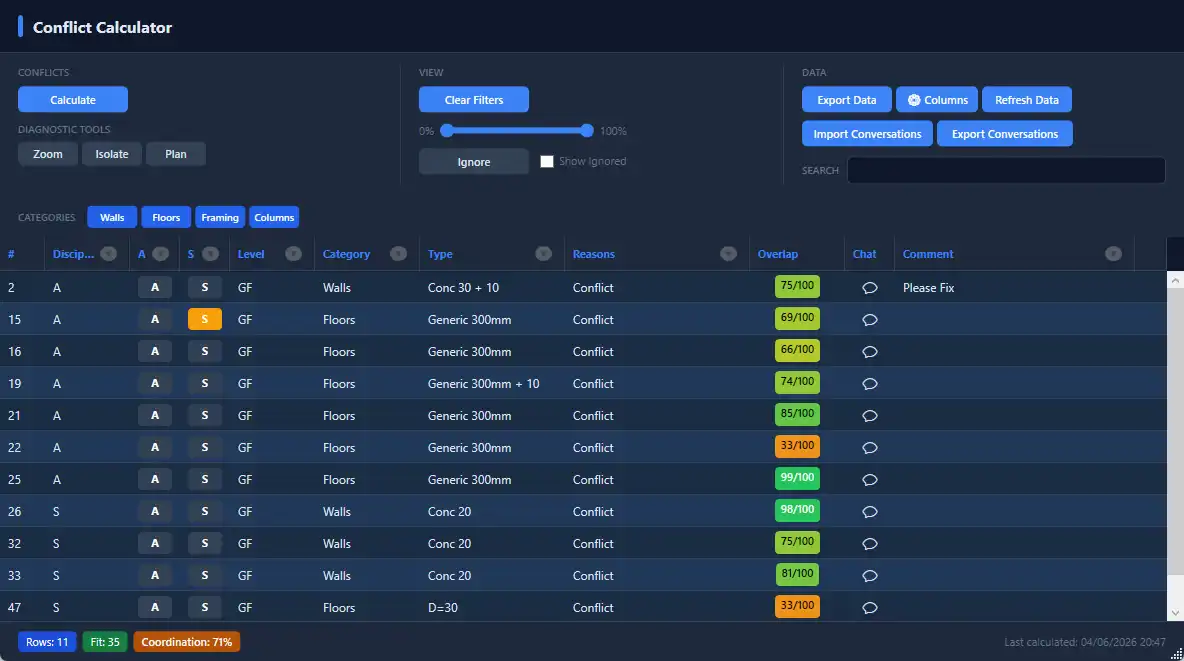
(Image by: Eazy Struct)
Color Tagging System
Another key feature of NonicaTab PRO is its color tagging system, which allows users to tag their models by discipline and toggle colors on to see exactly who owns what. Architectural elements are displayed in blue, while Structural elements are shown in yellow, with over 40 other categories hidden to ensure users only see what matters. Tagging is also what powers the Conflict Detection tool, making it easy to identify clashes between disciplines at a glance.One-click tagging across Walls, Floors, Structural Framing, and Structural Columns makes it quick and easy to assign disciplines to elements in your model. The plugin is designed to be safe to re-run, with old tags cleared first to prevent duplicates. Users can turn tagging on and off with ease, ensuring that the view returns to normal in just one click.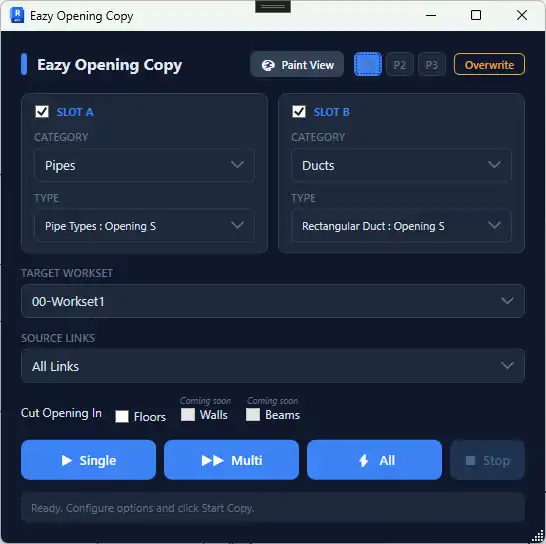
(Image by: Eazy Struct)
Summary
Overall, NonicaTab PRO is a must-have plugin for any Revit user looking to streamline their coordination process and improve efficiency in their workflow. With its advanced conflict detection features, intuitive color tagging system, and user-friendly interface, NonicaTab PRO is a powerful tool that can help architects and engineers collaborate more effectively and resolve clashes with ease. Try NonicaTab PRO today and experience the benefits of seamless coordination in your Revit projects.
(Image by: Eazy Struct)

(Image by: Eazy Struct)