 1 / 5
1 / 5About this app
Introduction
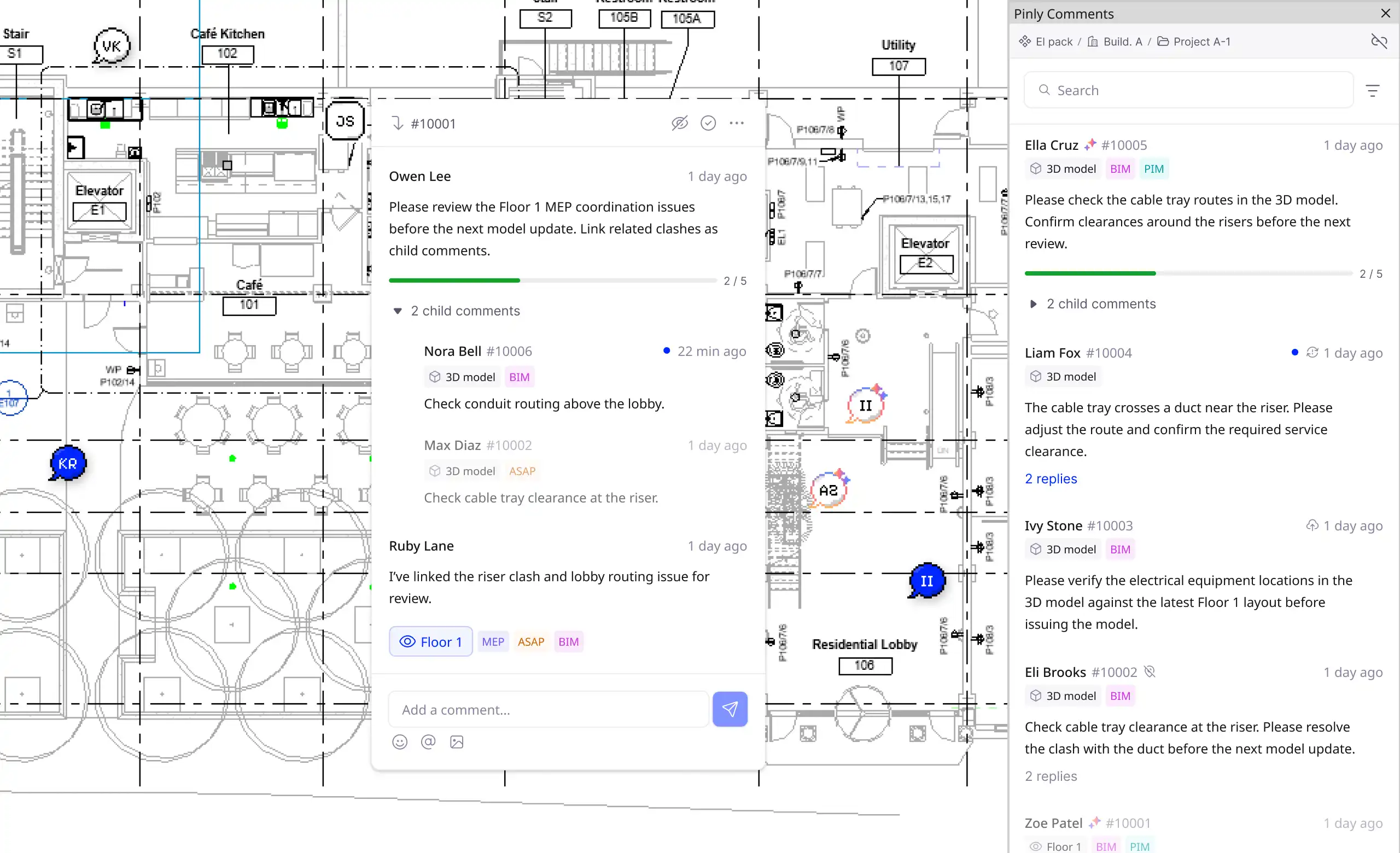
In the world of architecture and engineering, collaboration is key to successfully completing projects. With the increasing complexity of design software like Revit, finding ways to streamline communication and feedback is crucial. This is where Pinly comes in — a revolutionary plugin that brings real-time collaboration directly into your Revit model. Say goodbye to exporting PDFs, pasting screenshots into chats, or losing feedback in email threads. With Pinly, your team can comment right where the work happens, ensuring that everyone is on the same page and no detail is overlooked.
(Image by: atomatiq)
Features
Pinly offers a range of features designed to enhance collaboration and streamline communication within your Revit projects. One of the key features of Pinly is the ability to place comments directly on a plan view where the issue is located. This eliminates the need for exporting and marking up flat copies of your drawings, allowing for more precise and contextually based feedback.Additionally, Pinly allows users to start threads and replies, enabling discussions in context. Whether you're replying to your own comment or responding to a teammate, all conversations are kept in one place for easy reference. This feature ensures that the full history of discussions is readily available, making it easier to track progress and decisions made throughout the project.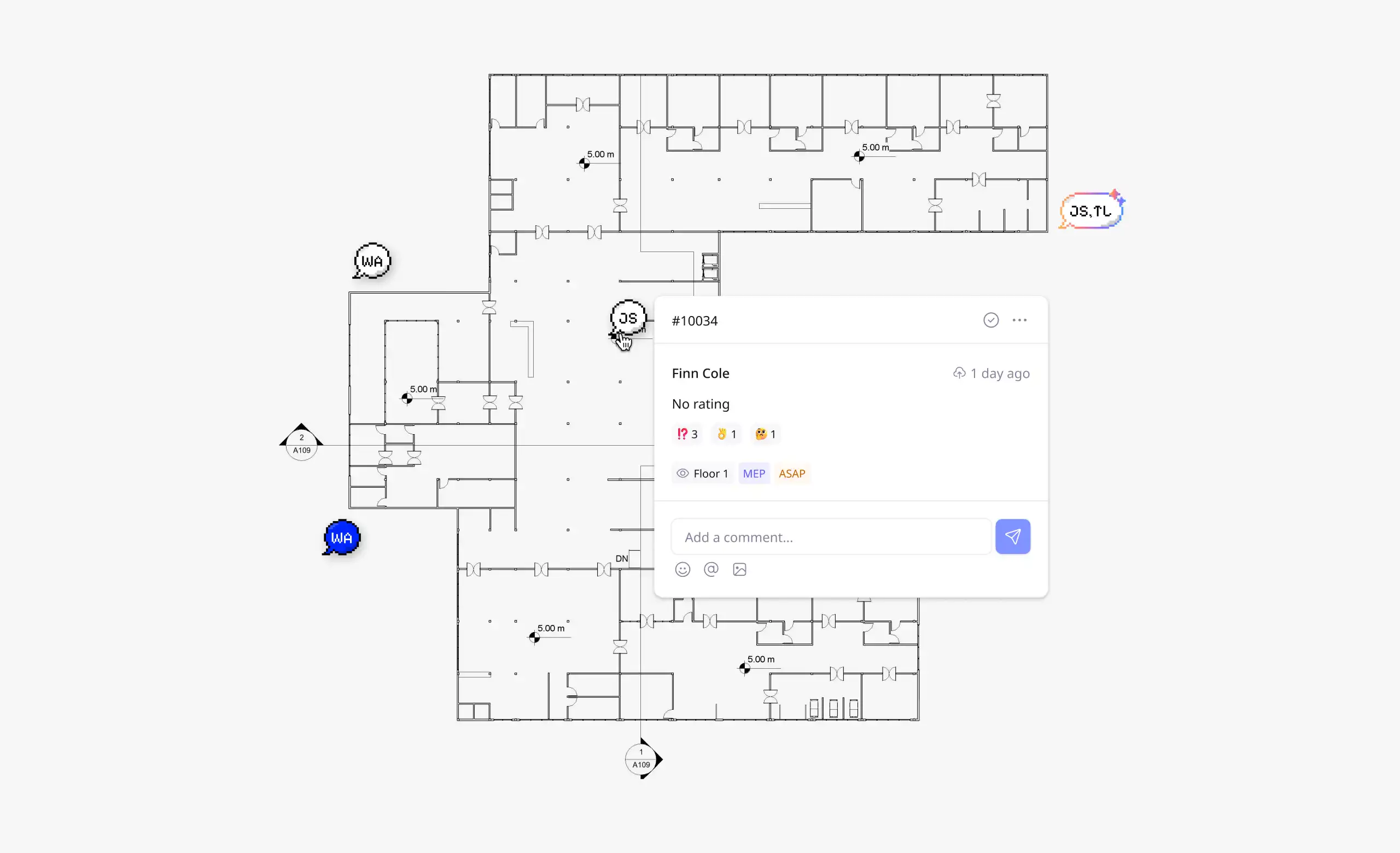
(Image by: atomatiq)
Why Pinly is Essential for Revit Users
Model coordination in Revit often results in a constant stream of feedback, from clash detection to dimension verification. Without a centralized system for managing this feedback, important information can become scattered across various platforms, leading to confusion and inefficiency. Pinly addresses this challenge by keeping all comments attached to the model itself. This means that every comment is visible to everyone on the project and updated in real time, ensuring that no detail is missed or forgotten.By using Pinly, teams can resolve issues together without ever leaving the Revit environment. This streamlined approach to collaboration saves time and reduces the risk of miscommunication, ultimately leading to more efficient project delivery. With Pinly, architects, engineers, and designers can focus on their work without the distraction of managing feedback through multiple channels.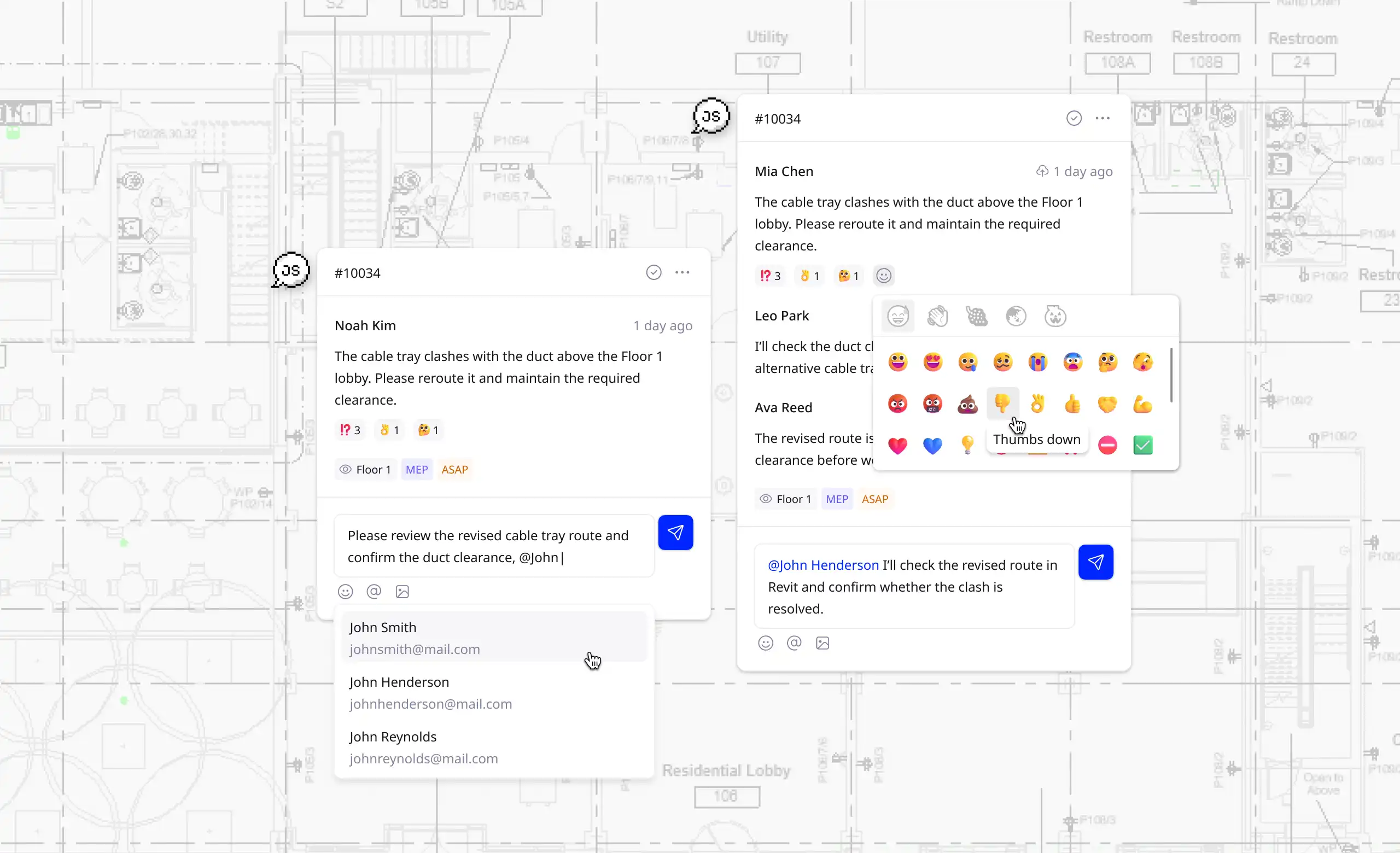
(Image by: atomatiq)
Summary
In conclusion, Pinly is a game-changer for Revit users looking to enhance collaboration and communication within their projects. By bringing real-time feedback directly into the model, Pinly eliminates the need for exporting files, emailing screenshots, or juggling multiple communication platforms. With features like comments on the model, threads and replies, and real-time updates, Pinly streamlines the collaboration process and ensures that everyone on the team is on the same page. If you're looking to improve efficiency, reduce errors, and enhance teamwork in your Revit projects, give Pinly a try today.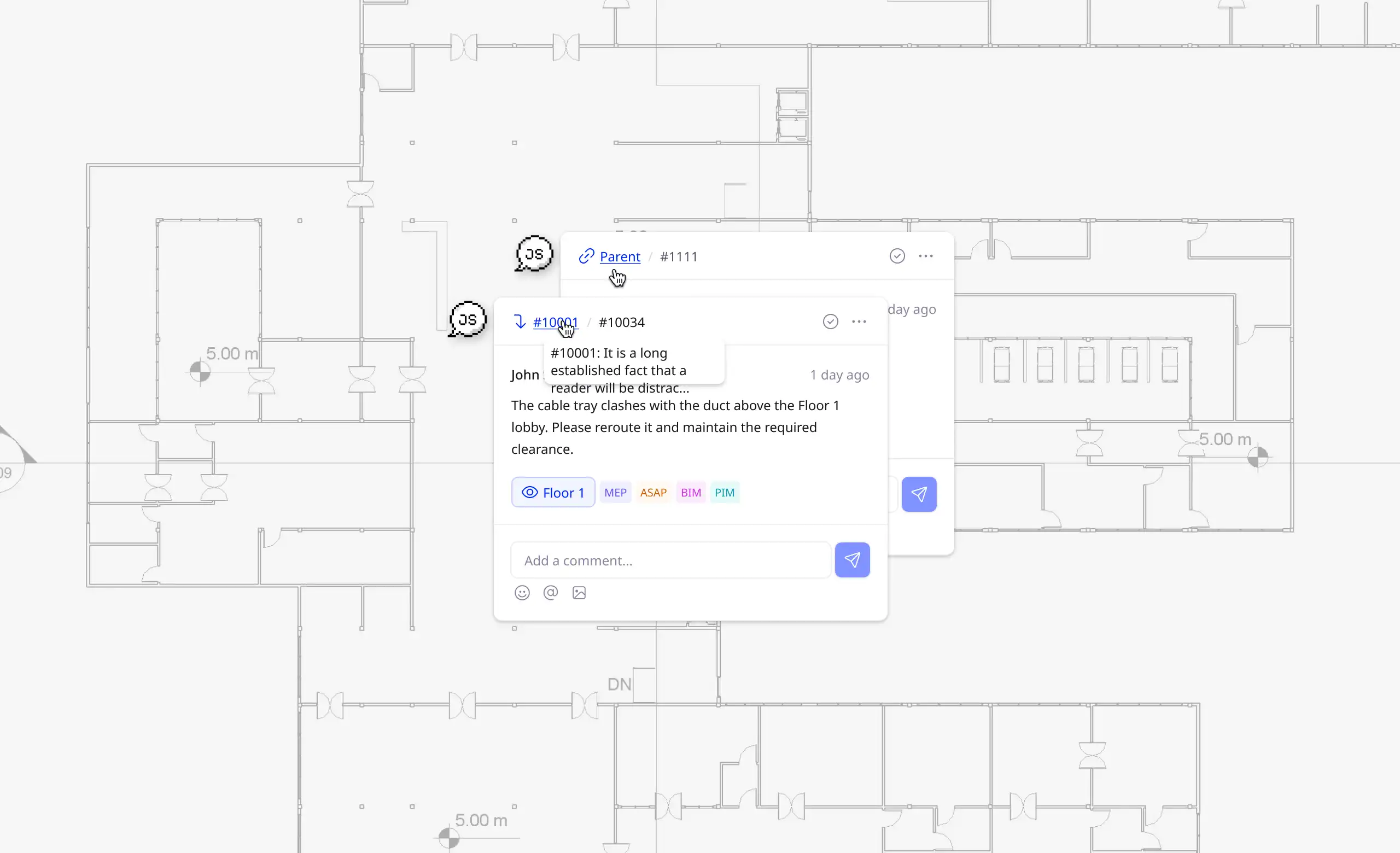
(Image by: atomatiq)
Similar apps:
- Free
- Free
- Free
- Free
- $4.99/month
- Free