 1 / 7
1 / 7About this app
Introduction
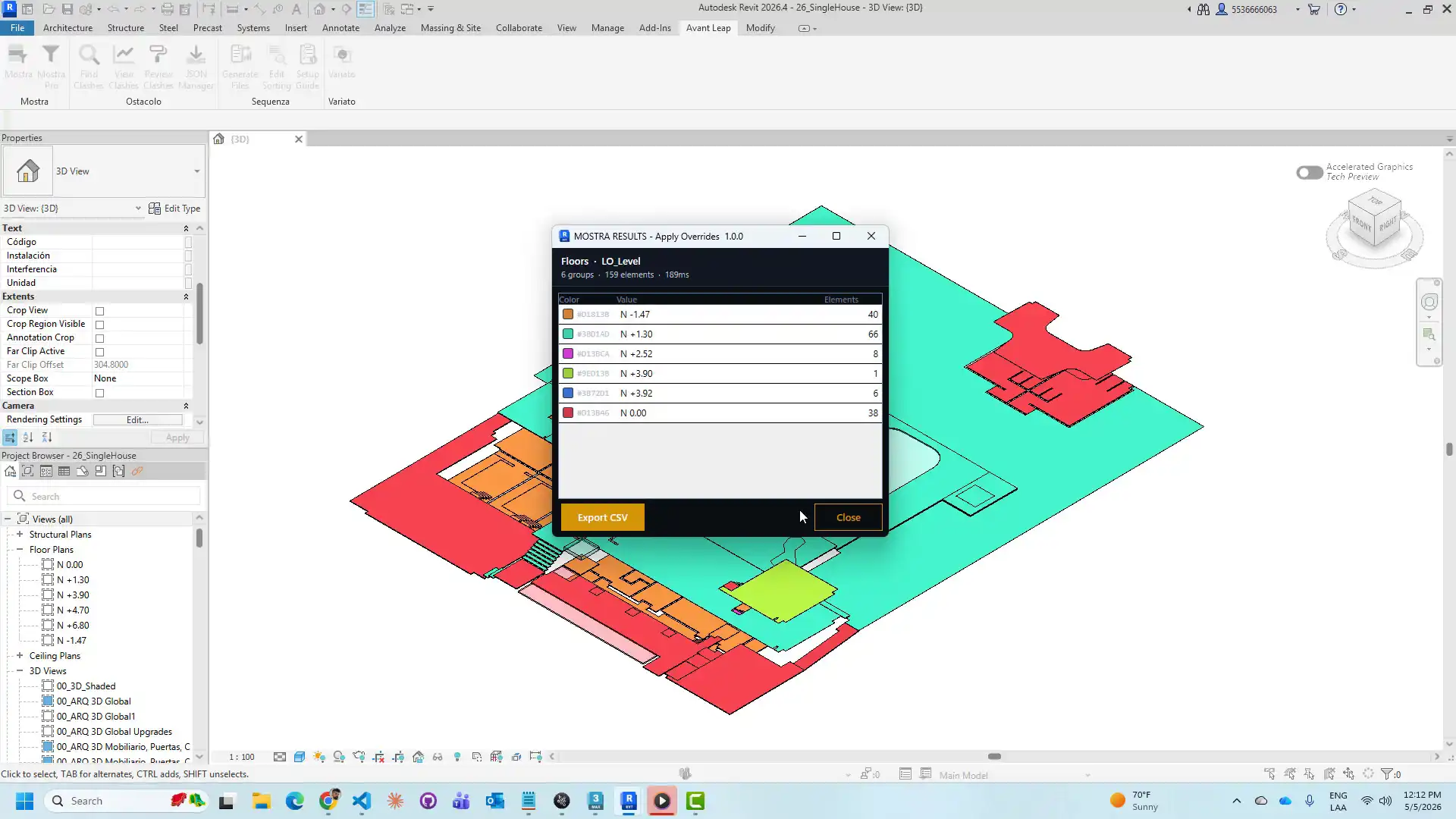
Revit users looking to streamline their workflow and enhance visualization capabilities may find the Mostra - Parameter Visualization plugin to be a valuable addition to their toolkit. This Autodesk Revit add-in simplifies the process of grouping model elements by shared parameters and applying color-coded visualization across the entire model with ease. Whether you are a BIM coordinator, project manager, or quality control team member, Mostra offers a range of features to improve efficiency and communication in your projects.
(Image by: AvantLeap)
Exploring Mostra's Key Features
The Mostra plugin for Revit offers two modes for users: MOSTRA for single-category ad-hoc analysis and MOSTRA PRO for multi-category workflows with named presets. This flexibility allows users to quickly select a category, choose a parameter, pick a color palette, and apply visualization across the model in seconds. The streamlined workflow eliminates the need for manual filter rule creation, making it a time-saving tool for users at various stages of a project.One of the standout features of Mostra is its ability to generate isolated 3D views, persistent parametric filters, and direct graphics overrides without the hassle of writing complex filter rules by hand. This functionality is particularly useful for BIM coordinators looking to prepare views for design review meetings, verify parameter coverage across disciplines, and communicate complex data distributions effectively.Project managers will appreciate Mostra's capability to split phased or level-based deliverables in seconds, enhancing project organization and communication. Quality control teams can leverage the Traffic Light palette to quickly identify missing or incorrect parameter assignments, such as Fire Rating, Compartmentation Zone, or Structural Grade, ensuring compliance and quality standards are met.Enhancing Workflow Efficiency with Mostra
The Mostra plugin simplifies the process of parameter visualization in Revit, providing users with a user-friendly interface and intuitive tools to streamline their workflow. With the ability to work on any visible parameter in the active view, including shared parameters, type parameters, and standard Revit instance parameters, Mostra offers flexibility and customization options to meet the specific needs of each project.The MOSTRA PRO mode in Mostra introduces multi-category support and a named preset system, allowing users to save configurations and reapply them with a single click in any session. This feature enhances workflow efficiency and ensures consistency in parameter visualization across multiple categories, making it an invaluable tool for users working on complex projects with diverse element types.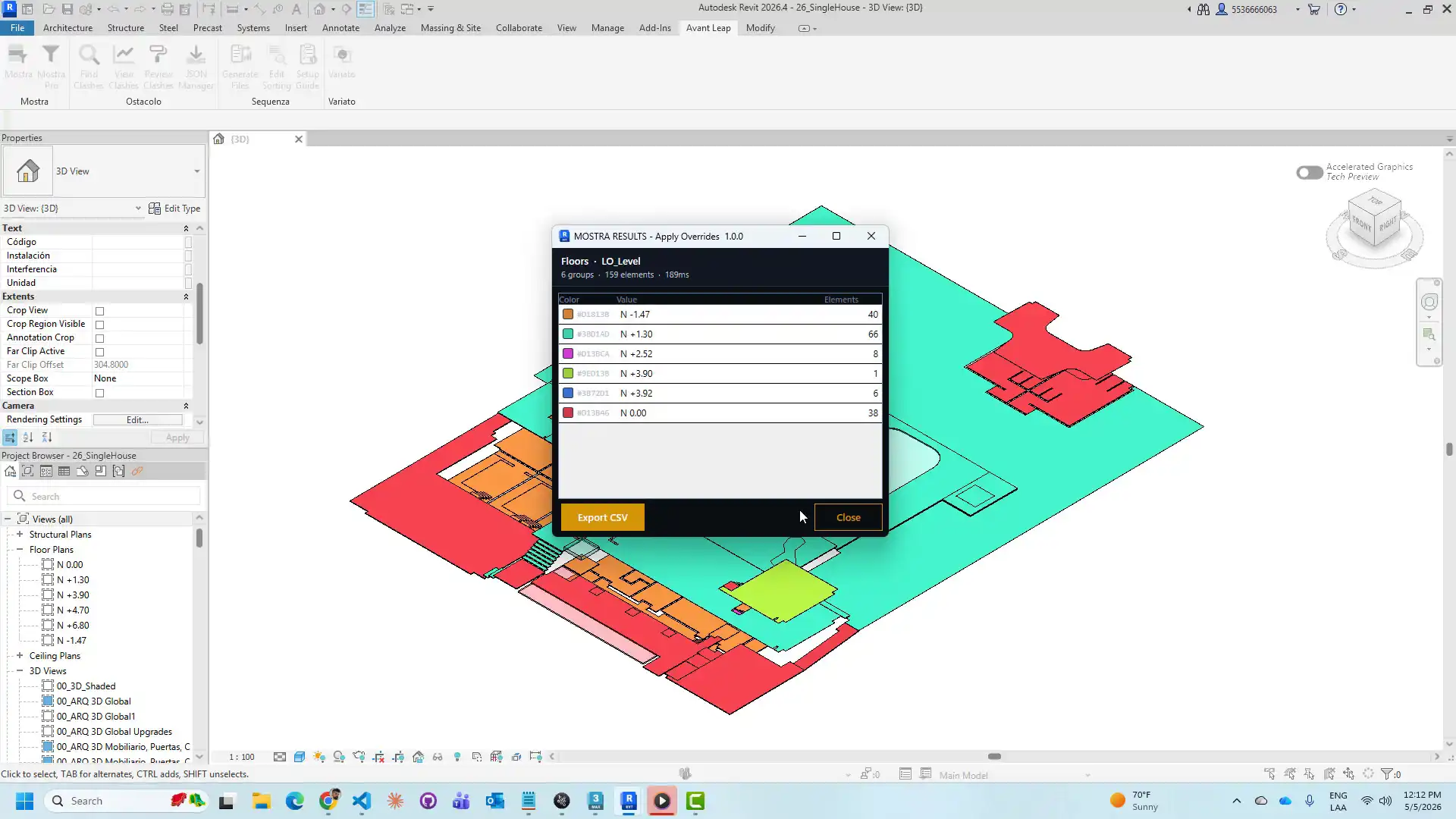
(Image by: AvantLeap)
Summary
Overall, the Mostra - Parameter Visualization plugin for Revit is a powerful tool that offers a range of features to enhance visualization capabilities, streamline workflow efficiency, and improve communication in projects. Whether you are a BIM coordinator, project manager, or quality control team member, Mostra provides a user-friendly interface, customizable options, and time-saving functionality to simplify the process of grouping model elements by shared parameters and applying color-coded visualization across the model. With its two modes, MOSTRA and MOSTRA PRO, users have the flexibility to perform ad-hoc analysis or multi-category workflows with ease. Try Mostra today and experience the benefits of enhanced parameter visualization in Autodesk Revit.Similar apps:
- Free
- $1.99
- Free
- $100
- Free
- Free