 1 / 6
1 / 6About this app
Introduction
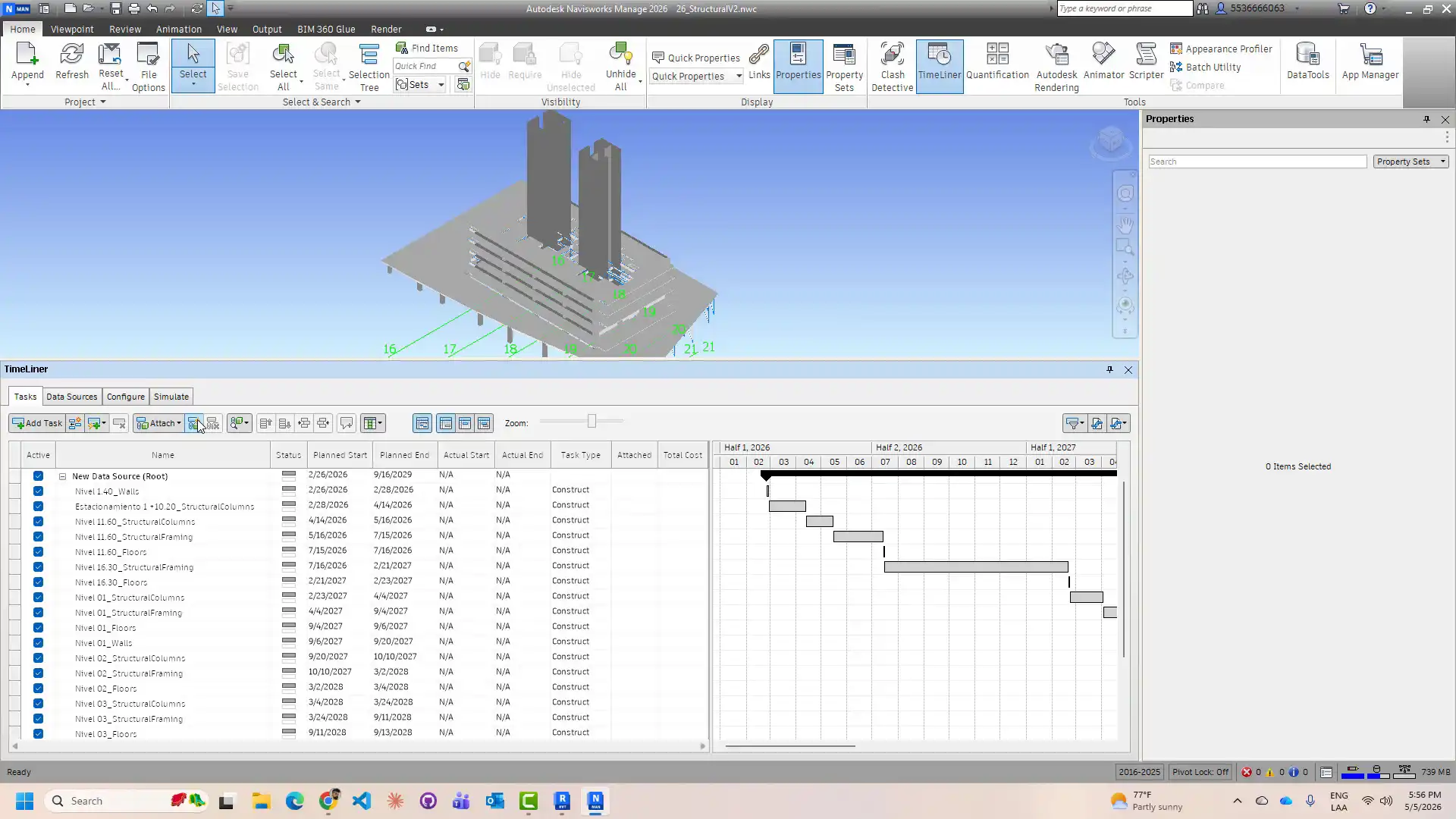
Construction sequencing plays a crucial role in the successful execution of any building project. It ensures that tasks are carried out in the right order, preventing delays and optimizing efficiency. However, creating a detailed construction sequence manually can be a time-consuming and error-prone process. This is where the Sequenza plugin for Autodesk Revit comes in, offering a powerful solution to automate the extraction of construction sequence data and export it for use in Navisworks TimeLiner and 3ds Max for 4D construction simulation.
(Image by: AvantLeap)
Automated Construction Sequencing
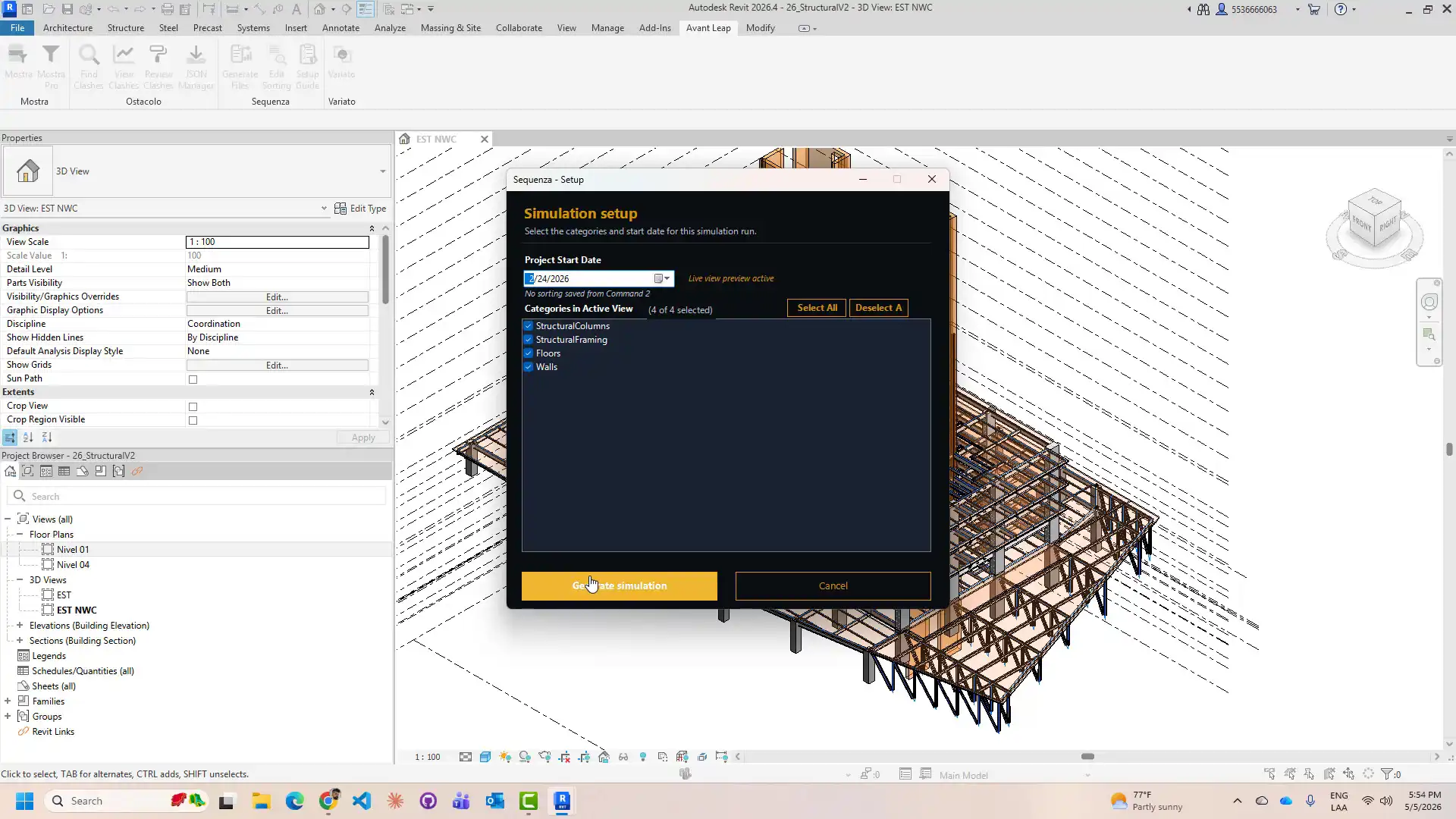
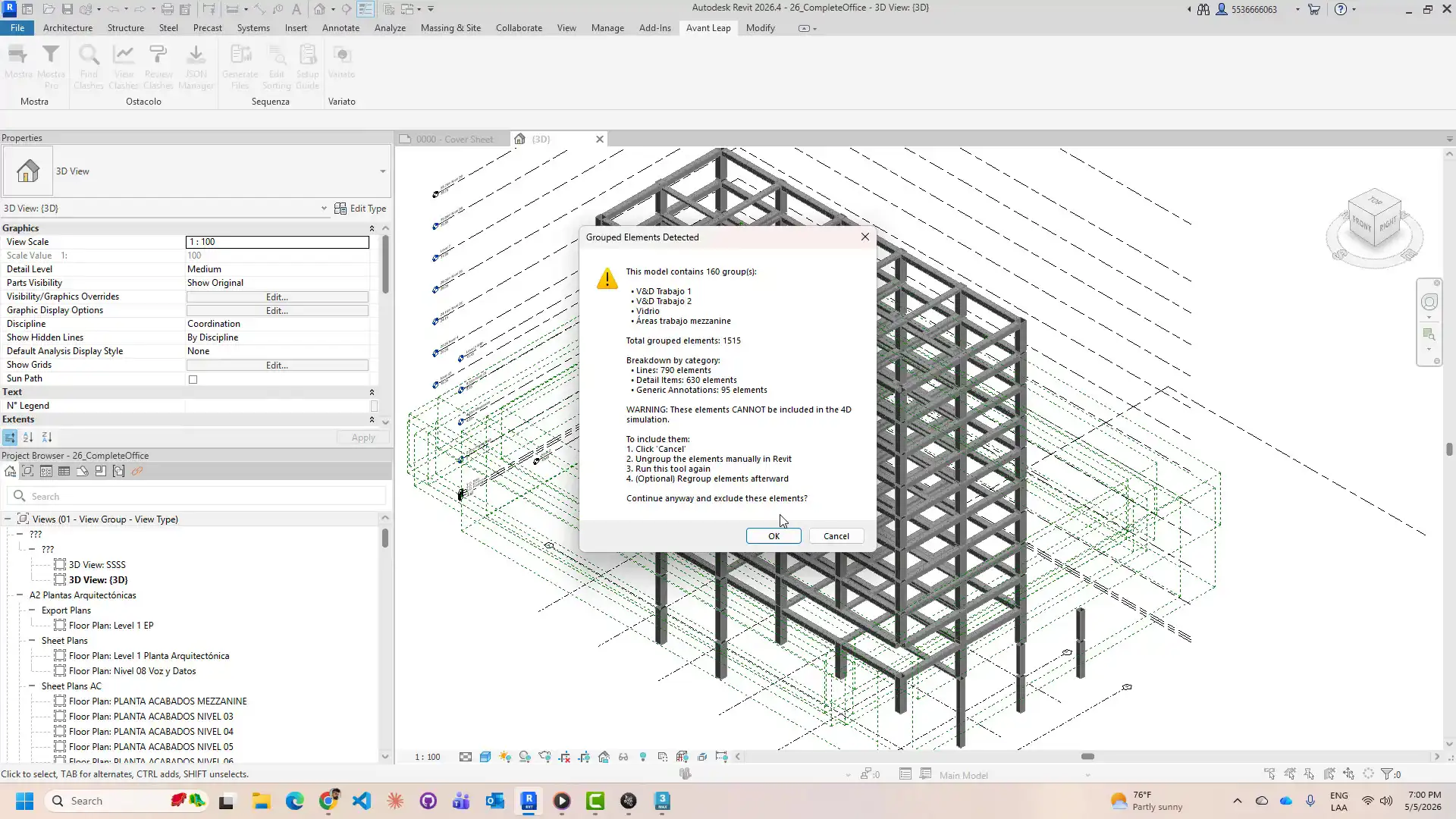
The Sequenza plugin is designed to streamline the process of generating construction sequences from Revit models. By grouping elements by level and category, assigning shared parameters that encode each element's position in the construction timeline, and providing six different sorting methods, Sequenza simplifies the task of creating detailed construction schedules. The plugin eliminates the need for manual data entry, saving time and reducing the risk of errors.
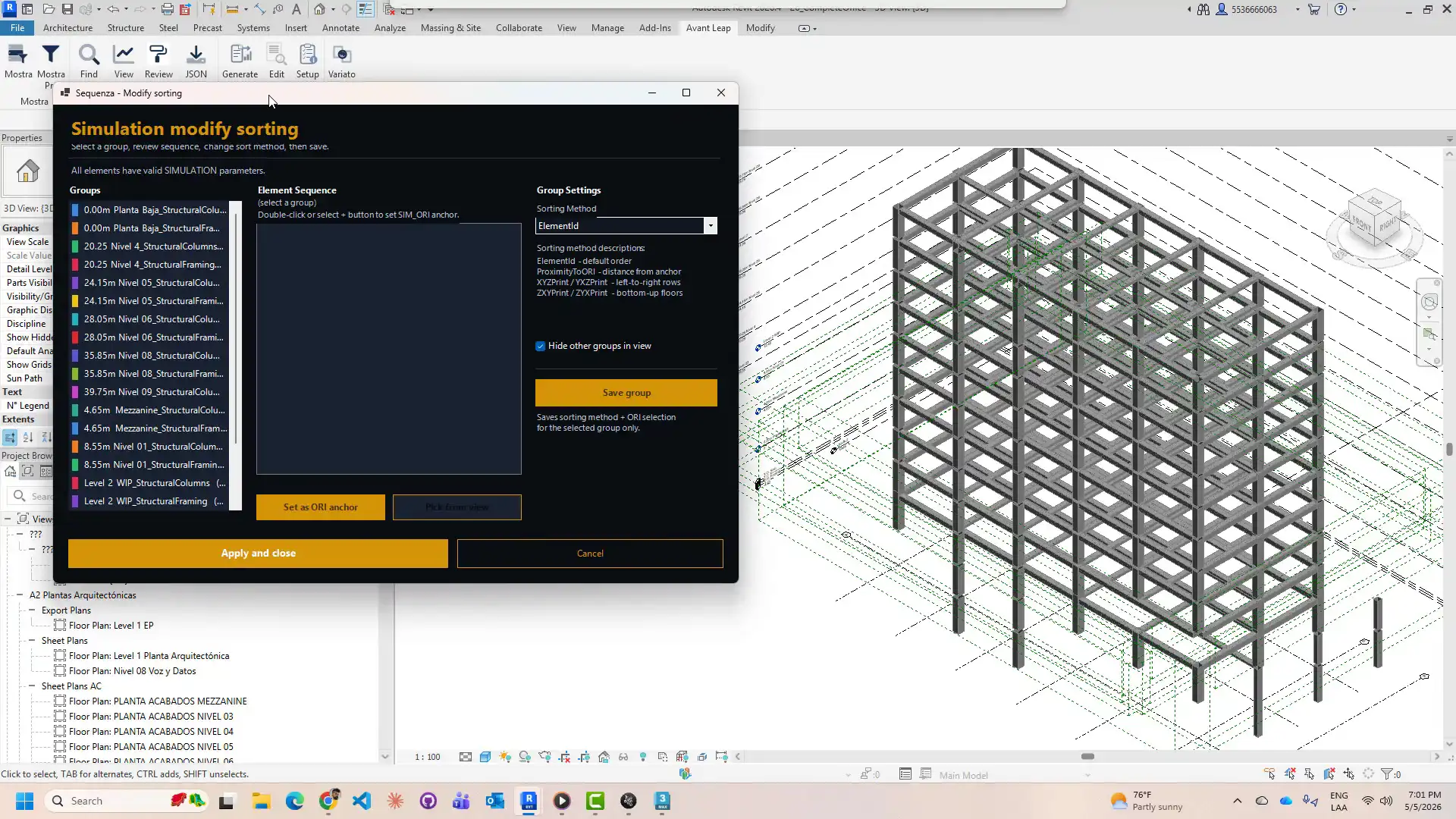
One of the standout features of Sequenza is its ORI anchor system, which allows users to designate any element as the construction start point for proximity sequencing. This feature is particularly useful for projects where construction sequences are based on the proximity of elements to a central core or entry point. The plugin also offers a visual gradient preview in the sorting editor, allowing users to see the construction sequence in a live Revit viewport, making it easier to refine the order of tasks.
(Image by: AvantLeap)
Enhanced Collaboration and Efficiency
Sequenza is a valuable tool for BIM coordinators, 4D simulation specialists, and project managers, as it simplifies the process of building Navisworks task hierarchies and 3ds Max animations. With the ability to export structured CSV files for import into these software programs, Sequenza enables seamless collaboration and communication between different stakeholders involved in a construction project. The plugin supports all major structural, architectural, MEP, and specialty equipment categories, covering the full scope of a construction program from start to finish.
By automating the extraction and export of construction sequence data, Sequenza allows teams to focus on refining the construction sequence rather than building the data structure from scratch. This not only saves time but also ensures greater accuracy and consistency in the construction schedule. With the ability to generate detailed construction sequences in minutes, Sequenza empowers teams to make informed decisions and optimize project timelines.
(Image by: AvantLeap)
Summary
The Sequenza plugin for Autodesk Revit is a valuable tool for streamlining construction sequencing and 4D construction simulation. By automating the extraction and export of construction sequence data, Sequenza eliminates the need for manual data entry and simplifies the process of building Navisworks task hierarchies and 3ds Max animations. With its six sorting methods, ORI anchor system, and visual gradient preview, Sequenza offers a user-friendly interface for creating detailed construction schedules. BIM coordinators, 4D simulation specialists, and project managers can benefit from the efficiency and accuracy provided by Sequenza, enabling them to optimize project timelines and enhance collaboration among team members. Overall, Sequenza is a must-have plugin for anyone looking to streamline construction sequencing and improve project management efficiency.
(Image by: AvantLeap)
Similar apps:
- Free
- Free
- Free
- Free
- $89
- Free