 1 / 4
1 / 4About this app
Introduction
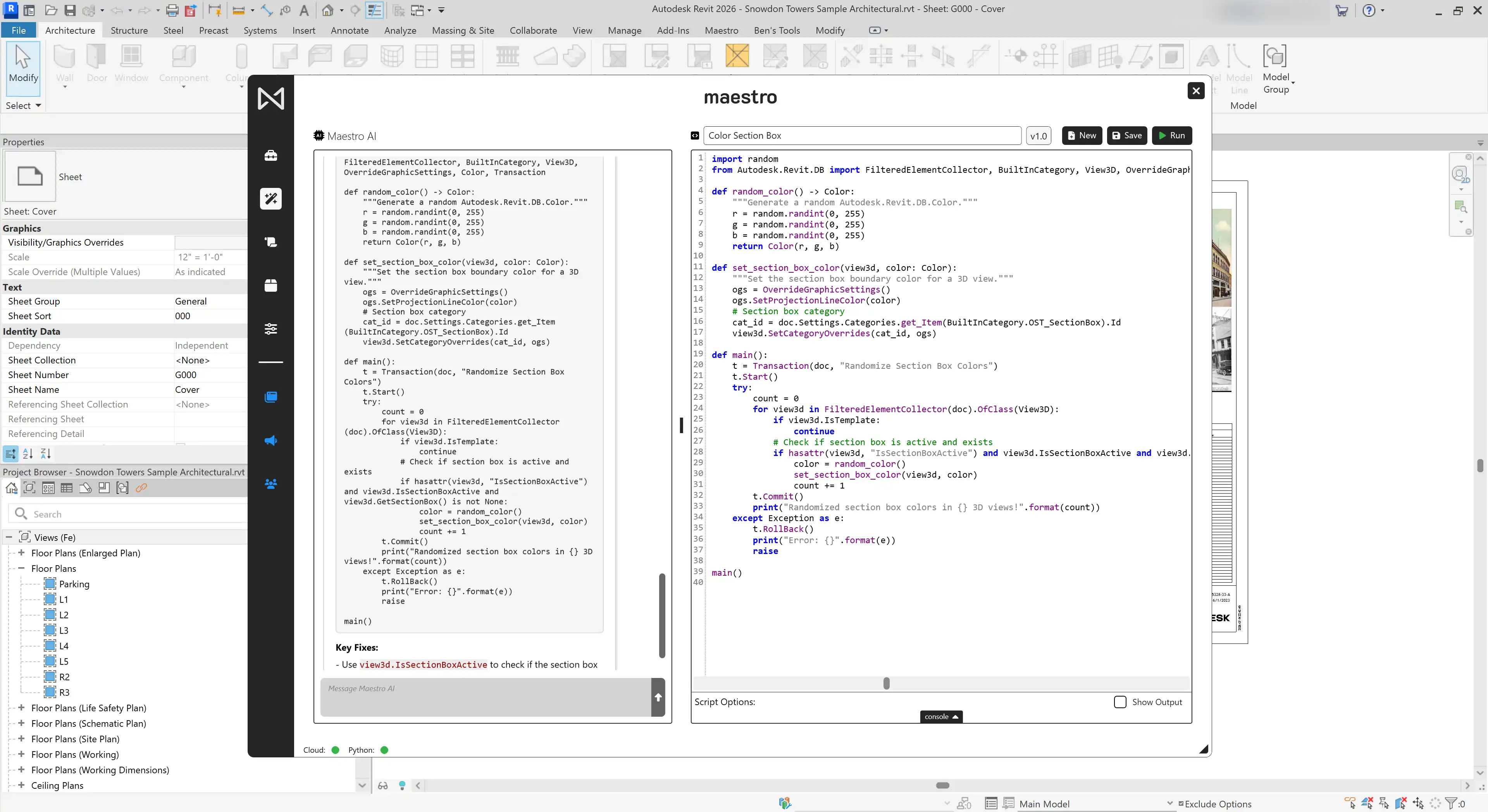
Maestro is a powerful plugin for Autodesk Revit that allows users to build custom tools without the need for traditional add-ins. It provides a platform for organizing workflows tailored to individual needs, enabling users to create and manage custom Revit ribbon interfaces, connect buttons to Python scripts and other resources, and even harness the power of AI to develop Revit automations. With Maestro, software development teams can scale more effectively and streamline the deployment cycle of Revit add-ins.
(Image by: BLT SMRT, LLC)
Customize Your Revit Interface
One of the standout features of Maestro is the ability to build your own Revit ribbon, tailored to your specific requirements. Users can create structured interfaces with custom tabs, panels, buttons, and even button stacks. The flexibility offered by Maestro allows for the creation of pulldown and split buttons, panel slide-outs, and the customization of names, descriptions, and icons for each element. This level of customization ensures that users can design a user-friendly interface that aligns with their workflow.
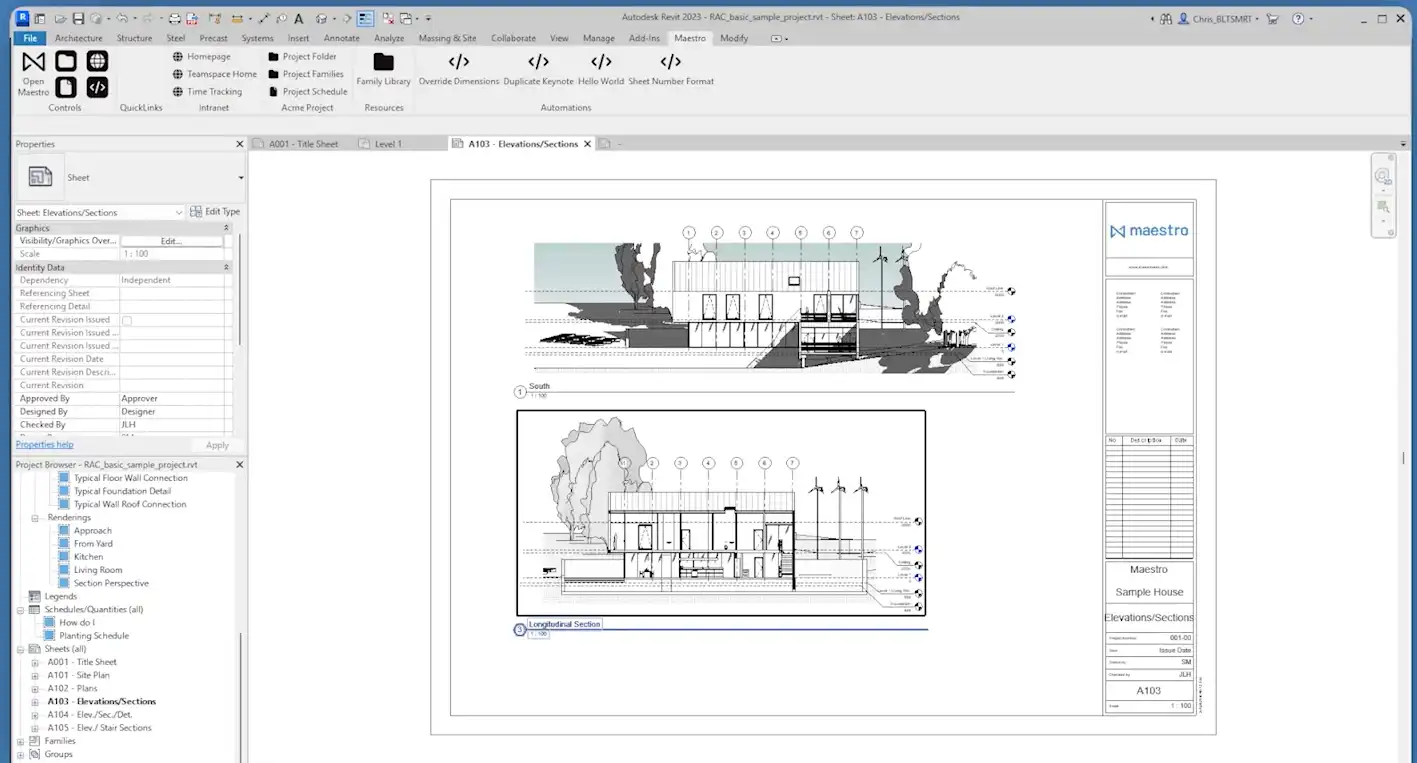
(Image by: BLT SMRT, LLC)
Seamless Deployment and Instantaneous Updates
Maestro simplifies the deployment process by allowing for instantaneous deployment of tools across an organization without the need to restart Revit. This feature is particularly beneficial for digital practice, VDC, and BIM teams who need to quickly deploy and update tools within their workflow. By giving ownership of tool deployment to these teams, Maestro supercharges the deployment cycle of Revit add-ins, enabling organizations to stay agile and responsive.
Furthermore, Maestro supports the launch of various resources from the ribbon interface, including Python scripts, websites, and web applications. This seamless integration of external resources enhances the functionality of Revit, allowing users to leverage a diverse range of tools and services directly from within the software.
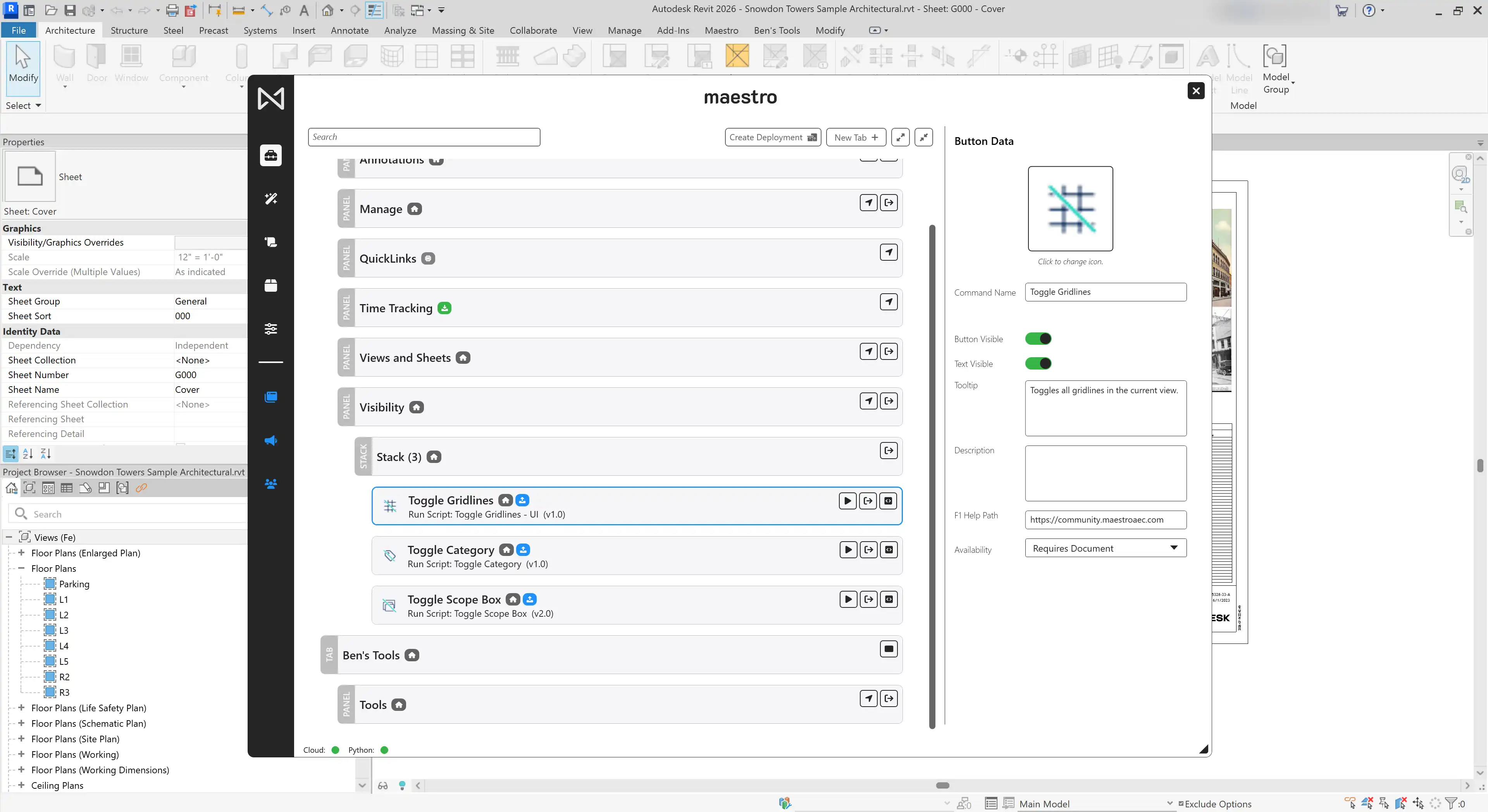
(Image by: BLT SMRT, LLC)
Summary
Maestro is a game-changer for Autodesk Revit users looking to customize their workflow and streamline tool deployment. By offering a platform for building custom tools and interfaces, Maestro empowers users to create a tailored Revit experience that meets their unique needs. The plugin's seamless deployment capabilities and support for external resources make it a valuable asset for software development teams, digital practice, VDC, and BIM teams. If you're looking to supercharge your Revit experience and optimize your workflow, Maestro is definitely worth a try.
Similar apps:
- Free
- $5
- Free
- $20
- Free
- $50