 1 / 5
1 / 5About this app
Introduction
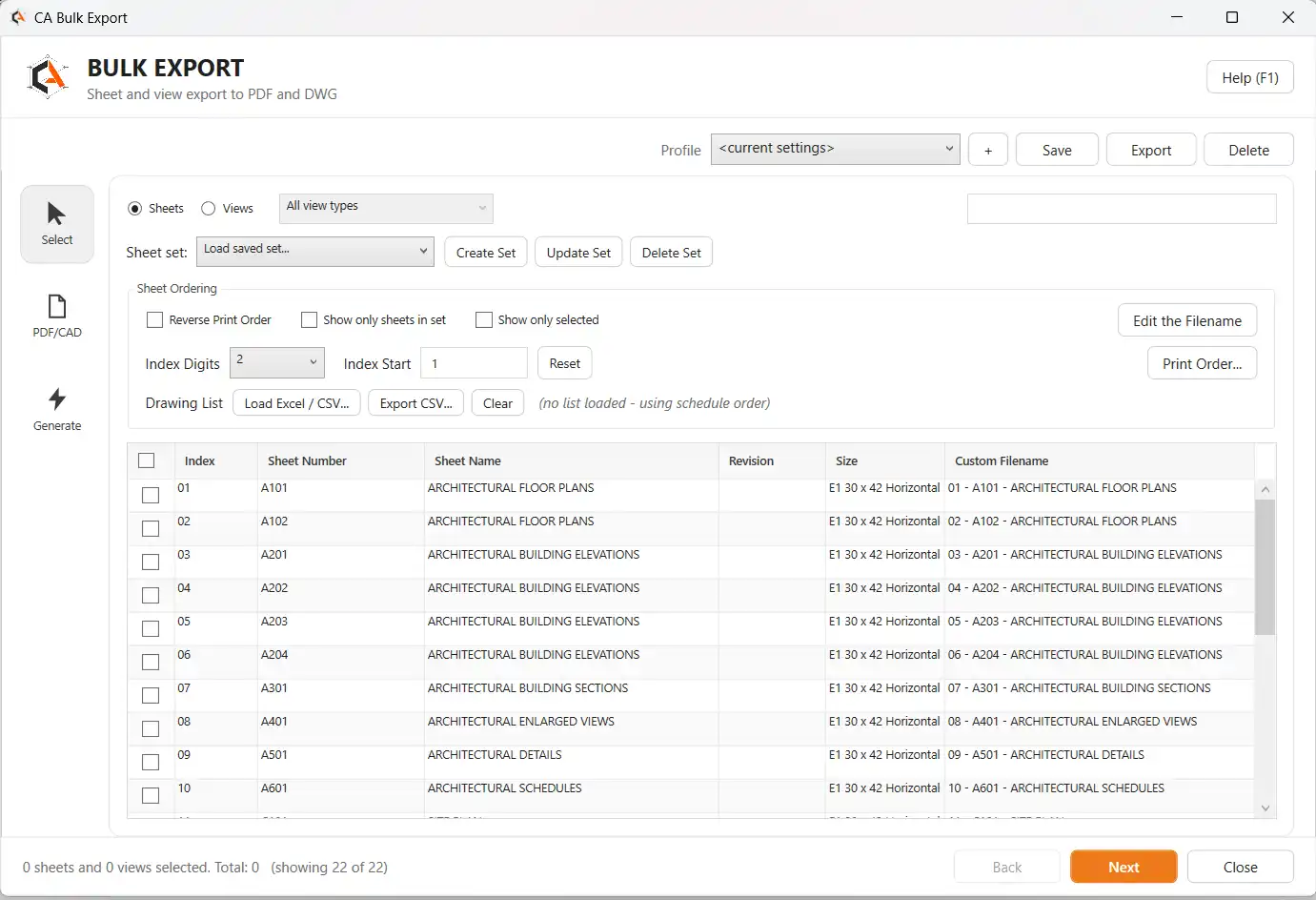
For architects, engineers, and designers working in Revit, the process of exporting sheets for printing or sharing can often be time-consuming and tedious. The CA Bulk Exporter plugin aims to simplify this workflow by allowing users to export multiple sheets to PDF and/or DWG formats in just one operation. With its intuitive interface and customizable output options, this plugin promises to save users valuable time and effort.
(Image by: CA Tools)
Overview of Features
CA Bulk Exporter is designed to streamline the sheet export process in Revit by eliminating the need to manually go through the Print and Export dialogs for each individual sheet. Instead, users can select multiple sheets, set their output preferences once, and let the plugin handle the rest. Here are some key features of CA Bulk Exporter:
- Exports any number of sheets to PDF and/or DWG in one run.
- Applies named DWG Export Setups saved in the active model for consistent CAD standards.
- Produces individual PDFs per sheet or a combined PDF for the entire selection.
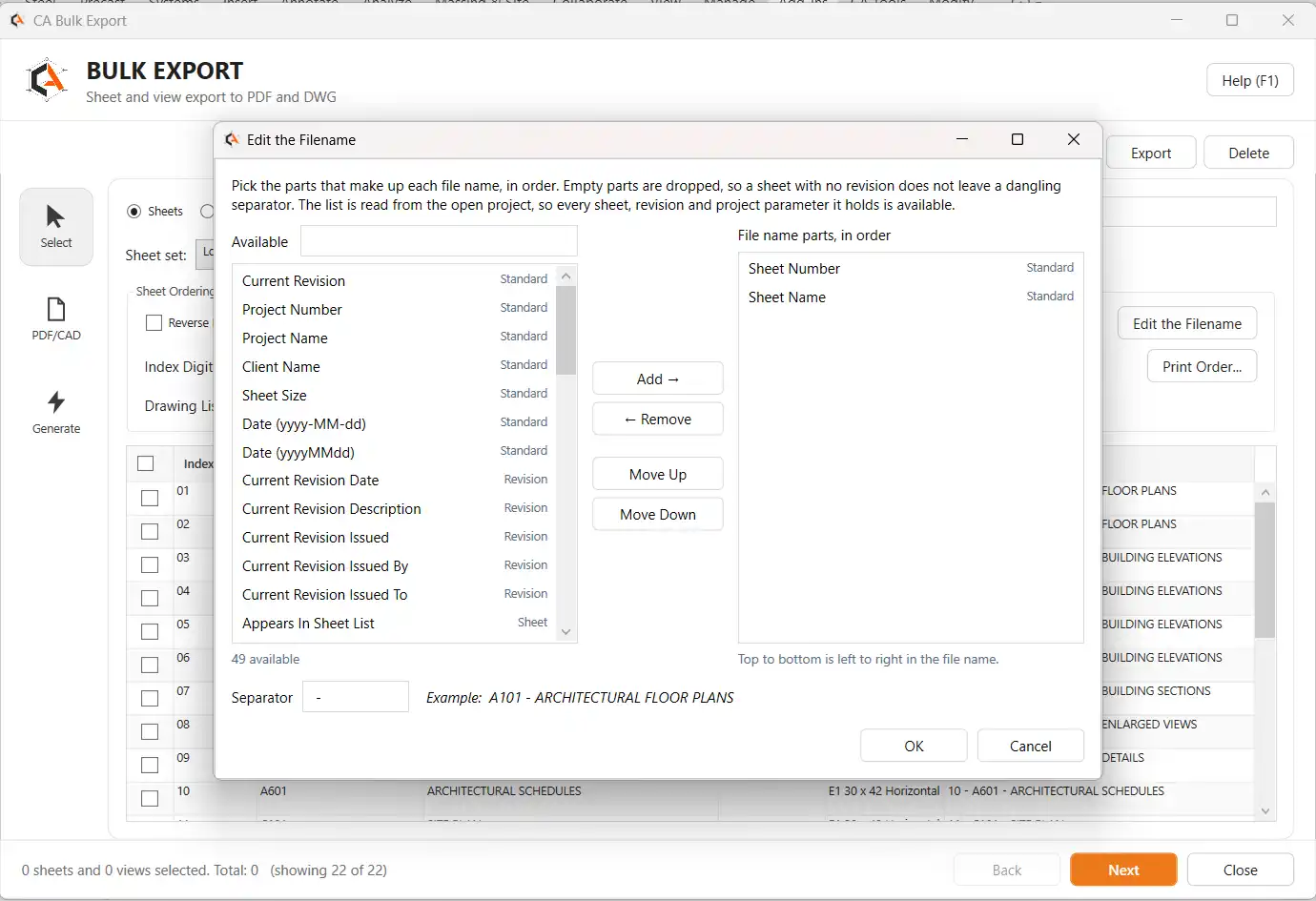
- Allows customization of file naming rules based on sheet number, name, revision, and project fields.
- Provides a live progress log and completion summary for easy tracking.
- Allows sheet selection, filtering, sorting, and bulk exporting.
- Remember the last selection and output settings for convenience.
(Image by: CA Tools)
How It Works
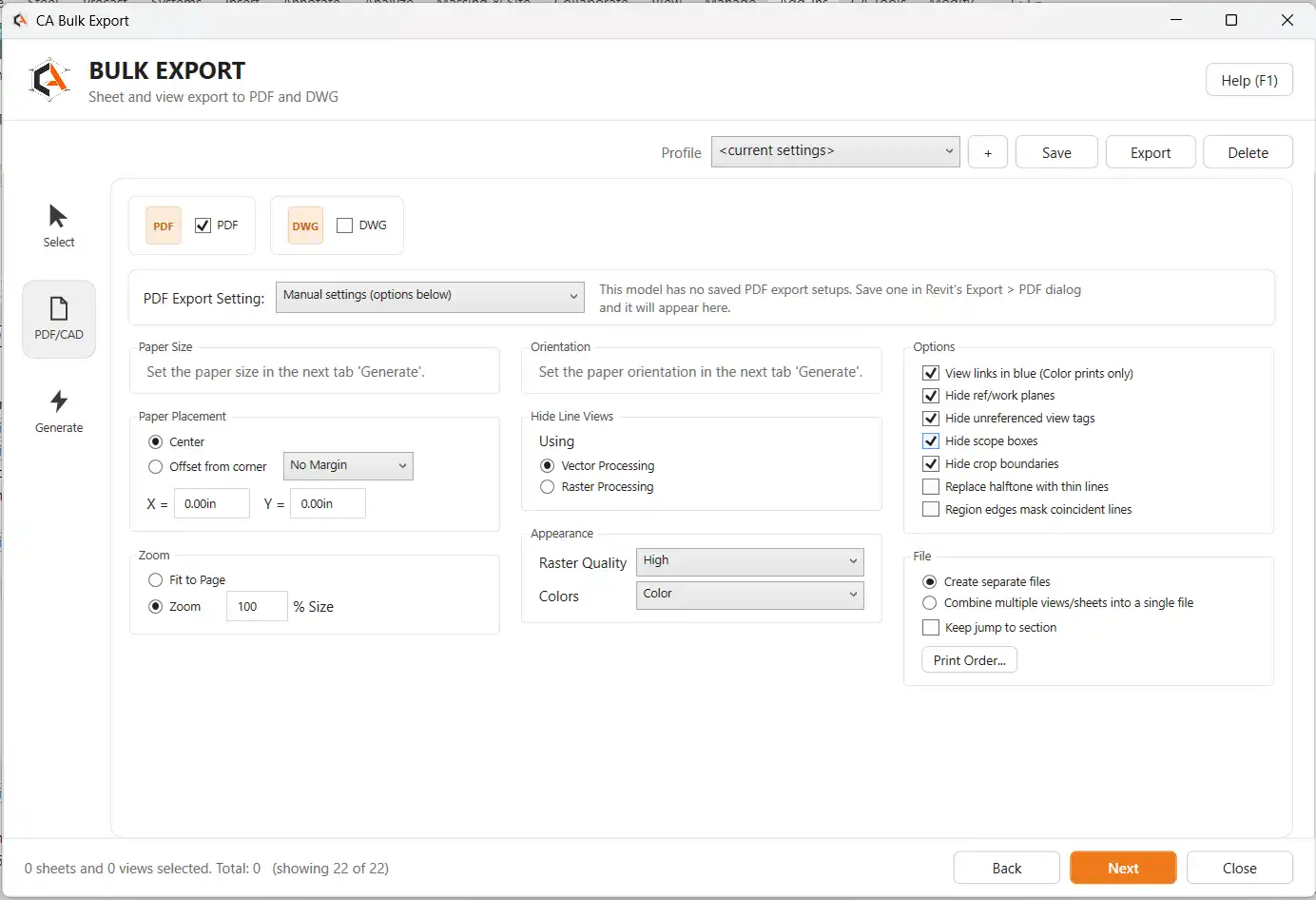
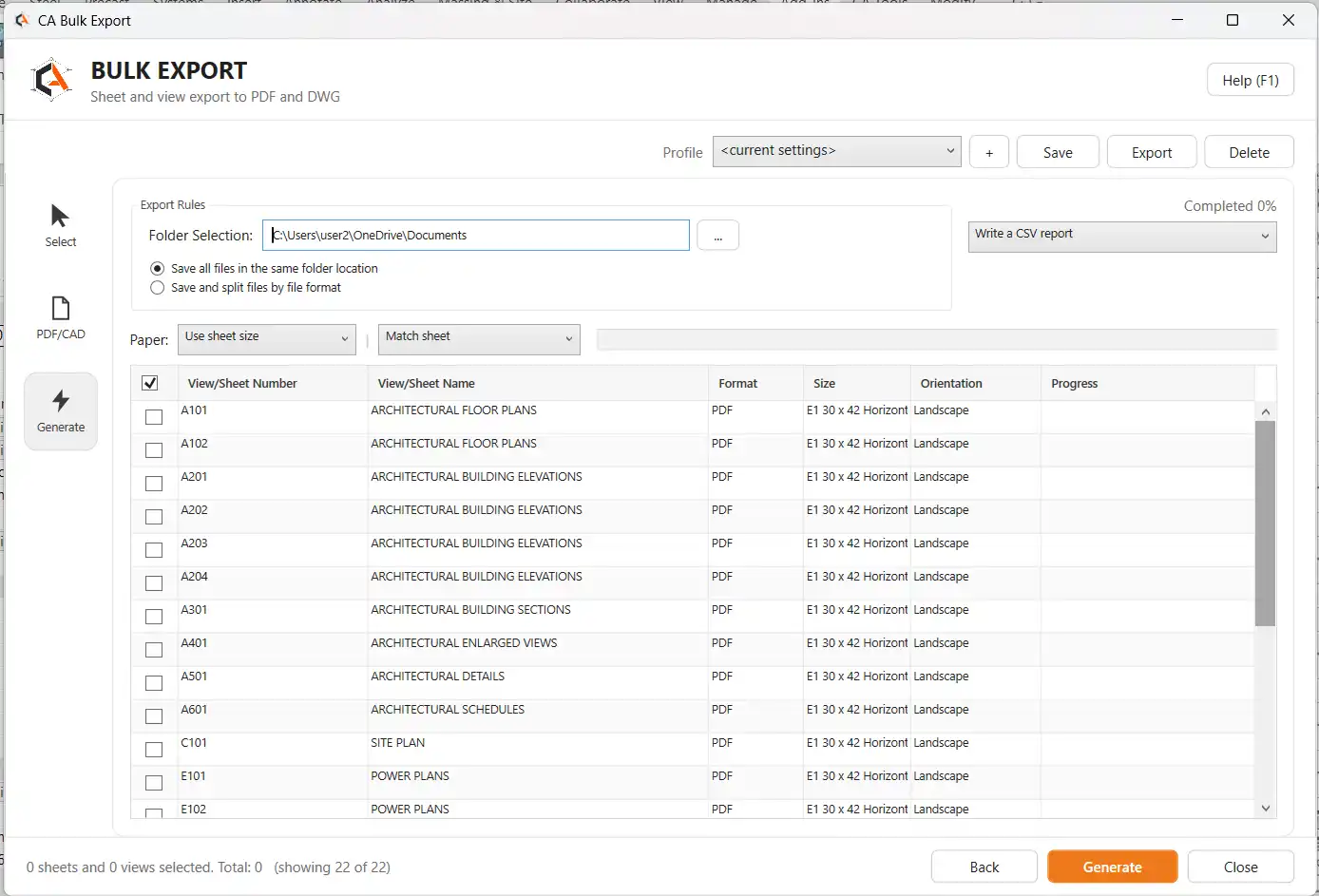
Using CA Bulk Exporter is straightforward and efficient. Users simply need to select the sheets they want to export, customize their output preferences, and choose the destination folder for the exported files. The plugin reads the named DWG Export Setups saved in the active model, ensuring that office CAD standards, layer mapping, and units are applied consistently across all exported sheets.
With options to export to PDF or DWG, users can choose the paper size, orientation, color settings, and processing method for each sheet. Whether you need individual PDFs for each sheet or a combined PDF for a set of sheets, CA Bulk Exporter gives you the flexibility to customize your output as needed.
(Image by: CA Tools)
Benefits of CA Bulk Exporter
One of the standout benefits of CA Bulk Exporter is its ability to save time and effort when exporting multiple sheets in Revit. By streamlining the export process into a single operation, users can avoid the repetitive task of navigating through print and export settings for each sheet. This not only increases productivity but also ensures consistency in output quality.
The plugin's customizable naming rules and output options allow users to generate deliverables that are tailored to their specific project requirements. Whether you need detailed file names for easy organization or specific color settings for printing, CA Bulk Exporter gives you the control to create outputs that meet your needs.
Additionally, the live progress log and completion summary provided by the plugin make it easy to track the export process and identify any sheets that may have been skipped or encountered issues. This level of transparency ensures that users have full visibility into the export operation and can quickly address any potential issues that arise.
(Image by: CA Tools)
Summary
Overall, CA Bulk Exporter is a valuable tool for Revit users looking to expedite the sheet export process and enhance their workflow efficiency. With its user-friendly interface, customizable output options, and time-saving features, this plugin offers a convenient solution for generating high-quality PDFs and DWGs from Revit models. Whether you are working on a small project or a large-scale design, CA Bulk Exporter can help streamline your export process and improve your overall productivity. Give it a try and experience the benefits of this powerful Revit plugin for yourself!
Similar apps:
- Free
- $5
- Free
- $15/month
- Free
- Free