 1 / 5
1 / 5About this app
Are you tired of facing issues in your Autodesk Revit projects when changing level elevations that cause your MEP systems to break? The good news is that there is a solution to this common challenge: the MEP Level Mapper plugin. This powerful add-in addresses the lack of automated visualization of element-level assignments in Revit, making it easier for you to manage your MEP systems efficiently. In this review, we will explore the key features, benefits, and supported categories of the MEP Level Mapper plugin, as well as why it is a must-have tool for both small projects and large-scale MEP systems.
Visualize Element-Level Assignments with Ease
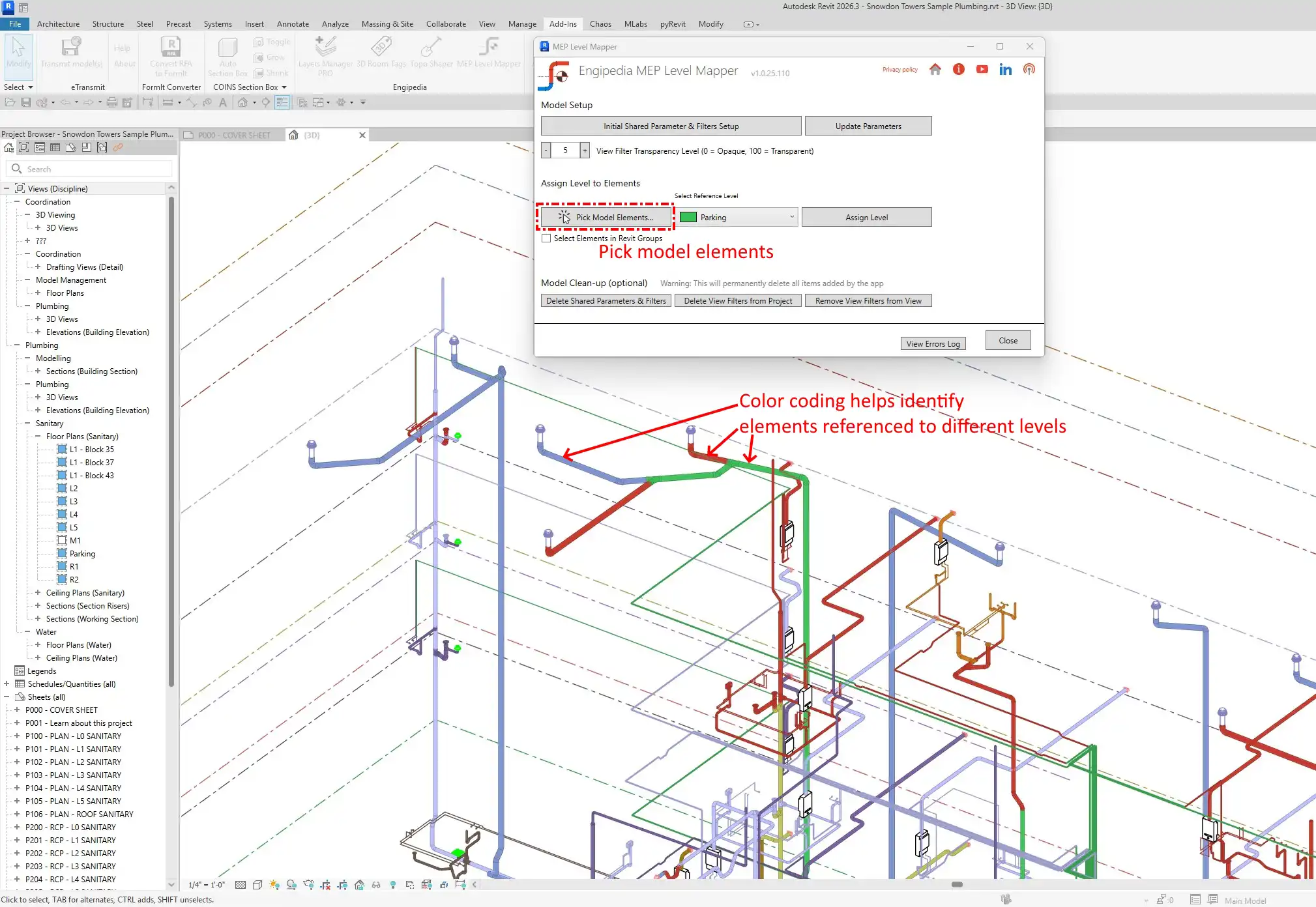
One of the major obstacles in Revit is the difficulty of visualizing element-level assignments, especially when it comes to linear MEP elements like pipes or ducts. The MEP Level Mapper plugin solves this problem by providing automatic color-coded visualization of your elements based on level names. This feature allows you to quickly see which elements are assigned to which levels, ensuring consistency across different models if the level names are identical. With just a glance, you can instantly understand the current state of your MEP systems and make necessary adjustments.
(Image by: engipedia)
Efficient Batch Level Assignment
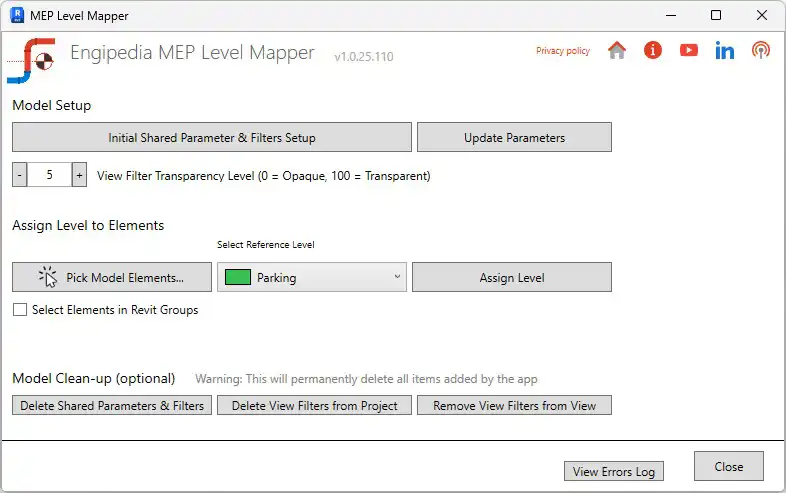
Another key feature of the MEP Level Mapper plugin is the ability to assign multiple elements to a chosen level in just a few clicks. This batch level assignment functionality streamlines your workflow and reduces errors, saving you time and effort in managing levels across different elements. The plugin supports grouped elements, giving you full flexibility to assign levels to various components of your MEP systems quickly and accurately.
(Image by: engipedia)
Automatic Parameter Creation and Model Clean-Up
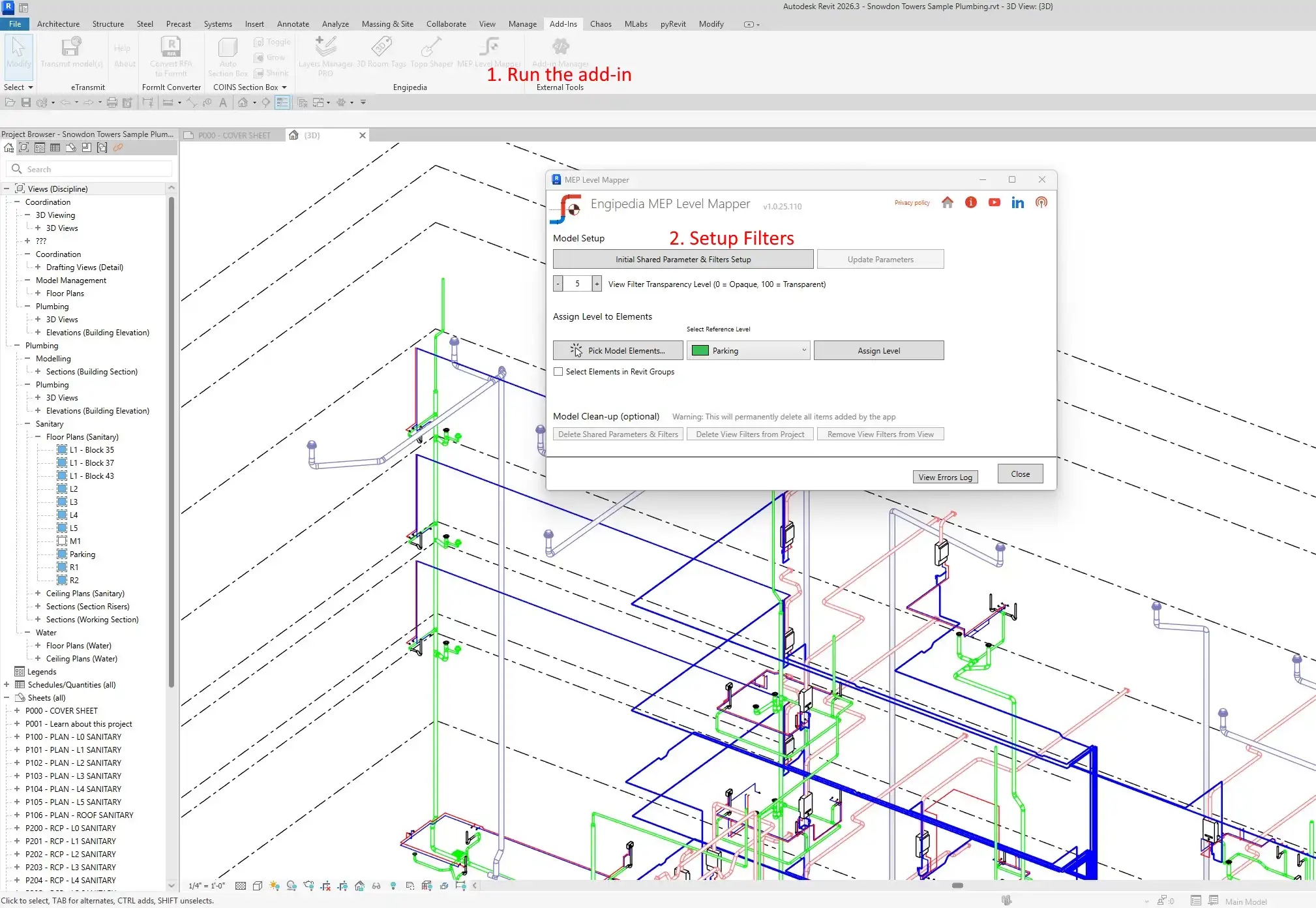
In addition to visualizing and assigning levels to your elements, the MEP Level Mapper plugin also automatically creates the necessary shared parameter and view filters. This eliminates the need for manual parameter creation, saving you even more time and ensuring consistency in your Revit models. Furthermore, the plugin offers model clean-up options that allow you to easily remove filters or delete all items created by the add-in, restoring your model to its original state effortlessly.
(Image by: engipedia)
Benefits of Using MEP Level Mapper
The MEP Level Mapper plugin offers a range of benefits that make it a valuable tool for any Revit user working with MEP systems. By visualizing complex MEP systems instantly, you can easily identify and resolve any issues related to level assignments. This not only saves time but also reduces errors in your projects, ensuring that your MEP systems function correctly. The color-coded levels also help you maintain consistent visual standards between projects, making it easier to collaborate with team members and stakeholders.
Whether you are coordinating large MEP systems, preparing models for documentation, or simplifying repetitive tasks, the MEP Level Mapper plugin provides a reliable and intuitive solution that seamlessly integrates into your Revit workflow. Its flexible licensing options, including single-user and multi-user licenses, make it easy to tailor the plugin to meet your specific needs.
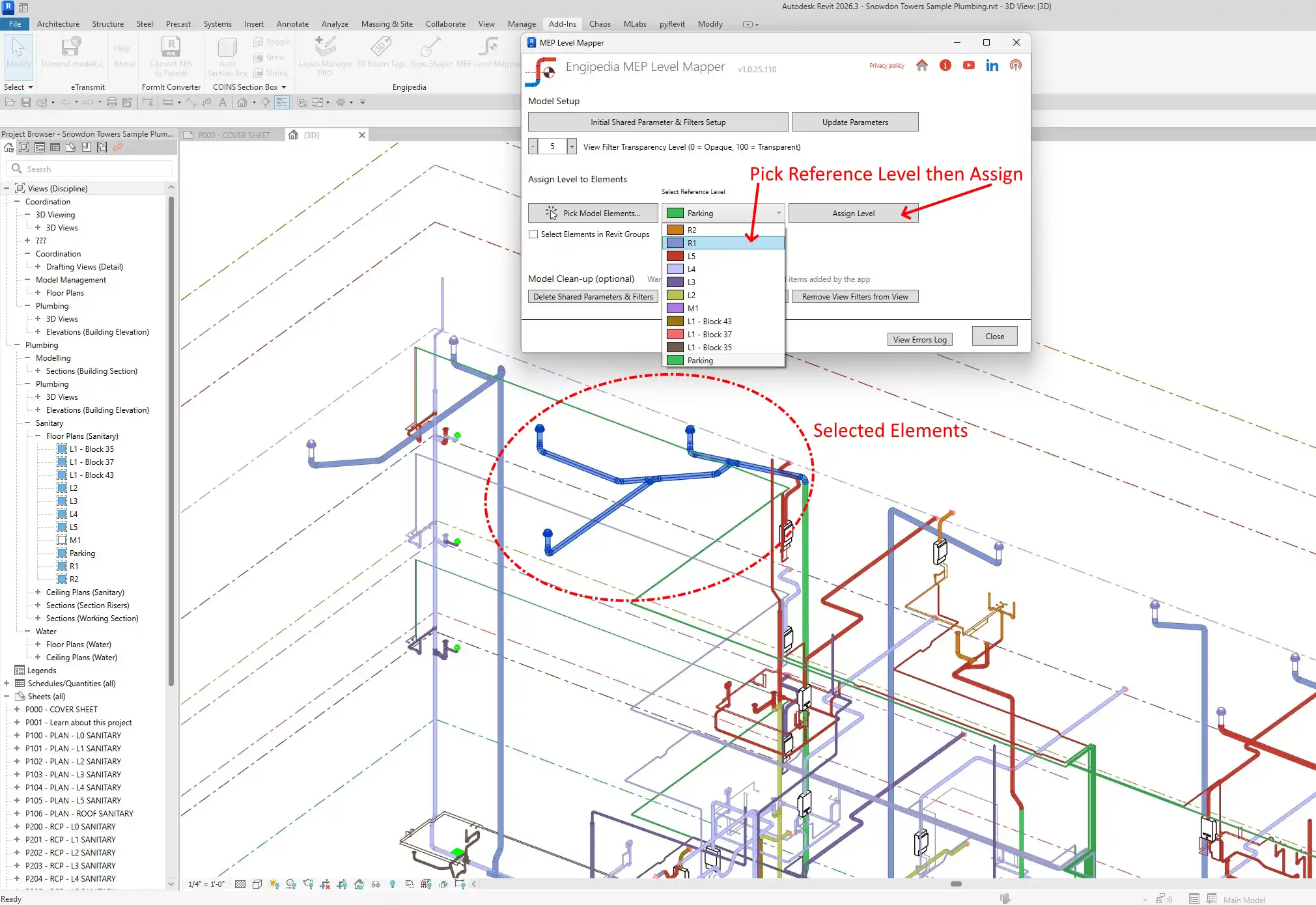
(Image by: engipedia)
Conclusion
The MEP Level Mapper plugin is a must-have tool for any Revit user working with MEP systems. Its automatic color-coded visualization, batch level assignment, and model clean-up options make it easy to manage levels across multiple elements efficiently. By using this plugin, you can save time, reduce errors, and ensure consistent visual standards in your projects. Whether you are working on small projects or large-scale MEP systems, the MEP Level Mapper plugin is a valuable addition to your Revit workflow.
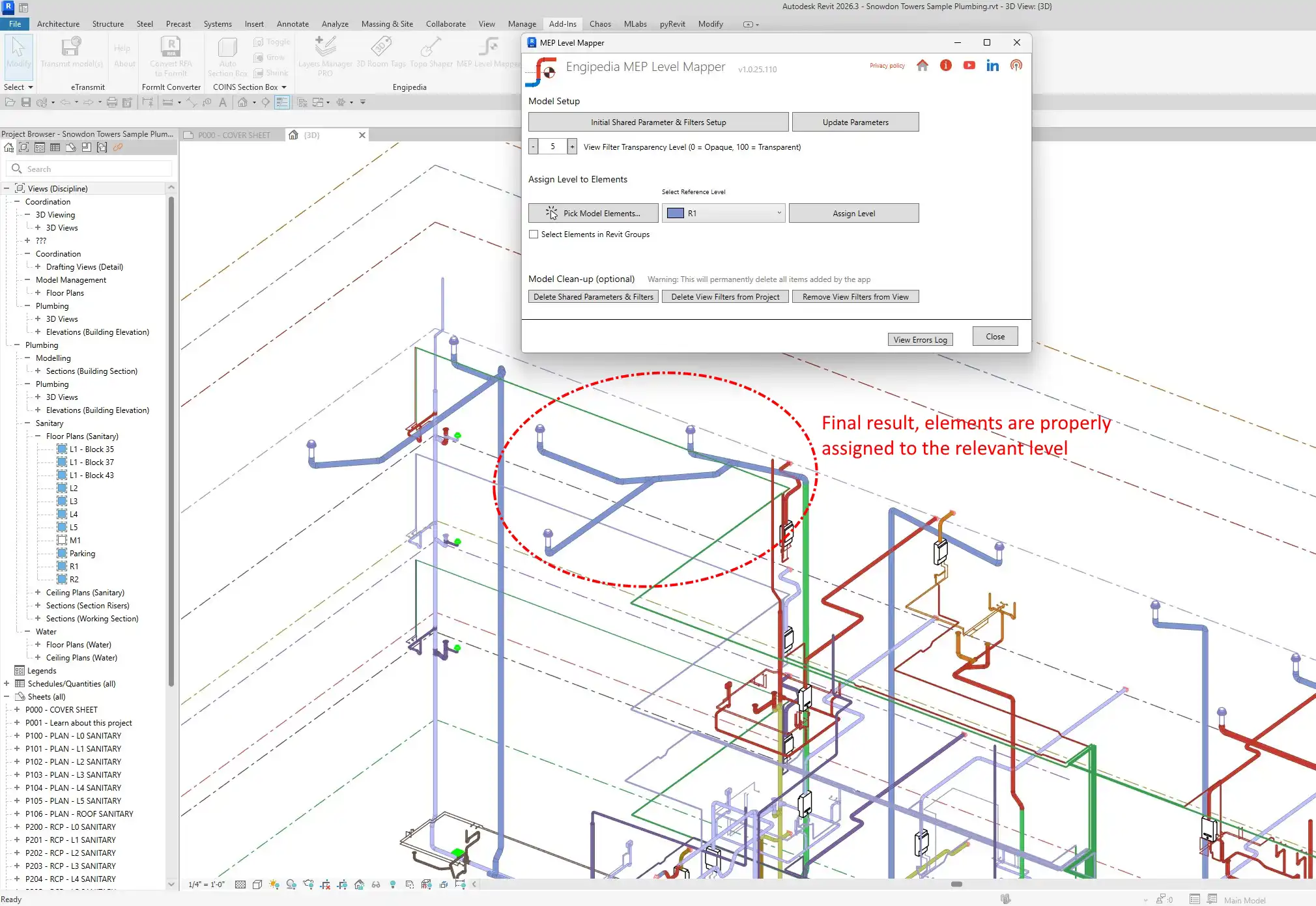
(Image by: engipedia)
Similar apps:
- Free
- $20
- Free
- Free
- Free
- $89