
 1 / 6
1 / 6About this app
Revit users, are you tired of spending precious time creating door families in the family editor? Do you wish there was a simpler and more efficient way to generate a variety of doors for your projects? Look no further than the Door Factory Preview 2026 plugin! With this powerful tool, you can create hinge or double hinge doors in seconds, without the need to delve into the intricacies of the family editor. Let's dive into the features and functionalities of this innovative Revit plugin.
Features of Door Factory Preview 2026
The Door Factory Preview 2026 offers a range of features to help you streamline your door creation process. While the Preview version is free and has limited functionality, it allows you to create standard and curtain panel single and double hinge doors with ease. If you're looking for more advanced capabilities, the Premium version of the plugin has got you covered.
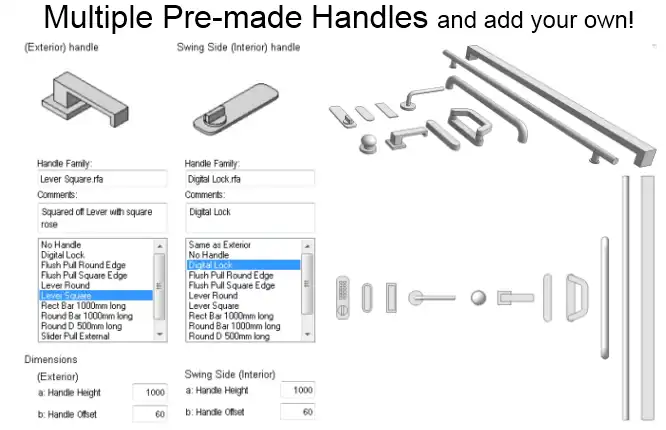
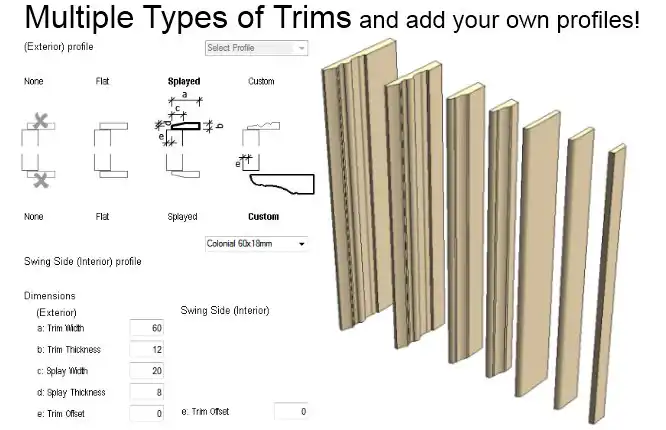
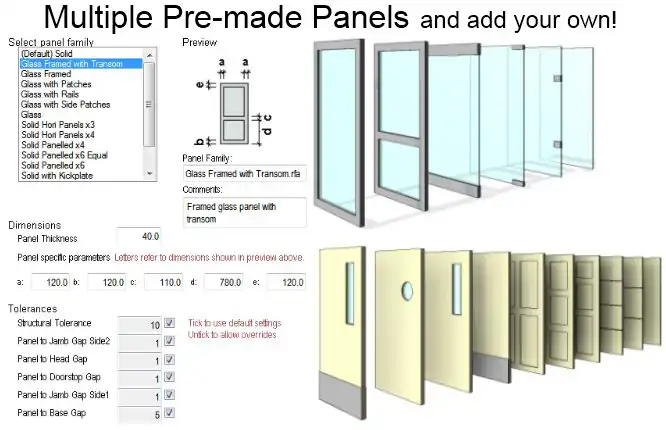
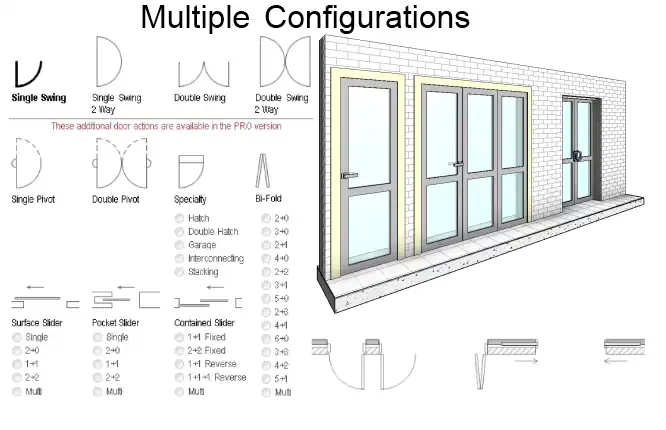
With the Premium version, you can create not only standard and curtain panel single and double hinge doors but also bi-fold doors in 14 different configurations, surface, pocket, and contained sliding doors in 15 different configurations, garage doors, hatches, stacking doors, and even interconnecting doors for scenarios like connecting hotel rooms. Additionally, both the Preview and Premium versions allow you to customize your doors by adding your own panels, handles, trim profiles, and other components.
One of the standout features of the Premium version is the ability to add clearance diagrams, custom trim profiles, and user components such as sills, pelmets, decorative moldings, and overpanels. This level of customization gives you unlimited combinations to suit the design requirements of your project.
(Image by: RevitWorks Ltd)
Benefits of Using Door Factory Preview 2026
By incorporating the Door Factory Preview 2026 plugin into your Revit workflow, you can experience a multitude of benefits that will enhance your productivity and efficiency. Here are some of the key advantages:
- Save time by creating doors as and when you need them, allowing you to stay focused on your design.
- Create a huge variety of doors, including bi-fold, sliding, garage, stacking, and interconnecting doors.
- Add your own panels, handles, trim profiles, and other components to achieve custom designs.
- Achieve consistency for all the doors in your project by reusing common components.
- Open and close doors in 3D to suit your walkthroughs and renders.
- Add accessibility clearance diagrams to ensure compliance with regulations.
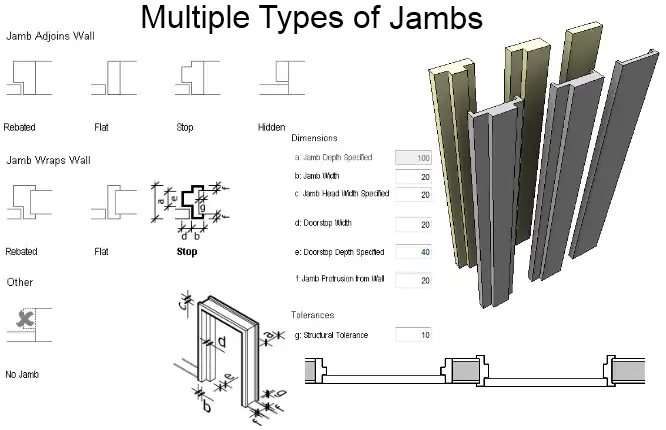
- Edit and save default values and settings for all doors, including jamb, panel, and trim dimensions.
- Elevation swing indicator points to hinge or handle to suit international graphic standards.
- Doors have built-in wall alignment parameters for precise positioning within walls.
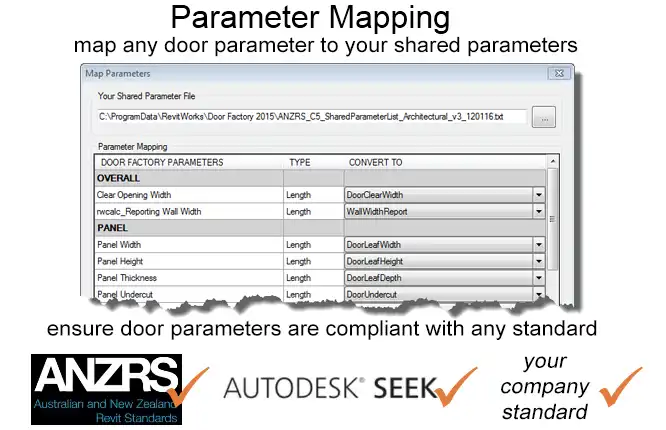
- Consistent and logical naming of all parameters for easy scheduling and management.
(Image by: RevitWorks Ltd)
Conclusion
The Door Factory Preview 2026 plugin is a game-changer for Revit users who are looking to streamline their door creation process and enhance their design workflow. With a wide range of features and functionalities, this plugin offers unparalleled flexibility and customization options that will help you bring your design vision to life. Say goodbye to tedious door creation in the family editor and hello to a more efficient and productive workflow with the Door Factory Preview 2026. Give it a try today and experience the difference!
(Image by: RevitWorks Ltd)
(Image by: RevitWorks Ltd)
(Image by: RevitWorks Ltd)
(Image by: RevitWorks Ltd)
Similar apps:
- Free
- Free
- Free
- $50
- Free
- Free




