 1 / 4
1 / 4About this app
Introduction
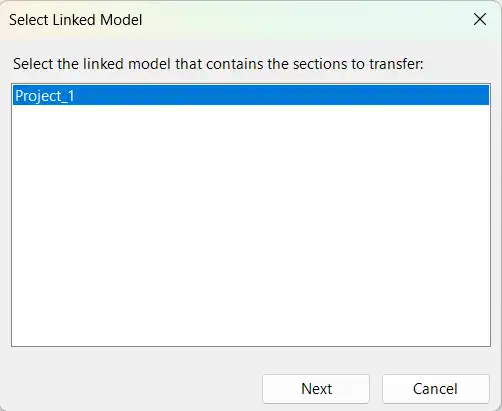
If you are a Revit user looking to streamline your workflow and save time, the Section Transfer Tool is a must-have plugin. This tool allows you to efficiently copy section views between different Autodesk Revit models, eliminating repetitive manual work and reducing errors. Whether you are working with multiple linked models, templates, or standardized documentation workflows, the Section Transfer Tool is designed to make your life easier.
(Image by: Roman Boichin)
Key Benefits
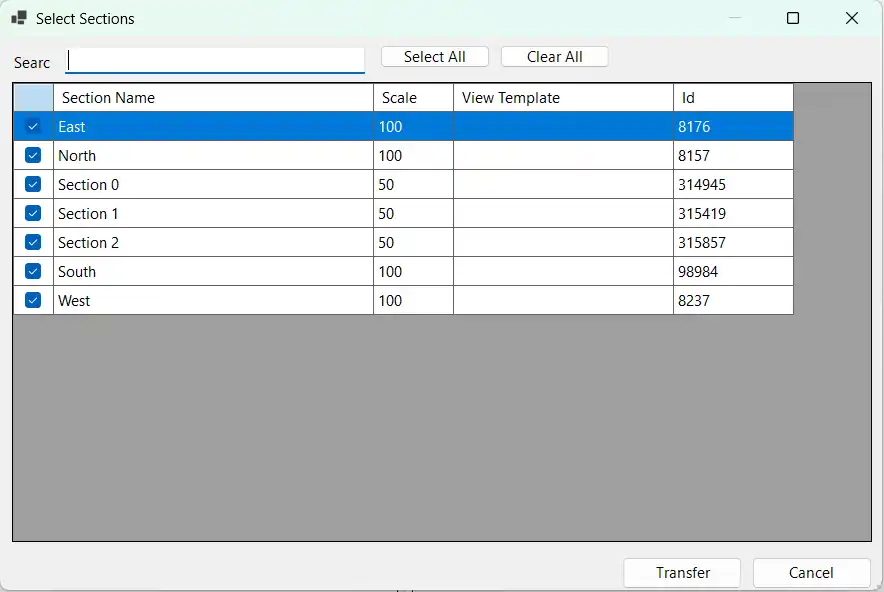
The Section Transfer Tool offers a range of benefits that can significantly improve your Revit experience. By using this plugin, you can save time by transferring multiple section views in one operation, maintain consistency across projects, and reduce manual setup errors. The simple and intuitive interface makes it easy for users of all skill levels to take advantage of these benefits.
(Image by: Roman Boichin)
Features
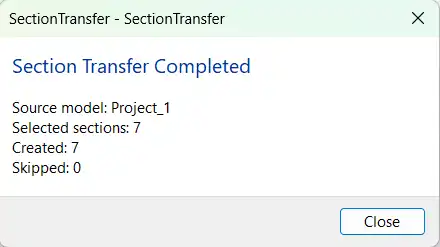
One of the standout features of the Section Transfer Tool is the ability to select and transfer multiple section views at once. This not only saves time but also ensures that your workflow remains efficient. The tool supports transfer between different Revit projects and automatically recreates section views in the target model. With lightweight and fast processing, you can seamlessly integrate this plugin into your existing workflow without any slowdowns.
(Image by: Roman Boichin)
Summary
The Section Transfer Tool is a game-changer for Revit users looking to optimize their workflow and increase efficiency. By leveraging the key benefits and features of this plugin, you can save time, maintain consistency, and reduce errors in your projects. Whether you are working with multiple linked models or standardized documentation workflows, the Section Transfer Tool is a valuable addition to your toolkit. Try it out today and experience the difference it can make in your Revit projects.
(Image by: Roman Boichin)
Similar apps:
- Free
- Free
- Free
- $1.99/month
- Free
- Free