1 / 9
1 / 9About this app
Introduction
If you're tired of manually routing pipes, ducts, cable tray, and conduit in Autodesk Revit and dealing with clashes, then Thermist Add-in is the solution you've been looking for. This powerful plugin includes two essential tools - A to B Universal Routing Tool and Coil Connect - that automate clash-free piping and routing with ease. Let's dive into the key features and benefits of Thermist Add-in.
(Image by: Thermist )
Key Features of Thermist Add-in
Thermist Add-in offers automatic clash detection and avoidance using intelligent pathfinding. This means you can route pipes, ducts, cable tray, and conduit from any element to any point with ease, while the tool intelligently avoids obstacles in seconds. This feature works seamlessly across all MEP disciplines, making it a versatile tool for various projects.
Another standout feature of Thermist Add-in is the Coil Connect tool, which allows you to model clash-free branch piping from coils to mains in seconds. The tool automatically finds the nearest piping mains, determines optimal routing, and connects your coils, saving you valuable time and eliminating tedious manual work.
Thermist Add-in also works with standard Revit families and ITM fabrication parts, giving you flexibility and compatibility with your existing models. Additionally, the plugin offers optional custom valving arrangements for coil connections, configurable settings for valve families and pipe adjustments, and the ability to handle both short runs and complex long-distance routing.

(Image by: Thermist )
Benefits of Using Thermist Add-in
By using Thermist Add-in, you can significantly reduce the time and effort required to design and model clash-free piping and routing in Autodesk Revit. The automatic clash detection and avoidance feature ensures that your designs are accurate and error-free, saving you the hassle of manually fixing clashes later on.
The Coil Connect tool streamlines the process of connecting coils to mains, making it easy to model branch piping with precision and efficiency. With Thermist Add-in, you can focus on the creative aspects of your design work, knowing that the plugin will take care of the technical details for you.

(Image by: Thermist )
Conclusion
Overall, Thermist Add-in is a must-have plugin for anyone working with piping and routing in Autodesk Revit. Its powerful tools, automatic clash detection and avoidance, compatibility with standard Revit families, and time-saving features make it a valuable addition to any designer's toolkit. If you want to streamline your workflow, increase productivity, and create clash-free designs effortlessly, give Thermist Add-in a try today.

(Image by: Thermist )

(Image by: Thermist )
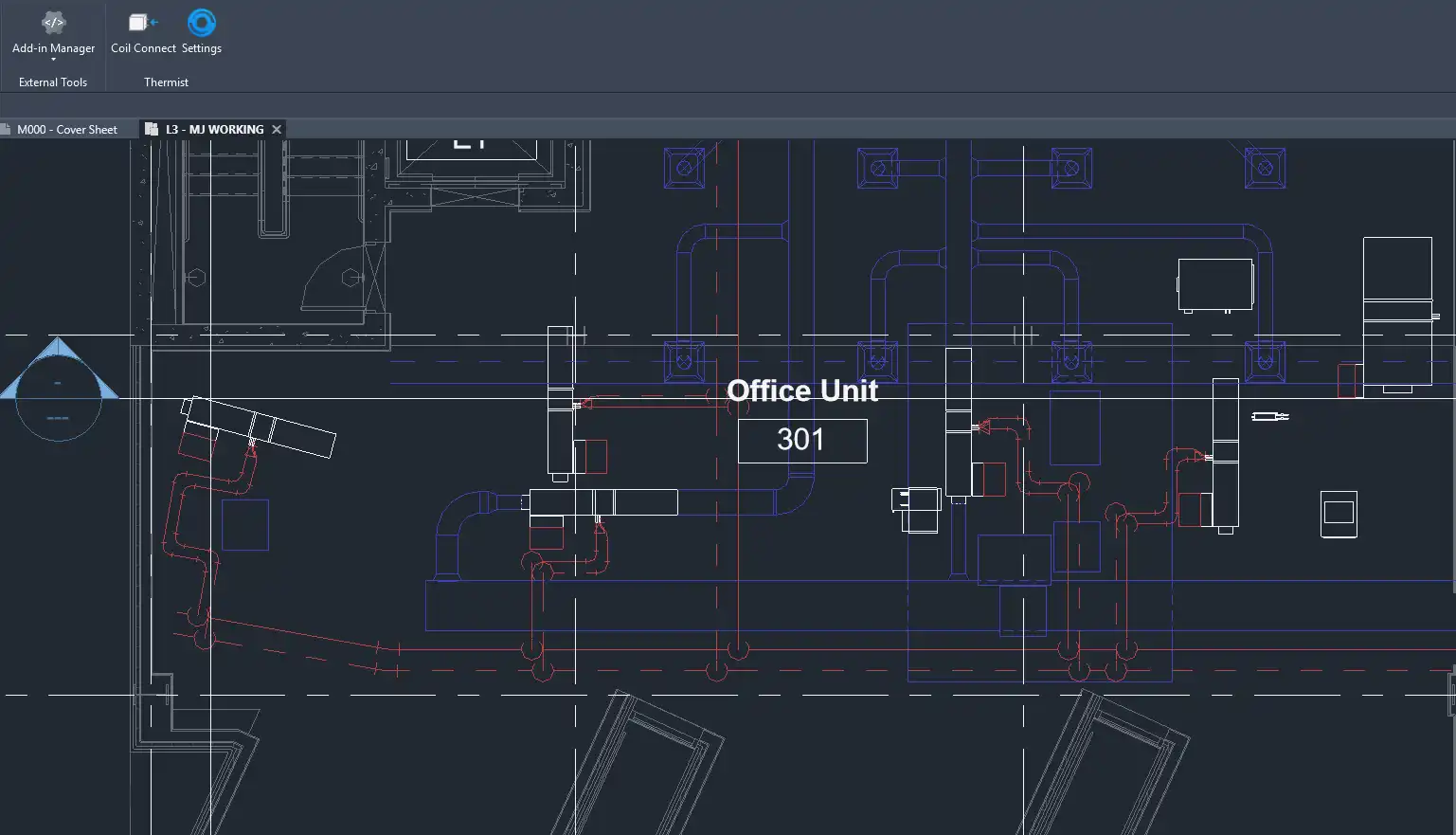
(Image by: Thermist )
Similar apps:
- Free
- $40
- Free
- Free
- $15/month
- $4.95/month