 1 / 4
1 / 4About this app
Introduction
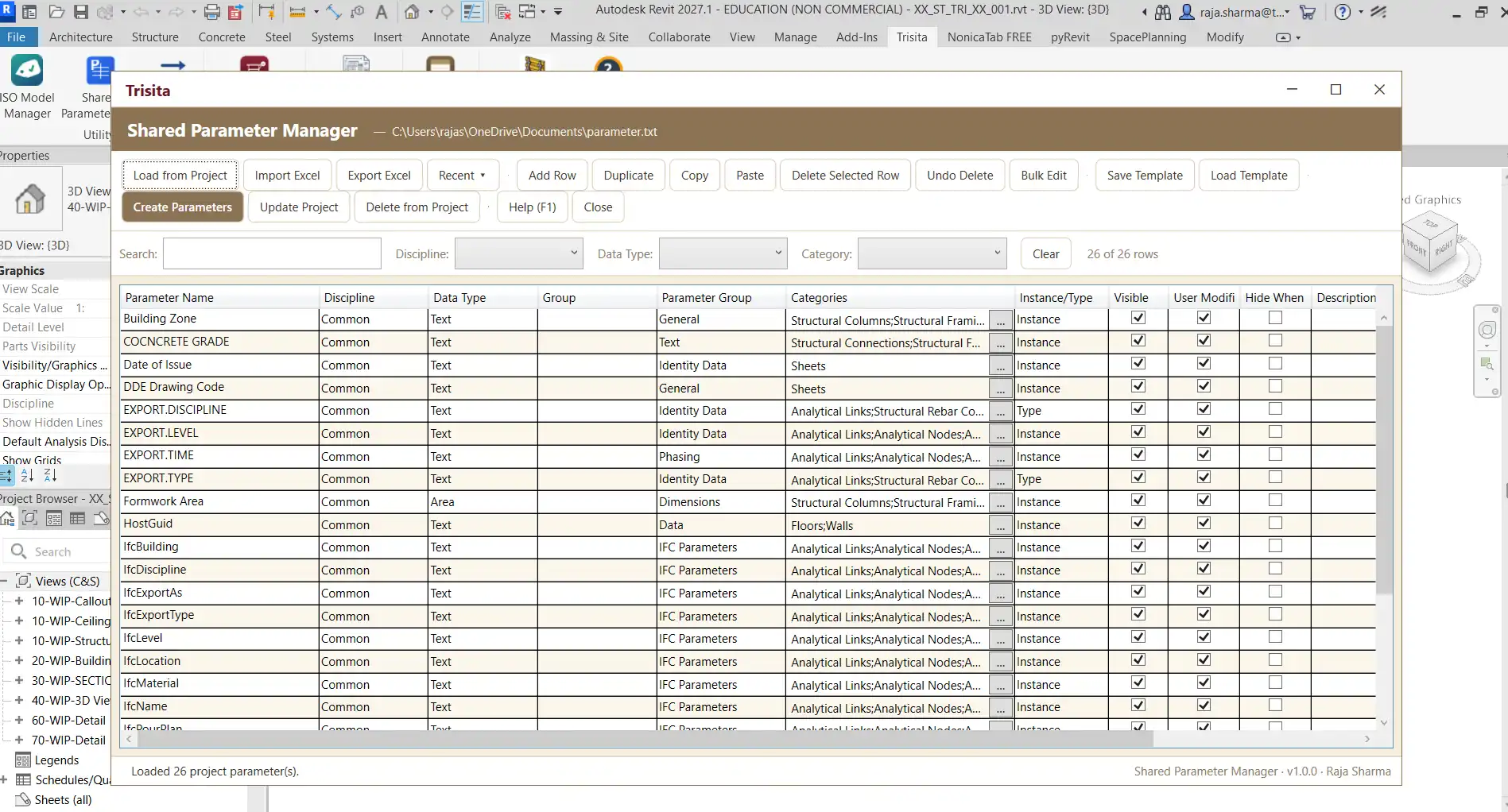
In the world of Building Information Modeling (BIM), managing shared parameters can be a daunting task, especially for large projects with extensive data requirements. Enter the Shared Parameter Manager, a powerful standalone Revit add-in designed to streamline the process of creating, editing, organizing, and maintaining shared parameters. This innovative tool offers a user-friendly interface that resembles an Excel spreadsheet, making it easier for BIM managers and Revit users to handle a multitude of parameters from a single, cohesive platform. In this review, we will explore the key features of the Shared Parameter Manager and discuss how it can enhance your Revit experience.
(Image by: Trisita Engineering LLP)
Excel-Style Parameter Management
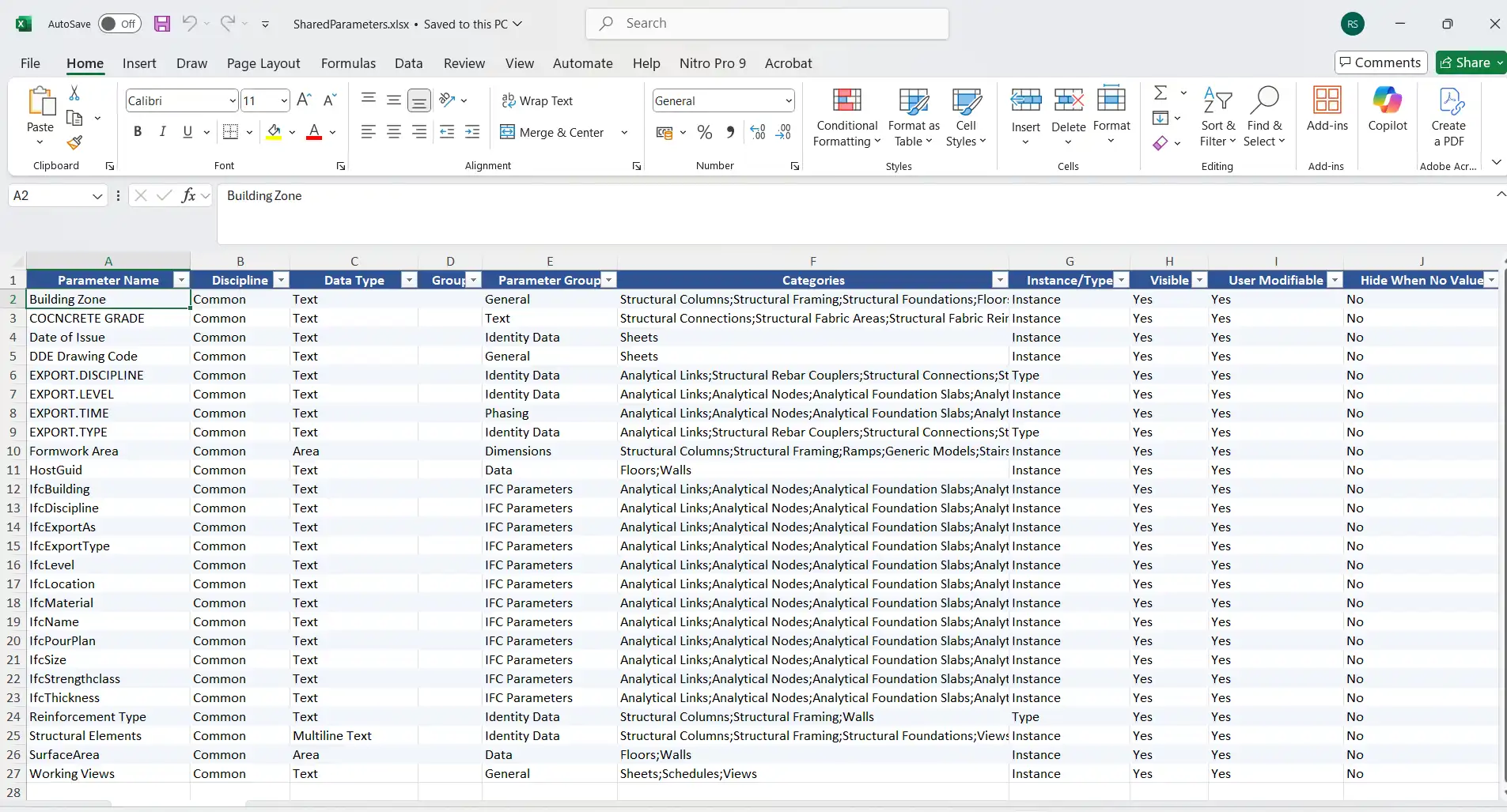
One of the standout features of the Shared Parameter Manager is its intuitive Excel-like grid interface. This design allows users to manage hundreds of shared parameters efficiently, providing a clear and organized view of all relevant data. With options to add, edit, duplicate, copy, paste, and delete parameter rows, users can swiftly make necessary adjustments before applying changes to their Revit project. This level of accessibility not only saves time but also reduces the potential for errors commonly associated with manual parameter management. The interface's familiarity to those who use Excel makes it particularly appealing, allowing users to leverage existing skills to navigate and manipulate their parameter sets effortlessly.
Create and Bind Shared Parameters
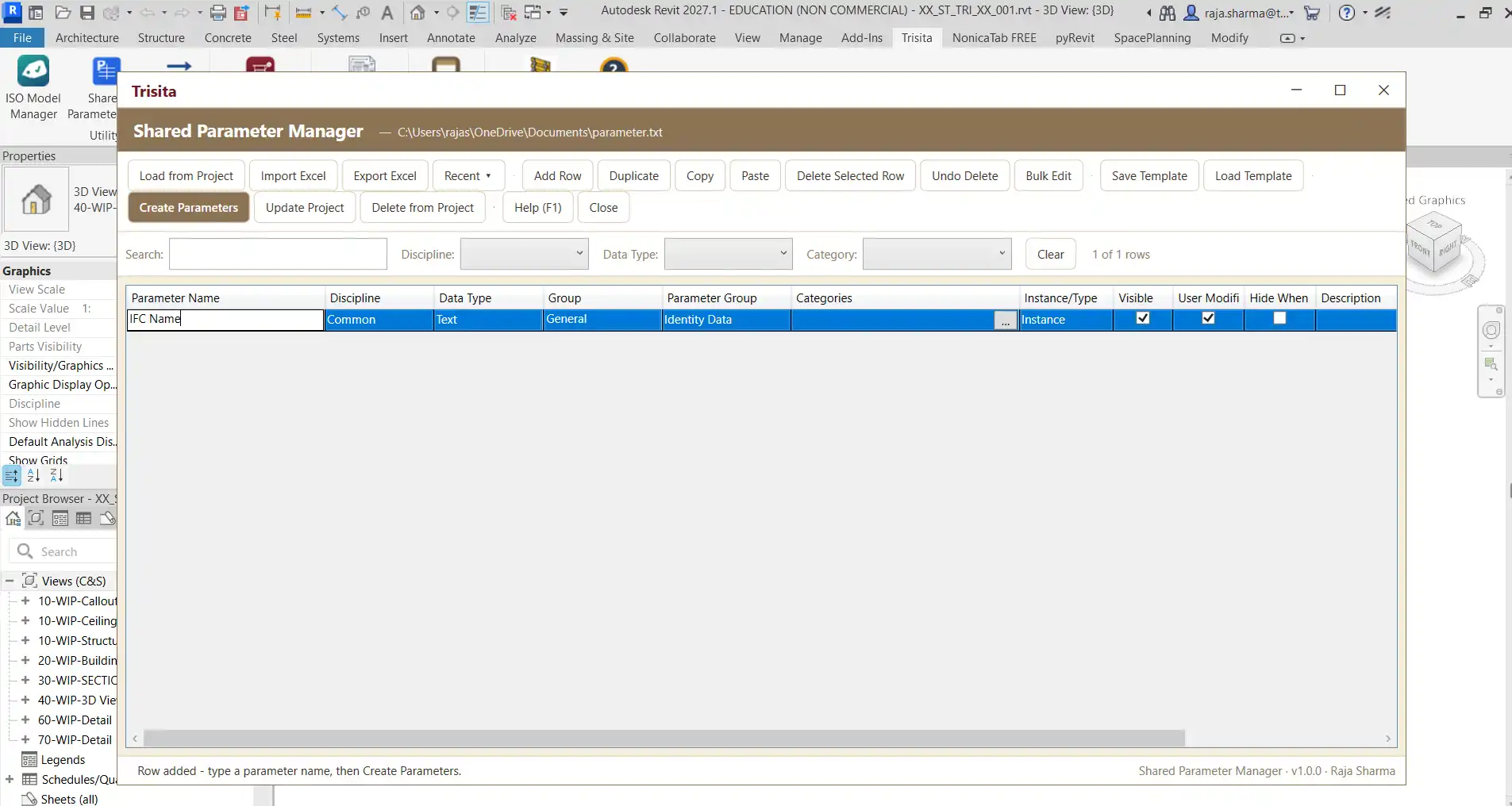
The ability to create and bind shared parameters directly from the Shared Parameter Manager is a game-changer for Revit users. This feature enables users to define essential aspects of a shared parameter, including its name, discipline, data type, parameter group, categories, and instance/type behavior. The streamlined process facilitates the quick generation of new parameters without the need to switch back and forth between different menus in Revit, ultimately enhancing productivity and efficiency. Additionally, the add-in reads disciplines, data types, and parameter groups directly from the Revit API, ensuring that the available options are in alignment with the installed Revit version. This prevents compatibility issues and enhances the overall user experience.
(Image by: Trisita Engineering LLP)
Load and Audit Existing Parameters
Another noteworthy capability of the Shared Parameter Manager is its ability to load shared parameters that are already bound to the current Revit project into the management table. This functionality is invaluable for users who need to review, audit, and maintain existing parameter configurations. By centralizing this information, the add-in helps users keep track of all shared parameters and their respective statuses, making it easier to ensure that project requirements are met and that data remains consistent throughout the project lifecycle. This feature reduces the need for time-consuming manual checks and allows users to focus on more critical aspects of their BIM projects.
Bulk Editing for Streamlined Management
Managing extensive sets of shared parameters can often involve repetitive tasks that consume valuable time. The Shared Parameter Manager tackles this issue head-on with its bulk editing functionality. Users can select multiple parameter rows and apply common values—such as discipline, group, categories, or other supported settings—in a single operation. This capability significantly reduces the need for repetitive manual editing, allowing users to implement changes swiftly and accurately. For BIM managers handling large projects with numerous shared parameters, this feature represents a significant improvement in workflow efficiency and accuracy.
(Image by: Trisita Engineering LLP)
Summary
In conclusion, the Shared Parameter Manager is an essential tool for Revit users looking to simplify the management of shared parameters. Its intuitive Excel-style interface, ability to create and bind parameters directly, and robust auditing and bulk editing features make it a standout choice for BIM managers and professionals alike. By adopting this plugin, users can enhance their workflow, minimize errors, and ensure that their projects remain organized and efficient. If you frequently work with shared parameters in Revit, we highly encourage you to try the Shared Parameter Manager and experience the benefits it brings to your BIM projects.
Similar apps:
- Free
- Free
- $5
- $15/month
- $20
- Free