 1 / 4
1 / 4About this app
Introduction
In the world of Building Information Modeling (BIM), efficiency and accuracy are paramount. Managing vast amounts of data within Revit can often feel like a daunting task, especially when it comes to schedules. Enter ProSchedule, a powerful productivity add-in for Revit that revolutionizes the way BIM professionals handle schedules. By enabling seamless two-way data exchange between Revit schedules and Microsoft Excel, ProSchedule simplifies and streamlines the workflow, allowing users to focus on what truly matters - delivering exceptional projects. This review delves into the features, benefits, and overall impact of ProSchedule on the BIM environment.
(Image by: Trisita Engineering LLP)
Key Features of ProSchedule
ProSchedule is equipped with an impressive array of features designed to enhance productivity and reduce the risk of errors. Here are some of the standout capabilities that make ProSchedule a must-have for BIM professionals:
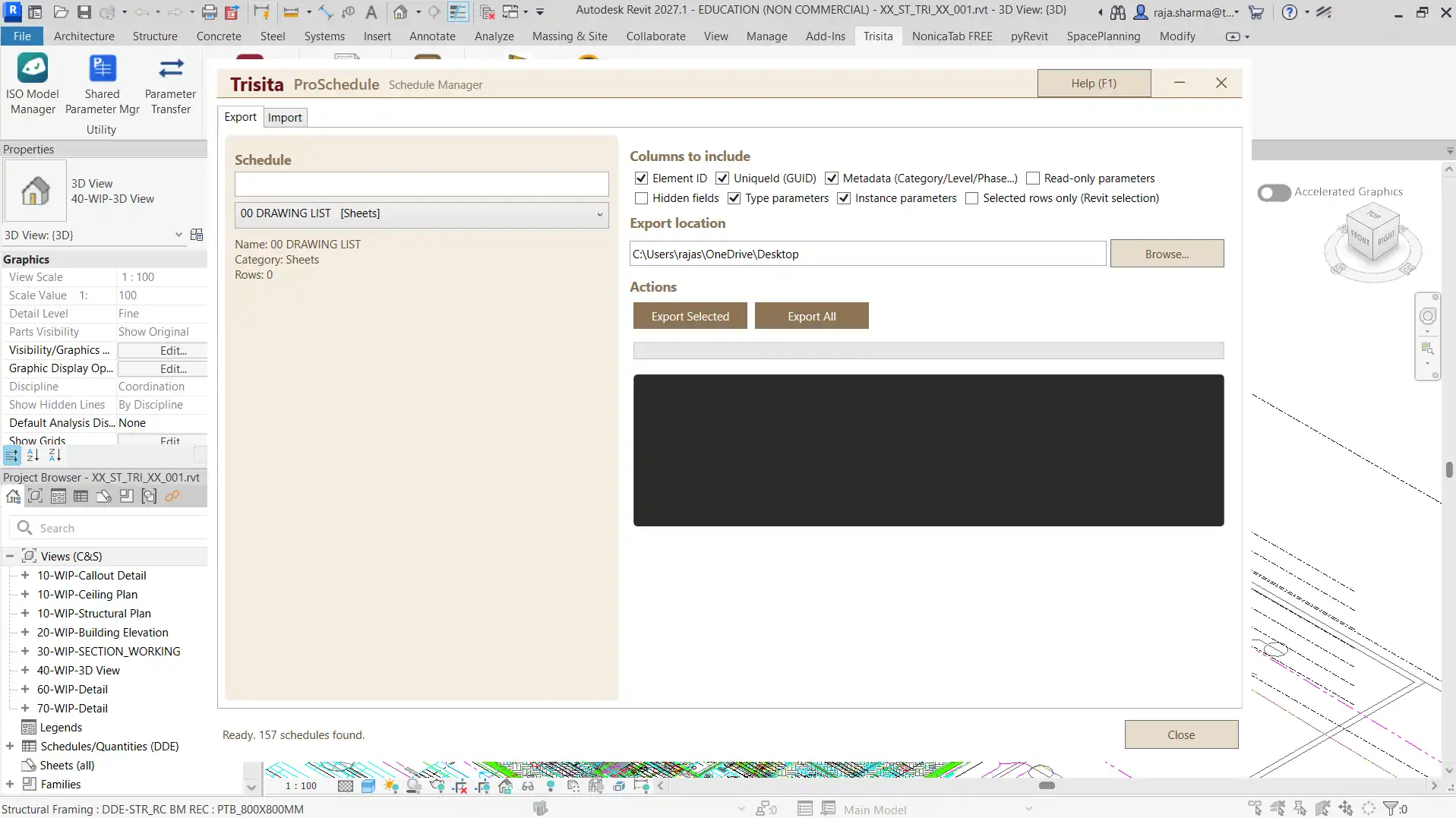
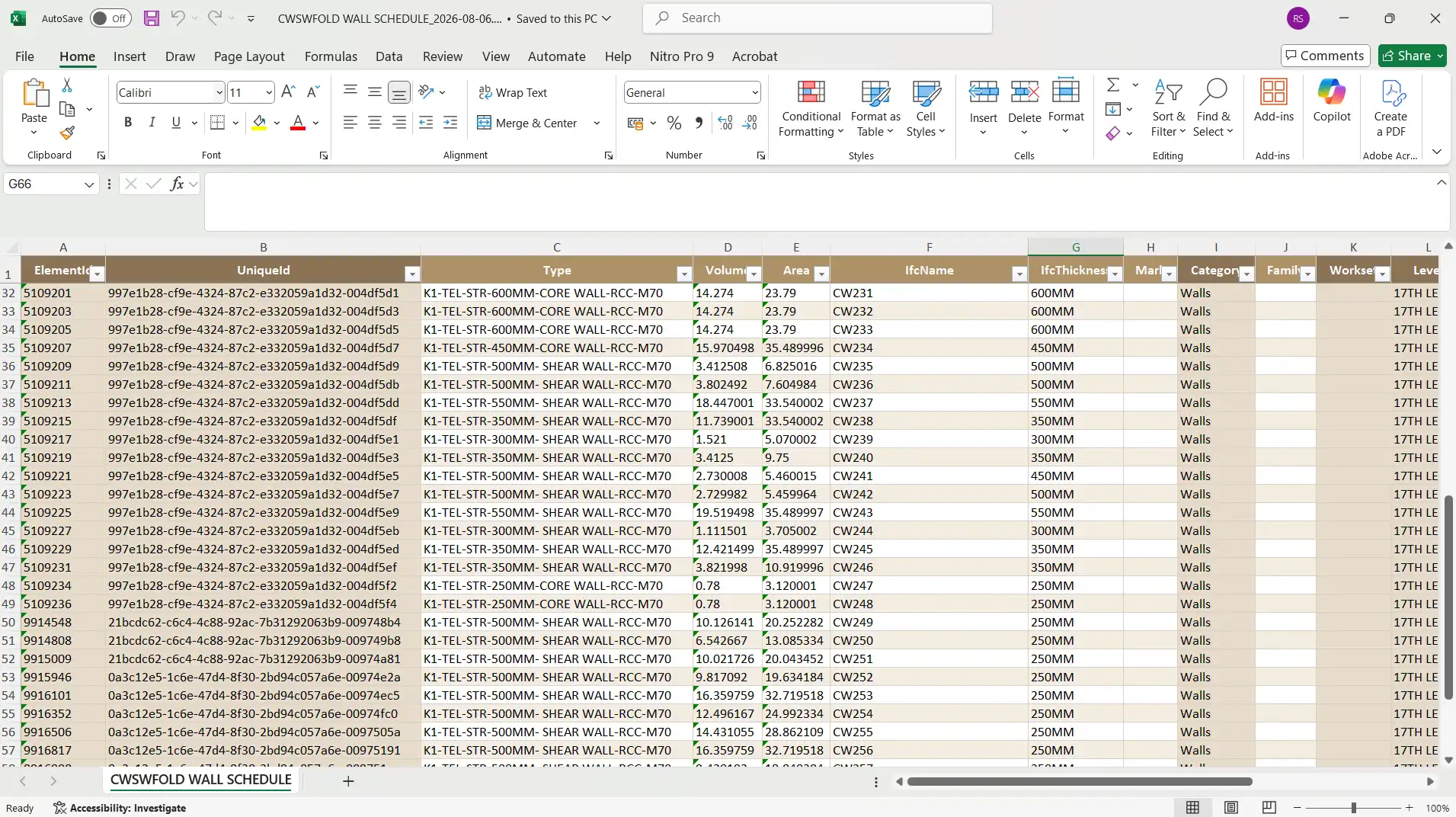
- Export Revit Schedules to Excel: With ProSchedule, users can export any Revit schedule directly to Microsoft Excel. This feature not only preserves the structure and organization of the schedule but also allows users to manipulate data in a familiar spreadsheet environment.
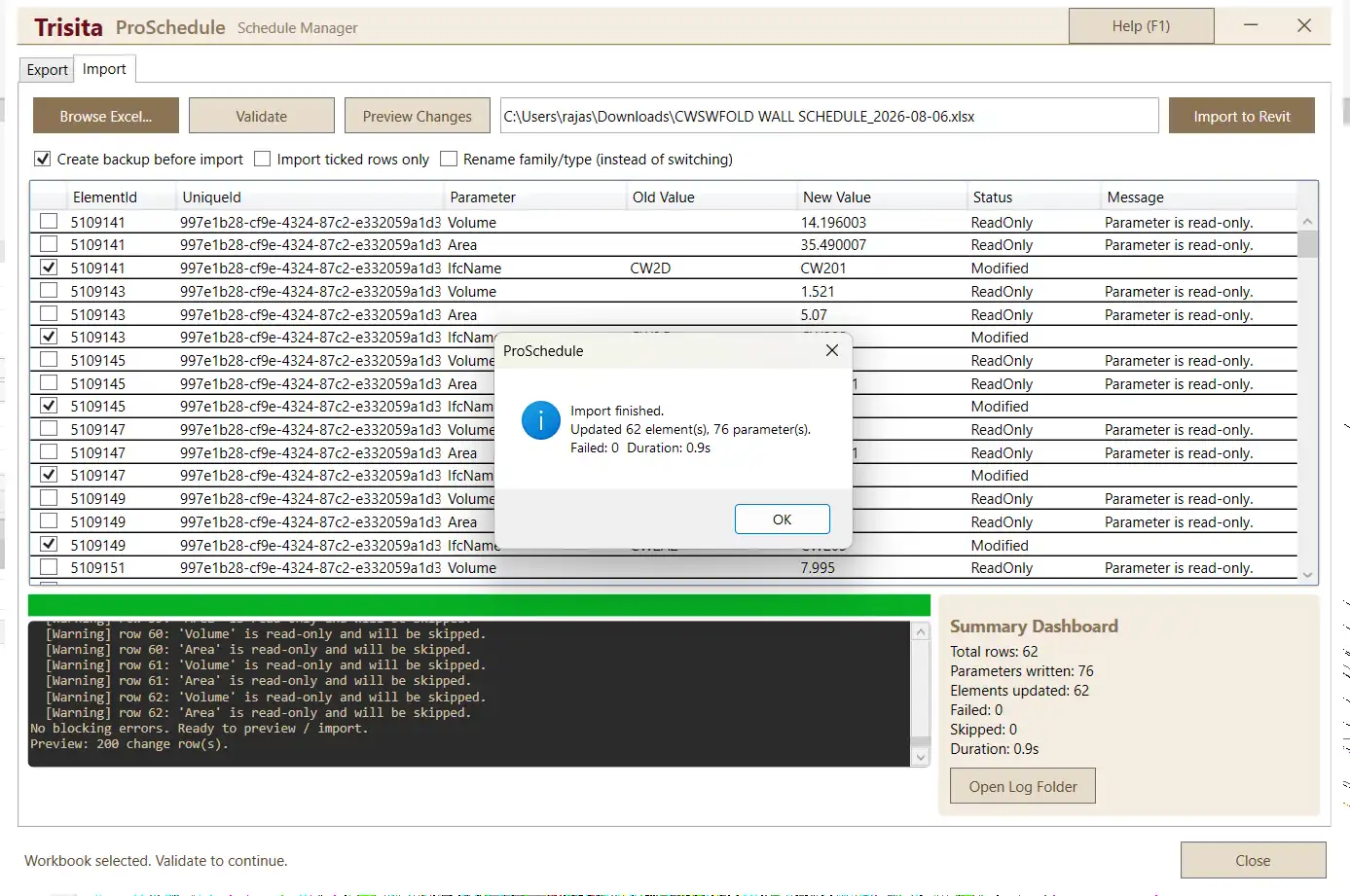
- Import Excel Data into Revit: After making modifications in Excel, users can easily import the updated information back into Revit. This automatic syncing saves time and mitigates the risk of data discrepancies.
- Two-Way Synchronization: ProSchedule ensures consistency between Revit and Excel through a reliable import/export workflow. This two-way synchronization is crucial for maintaining accurate project information.
- Bulk Parameter Updates: One of the most significant advantages of ProSchedule is its ability to update hundreds or thousands of elements simultaneously. This bulk editing feature eliminates the tedious task of modifying each element individually.
- Intelligent Data Mapping: ProSchedule automatically maps schedule fields and parameters during the import process. This intelligent data mapping reduces errors and saves valuable time, enhancing overall productivity.
(Image by: Trisita Engineering LLP)
Benefits of Using ProSchedule
The benefits of incorporating ProSchedule into your Revit workflow go beyond mere convenience. Here’s how this plugin can significantly enhance your BIM projects:
- Increased Productivity: By allowing users to perform bulk edits and manage schedules efficiently, ProSchedule frees up time that can be redirected toward other critical aspects of the project. This boost in productivity can lead to faster project delivery.
- Improved Accuracy: Manual data entry is fraught with potential errors. ProSchedule minimizes this risk by streamlining the data management process, ensuring that information remains accurate and up-to-date throughout the project lifecycle.
- Enhanced Collaboration: The ability to export schedules to Excel makes it easier to collaborate with team members who may not be familiar with Revit. This feature fosters better communication and teamwork among architects, engineers, and project managers.
- Versatility Across Disciplines: Whether working on architectural, structural, MEP, infrastructure, or industrial projects, ProSchedule proves to be a versatile tool that can adapt to various disciplines and project requirements.
(Image by: Trisita Engineering LLP)
Why Choose ProSchedule?
As the demand for efficient BIM solutions continues to grow, ProSchedule stands out as a leading choice for professionals seeking to streamline their workflows. Its user-friendly interface combined with powerful features makes it accessible for both seasoned BIM experts and those new to the field. Moreover, the plugin’s ability to integrate seamlessly with Microsoft Excel, a tool many users are already comfortable with, enhances its appeal.
Additionally, the time savings and error reduction offered by ProSchedule translate into real cost benefits for firms. By ensuring that schedules are managed efficiently, teams can avoid costly rework and maintain project timelines. This can ultimately lead to higher client satisfaction and repeat business, crucial factors in today’s competitive market.
Summary
In conclusion, ProSchedule is a game-changing productivity add-in for Revit that redefines the way BIM professionals manage schedules. With its robust features, including two-way synchronization, bulk updates, and intelligent data mapping, ProSchedule not only enhances productivity but also ensures accuracy and efficiency. As the construction industry continues to evolve, adopting tools like ProSchedule will be essential for staying ahead of the curve. For anyone involved in BIM projects, trying out ProSchedule could be one of the best decisions you make to elevate your workflow. Don't hesitate; embrace the future of schedule management today!
Similar apps:
- Free
- Free
- Free
- Free
- $89
- Free