 1 / 12
About this app
Introduction
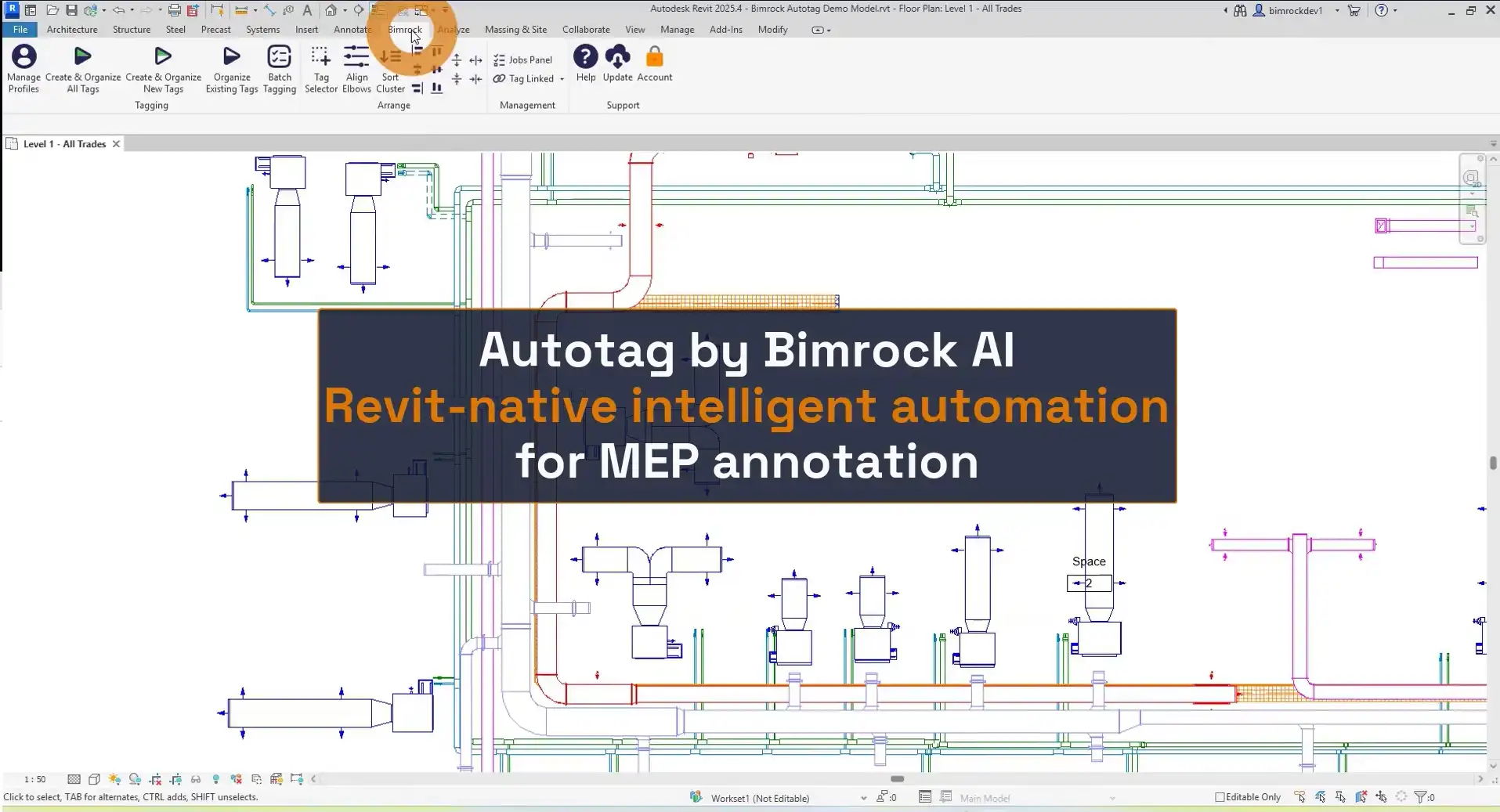
Autotag by Bimrock AI is a revolutionary plugin for Autodesk Revit that simplifies MEP tagging and annotation. Gone are the days of manual tag placement, as Autotag streamlines the process with smart, rule-based tagging profiles. This plugin allows you to pull parameter data from ducts, pipes, cable trays, conduits, and electrical equipment, and then place and organize tags with precision. With Autotag, you can set your tagging standards once and let the plugin handle the repetitive task of placing smart and consistent annotations, ensuring your team stays in control of the final result.
(Image by: Bimrock AI | MEP Design & Engineering Automation Software)
Features
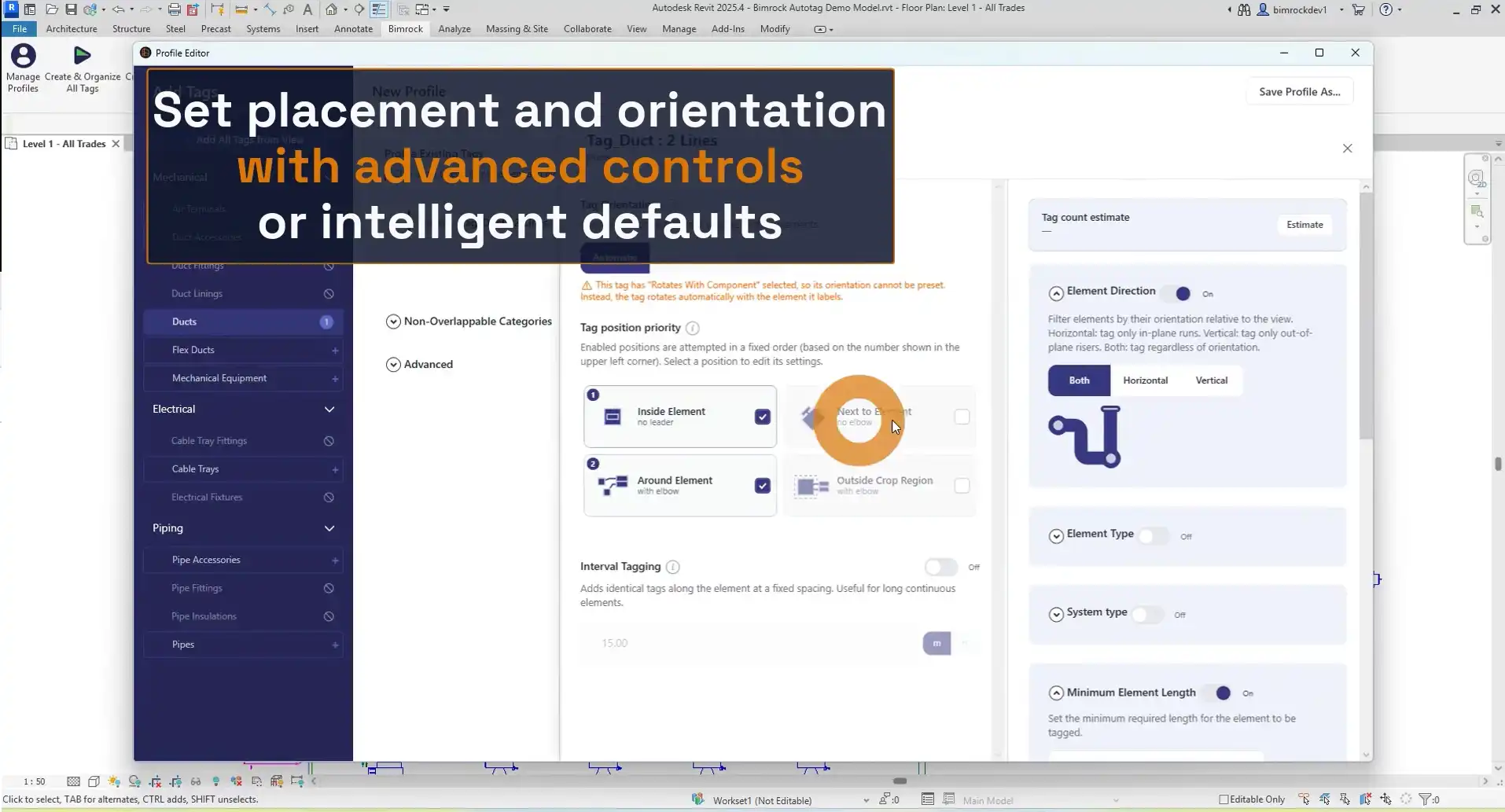
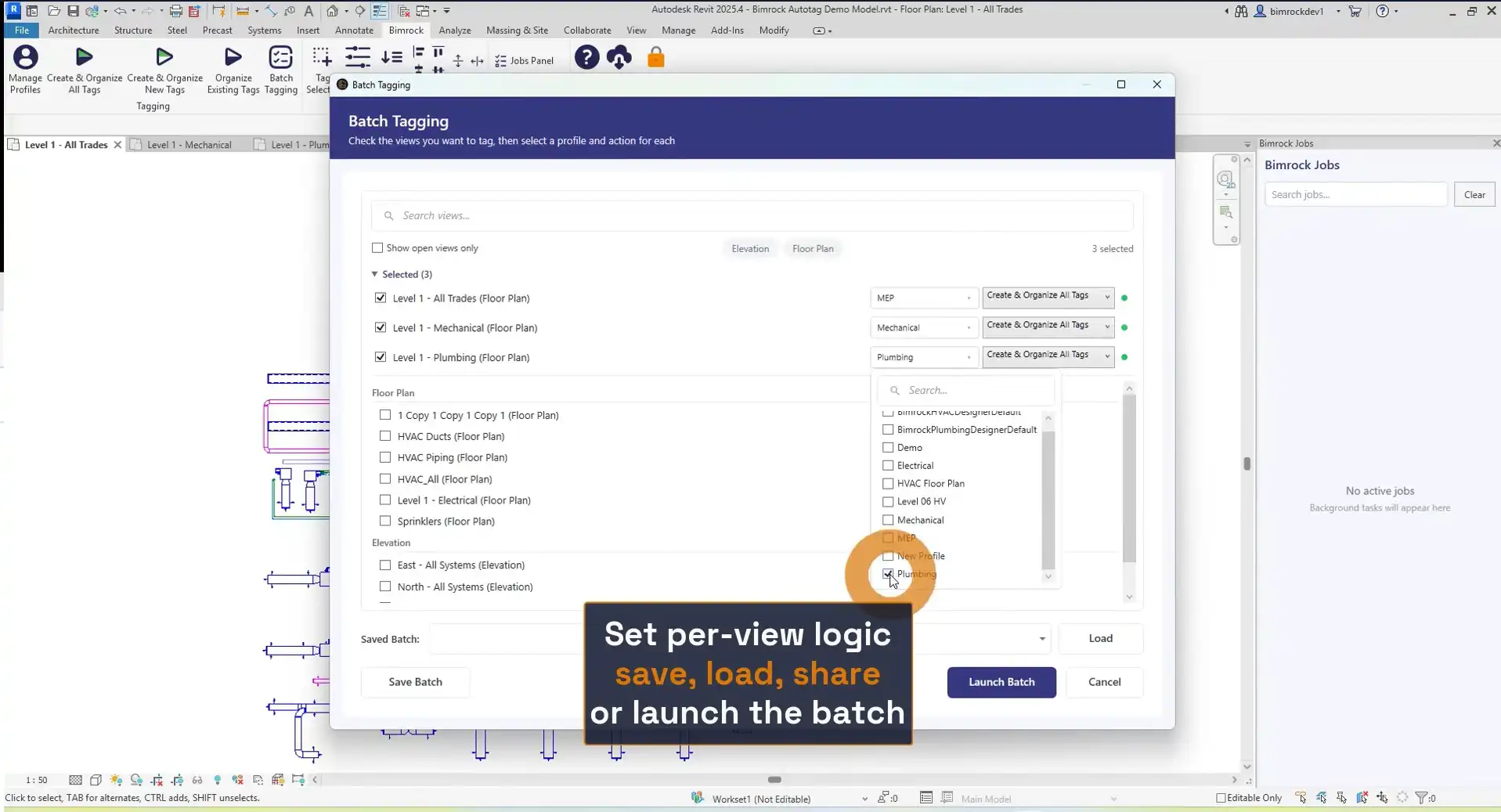
Autotag offers a range of key features that make MEP tagging a breeze. With profile-based tagging automation, you can define your tagging rules once and apply them across all views, sheets, and projects. This ensures consistency in your annotation standards and allows for easy sharing among team members. The plugin also includes automatic overlap avoidance, positioning tags intelligently to prevent label overlap and eliminate the need for manual cleanup. Additionally, Autotag enables batch view processing, making it easy to tag entire buildings in one operation across levels and disciplines.
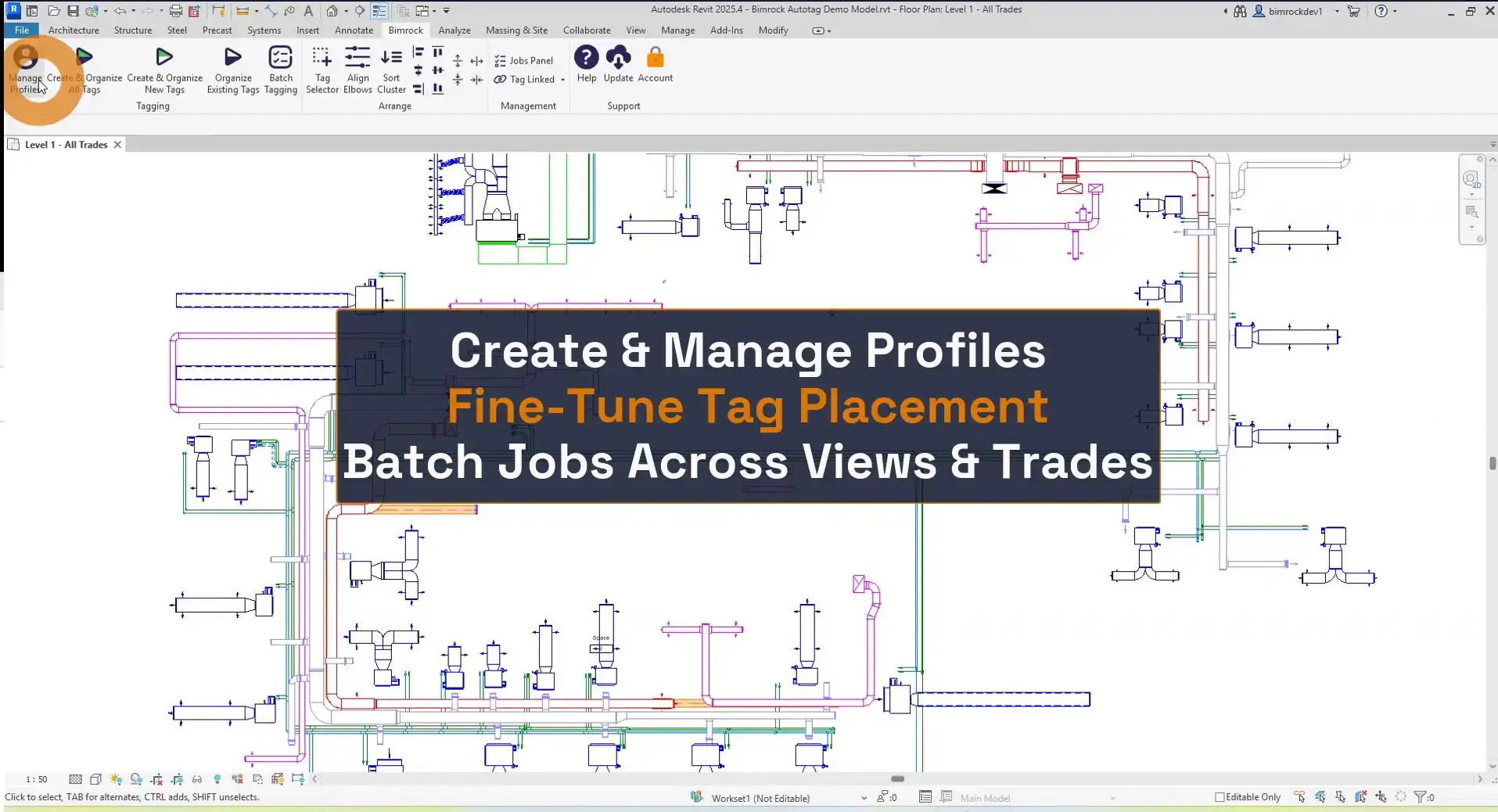
(Image by: Bimrock AI | MEP Design & Engineering Automation Software)
How It Works
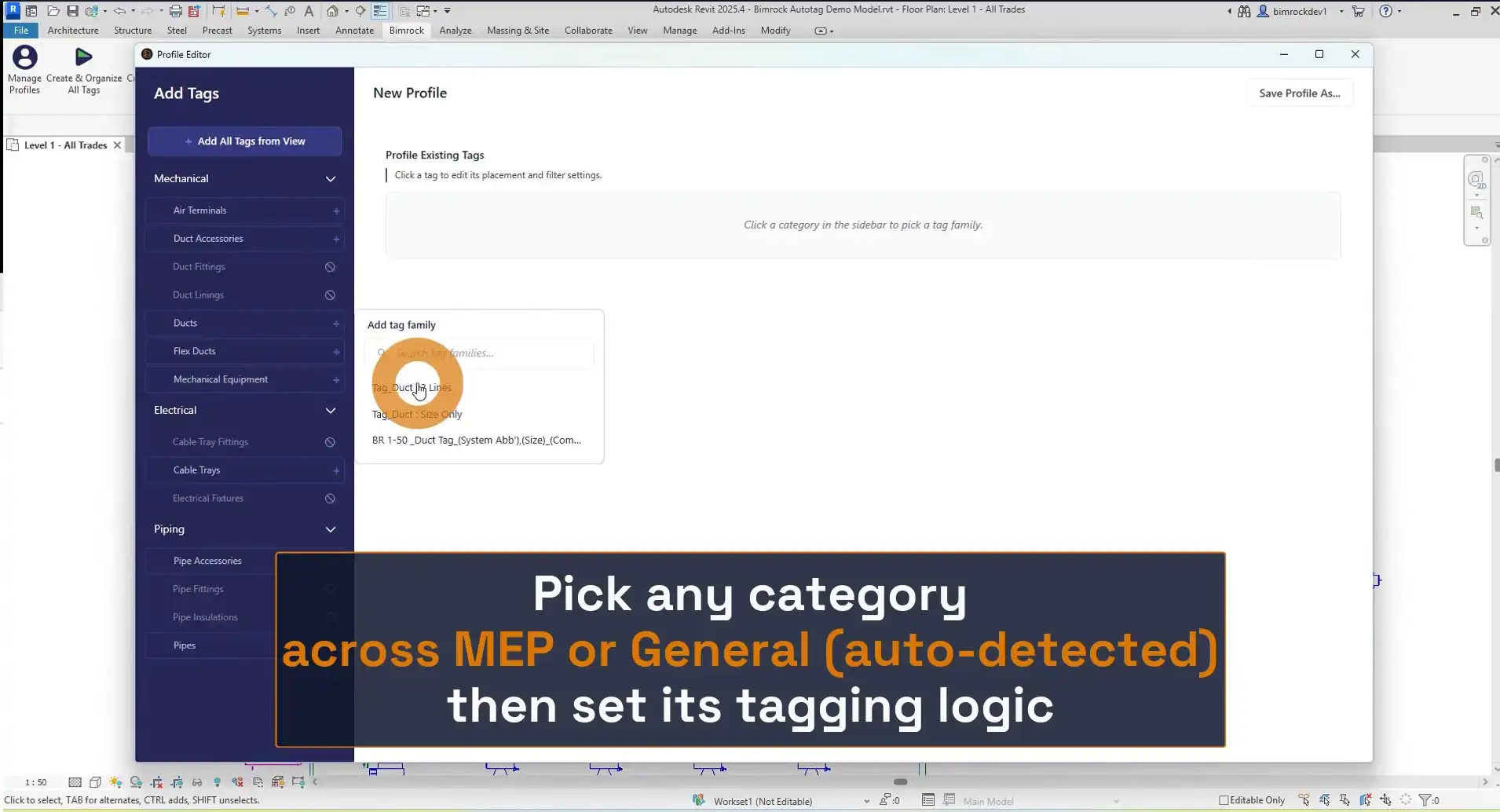
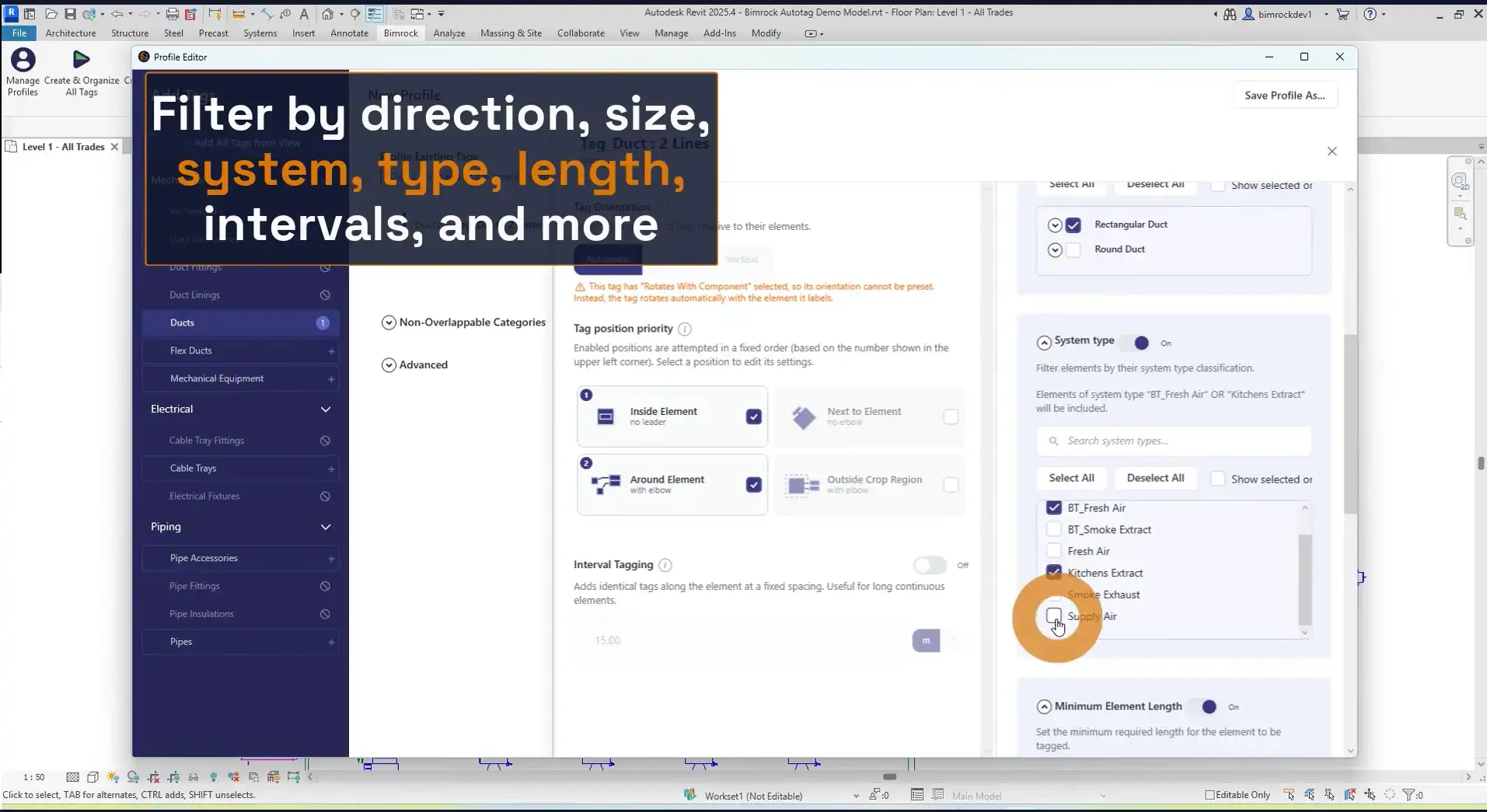
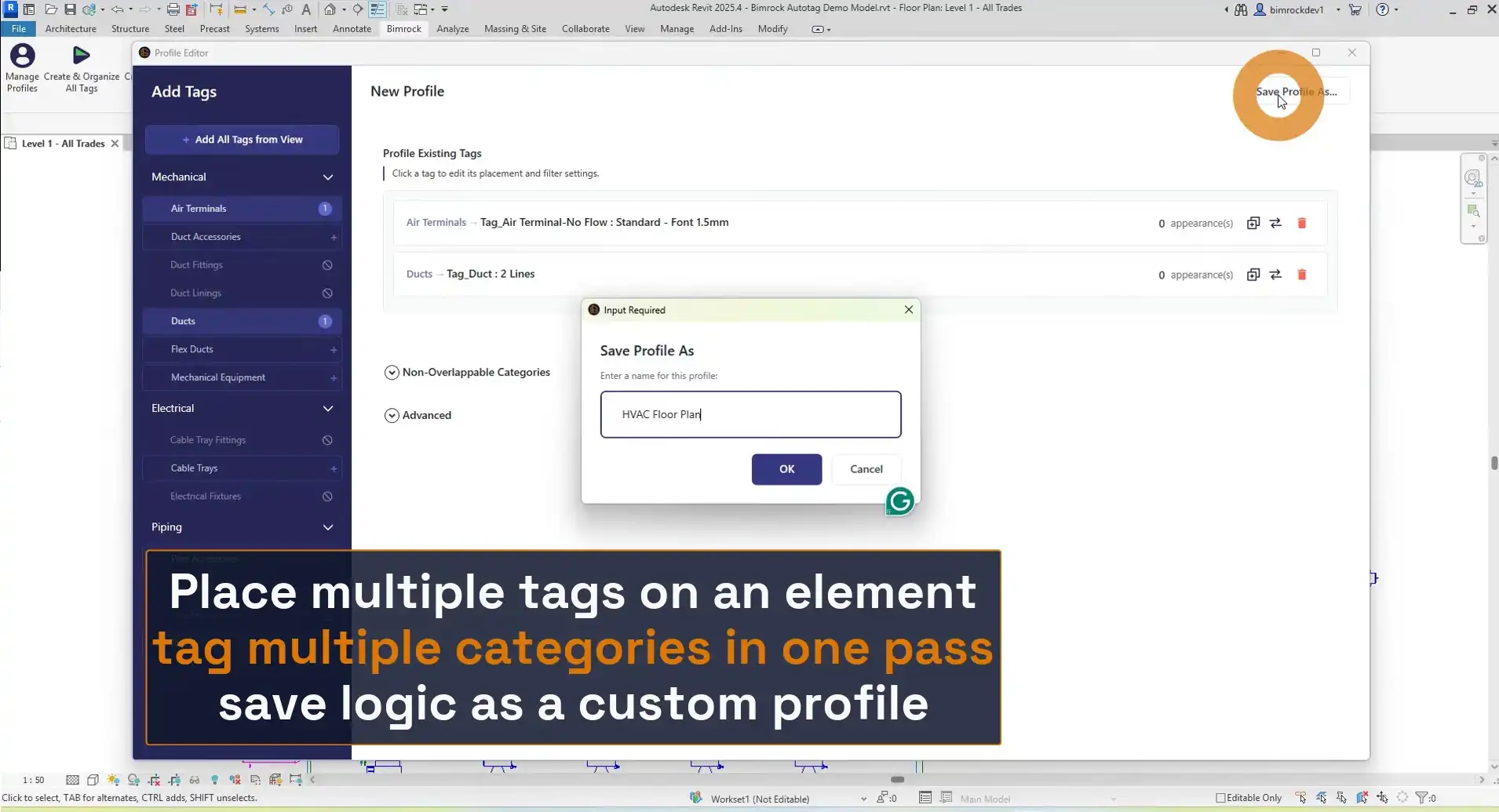
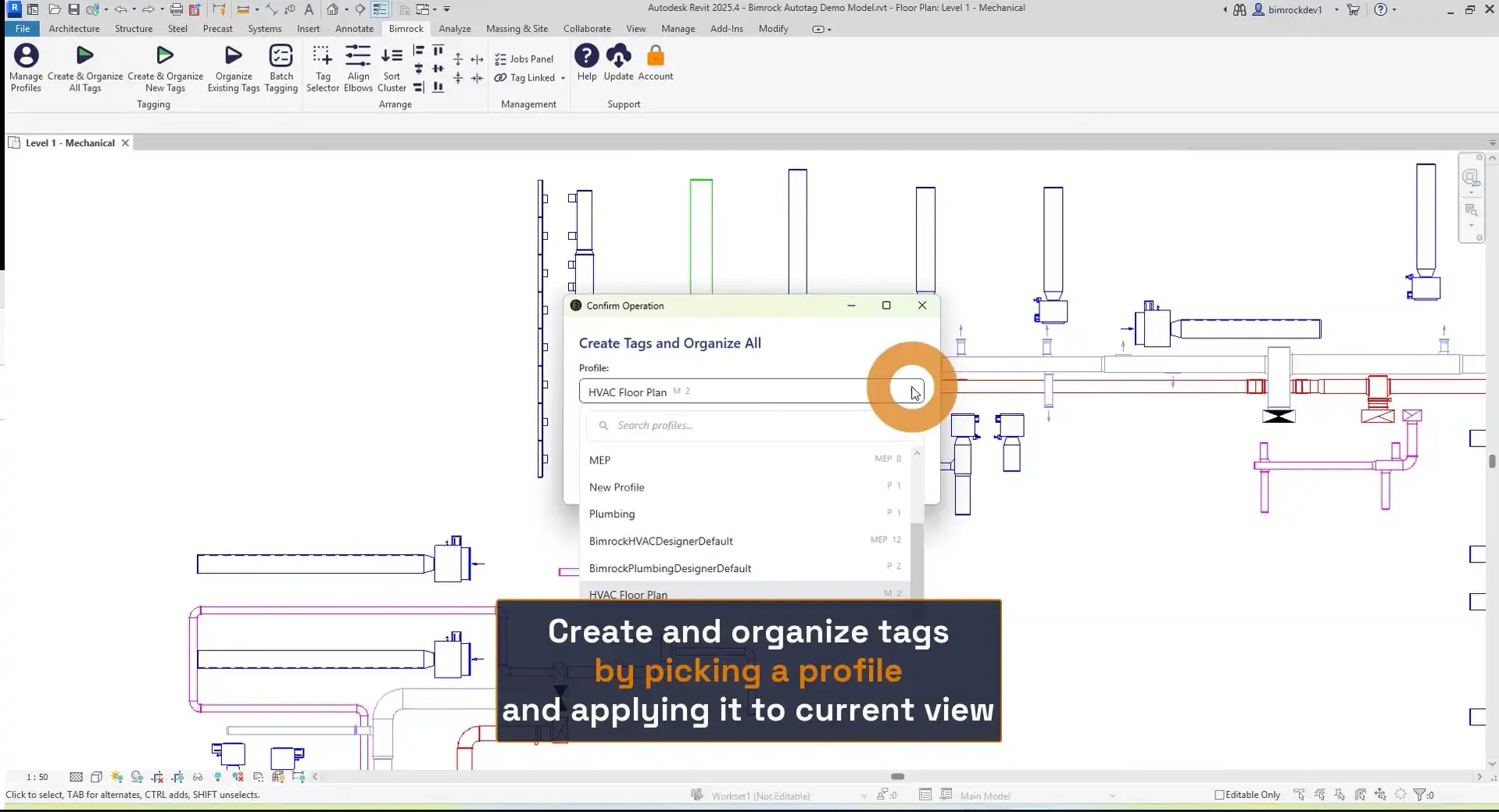
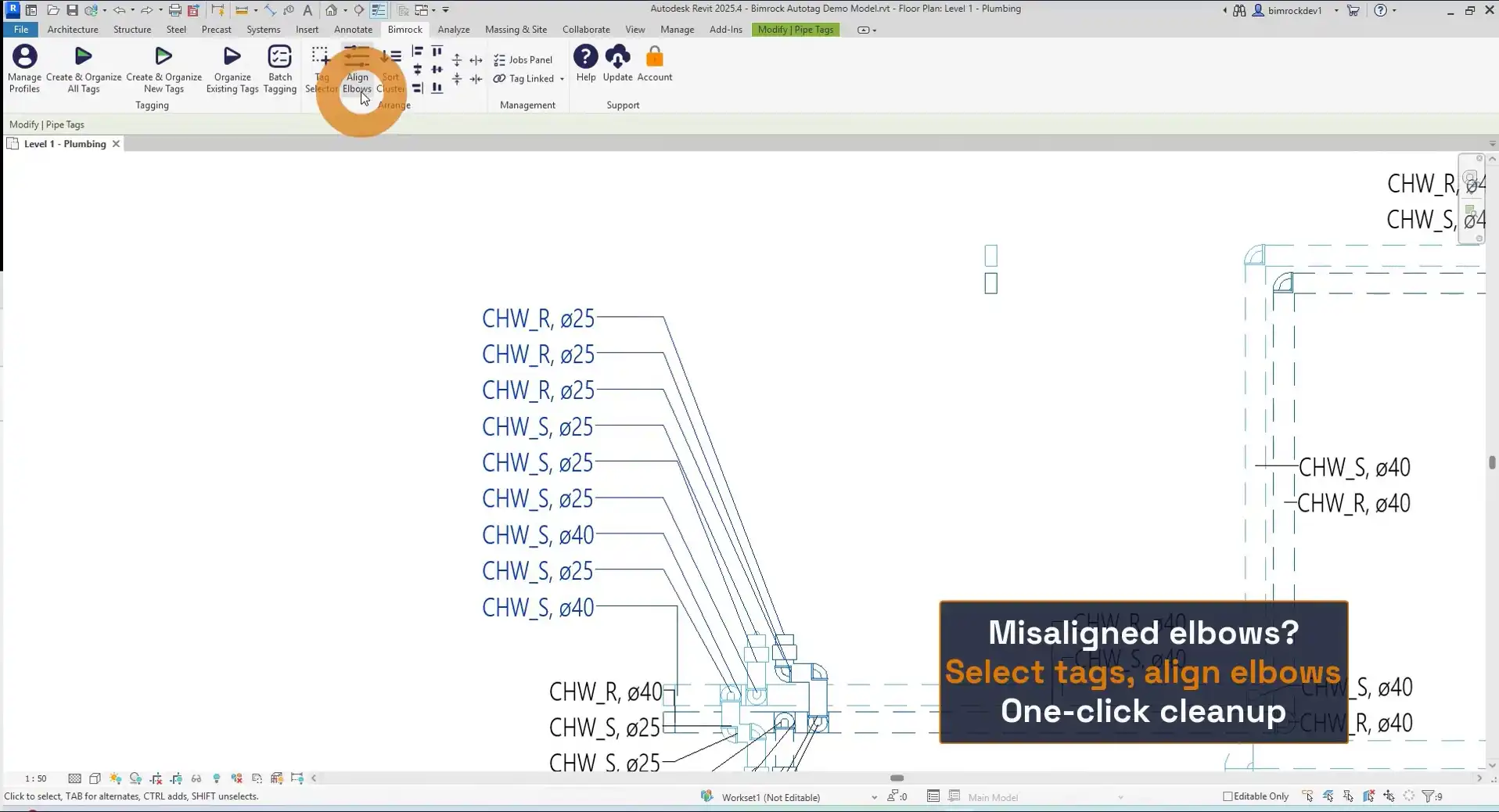
The workflow of Autotag is simple and efficient. To begin, you create a tagging profile by selecting MEP categories, tag families, filters, and placement rules. These profiles function like view templates but for annotation, allowing you to define your tagging standard once and reuse it as needed. Once your profile is set, you can apply it to one or more views, and Autotag will automatically place tags with intelligent overlap avoidance. This means labels will remain readable without the need for manual adjustments. You can also edit and refine tags in bulk, organize leader lines, and align elbows with ease. Additionally, the plugin offers batch processing capabilities, allowing you to auto-tag multiple views and sheets simultaneously.
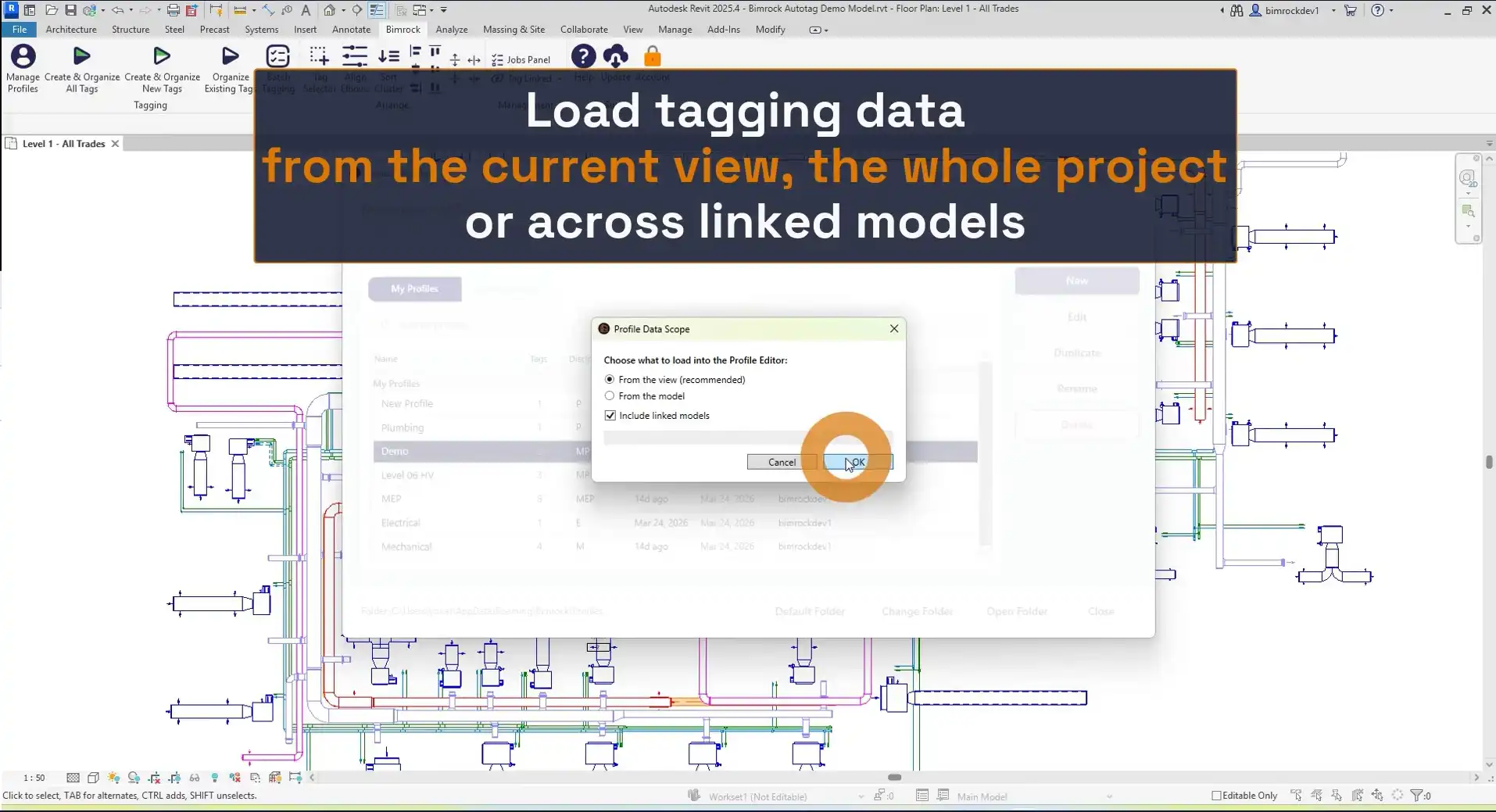
(Image by: Bimrock AI | MEP Design & Engineering Automation Software)
Summary
Overall, Autotag - MEP Tagging, Annotation & Documentation is a game-changer for MEP professionals working in Autodesk Revit. This plugin streamlines the tagging process, saving time and ensuring consistency in annotation standards. With features like profile-based tagging automation, automatic overlap avoidance, and batch view processing, Autotag simplifies the task of tagging entire buildings across disciplines. If you're looking to boost efficiency and accuracy in your MEP projects, Autotag is a must-have tool.
(Image by: Bimrock AI | MEP Design & Engineering Automation Software)
(Image by: Bimrock AI | MEP Design & Engineering Automation Software)
(Image by: Bimrock AI | MEP Design & Engineering Automation Software)
(Image by: Bimrock AI | MEP Design & Engineering Automation Software)
(Image by: Bimrock AI | MEP Design & Engineering Automation Software)
(Image by: Bimrock AI | MEP Design & Engineering Automation Software)
(Image by: Bimrock AI | MEP Design & Engineering Automation Software)
Similar apps:
- Free
- Free
- $99
- Free
- $5
- $20